
Laurel MS not charging: Top 2 Easy Fixes!
Is Your Tablet Refusing to Charge? You’re Not Alone
Laurel MS not charging issues are more common than you think, and whether it’s your tablet, phone, or laptop, help is available right here in town. Here’s what you need to know:
Quick Solutions for Laurel, MS Residents:
| Problem | Local Solution | Turnaround Time |
|---|---|---|
| Charging port repair | Salvation Repair (1503 Lakeview Rd) | Same-day |
| Battery replacement | iFixandRepair (Laurel Walmart) | Under 1 hour |
| Screen + charging issues | Both locations offer combo repairs | Same-day |
| Free diagnosis | Visit in-store for a free diagnosis | Immediate |
You plug in your tablet before bed, carefully aligning the cable, expecting it to be fully charged and ready for your morning commute or that important work presentation. But when you wake up, a sense of dread washes over you as the battery icon still shows a sliver of red. Nothing happened overnight. No charge. No progress. Just the mounting frustration of a dead device holding your day hostage.
This scenario plays out daily across Laurel, MS. Sometimes it’s a worn-out charging cable. Other times, it’s a clogged port filled with pocket lint. And occasionally, it’s something more serious like battery degradation or internal hardware failure.
The good news? Laurel has two solid repair options that can diagnose and fix most charging issues the same day. Salvation Repair offers same-day mobile repairs with a lifetime warranty on parts and labor, while iFixandRepair at the Laurel Walmart can often complete repairs in under an hour while you shop.
I’m Ralph Harris, and over my 20+ years fixing electronics, I’ve seen countless Laurel MS not charging cases that were completely fixable with the right expertise. Most people don’t realize that what seems like a dead device is often just a $30 charging port replacement away from full functionality.
Easy Laurel MS not charging word list:
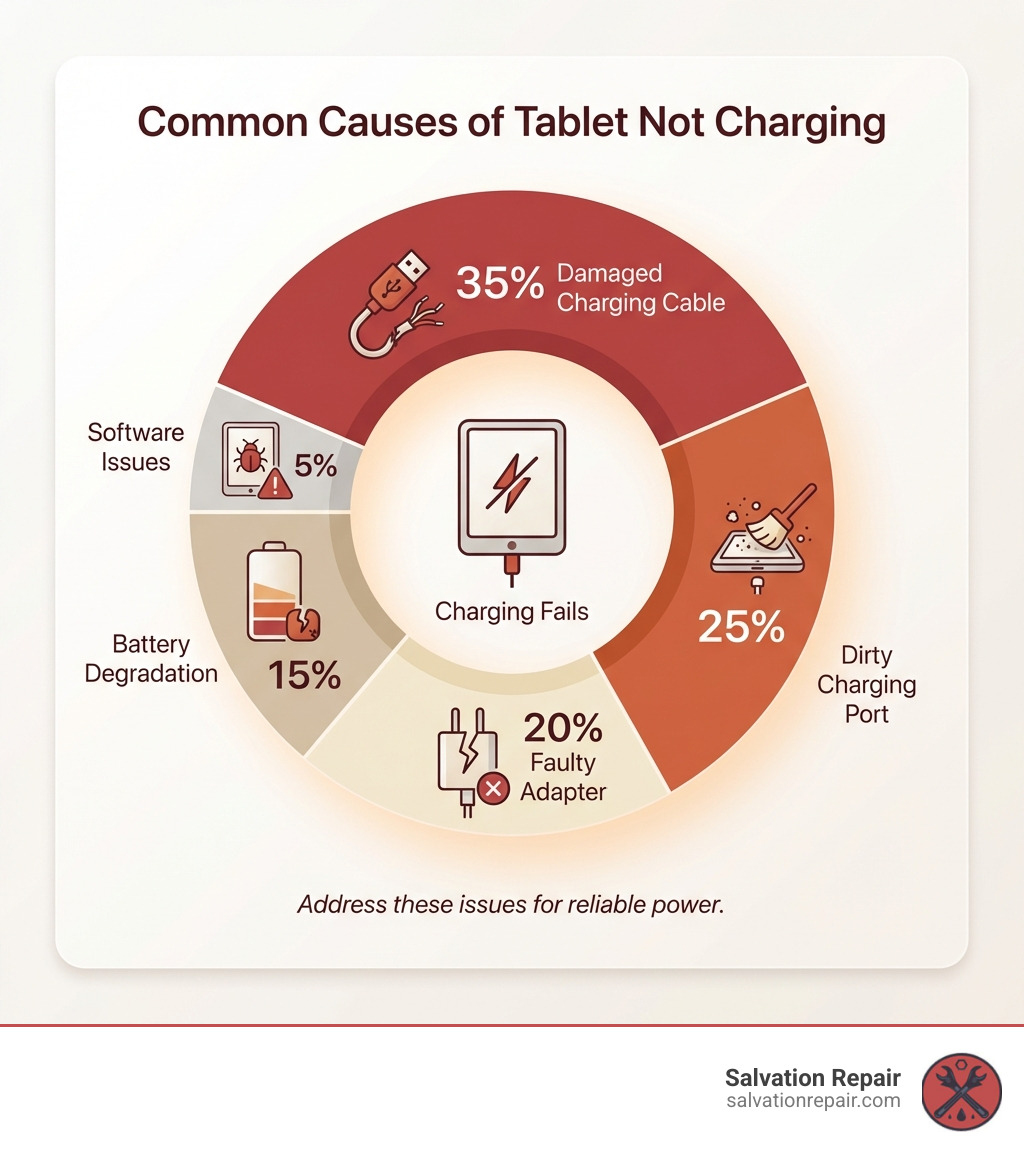
Why Isn’t My Tablet Charging? Common Culprits
When your beloved tablet decides to go on a charging strike, it can feel like a personal betrayal. But before you declare it a lost cause, let’s explore some of the most common culprits behind a tablet that’s just not charging. From our years of experience in tablet repair Laurel MS, we’ve seen it all, and often, the fix is simpler than you’d think.
First, let’s look at the external factors:
- Damaged charging cable: This is arguably the most frequent offender. Cables endure a lot of bending, twisting, and general wear and tear. Over time, the internal wires can fray, leading to intermittent or complete charging failure. A simple visual inspection might reveal kinks or exposed wires, but sometimes the damage is internal.
- Faulty power adapter: Just like the cable, the power adapter or brick can go bad. It might stop regulating voltage correctly or simply cease to function. If you’re using an off-brand adapter, it might not be providing enough power, or worse, could be damaging your device.
- Dirty charging port: This one is a classic! Our devices spend a lot of time in pockets, bags, and on various surfaces, accumulating lint, dust, and debris. This gunk can get packed into the charging port, preventing the cable from making a proper connection. It’s like trying to plug a vacuum into a wall socket that’s full of marshmallows – it just won’t go!
- Software glitches: While less common for directly preventing charging, software issues can sometimes mess with a device’s ability to recognize a charger or display the correct battery percentage. A rogue app or a corrupted operating system file could be the culprit, making your tablet think it’s not charging even when it is, or vice-versa.
- Battery degradation: All rechargeable batteries, including the Lithium-ion batteries in your tablet, have a finite lifespan. This lifespan is measured in charge cycles—one cycle being a full discharge and recharge. Over hundreds of these cycles, a battery’s internal chemistry changes, and it naturally loses its capacity to hold a charge. This is why a tablet that’s a few years old might drain much faster than it used to. Eventually, it can degrade to a point where it struggles to accept a charge at all. For many modern tablets, especially iPads, a battery with critically low health may not provide enough voltage to even allow the device to power on, making it seem completely dead even when plugged in.
- Hardware failure: This is the big one, and it almost always requires professional intervention. The issue could be a physically damaged charging port that’s loose or has broken internal pins. More complex is a faulty charging IC (integrated circuit) on the motherboard. This tiny chip is the brain of the charging system, managing the flow of power from the port to the battery. If it fails due to a power surge, a hard drop, or liquid damage, the tablet won’t charge no matter what cable you use. Other internal component damage can also be the culprit. These issues are not DIY-friendly and attempting a repair without the right tools and expertise can cause permanent damage. For intricate hardware repairs, from charging ICs to physical damage like a tablet hinge repair Laurel, we have the expertise to get your device working again.
Troubleshooting a Tablet That’s Not Charging in Laurel, MS
Before you rush to a repair shop, there are a few simple troubleshooting steps you can take right from your home in Laurel, MS. These quick checks can often resolve the issue, saving you time and money.
- Check your cable and adapter: The easiest first step! Try using a different charging cable and power adapter that you know are working. Ideally, use one from another device or a brand-new, high-quality replacement. If your tablet starts charging, congratulations! You’ve found the problem.
- Clean the charging port carefully: Grab a flashlight and carefully inspect your tablet’s charging port. See any lint or debris? With the device powered off, gently use a non-conductive tool like a wooden toothpick or a plastic flossing pick to scrape out any obstructions. Be extremely careful not to damage the delicate pins inside the port. Never use metal objects. A blast of compressed air can also help dislodge dust.
- Restart your device: Sometimes, a simple reboot can clear up minor software glitches. Hold down the power button and restart your tablet. Once it’s back on, try plugging it in again. It’s surprising how often this simple trick works!
- Rule out software issues: If a restart doesn’t work, and you suspect a software glitch, ensure your tablet’s operating system is up to date. Sometimes, updates include bug fixes that can resolve charging-related issues. If all else fails and you’re desperate, a factory reset might be considered, but remember this will erase all your data, so back up first!
- Test with a different outlet: It might sound obvious, but sometimes the problem isn’t your tablet or its accessories, but the power source itself. Try plugging your charger into a different wall outlet, or even a different room in your home. If it charges there, then you know it’s an electrical issue in your original outlet.
If you’ve gone through these steps and your tablet is still giving you the cold shoulder, it’s time to call in the professionals. Don’t worry, Laurel, MS has expert technicians ready to help.
Local Repair Options: Laurel, MS
When your tablet needs professional attention, knowing where to turn can make all the difference. In Laurel, MS, we’re fortunate to have dedicated repair services that can tackle everything from a stubborn charging port to a shattered screen.
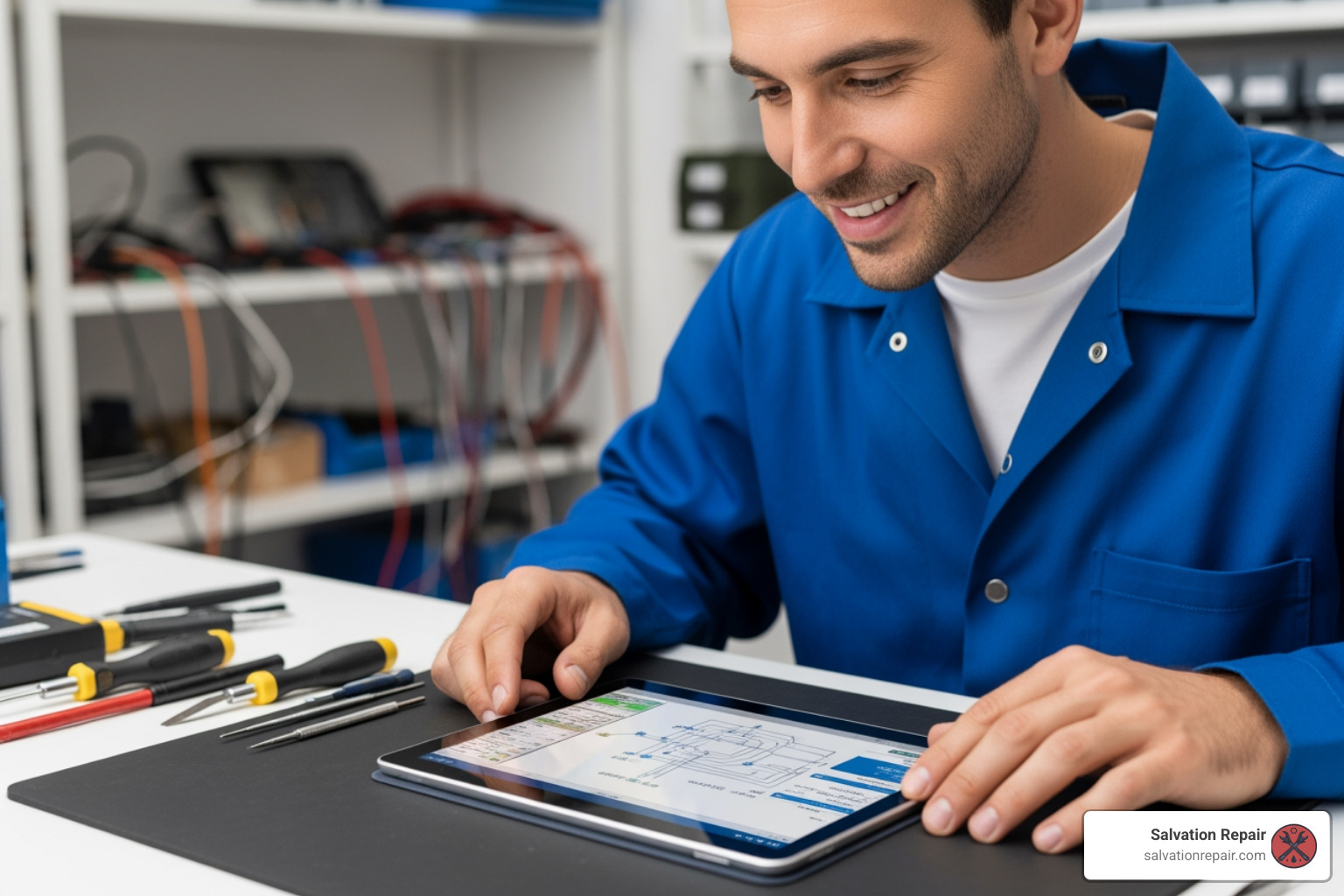
This section will help you compare the two main local repair services based on our research, empowering you to make an informed decision for your Laurel MS not charging dilemma.
Comparing Your Choices: Salvation Repair vs. iFixandRepair
To help you decide where to take your non-charging tablet, we’ve put together a comparison of the key features and services offered by Salvation Repair and iFixandRepair in Laurel, MS. Both are excellent options, but their unique selling points might sway your decision.
| Feature | Salvation Repair of a tablet that is not charging, there are a few general things to consider. First, check the charging cable and power adapter. A faulty cable or adapter is a common reason for a tablet not to charge. Next, inspect the charging port for any debris or foreign objects. Debris can block the connection, preventing the device from charging. If the cable and port are fine, try restarting the tablet. A simple software glitch can sometimes prevent the device from charging. If none of these steps work, it’s best to take the tablet to a professional repair service. They can diagnose the issue and provide a solution.
