Cracked Screen? 5 Expert Fixes Now!
When Your Phone Screen Shatters: Understanding Your Options
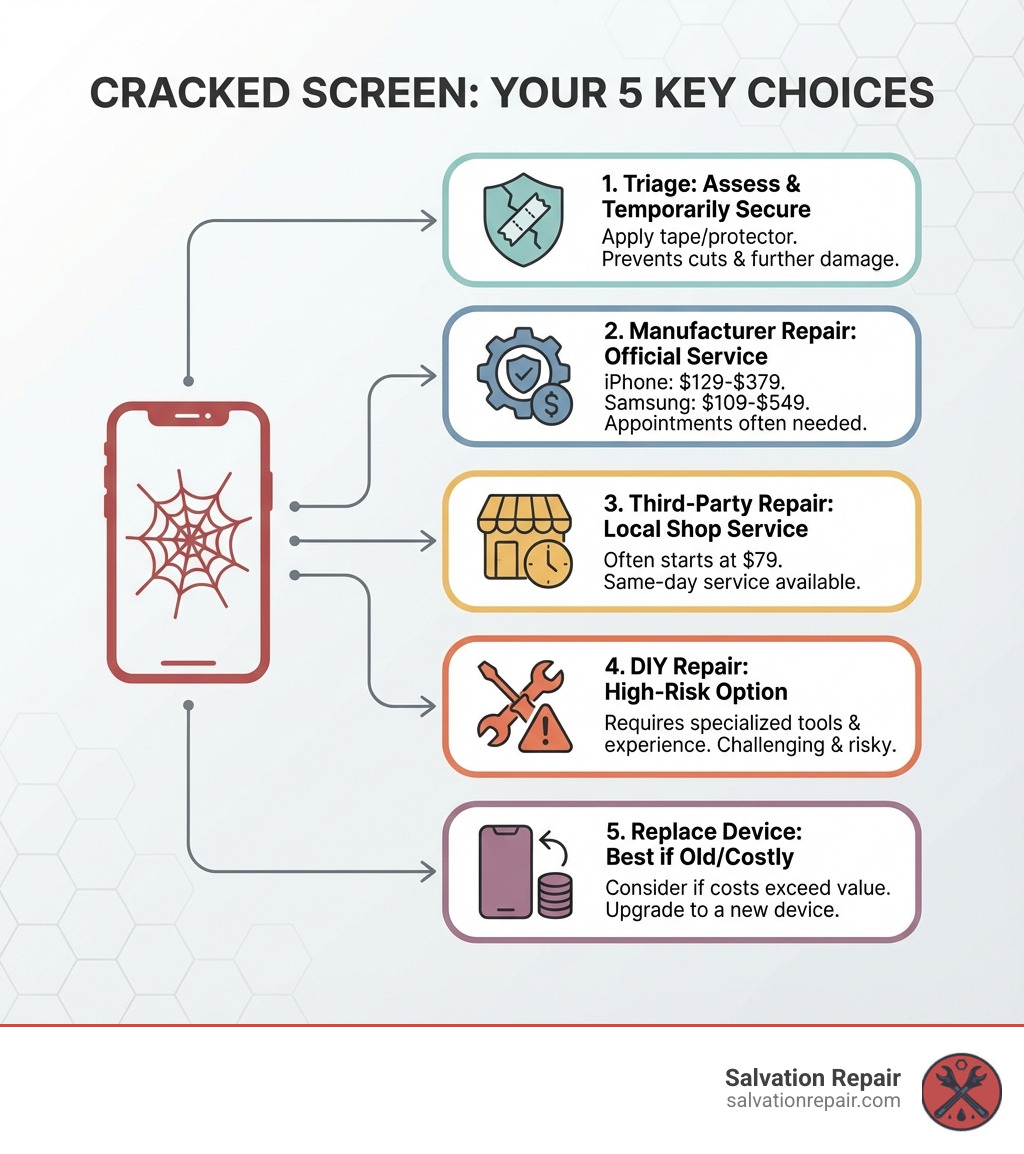
A cracked screen is one of the most common smartphone problems, affecting millions of devices every year. If you’re dealing with a shattered display right now, here’s what you need to know:
Your 5 Main Options for a Cracked Screen:
- Assess & Temporarily Secure – Apply tape or a screen protector to prevent cuts and further damage
- Manufacturer Repair – Official service ($129-$379 for iPhones, $109-$549 for Samsung)
- Third-Party Repair – Local shops offering same-day service, often starting at $79
- DIY Repair – High-risk option requiring specialized tools and experience
- Replace the Device – Best choice if the phone is old or repair costs exceed its value
It happens to the best of us. You’re getting out of your car, your phone tumbles from your pocket, and suddenly you’re staring at a spiderweb of cracks splitting across your screen. Don’t panic. While a cracked screen is frustrating, you have more options than you might think.
The decision isn’t always straightforward. Repair costs for a cracked screen can range from $79 to several hundred dollars, depending on your phone model and where you get it fixed. Most repairs at professional shops take 45 minutes or less, though manufacturer repairs may require appointments and longer turnaround times.
A cracked screen isn’t just an aesthetic problem—it can worsen over time, making your touchscreen difficult to use and exposing internal components to moisture and dust. Even if your phone seems to work fine now, ignoring the damage can lead to more expensive problems down the road.
This guide will walk you through every option available, from temporary fixes that keep you going until you can get proper repairs, to deciding whether fixing your screen or replacing your phone makes more financial sense. We’ll cut through the myths (no, toothpaste won’t fix your screen) and give you the real information you need to make the best choice for your situation.
I’m Ralph Harris, and over my 20 years in electronics repair, I’ve seen thousands of cracked screens walk through our doors at Salvation Repair. Having completed more than 500 Apple repair certifications and countless screen replacements, I know exactly what works—and what doesn’t—when it comes to fixing a cracked screen. Let’s explore your options so you can get back to using your device without frustration.
Cracked screen terminology:
Step 1: Assess the Damage and Apply a Temporary Fix
The moment your phone hits the ground and you see that dreaded spiderweb pattern, your heart sinks. But before you despair, the very first step is to assess the damage. A cracked screen isn’t always just cosmetic; it can hide deeper issues that need your attention.
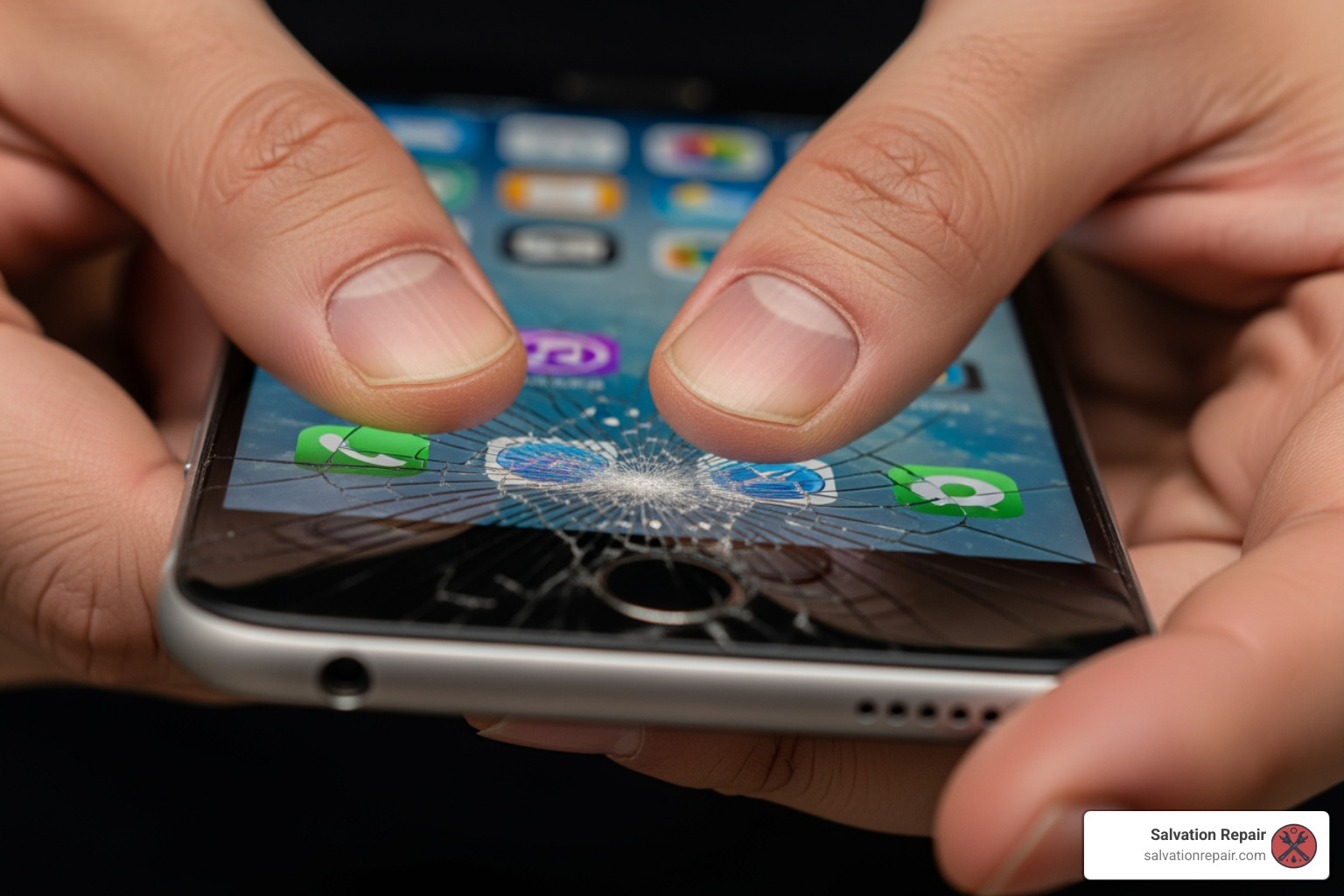
When you first pick up your device, take a deep breath and carefully inspect it. Look beyond the visible cracks on the glass. Does the touchscreen still respond to your touch? Are there areas where it’s unresponsive, or worse, is it “ghost typing” – registering touches that aren’t there? These are critical signs that the damage extends beyond just the top layer of glass.
Check the display for any dark spots, flickering, or discolored lines. A black spot resembling an ink stain can appear if the inner screen mechanisms are damaged, even if the glass isn’t visibly cracked. Similarly, pixel bleeding, which shows up as black or other colored lines in rows or columns, is a direct result of impact. These visual anomalies indicate significant internal display damage.
Don’t forget to check other essential functions. Can you still hear calls clearly through the speaker? Does the camera work without obstruction? Are the physical buttons (power, volume, home) still functioning correctly, and is the charging port free from damage? A hard drop can impact more than just the screen, affecting these vital components as well.
The Risks of Ignoring a Cracked Screen
You might be tempted to just “live with” a minor crack, but we strongly advise against it. Ignoring a cracked screen can lead to a cascade of problems, turning a relatively simple fix into a much more expensive ordeal.
First and foremost, a small crack will almost always grow and spread over time, especially with continued use and everyday pressure. What starts as a hairline fracture can quickly become a full-blown spiderweb, making your touchscreen difficult, if not impossible, to use.
More critically, a cracked screen compromises your phone’s structural integrity. Even water-resistant phones lose their seal, making them vulnerable to dust and moisture ingress. A single drop of liquid on a cracked screen can be disastrous, seeping into the internal components and causing irreparable damage. We’ve seen countless phones come in with liquid damage that started with a seemingly minor screen crack.
And let’s not forget the physical danger: those sharp glass shards. Running your fingers over a broken screen can lead to uncomfortable “glass splinters” or even cuts. It’s not just a nuisance; it’s a safety hazard. A neglected cracked screen can lead to complete touchscreen failure, rendering your device unusable.
How to Temporarily Secure Your Screen
While a temporary fix won’t solve the underlying problem, it can prevent further damage, protect your fingers, and keep your phone functional until you can get it professionally repaired.
Here are a few immediate steps you can take:
- Clear Packing Tape: For severely shattered screens, carefully apply clear packing tape over the entire display. This will hold loose glass shards in place, prevent them from falling out, and smooth over jagged edges, protecting your fingers. Ensure the tape is applied smoothly to avoid bubbles that could interfere with touch.
- Applying a Screen Protector: A tempered glass screen protector can act as an excellent temporary barrier. It won’t repair the crack, but it can prevent it from spreading further and add a layer of protection against minor impacts. If your phone’s screen is unlevel due to the crack, be cautious; applying too much pressure to the screen protector can cause it to crack as well, requiring another replacement. Before applying, use a lint-free cloth (like a coffee filter) to clean the screen, and ensure it’s completely dry. Avoid water, as it can seep into the cracks.
- Sturdy Phone Case: If you don’t already have one, put your phone in a durable phone case immediately. A case with raised edges, also known as a “lip,” can help protect the screen from direct impact if dropped face-down again. It provides an extra layer of shock absorption.
- Backing Up Your Data Immediately: This is perhaps the most crucial immediate step. If your screen is cracked but still somewhat functional, back up all your photos, contacts, and important files right away. Cracked screens can lead to more severe issues over time, potentially making your phone completely unresponsive. For iPhones, use iCloud or connect to iTunes/Finder. For Android devices, use Google Drive or connect via USB to a computer.
For more detailed information on dealing with a broken screen, check out our guide on Broken Phone Screen.
Step 2: Explore Your Repair Options for a cracked screen
Once you’ve assessed the damage and applied any necessary temporary fixes, it’s time to consider your repair options. When it comes to fixing a cracked screen, you generally have three main paths: going through the manufacturer, choosing a third-party professional repair shop, or attempting a DIY repair. Each option comes with its own set of considerations regarding cost, time, risk, warranty, and quality.
Here’s a quick comparison to help you weigh your choices:
| Feature | DIY Repair (Do-It-Yourself) | Professional Repair (Third-Party) | Professional Repair (Manufacturer) |
|---|---|---|---|
| Cost | Parts cost (variable), often cheapest upfront | Starts around $79, average $100-$300 | Higher, average $100-$379 (Apple), $109-$549 (Samsung) |
| Time | 60-90 minutes (if skilled), potentially longer with issues | Often same-day, many in 45 minutes or less | Appointments, mail-in (5-7 business days), or walk-in |
| Risk | High (voids warranty, potential for further damage, loss of water resistance) | Low (experienced technicians, quality parts) | Low (certified technicians, genuine parts) |
| Warranty | None, voids existing manufacturer warranty | Often 1-year limited warranty, some offer lifetime | 90-day warranty on repairs, or covered by AppleCare+/Samsung Care+ |
| Quality | Variable (depends on parts, skill, tools) | High (experienced, high-quality parts) | Highest (genuine parts, factory standards) |
Method 1: Professional Repair via the Manufacturer
If your phone is relatively new or still under warranty/insurance, going directly to the manufacturer is often a reliable choice. Brands like Apple and Samsung offer dedicated repair services through their official channels.
For Apple users, this means a visit to the Genius Bar or sending your device in for mail-in service. Samsung device owners can use Samsung Service Centers, which also offer walk-in, “We Come to You” (in some regions), and mail-in repair options.
Pros:
- Certified Technicians: Repairs are performed by experts specifically trained on your device.
- Genuine Parts: Manufacturers use authentic, high-quality replacement parts, ensuring compatibility and optimal performance.
- Restores Water Resistance: Professional manufacturer repairs often include specialized sealing to restore your device’s water resistance, a crucial aspect that DIY repairs almost always compromise.
- Warranty: Samsung offers a 90-day warranty on their repairs. If you have AppleCare+ or Samsung Care+, your repair cost can be significantly reduced to around $29, although these plans have an upfront cost.
Cons:
- Higher Cost: Without insurance or an extended warranty, manufacturer repairs can be more expensive. For instance, an iPhone screen replacement can range from $129 to $379 depending on the model, while a Samsung Galaxy S23 Ultra screen repair is $259, and a full screen module replacement is $319. Foldable screens can cost even more, with inner screen repairs for a Galaxy Z Fold6 reaching $549.
- Turnaround Time: While some walk-in repairs might be same-day, securing an appointment can take time, and mail-in services typically have an estimated turnaround of 5 to 7 business days.
You can check Apple’s official repair costs on their website: Check Apple’s official repair costs.
For Samsung devices, visit: Check Samsung’s official repair costs.
Method 2: Professional Repair via Third-Party Shops
For many, third-party repair shops strike an excellent balance between affordability, speed, and quality. Companies like Salvation Repair in Laurel, MS, Jackson, MS, and Oxford, MS specialize in fixing cracked screen issues for a wide range of devices, including iPhones, iPads, Samsung phones, and laptops.
Pros:
- Faster Turnaround: A major advantage is speed. Many repairs, especially screen replacements, can be completed on the same day, often in 45 minutes or less. This means minimal downtime for you.
- Often Cheaper: Third-party shops typically offer more competitive pricing than manufacturers, with screen repairs starting as low as $79.
- Price Matching: Reputable shops, like Salvation Repair, often offer price matching, ensuring you get the best deal.
- Longer Warranties: While manufacturer warranties are typically 90 days, many third-party repair services offer longer guarantees. For example, Salvation Repair stands behind our work with a lifetime warranty on repairs, giving you peace of mind.
- High-Quality Parts: While not “genuine” manufacturer parts, authorized third-party repairers use high-quality replacement components that meet industry standards. Some shops are even authorized repair providers for brands like Samsung and Google, ensuring access to reliable parts and tools.
- Convenience: With local stores, getting your phone fixed is as simple as walking in or scheduling an appointment.
Cons:
- Variety in Quality: The quality of third-party repair can vary. It’s crucial to choose a reputable shop with certified technicians and strong customer reviews.
- Warranty Concerns: Using an unauthorized third-party repairer can void your manufacturer’s warranty, though this is less of a concern if your device is already out of warranty.
We pride ourselves on being your local experts for cracked screen repairs in Laurel, MS, Jackson, MS, and Oxford, MS. You can find more information about local repair options on our site: Find local Phone Screen Repair Stores.
Method 3: DIY (Do-It-Yourself) Screen Repair
The internet is awash with guides and kits promising you can fix your cracked screen at home. While tempting due to potentially lower upfront costs, we urge extreme caution when considering DIY repair.
Pros:
- Potential Cost Savings: If you only factor in the cost of parts, DIY repair can seem cheaper than professional services.
- Sense of Accomplishment: Successfully repairing your own device can be satisfying.
Cons:
- High Risk: This is the biggest drawback. DIY screen repair is rated as “High” risk. Smartphones are intricate devices with tiny screws and delicate flex cables. One wrong move—a damaged flex wire, a misplaced screw, or even electrostatic discharge (ESD)—can permanently damage your device, turning a cracked screen into a completely bricked phone. We’ve seen plenty of “fixed” phones come in with lifted glass, broken touch sensors, or dead displays because screen repair takes precision, not guesswork.
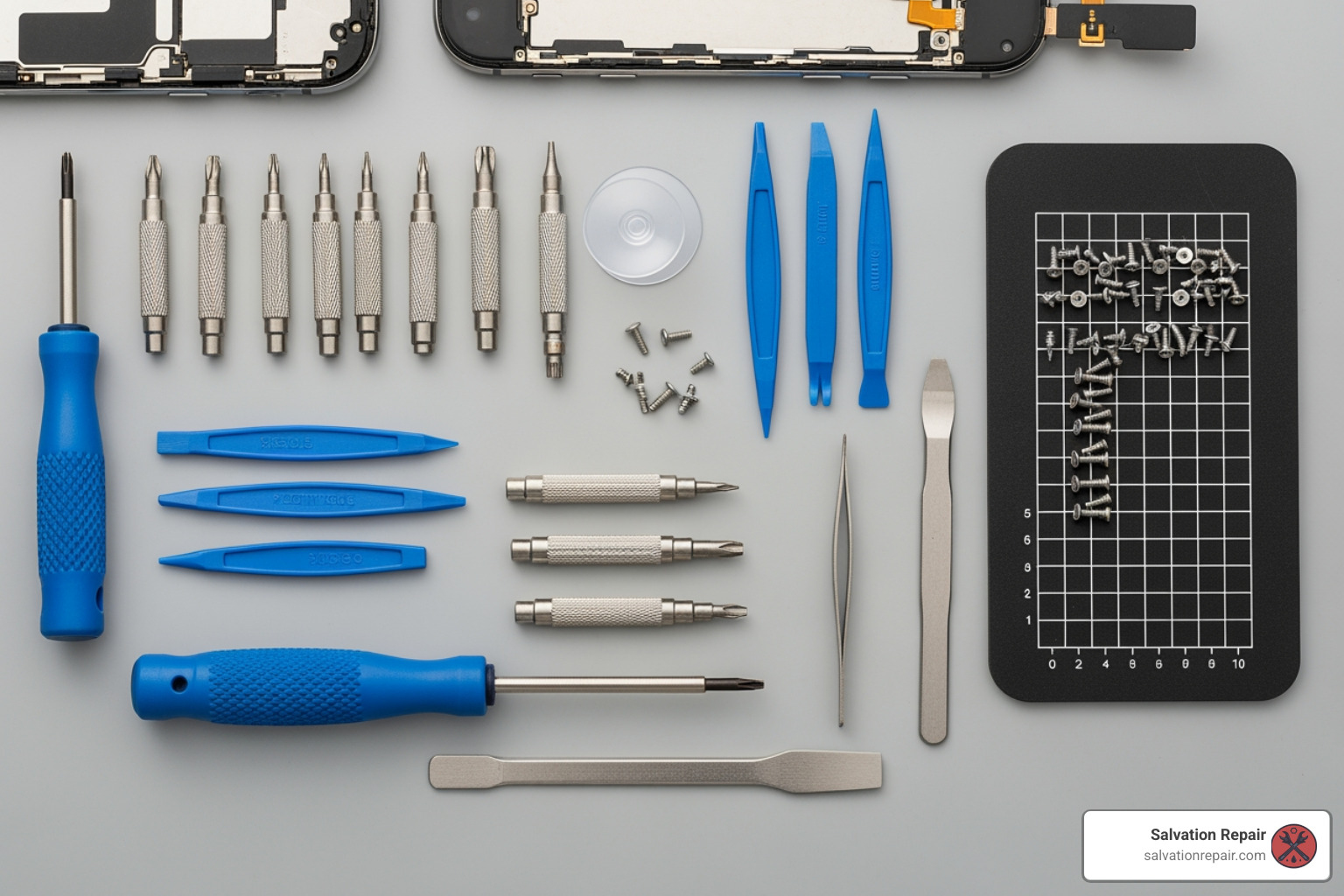
- Requires Experience and Specialized Tools: It’s not as simple as it looks. You need electronics repair experience, a steady hand, and a safe workspace equipped with specialized tools like magnetic mats, suction cups, and antistatic wrist straps.
- Voids Warranty: Attempting a DIY repair will almost certainly void any remaining manufacturer warranty on your device.
- Loss of Water Resistance: Professional repairs include specialized sealing to restore water resistance. DIY repairs rarely achieve this, leaving your device vulnerable to liquid damage.
- Disables Features: For iPhones, replacing the screen yourself will disable the True Tone feature, which automatically adjusts the display’s color temperature.
- Ineffective Myths to Avoid: The internet is a strange place, and it’s full of bad advice.
- Toothpaste: No, toothpaste will not fix a cracked screen. It’s not abrasive enough to buff out cracks, and the screen is too thick for it to have any effect. It’ll just create a mess.
- Eraser: Equally useless. An eraser cannot fill or buff out glass cracks.
- Clear Nail Polish: While some users have reported temporary success in filling minor cracks with a thin coat of clear nail polish, it’s not a permanent solution and can make your screen look cloudy. It may also seep into components and cause further issues.
- Liquid Glass: While a liquid glass screen protector might prevent future breaks, it will not fix an already cracked screen. It might make a hairline crack less visible, but there’s a risk it could seep into internal components and stop your phone from working.
- Baking Soda: Like toothpaste, baking soda is not a magic cure for a cracked screen. It will only create a powdery mess.
Unless you have significant electronics repair experience and are prepared for the potential consequences, we highly recommend leaving cracked screen repair to the professionals. For more information on screen repair, visit our dedicated page: More info on Screen Repair.
Step 3: Weigh the Costs—Repair vs. Replacement
Once you understand your repair options, the next critical step is to crunch the numbers. Is it more cost-effective to fix your cracked screen, or is it time for a new device? This decision often boils down to several factors: the cost of repair, your phone’s age and brand, its overall performance, and whether you have insurance.
Calculating the Cost of Your Cracked Screen Repair
The average cost to repair a cracked smartphone screen can range from $100 to $300. However, this is just an average. The actual price for your device will depend heavily on:
- Phone Age and Brand: Newer, more complex devices with advanced display technologies (like OLED or foldable screens) are generally more expensive to repair. Parts for older devices might be cheaper but can sometimes be harder to find. For example, replacing a 4.7-inch iPhone SE screen might cost $129, while a 6.7-inch iPhone 14 Pro Max screen could be $379.
- Extent of Damage: A minor crack might only require a simple screen replacement, whereas extensive damage affecting the display panel, digitizer, or other internal components will increase the repair cost. If the bezel or frame is also damaged, a full screen module replacement (which includes the screen, bezel, and battery) will be more expensive than just replacing the front screen.
- Insurance Coverage: This is where you can save significantly. If you have a device protection plan like AppleCare+, Samsung Care+, AT&T Protect Advantage, or Verizon Mobile Protect (via Asurion), your screen repair might only cost a small deductible, often around $29. Always check your policy’s terms and conditions, as there might be limits on the number of claims or specific repair centers you need to use.
For a detailed breakdown of iPhone screen repair costs, check out our guide: iPhone Screen Repair Cost. You can also find general information on Cracked Screen Repair Cost.
When to Replace Your Phone Instead of Fixing the Cracked Screen
While repairing a cracked screen is often cheaper than buying a brand-new phone, there are definite scenarios where replacing your device makes more financial and practical sense:
- Repair Cost Exceeds Phone’s Value: This is the golden rule. If the estimated repair cost is more than 50% of your phone’s current market value, it’s usually more economical to put that money towards a new device. For instance, if an older phone like a used iPhone 5s is worth $20-$75, but a screen replacement costs $129, repairing it isn’t sensible.
- Phone is Old and “On Its Last Legs”: If your phone is several years old, constantly lagging, crashing, or suffering from poor battery life, investing in a screen repair might just delay the inevitable. There’s not much point in pouring money into a device that’s already waving the white flag.
- No Longer Receives Security Updates: Security updates are crucial for protecting your data from cyber threats. If your phone is so old that it no longer receives these critical updates (e.g., Android phones typically get 3-5 years of updates, while Apple supports older models for longer with security patches), it’s a security risk to continue using it. A new phone offers better security and peace of mind.
- Poor Performance: Beyond just age, if your phone is consistently performing poorly—apps freezing, slow loading times, or frequent reboots—a new screen won’t solve these underlying issues. It’s a clear sign it’s time for an upgrade.
- Attractive Trade-In Deals: Keep an eye out for promotional trade-in deals from carriers or manufacturers. Sometimes, you can get a significant discount or even a new phone for free by trading in your old device, even if it has a cracked screen (provided other components like the battery are undamaged). Samsung, for example, offers trade-in programs that can make upgrading very appealing. Check their terms and conditions for eligibility: Samsung.com/us/trade-in/terms-and-conditions/.
The decision to repair or replace is a personal one, but by carefully weighing the costs and benefits, you can make the most informed choice for your budget and needs.
Step 4: Protect Your Phone Screen from Future Cracks
As the saying goes, an ounce of prevention is worth a pound of cure. After going through the hassle and expense of dealing with a cracked screen, you’ll want to do everything in your power to prevent it from happening again. Fortunately, there are several highly effective ways to protect your phone screen from future damage.
- Tempered Glass Screen Protectors: These are your phone’s first line of defense. Unlike flimsy plastic films, tempered glass screen protectors are made from multiple layers of glass that are heat-treated to increase their strength. They are designed to absorb impact and shatter themselves rather than allowing your phone’s screen to break. We’ve seen countless instances where a tempered glass protector cracked, saving the actual phone screen underneath. They also offer excellent scratch resistance.
- Durable Phone Cases: A good case is more than just a fashion statement; it’s essential protection. Look for cases made from shock-absorbent materials like silicone, TPU, or polycarbonate. Brands like OtterBox, Spigen, Speck, tech21, and Silk are known for their robust protection.
- Cases with a Raised Lip: This is a crucial feature. A case with a “lip” or raised edges around the screen provides a buffer between your phone’s display and any flat surface it might fall onto. This prevents the screen from making direct contact with the ground when dropped face-down, significantly reducing the risk of a cracked screen. Similarly, a raised lip around the camera module can protect those delicate lenses.
- Phone Insurance Plans: For comprehensive peace of mind, consider investing in a phone insurance plan like AppleCare+, Samsung Care+, or carrier-specific options such as AT&T Protect Advantage. These plans often cover accidental damage, including cracked screens, theft, and loss, for a monthly fee and a deductible. While an upfront cost, it can save you hundreds of dollars in repair or replacement costs if an accident occurs.
By combining a high-quality tempered glass screen protector with a durable phone case that has a raised lip, you create a formidable shield against drops, bumps, and scratches. It’s the best investment you can make to keep your screen pristine and avoid the headache of another cracked screen.
Frequently Asked Questions about Cracked Screens
We hear a lot of questions about cracked screens at Salvation Repair. Here are some of the most common ones, answered by our experts.
What are the immediate steps to take when a phone screen cracks?
The moment your phone screen cracks, we recommend taking these immediate steps:
- Assess Touch Functionality: Check if the touchscreen still responds to your input. If it’s unresponsive or “ghost typing,” it indicates deeper damage. You might need to use Siri (for iPhones) or voice commands to operate the device temporarily.
- Check for Deeper Damage: Look for flickering, dark spots, discolored lines, or pixel bleeding on the display. These are signs that the impact affected the internal components of the screen, not just the glass.
- Apply a Temporary Barrier: To prevent further damage and protect yourself from glass shards, carefully apply clear packing tape over the entire screen, or immediately put on a tempered glass screen protector.
- Back Up Your Data Immediately: If your phone is still functional, back up all your photos, contacts, and important files to cloud storage (iCloud, Google Drive) or a computer. This is crucial in case the damage worsens and your device becomes completely unusable.
What are the risks of using a phone with a cracked screen?
Using a phone with a cracked screen carries several risks:
- Cuts from Glass Shards: The sharp edges of broken glass can cause painful cuts or “glass splinters” to your fingers.
- Worsening Cracks: Even a small crack can grow and spread over time, especially with continued use and pressure, eventually making the screen unusable.
- Compromised Water Resistance: Most modern phones have some level of water resistance, but a cracked screen breaks that seal, making your device highly vulnerable to liquid damage. A single drop of water could ruin your phone.
- Dust and Debris Entry: Cracks create openings for dust, dirt, and other small particles to enter the phone’s internal components, potentially causing performance issues or further damage.
- Eventual Touch Screen Failure: The digitizer (the layer responsible for touch input) can be damaged by the crack, leading to unresponsive areas or complete touchscreen failure.
When is it more economical to replace a phone than repair it?
We generally advise replacing your phone rather than repairing its cracked screen in the following situations:
- Repair Cost Exceeds Current Value: If the estimated cost to repair the screen is more than 50% of your phone’s current market value, it’s often more economical to put that money towards a new device.
- Old or Poor-Performing Device: If your phone is several years old, consistently slow, crashing frequently, or has a significantly degraded battery, a screen repair might not be a wise investment. The screen might be fixed, but the underlying performance issues will remain.
- No Longer Receiving Security Updates: If your phone is so old that it no longer receives essential security updates from the manufacturer, it becomes a security risk. Replacing it with a newer, supported model is a better long-term solution.
- Attractive Upgrade/Trade-in Deals: Sometimes, carriers or manufacturers offer compelling deals for new phones, especially if you trade in your old device (even with a cracked screen, provided other parts are okay). These deals can make a new phone more affordable than a costly repair.
Conclusion: Get Your Screen Fixed the Right Way
Dealing with a cracked screen is never fun, but as we’ve explored, you have a range of options, from immediate temporary fixes to comprehensive professional repairs or even considering a new device. The key is to make an informed decision based on the extent of the damage, your budget, and the age of your phone.
While tempting, DIY repair is a high-risk endeavor that can lead to more damage, void your warranty, and compromise critical features like water resistance. For most users, professional repair offers the best balance of quality, reliability, and peace of mind. If your phone is older, struggling with performance, or the repair cost is too high, replacing it might be the most economical choice.
No matter which path you choose, prevention is your best ally. A good tempered glass screen protector combined with a durable case can save you a lot of headaches (and money!) down the line.
For fast, reliable, and guaranteed cracked screen repair in the Laurel, MS, Jackson, MS, or Oxford, MS area, Salvation Repair is here to help. We offer same-day service, a lifetime warranty on our repairs, and price matching to ensure you get the best value. Don’t live with a broken screen any longer.

2 thoughts on “How to Fix a Cracked Screen: 5 Methods that Guarantee Results”
Comments are closed.