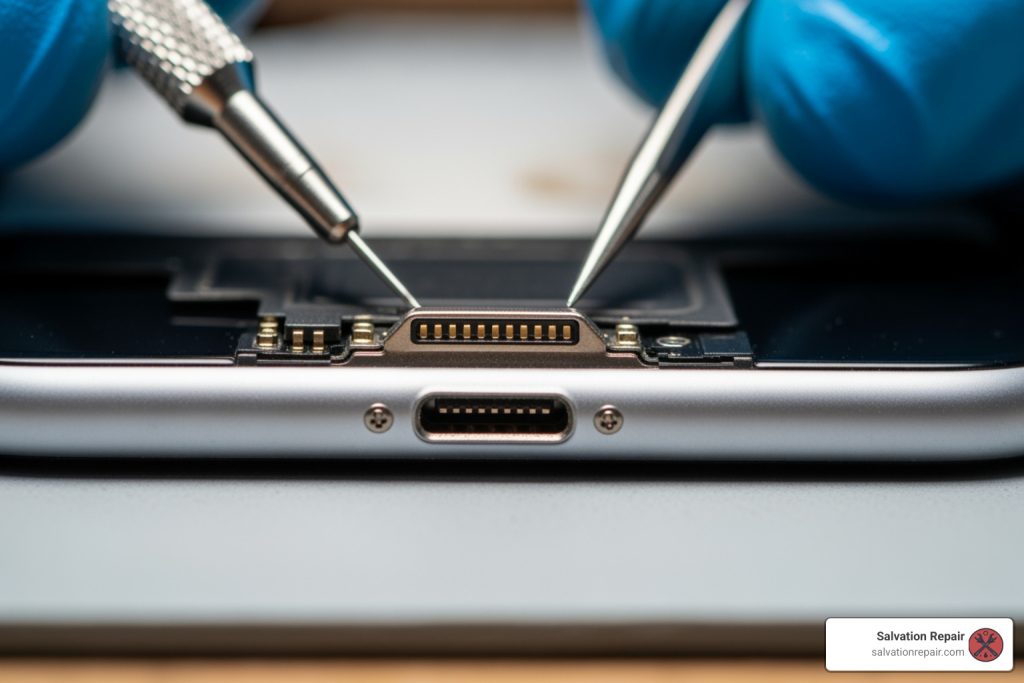
iPhone charging port repair: 3 Easy Fixes &
Understanding Your Repair Options
iPhone charging port repair addresses issues when your device charges slowly, won’t charge at all, or requires constant cable wiggling. Here’s what you need to know:
Your Main Repair Options:
- DIY Cleaning – Free, takes 5-10 minutes, works for lint/debris buildup
- Third-Party Repair – $99-$349 depending on model, often same-day service, includes warranty
- Apple Service – $99-$299+, takes days to weeks, uses genuine parts
- DIY Replacement – $25-$95 for parts, high risk of damage, voids warranty
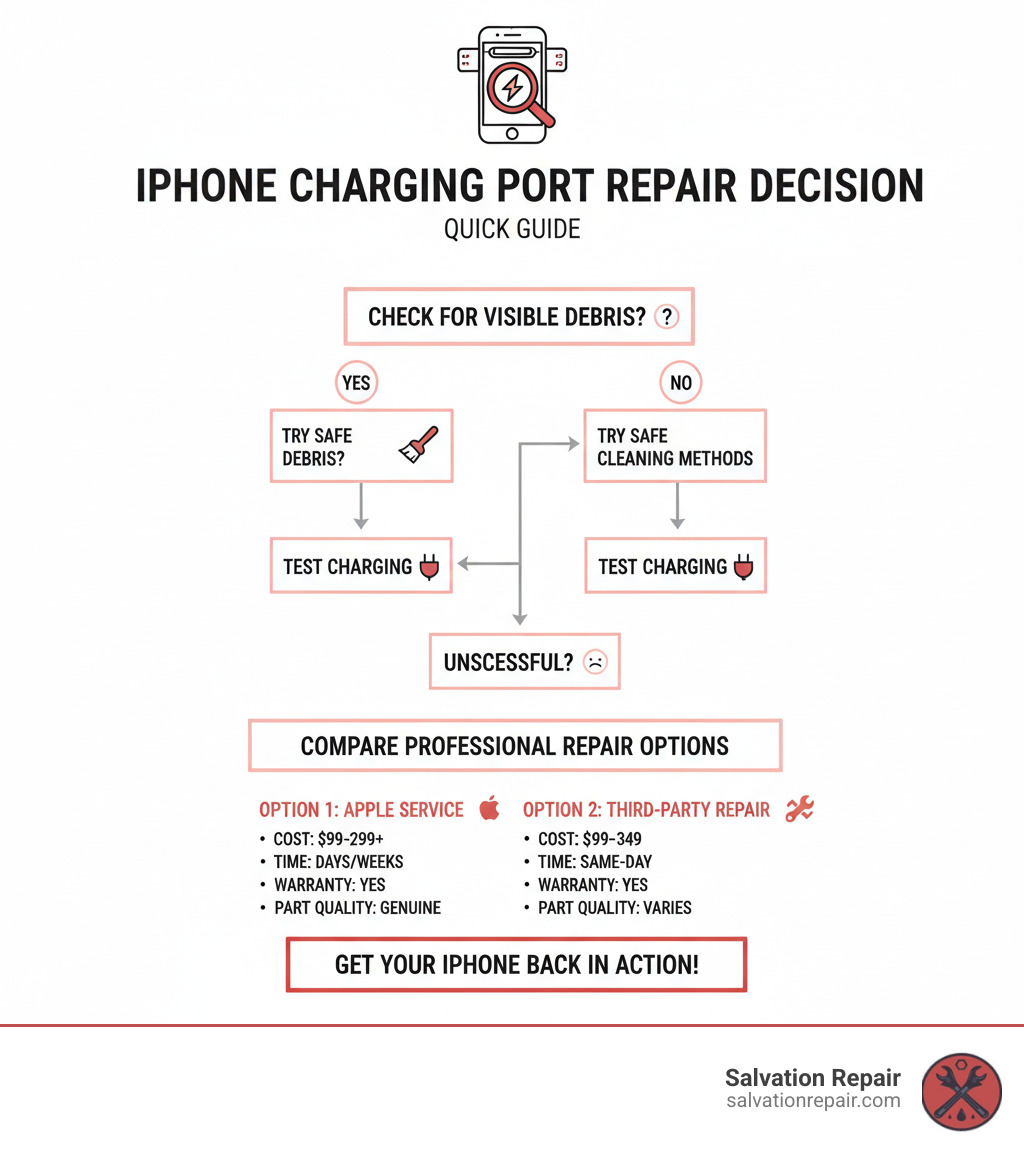
Quick Decision Guide:
- Port looks dirty or has visible debris? → Try cleaning first
- Physical damage, bent pins, or cleaning didn’t work? → Professional repair needed
- Water damage? → Replacement required, seek immediate professional help
If your iPhone suddenly stops charging or only works when you hold the cable at a specific angle, you’re not alone. Charging port issues are among the most common iPhone problems, affecting thousands of users daily. The good news? Many charging port problems can be resolved without replacing your entire device.

The most common culprit is surprisingly simple: lint and pocket debris. Your charging port acts like a lint trap every time you slip your phone into your pocket or bag. Over time, this compressed debris prevents your charging cable from making a proper connection. Many users report success in resolving charging issues by carefully cleaning out accumulated dust and lint with a toothpick or similar non-metallic tool.
However, not all charging port issues are so simple. Physical damage from drops, corrosion from moisture exposure, or worn-out internal components may require professional repair or complete port replacement. Understanding the difference between a cleaning job and a repair job can save you time, money, and frustration.
I’m Ralph Harris, and over my 20+ years specializing in electronics repair and Apple certifications, I’ve diagnosed and repaired thousands of iPhone charging port issues ranging from simple debris removal to complex component replacements. Through this guide, I’ll walk you through exactly how to identify your charging port problem, when you can fix it yourself, and when professional iPhone charging port repair is your best option.
Is Your iPhone Charging Port Really the Problem?
Before diving into solutions, let’s confirm your iPhone charging port is indeed the culprit. While it might seem obvious, sometimes the issue lies elsewhere. Here are the tell-tale signs that your charging port is failing:
- Slow charging or no charging at all: This is the most direct symptom. Your iPhone might take an unusually long time to charge, or simply not respond when plugged in. This is a common reason people seek iPhone charging port repair.
- Intermittent connection: You plug in your iPhone, and it charges for a few seconds, then stops. You might notice the charging icon flickering on and off.
- Wiggling the cable to charge: If your iPhone only charges when you hold the charging cable at a particular angle or “wiggle” it, it’s a strong indicator of a loose connection or damage within the port.
- Visible debris or damage: Take a close look inside the port. Do you see lint, dust, or other foreign particles? Are any of the small metal pins inside bent, broken, or corroded?
Common Causes of Charging Port Failure
Understanding why your iPhone charging port might be failing is the first step toward getting it fixed. From our experience, the common reasons an iPhone charging port needs repair boil down to a few key culprits:
- Lint and pocket debris: This is by far the most frequent issue we encounter. Every time you slide your iPhone into a pocket, purse, or bag, tiny fibers, dust, and lint accumulate in the charging port. Over time, this debris gets compressed, forming a barrier that prevents the charging cable from making full contact with the internal pins. This can lead to slow charging or no charge at all.
- Dust accumulation: Similar to lint, general dust can build up and interfere with the connection.
- Physical damage: Accidents happen! Drops, impacts, or even aggressively plugging in the charging cable can bend or break the delicate pins inside the port. This physical trauma often necessitates professional iPhone charging port repair.
- Corrosion from moisture: Exposure to liquids, even just humidity or sweat, can cause the metal contacts inside the port to corrode. This corrosion can disrupt the electrical connection, leading to charging problems. If your iPhone has been exposed to water, do not attempt to charge it. For more information, Apple Support offers a helpful guide on what to do If your iPhone, iPad, or iPod touch won’t charge.
- Loose connections: Over time, the internal components of the charging port can become loose due to normal wear and tear, or frequent plugging and unplugging.
- Using low-quality third-party accessories: While many third-party cables and adapters work fine, some low-quality ones can cause excessive wear on the port or even damage the internal components due to improper fit or power delivery.
First Troubleshooting Steps
Before you panic (or book a repair!), there are a few simple troubleshooting steps you can try. These might save you a trip to our repair shop in Laurel, MS, or Jackson, MS!
- Check your cable and adapter: It sounds obvious, but a faulty charging cable or wall adapter is often the real problem, not your iPhone. Try using a different Apple-certified cable and a different wall adapter. Sometimes, a cable might look fine but have internal damage.
- Try a different power source: Plug your iPhone into a different wall outlet, a computer’s USB port, or a portable power bank. This helps rule out an issue with your power source.
- Restart your iPhone: A simple reboot can sometimes resolve minor software glitches that might be interfering with the charging process. Hold down the power button and either volume button (for newer models) or just the power button (for older models) until the “slide to power off” slider appears, then slide it. Wait a minute, then power it back on.
- Try wireless charging (if available): If your iPhone supports wireless charging, place it on a wireless charging pad. If it charges wirelessly but not via cable, the problem is almost certainly with your charging port.
If your iPhone still won’t charge after these steps, it’s time to investigate the port itself. For more severe power issues, you can always check our iPhone No Power Repair services.
How to Safely Clean a Clogged Charging Port
Here’s some good news: if lint and debris are your problem (and they usually are), you can often fix your charging port yourself with a careful cleaning. Think of it as giving your phone’s charging port a little spa treatment. This section will walk you through exactly how to do it safely, without turning a simple cleaning into an expensive repair.
What You’ll Need
Before you start poking around in your iPhone’s charging port, let’s gather the right tools. Using the wrong tools is the fastest way to turn a five-minute fix into a $200 problem.
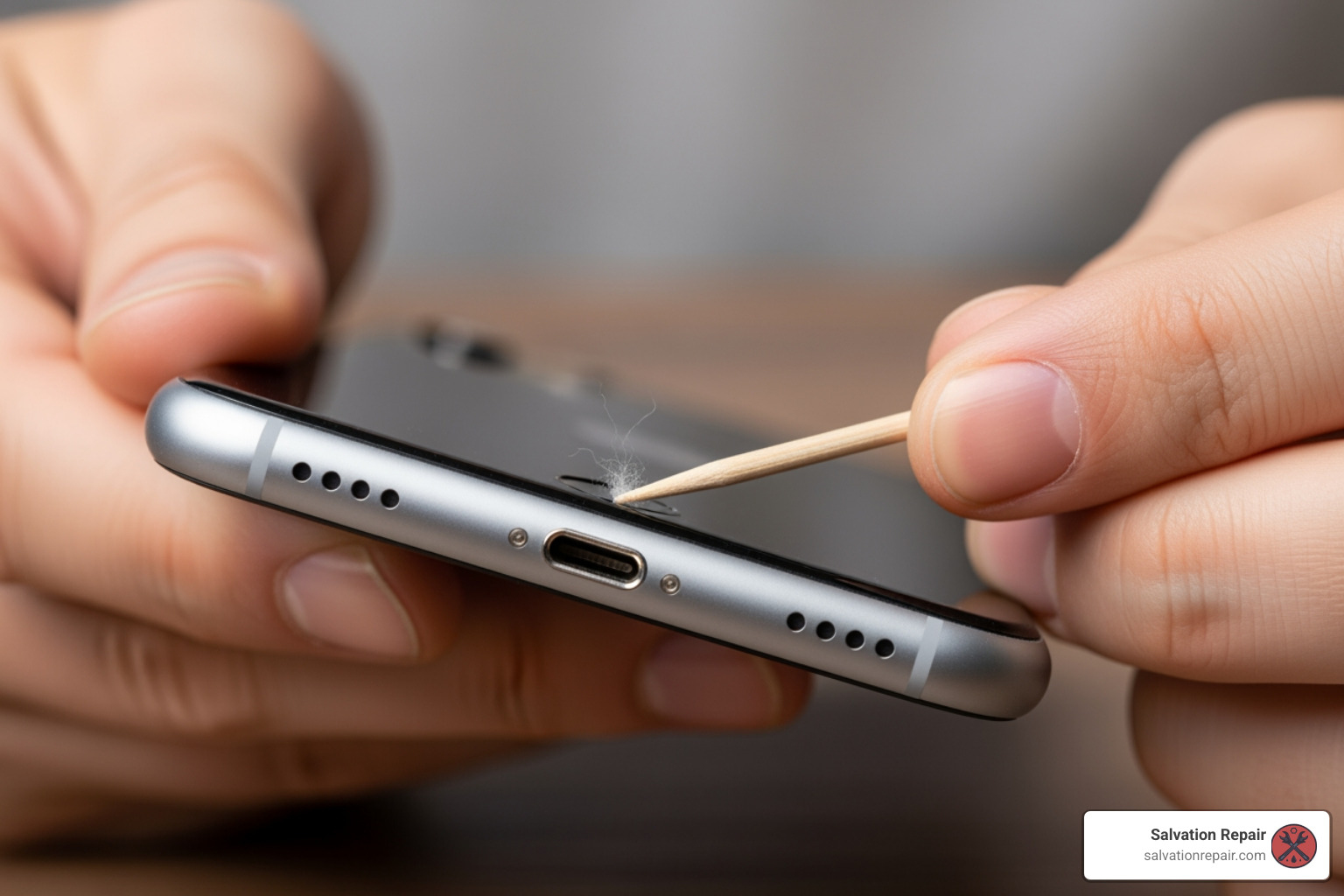
Your safest bet is a wooden or plastic toothpick. These are perfect for gently coaxing out compacted lint without scratching anything. A small soft-bristled brush like a new toothbrush or an anti-static brush works great for sweeping away loose dust once you’ve dislodged the main culprit. And if you have canned air sitting around, it can help—but only if you use it correctly (more on that in a moment).
The key word here is “non-metallic.” Keep anything metal far away from your charging port.
Step-by-Step Cleaning Guide
Alright, let’s get that port cleaned out. Take your time with this—rushing is how accidents happen.
First, power off your iPhone completely. This isn’t optional. You’re about to stick something into the electrical guts of your phone, and even though you’re being careful, it’s always safer to work on a powered-down device.
Grab a bright light and take a good look inside that charging port. Use your phone’s flashlight, a desk lamp, or another phone. You might be shocked at what you find in there. Seriously, we’ve seen ports so packed with lint it looks like someone tried to stuff a cotton ball in there.
Now for the main event. Take your wooden or plastic toothpick and gently insert it into the charging port. Hold your iPhone with the screen facing up, and angle the toothpick slightly as you work along the inner walls of the port. You’re not trying to dig to China here—just gently scraping and pulling out the compacted debris. Work slowly and you’ll likely pull out a surprising clump of lint, dust, and mystery fibers.
If you have canned air, hold it upright (never tilted) and give a few short, controlled bursts from several inches away. Don’t go full blast right into the port like you’re pressure-washing your driveway. Gentle is the name of the game.
Finally, test it out. Plug in your charging cable and see if your iPhone charges normally. If it does, congratulations! You just saved yourself a repair bill.
What to Avoid
Now let’s talk about what not to do, because this is where most DIY attempts go sideways.
Never, ever use metal objects. That paper clip sitting on your desk might look perfect for the job, but it’s not. Metal can scratch the delicate pins inside your port, cause short circuits, or even damage your phone’s logic board. Seriously, just don’t. We’ve seen too many phones come into our Laurel shop that needed a full logic board repair because someone thought a needle would work great for cleaning.
Don’t force anything or insert tools too deeply. If you’re meeting resistance, stop. The internal components are surprisingly fragile, and those tiny charging pins can bend or break if you’re too aggressive.
Keep liquids away from your charging port. No water, no alcohol, no cleaning solutions. Yes, even if your iPhone is water-resistant. Liquids can cause corrosion and short circuits that turn a simple cleaning into a serious repair.
Be smart with compressed air. High-pressure air blasted directly into the port can actually push debris deeper into your device, damage the internal microphones, or spray liquid propellant into sensitive areas. Keep it gentle and keep your distance.
If you’ve carefully cleaned your port and your iPhone still won’t charge reliably, it’s time to admit that the problem goes beyond lint. Physical damage, bent pins, or corrosion usually means you need professional iPhone charging port repair. That’s where we come in—our team at Salvation Repair can diagnose and fix charging port issues quickly, often the same day, with a lifetime warranty on our work.
Comparing Your Options for an iPhone Charging Port Repair
So you’ve tried cleaning your port, and your iPhone still won’t charge properly. Now what? When a simple cleaning doesn’t work, you’re faced with a decision: how do you get your iPhone charging again? Let’s break down your three main options—Apple, third-party repair shops like us, and DIY—so you can make an informed decision based on cost, time, and quality.
[TABLE] Comparing Repair Options: Apple vs. Third-Party vs. DIY
| Feature | Apple Service | Reputable Third-Party | DIY Repair |
|---|---|---|---|
| Cost | High | Moderate | Low (parts only) |
| Time | Days to weeks (mail-in) | Often same-day | Varies by skill |
| Warranty | Yes (90 days or remaining) | Yes (often lifetime) | Parts only (if any) |
| Part Quality | Genuine Apple Parts | High-quality OEM spec | Varies greatly |
The Official Route: Apple Repair
Going through Apple for your iPhone charging port repair offers the reassurance of genuine Apple parts and certified technicians. But here’s the catch: it’s usually the most expensive option, and it often means being without your phone for a while.
You have two main ways to get Apple service. First, you can schedule an appointment at an Apple Store or an Apple Authorized Service Provider. This works great if you live near one, though appointment availability can be hit or miss depending on how busy they are.
If there’s no Apple Store nearby, you can use their mail-in service. You schedule online, they send you a shipping label, you mail your iPhone, and they mail it back after repair. The process is straightforward, but you’re looking at several days to a week or more without your device.
Now, if you have AppleCare+ coverage, you might catch a break. Accidental damage—which can include charging port issues from drops or liquid exposure—may be covered for a service fee. This can significantly reduce your out-of-pocket costs. You can check your coverage status online to see what you’re working with. For more details on what AppleCare+ covers, you can learn more about AppleCare in the United States.
Without AppleCare+, though? The out-of-warranty costs can sting. Older models like the iPhone X might run around $99 for a charging port replacement. But for newer models with USB-C ports—like the iPhone 15 Pro Max—you could be looking at $299 or more. Apple does guarantee its service, including replacement parts, for 90 days or the remaining term of your warranty or AppleCare plan, whichever is longer.
While Apple provides reliable service, the cost and turnaround time might not always suit your immediate needs. That’s where local experts come in. For faster and often more affordable options, consider our professional repair services here at Salvation Repair.
The Reputable Third-Party Route: Our Solution
This is where shops like Salvation Repair shine! Choosing a reputable third-party repair service for your iPhone charging port repair offers what we think is the sweet spot: fast service, reasonable prices, and quality work you can trust.
Here in Laurel, MS, Jackson, MS, and Oxford, MS, we see iPhone users every day who need their phones fixed now, not next week. That’s why we focus on same-day service. In many cases, we can have your iPhone charging perfectly again in about an hour. We know you rely on your phone for everything—work, family, navigation, entertainment—and we aim to get it back to you as quickly as possible.
Cost is another big advantage. Our repair prices are typically more competitive than Apple’s out-of-warranty pricing. While we always use high-quality parts and employ certified technicians, we don’t have the overhead of a massive corporation. We even offer price matching to ensure you get the best deal possible.
Speaking of quality, we use high-quality, OEM-specification parts that ensure your repair is durable and performs like new. Our technicians have extensive experience with all iPhone models, so whether you’ve got an iPhone 8 or the latest iPhone 15, your device is in capable hands.
Here’s our biggest differentiator: our lifetime warranty. While Apple offers a 90-day warranty on repairs, we stand by our work for life. If anything goes wrong with our charging port repair down the road, we’ll make it right. That’s our commitment to you.
And let’s talk about convenience. When your iPhone stops charging, you don’t want to box it up and mail it somewhere, wondering when you’ll see it again. You want a local solution. With our locations throughout Mississippi, we’re right around the corner, ready to help.
We’re committed to providing fast, reliable, and affordable iPhone charging port repair services. If you’re dealing with charging troubles, visit us or check out our Charging Port Repair page for more information.
The DIY Route: Risks and Rewards
For the adventurous and tech-savvy, the thought of performing a DIY iPhone charging port repair might be tempting. We get it—the potential to save money is appealing. But before you grab your screwdriver, let’s talk about what you’re really getting into.
The main reward is obvious: you only pay for parts. Replacement charging port assemblies for various iPhones can be found online, ranging from $25 to $95 depending on the model. No labor costs. No appointment needed. Just you, your iPhone, and a repair guide.
But here’s where things get tricky. The risk of further damage is substantial. Modern iPhones are incredibly complex and compact. The charging port isn’t just a simple plug—it’s often integrated with other flex cables, microphones, and sensors. One wrong move while prying open your iPhone can damage the screen, battery, logic board, or any number of delicate ribbon cables.
We see it all the time in our shops. Someone watches a YouTube video, thinks “I can do that,” and ends up with a bigger problem than they started with. As repair professionals note, “It’s more complicated now to fix devices, so you may end up causing more damage.” What started as a $99 repair can quickly become a $300+ disaster.
There’s also the warranty issue. Opening your iPhone yourself almost certainly voids any remaining manufacturer’s warranty. If something goes wrong—and there’s a good chance it will—you’re entirely on your own.
The complexity of the job itself shouldn’t be underestimated. Replacing an iPhone charging port typically involves removing the screen, disconnecting the battery, navigating dozens of tiny screws (some of which are different sizes and must go back in the right spots), dealing with strong adhesive, and carefully maneuvering around components like the Taptic Engine and loudspeaker. It requires specialized tools, steady hands, and specific knowledge that comes from experience.
While we admire the DIY spirit, we honestly recommend leaving iPhone charging port repair to the professionals unless you’re already an experienced technician. The few dollars you might save aren’t worth the risk of turning a fixable problem into a totaled phone. If you’re not confident in your skills, we’re here to help at a fair price—and we’ll do it right the first time.
Frequently Asked Questions about iPhone Charging Port Issues
We hear these questions all the time from our customers in Laurel, Jackson, and Oxford. Let me walk you through the most common concerns about charging port problems and what you really need to know.
How much does an iPhone charging port repair cost?
The truth is, iPhone charging port repair costs vary quite a bit depending on your model and where you go. Here’s what you can typically expect:
For older models like the iPhone X, you’re looking at around $99 for a charging port replacement at reputable third-party repair shops like ours. It’s a straightforward repair that doesn’t break the bank.
Newer models are a different story. The iPhone 15 series with its new USB-C ports can run anywhere from $99 to $299 or even higher, depending on the specific model and complexity of the repair. The more recent your iPhone, the more intricate the internal components, which affects the repair cost.
Here’s where we can help: third-party repairs are often more affordable than Apple’s out-of-warranty service. We offer transparent pricing at Salvation Repair, so after a quick diagnostic, you’ll know exactly what you’re paying—no surprises. Plus, we offer a price-matching guarantee, so you can be confident you’re getting the best deal.
How long does a professional repair take?
This is where location really matters. If you send your iPhone to Apple through their mail-in service, you’re looking at several days to a week or more when you factor in shipping time both ways. I know—that’s a long time to be without your phone.
At Salvation Repair, we do things differently. Many of our iPhone charging port repair services are completed the same day, often within about an hour. We understand that being without your phone isn’t just inconvenient—it can disrupt your entire day. That’s why we offer Phone Repair Same Day service at our locations in Laurel, MS, and Jackson, MS. You can often grab a coffee, run a quick errand, and come back to a fully functioning iPhone.
Can a water-damaged charging port be fixed?
I wish I had better news on this one, but a water-damaged charging port typically can’t be simply “fixed” or cleaned. Once water gets inside, it causes corrosion, short circuits, and damage to those delicate internal components. In most cases, a water-damaged charging port needs a full replacement of the entire charging port assembly.
Here’s the critical part: if your iPhone has been exposed to water, do NOT attempt to charge it. This is one of the most common mistakes we see. Plugging in a wet phone can cause irreversible damage to the logic board, potentially making your entire phone unrepairable. Your best move is to power it off immediately and bring it to us for professional diagnosis as soon as possible. The faster you act, the better chance we have of preventing further damage.
For more information on liquid damage issues, Apple Support has a helpful guide on what to do If your iPhone, iPad, or iPod touch won’t charge. And if you’re dealing with more serious power issues beyond just the charging port, check out our iPhone No Power Repair services.
What are the advantages of using a reputable third-party repair service?
Look, I’m a bit biased here, but let me tell you why so many of our customers choose Salvation Repair for their iPhone charging port repair instead of other options.
Speed and convenience are huge. You can walk into our Laurel, MS, or Jackson, MS, locations and often have your phone repaired in about an hour. No appointments necessary, no shipping your phone off for a week.
Cost-effectiveness matters too. Our prices are typically more budget-friendly than Apple’s out-of-warranty repairs, and with our price-matching guarantee, you know you’re getting the best deal available.
Expert technicians make all the difference. Our team consists of experienced, certified technicians who specialize in a wide range of device repairs. We’ve seen thousands of charging port issues over the years, so we know exactly what we’re doing.
Here’s what really sets us apart: our lifetime warranty. While Apple offers 90 days and most other repair shops offer maybe a year, we stand behind our work for life. That’s how confident we are in the quality and durability of our repairs.
And as a local business, we offer personalized attention and clear communication throughout the repair process. You’re not just a ticket number to us—you’re a neighbor who needs their phone fixed.
What are preventative measures to keep an iPhone charging port in good condition?
An ounce of prevention is worth a pound of cure, as they say. Here are some simple habits that can help you avoid needing iPhone charging port repair in the first place.
Keep it clean by regularly inspecting your charging port for lint and debris. If you spot any buildup, gently clean it out with a wooden toothpick as we described in our cleaning guide earlier. This simple five-minute task every few months can save you a repair bill.
Use quality cables and adapters whenever possible. Stick to Apple-certified (MFi) cables and reputable charging adapters. Those cheap, generic accessories from the gas station might save you a few bucks upfront, but they can fit poorly and cause wear or even damage to your port over time.
Handle with care when plugging and unplugging your charging cable. Be gentle—avoid yanking the cable out or forcing it in at an awkward angle. Your charging port isn’t indestructible, and rough handling is one of the fastest ways to damage those delicate internal pins.
Protect from moisture by keeping your iPhone away from water and high humidity. If it does get wet, remember what we said earlier: power it off immediately and don’t attempt to charge it until it’s been professionally inspected.
Finally, consider a protective case with a port cover. Some cases include small flaps that cover the charging port when not in use, preventing lint and dust from accumulating in the first place. It’s a small investment that can extend the life of your charging port significantly.
Get Your iPhone Charging Again
Look, we get it. When your iPhone won’t charge, it feels like your lifeline to the world just got severed. You can’t check messages, make calls, or even look up directions. It’s frustrating, and you need it fixed now.
Here’s the good news: a faulty charging port is one of the most common iPhone issues, and it’s often fixable. As we’ve covered in this guide, sometimes all it takes is a simple cleaning to remove the lint and debris that’s been accumulating in your pocket. That’s a five-minute fix you can do yourself with a toothpick and a flashlight.
But if you’ve tried cleaning and your iPhone still won’t charge reliably, or if you see physical damage like bent pins or corrosion, it’s time to call in the professionals. This isn’t the time to gamble with a DIY repair attempt that could turn a $99 fix into a $500 disaster.
That’s where we come in. At Salvation Repair, we’ve been helping folks in Laurel, MS, Jackson, MS, and Oxford, MS get their devices working again for years. We know how important your iPhone is to your daily life, which is why we focus on fast, affordable, and guaranteed repairs. Our technicians can diagnose your charging port issue quickly and get you back up and running, often the same day you walk through our door.
What makes us different? For starters, we offer a lifetime warranty on all our iPhone charging port repair services. Not 90 days like Apple. Not one year. Lifetime. We also match competitor prices, use high-quality parts, and treat your device like it’s our own. Plus, with our Phone Repair Same Day service, you won’t be without your phone for days or weeks waiting for a mail-in repair.
Don’t let a faulty charging port keep you disconnected. Whether it’s a simple cleaning or a full port replacement, we’re here to help get your device working like new again. Stop by one of our Mississippi locations today, or make it easy and schedule a repair online. Your iPhone (and your peace of mind) will thank you.
