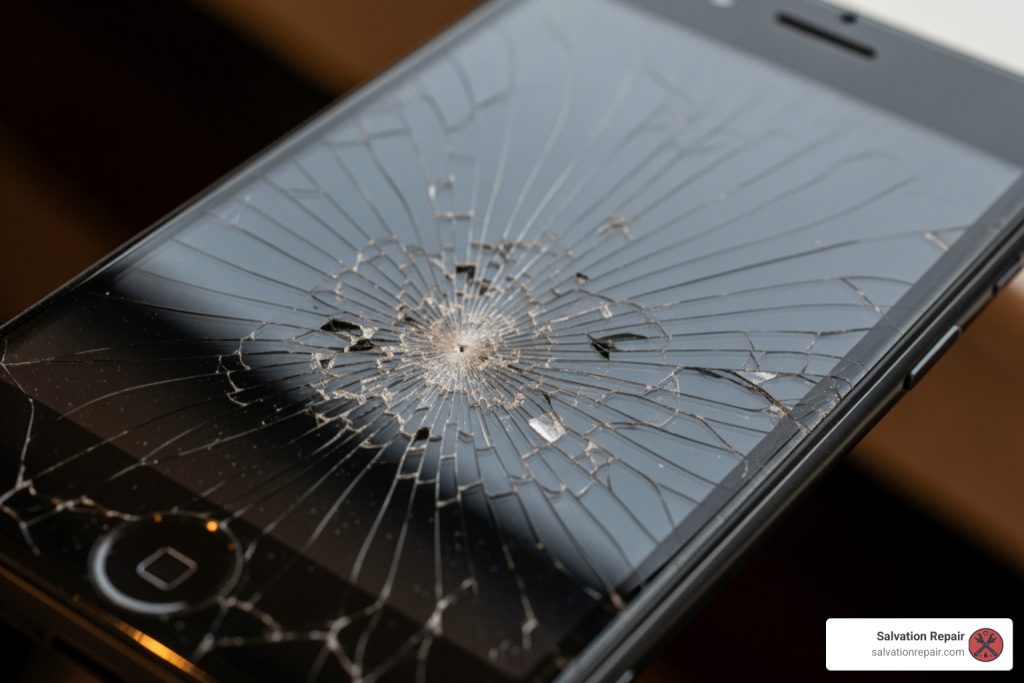
iphone screen repair: 3 Best Ways 2025
Why You Need to Know Your iPhone Screen Repair Options
Staring at a shattered display, iPhone screen repair options can feel overwhelming. Here’s a quick breakdown of what you need to know.
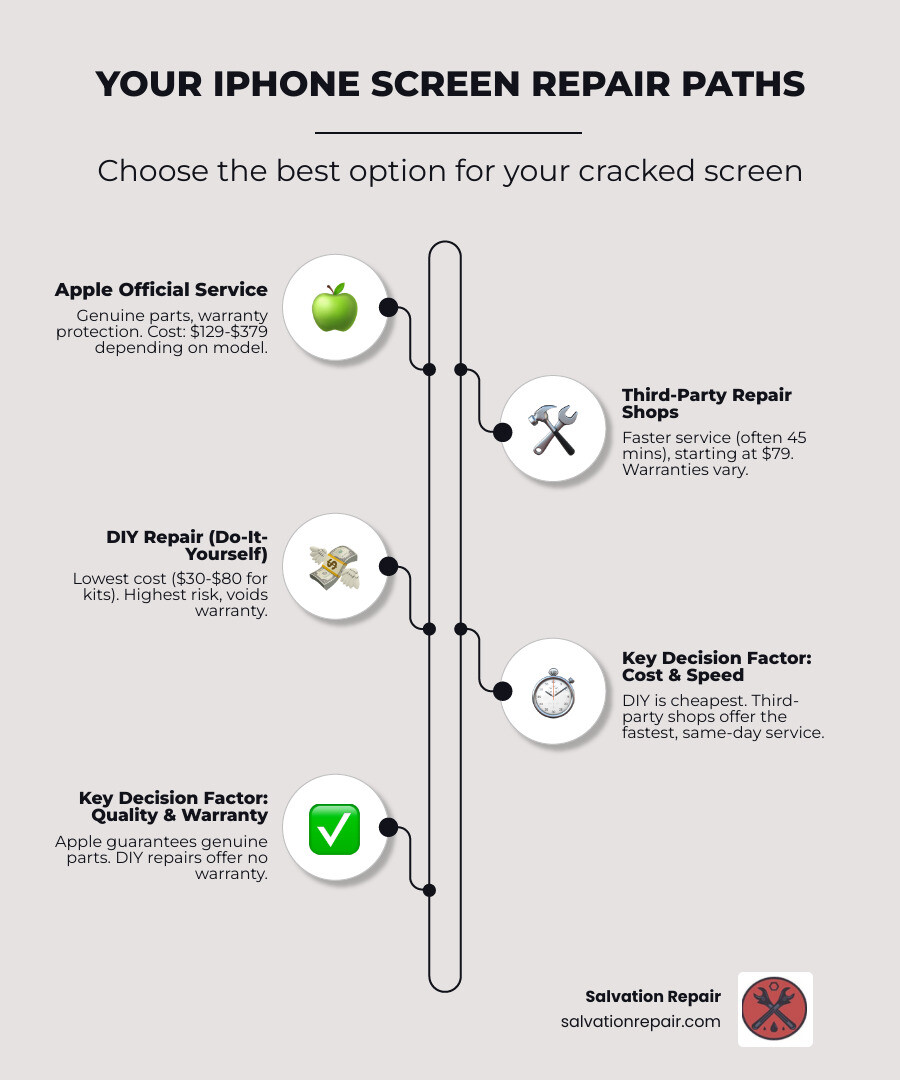
Your Three Main Repair Paths:
- Apple Official Service: Genuine parts, warranty protection, $129-$379 depending on model.
- Third-Party Repair Shops: Faster service (often 45 minutes), starting at $79, with varying warranties.
- DIY Repair: Lowest cost ($30-$80 for kits), highest risk, and voids your warranty.
Key Decision Factors:
- Cost: DIY is cheapest, Apple is most expensive, and third-party is in the middle.
- Speed: Third-party is fastest (same day), Apple offers same-day to mail-in, and DIY depends on your skill.
- Quality: Apple guarantees genuine parts, third-party quality varies, and DIY depends on the kit.
- Warranty: Apple offers a 90-day minimum, third-party is typically 30-90 days, and DIY has none.
A cracked screen is a major disruption, but a quick, correct repair can extend your device’s lifespan beyond the average of 34 months and help reduce e-waste.
I’m Ralph Harris, and with over 20 years of experience, 500+ Apple repair certifications, and 2,000+ published repair guides, I’ll walk you through each iPhone screen repair option to help you make the best choice for your situation.
Easy iphone screen repair glossary:
Your Main Repair Paths: Official, Third-Party, or DIY?
When your iPhone screen cracks, your choice of repair path will depend on cost, speed, and warranty importance. Let’s break down the pros and cons of each option to help you decide.
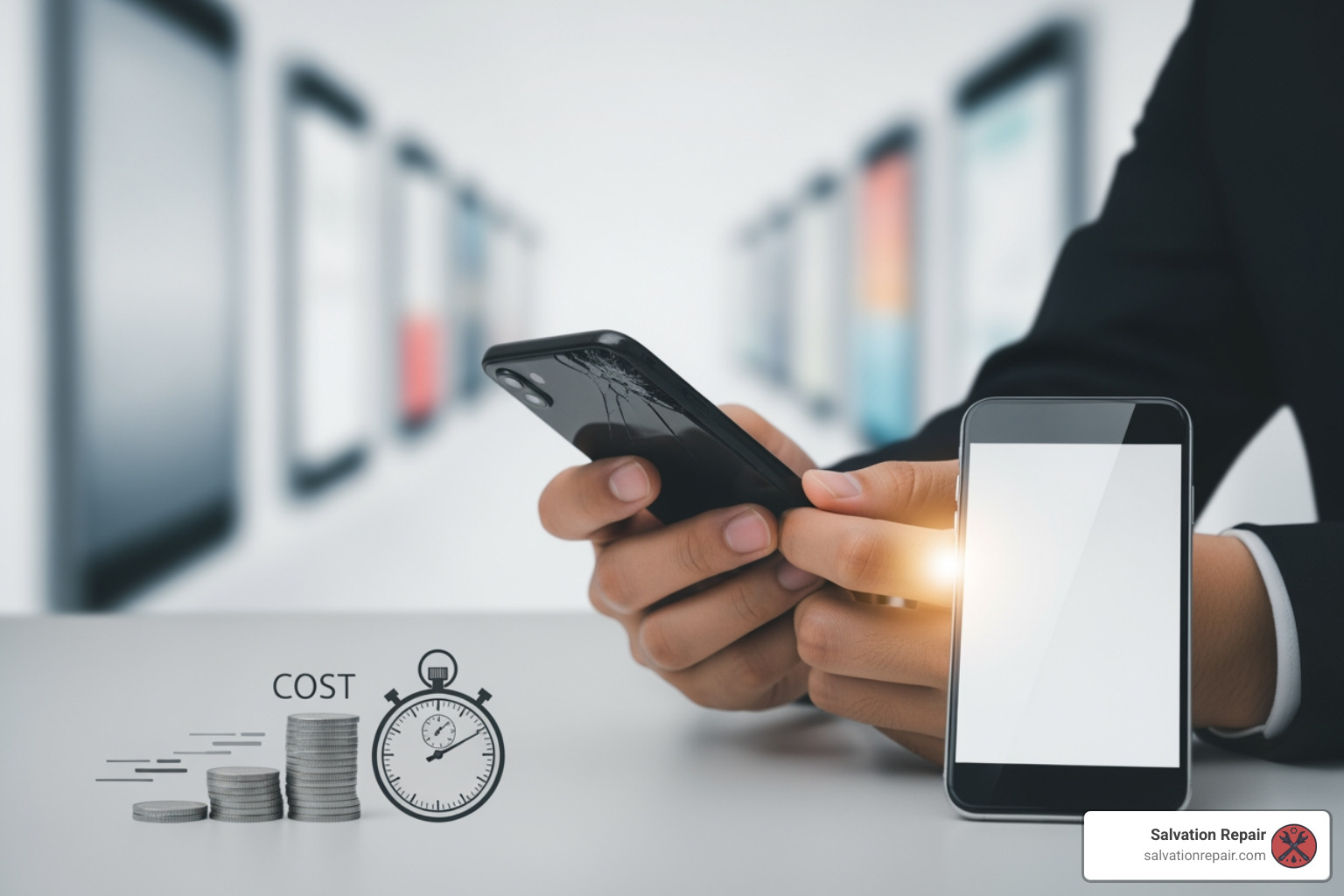
The best path for your iPhone screen repair comes down to balancing these factors. Do you prioritize peace of mind with an official repair, budget savings with a third-party, or the challenge and potential savings of a DIY fix? Let’s explore each option.
Option 1: Apple’s Official Repair Service
For an official iPhone screen repair, you can visit an Apple Store or an Apple Authorized Service Provider (AASP), or use Apple’s mail-in service. In Mississippi, your primary in-person option is often an AASP, an Apple-certified business that uses genuine parts and tools.
Official repairs are performed by trusted experts using genuine Apple parts, which are designed and tested for Apple’s safety and performance standards. This ensures the same quality as your original screen. Apple also guarantees its service and parts for 90 days or the remainder of your existing warranty, whichever is longer.
Pros of Apple’s Official Repair Service:
- Genuine Apple Parts: Ensures optimal performance, color accuracy, and compatibility with features like True Tone and Face ID.
- Expert Technicians: Repairs are done by Apple-trained technicians following strict guidelines.
- Warranty Integrity: Your existing Apple warranty or AppleCare+ plan remains valid.
- Reliable Service Guarantee: Apple stands behind its repairs with a clear guarantee.
Cons of Apple’s Official Repair Service:
- Cost: This is generally the most expensive option without AppleCare+.
- Convenience (in MS): Requires finding an Apple location or AASP, and mail-in repairs mean being without your phone for several days.
- Turnaround Time: Can range from same-day (if available) to several business days for mail-in service.
Option 2: Third-Party Repair Shops
Third-party repair shops are a popular alternative, offering faster service and competitive pricing. In Mississippi, you’ll find many options, including us, Salvation Repair, in Laurel, Jackson, and Oxford. These shops specialize in fast, convenient iPhone screen repair.
Speed and Cost-Effectiveness: The biggest draw is speed. Many shops, including us, offer same-day service, with some repairs done in 45 minutes or less. This means you can get your phone fixed during a lunch break. Screen repairs can start as low as $79. We understand the urgency, which is why we offer [Phone Repair Same Day](https://salvationrepair.com/phone-repair-same-day/) services.
Mobile Repair Services: For maximum convenience, some providers, like us, offer mobile repair. A technician comes to your home or office to fix your screen on the spot. If you’re wondering, “Is there [Mobile iPhone Repairs Near Me](https://salvationrepair.com/mobile-iphone-repairs-near-me/)?” the answer is yes, we provide this service in our operating areas.
Warranty Variations: Warranties vary by shop. Some offer 30 or 90 days, while others, like Salvation Repair, provide a lifetime warranty on screen repairs. Always ask about the warranty before committing.
Pros of Third-Party Repair Shops:
- Speed: Often offer same-day or even “in minutes” repairs.
- Cost: Generally more affordable than official service through the manufacturer.
- Convenience: Local presence, often no appointment needed, and some offer mobile repair.
- Flexibility: May repair older models that the manufacturer no longer services.
- Competitive Guarantees: Reputable shops like ours offer strong warranties, including our lifetime warranty on screen repairs.
Cons of Third-Party Repair Shops:
- Part Quality: Can vary. Some use high-quality parts, while others use cheaper, lower-quality screens.
- Warranty: Can be inconsistent; always confirm before repair.
- Expertise: Technician skill levels can differ. Choose a reputable shop.
- Potential for Voided Warranty: Using non-certified parts may void any remaining manufacturer warranty.
To find a reliable local option, you can search for [Phone Screen Repair Stores](https://salvationrepair.com/phone-screen-repair-stores/) in your area.
Option 3: The DIY (Do-It-Yourself) Approach
For the technically inclined, a DIY repair can seem appealing. Kits with a new screen and tools are available online for a low price, and many tutorials can guide you through the intricate process.
Pros of the DIY Approach:
- Cost Savings: This is the cheapest route, with kits often ranging from $30-$80.
- Learning Experience: It can be rewarding to fix your own device.
- Immediate Gratification: You can start the repair as soon as you have the parts.
Cons of the DIY Approach:
- High Risk of Further Damage: A single slip can cause irreparable damage, turning a cracked screen into a dead phone.
- Voids Warranty: A DIY repair will void any remaining manufacturer warranty or protection plan coverage.
- Technical Skill Required: This is not a task for a novice. It requires a steady hand and patience.
- Part Quality: DIY kit quality varies greatly. Cheap kits often have low-quality screens with poor color, reduced touch sensitivity, or a short lifespan.
- Lack of Specialized Tools: Professional shops use specialized equipment that DIY kits lack.
- Time Commitment: A 30-minute video can easily become hours of frustration for a beginner.
While the DIY route is cheapest, it carries the highest risk. For most users, the reliability of a professional iPhone screen repair is a better choice.
Breaking Down the Cost and Timeline of an iPhone Screen Repair
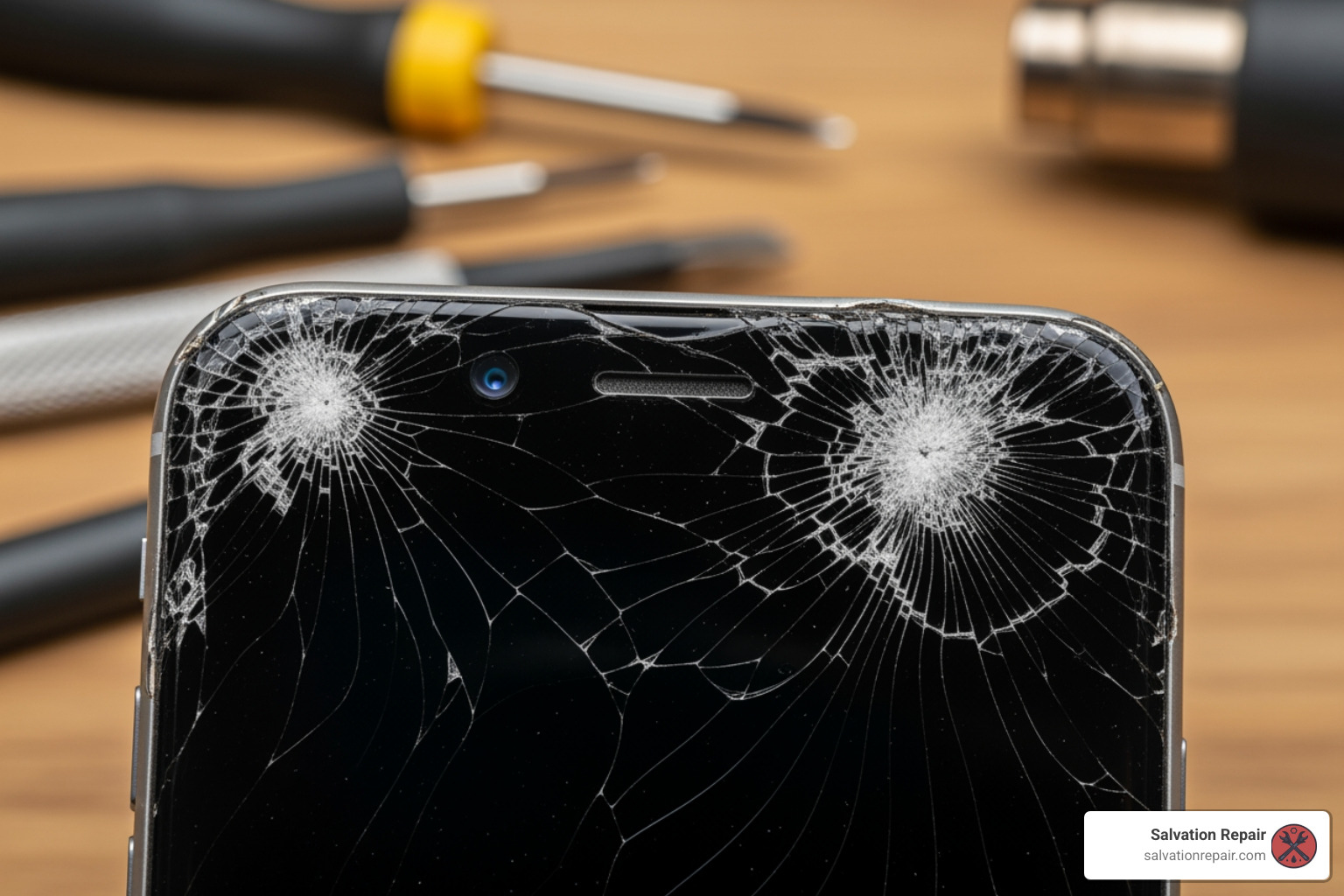
When your iPhone screen shatters, two questions immediately come to mind: “How much will this cost?” and “How long will I be without my phone?” The answers depend on your iPhone model, the damage, and your chosen repair provider.
How Much Does an iPhone Screen Repair Cost?
The cost of an iPhone screen repair varies widely. Understanding the pricing structures helps you make an informed decision.
Manufacturer and Authorized Service Pricing:
Official repairs through the manufacturer or an authorized provider are typically the most expensive without an extended protection plan. Costs often range from around $129 for older models to over $379 for the latest Pro Max versions. Since authorized providers can set their own fees, it is best to contact them directly for an estimate. Additional issues found during inspection could increase the cost.
Third-Party Pricing:
Third-party shops like Salvation Repair usually offer more competitive pricing, with repairs starting as low as $79. Our goal is to make quality repairs accessible, and we offer price matching in Laurel, Jackson, and Oxford, MS. You can explore general [iPhone Screen Repair Cost](https://salvationrepair.com/iphone-screen-repair-cost/) and [Cracked Screen Repair Cost](https://salvationrepair.com/cracked-screen-repair-cost/) information on our site. Cheaper isn’t always better; prioritize shops that use quality parts and offer a solid warranty.
DIY Kit Costs:
A DIY replacement screen kit typically costs between $30 and $80. While this is the lowest upfront cost, it doesn’t account for the risk of additional damage or the value of your time.
How Long Does a Repair Take?
Getting your phone back quickly is a top priority. Here are the expected timelines:
Authorized Service Turnaround:
An authorized service provider may offer same-day service, depending on part availability. However, if you use a mail-in service, you’ll be without your phone for several business days.
Third-Party Speed:
This is where third-party shops excel. Many, including Salvation Repair, specialize in rapid service. We aim to repair your device in just minutes, and for a screen replacement, we can typically get your phone in and out in 45 minutes or less. We prioritize quick, efficient [Phone Repair Same Day](https://salvationrepair.com/phone-repair-same-day/) service in Laurel, Jackson, and Oxford, MS.
Does Device Protection or AppleCare+ Cover Screen Repairs?
Optional extended protection plans, such as AppleCare+, can cover accidental damage like a cracked screen for a smaller service fee (for example, around $29 for a screen repair under some plans). This is a significant saving compared to the out-of-warranty cost. Standard one-year limited warranties usually only cover manufacturing defects, not accidental damage. Protection plans for iPhone typically include accidental damage protection, subject to service fees and plan terms.
How to Check Your Coverage:
If you’re unsure about your coverage, you can quickly verify it online using your device’s serial number or by checking the coverage section in your iPhone settings. Confirming your protection status before scheduling a repair can save you a lot of money.
Standard Warranty Limitations:
Manufacturer limited warranties generally do not cover accidental damage. We recommend reviewing your plan or learning more about your specific protection options for iPhone to understand your choices. If your repair isn’t covered, you’ll pay an out-of-warranty fee.
Quality Matters: Genuine Parts and Reputable Shops
You get what you pay for, and this is especially true in iPhone screen repair. The quality of the replacement screen and the technician’s expertise can profoundly impact your device’s performance, resale value, and user experience. A cheap, low-quality screen can lead to frustrating issues like unresponsive touch or distorted colors.
A high-quality repair ensures your iPhone’s display maintains its original touch sensitivity, color accuracy, and responsiveness. It also means the screen will fit seamlessly, protecting against dust and moisture. A poor-quality repair can result in long-term headaches.
The Risks of Non-Genuine iPhone Screen Repair Parts
While non-genuine (aftermarket) parts might be cheaper, they come with significant risks. Apple states that only genuine displays meet its safety and performance standards. Using non-genuine screens can lead to:
- Display Issues: Incorrect color calibration, reduced brightness, or a display that looks dull or washed out.
- Multi-Touch Problems: Unresponsive areas, incorrect touches, or “ghost touches.” If your
[iPhone Screen Not Working](https://salvationrepair.com/iphone-screen-not-working/)after a repair, a non-genuine part could be the culprit. - Flickering or Glitches: Some aftermarket screens can flicker or display visual glitches.
- Face ID Failure: Non-genuine parts can interfere with the sophisticated sensors for Face ID, causing it to fail.
- True Tone and Auto-Brightness Issues: These features may not function correctly with a non-genuine screen.
- Battery Drain: Poorly made screens can draw more power, reducing battery life.
- Durability: Aftermarket screens may be less durable and more prone to cracking again.
- Fit and Finish: A poor fit can leave gaps, allowing dust or moisture inside and compromising structural integrity.
Choosing an official Apple repair or a reputable third-party shop that uses high-quality, OEM-spec parts is an investment in your phone’s longevity.
What to Look for in a Reputable Third-Party Repair Service
Choosing a third-party shop for your iPhone screen repair requires some due diligence. Here’s what to look for:
- Positive Reviews and Reputation: Check online reviews on platforms like Google for consistent positive feedback regarding screen repairs, customer service, and speed.
- Transparent Pricing: A reputable shop will be upfront about costs and provide a clear estimate. We believe in transparency, which is why we provide clear
[Pricing](https://salvationrepair.com/pricing/)information. - Strong Warranty on Repairs: This is crucial. A good shop stands behind its work. While 30 or 90-day warranties are common, some, like Salvation Repair, offer a lifetime warranty on screen repairs.
- Experienced and Certified Technicians: Ask about the technicians’ qualifications and experience with iPhones.
- Quality of Parts Used: Ask about the quality of their replacement screens. High-quality OEM-spec (Original Equipment Manufacturer specification) parts can provide excellent performance.
- Comprehensive Diagnostics: A reputable shop should offer a free diagnostic to fully assess the damage before starting any repair.
- Clear Communication: The staff should be able to clearly explain the repair process, the parts they use, and any potential risks.
Questions to Ask a Repair Shop:
Before committing, consider asking:
- What kind of warranty do you offer on screen repairs?
- What quality of parts do you use for iPhone screens?
- Can I get a written estimate before the repair?
- How long will the repair take?
- What is your policy if the screen has issues after the repair?
- Do you have certified technicians?
Asking these questions will help you confidently choose a reputable third-party service for your iPhone screen repair.
Before and After: Your Pre-Repair and Post-Repair Checklist
Getting your iPhone screen repaired involves more than just handing over your device. Taking crucial steps before and after the repair protects your data and ensures the fix was successful. We want your iPhone screen repair experience to be as smooth as possible.
How to Prepare Your iPhone for Repair
Taking a few precautions before your repair can prevent potential headaches.
- Back Up Your Data: This is the most critical step. Always back up your iPhone to iCloud or your computer before any repair. This ensures your photos, contacts, and apps are safe.
- Turn Off Find My iPhone: Most repair shops (including Apple) require you to turn this off to prove ownership and allow for diagnostics. Go to Settings > [Your Name] > Find My > Find My iPhone, and toggle it off. You’ll need your Apple ID password.
- Remove Your SIM Card: It’s a good habit to remove your SIM card to ensure it doesn’t get lost during the repair.
- Remove Your Case and Screen Protector: Take off any accessories to save time during check-in and prevent them from being damaged.
- Charge Your Device: A charged battery allows technicians to test the device immediately after the repair.
- Understand Privacy: When using a third-party shop, ask about their data privacy protocols. For official repairs, you can
[Read the Apple privacy policy](https://www.apple.com/legal/privacy/en-ww/).
Following these steps will streamline the repair process and protect your digital life.
Signs of a Faulty Replacement Screen
Once your iPhone screen repair is complete, thoroughly inspect your device. A faulty replacement screen indicates a poor-quality part or improper installation. Here are the key signs to look for:
- Dead Pixels or Discoloration: Look for tiny black dots (dead pixels) or areas of unusual color on the display.
- Unresponsive Areas or “Dead Spots”: Systematically tap and swipe across the entire screen. If certain areas don’t respond, or if you notice your
[iPhone Screen Not Working](https://salvationrepair.com/iphone-screen-not-working/)in specific spots, the digitizer may be faulty. - Flickering or Glitches: The screen should not randomly flicker, dim, or display distorted lines or colors.
- Poor Color Reproduction or Brightness: Compare the new screen to what you remember. If colors look washed out or the screen is noticeably dimmer, it’s likely a lower-quality replacement.
- Gaps Between Screen and Frame: Run your finger along the edges where the screen meets the frame. There should be no gaps or unevenness, which could compromise the phone’s water resistance.
- Face ID or True Tone Not Working: If Face ID or True Tone no longer functions, it’s a strong indicator that a non-genuine or improperly installed screen is at fault.
- Overheating: If your iPhone feels unusually warm around the screen after a repair, it could be a sign of a faulty part.
- Excessive Battery Drain: A non-genuine screen can draw more power, causing your battery to drain much faster than usual.
If you notice any of these issues, contact your repair provider immediately. A reputable shop, like Salvation Repair, will honor its warranty and address the problem. Don’t settle for a [Broken Phone Screen](https://salvationrepair.com/broken-phone-screen/) that’s supposedly “fixed” but still has problems.
Conclusion: Get Your iPhone Fixed and Move On
Dealing with a cracked iPhone screen is never fun, but as we’ve explored, you have clear paths to getting your device back in pristine condition. Whether you opt for the official Apple service, a trusted third-party repair shop, or the adventurous DIY route, understanding your options empowers you to make the best choice for your budget, timeline, and peace of mind.
We’ve seen that official Apple repairs offer genuine parts and expert technicians but come at a higher cost and potentially less convenience in areas without an Apple Store. DIY repairs are the cheapest but carry significant risks of further damage and voiding your warranty. For many, a reputable third-party repair shop strikes the perfect balance, offering speed, affordability, and quality.
At Salvation Repair, we pride ourselves on being that trusted third-party option for iPhone screen repair in Laurel, Jackson, and Oxford, MS. We understand the frustration of a broken screen, and our mission is to get you and your device up and running in no time, with no hassles. We offer quick, same-day repairs, often completed in 45 minutes or less, and stand behind our work with a lifetime warranty on screen repairs. Our commitment to using high-quality parts and offering price matching means you get exceptional value without compromising on quality.
Don’t let a cracked screen disrupt your life any longer. Make an informed decision, choose a reputable repair path, and get back to enjoying your iPhone. If you’re in Mississippi, we’re here to help. [Schedule your screen repair today!](https://salvationrepair.com/screen-repair/) and experience the Salvation Repair difference.
