
MacBook liquid damage repair: 5 Pro Fixes
What to Do When Liquid Meets Your MacBook
MacBook liquid damage repair is one of the most common yet detrimental issues that can affect your device. If you’ve just spilled something on your MacBook, here’s what you need to know immediately:
Immediate Action Steps:
- Power down immediately – Hold the power button until it shuts off
- Unplug everything – Remove charger, USB devices, and external displays
- Turn it upside down – Let liquid drain away from internal components
- Do NOT turn it back on – Powering on can cause permanent short circuits
- Seek professional help fast – Corrosion begins immediately and worsens over time
Coffee, water, soda, beer—none of them belong anywhere near your MacBook. But here’s the truth: the way most people react to a spill causes more damage than the spill itself. Turning the device back on to “test if it still works” can instantly destroy components that could have been saved. Using rice doesn’t work and wastes precious time while corrosion eats away at your logic board.
Liquid damage isn’t just about water on the outside. When liquid enters your MacBook, the minerals and salts immediately begin corroding metal components. If there’s power flowing through the system, electrolysis accelerates this process, creating shorts and destroying delicate circuits. Even if your MacBook seems fine initially, corrosion can cause it to fail days or weeks later—turning it into an expensive paperweight.
I’m Ralph Harris, and over my 20+ years repairing electronics and earning more than 500 Apple repair certifications, I’ve seen every type of MacBook liquid damage repair scenario imaginable. The difference between a successful repair and a total loss often comes down to what you do in the first few minutes after a spill.
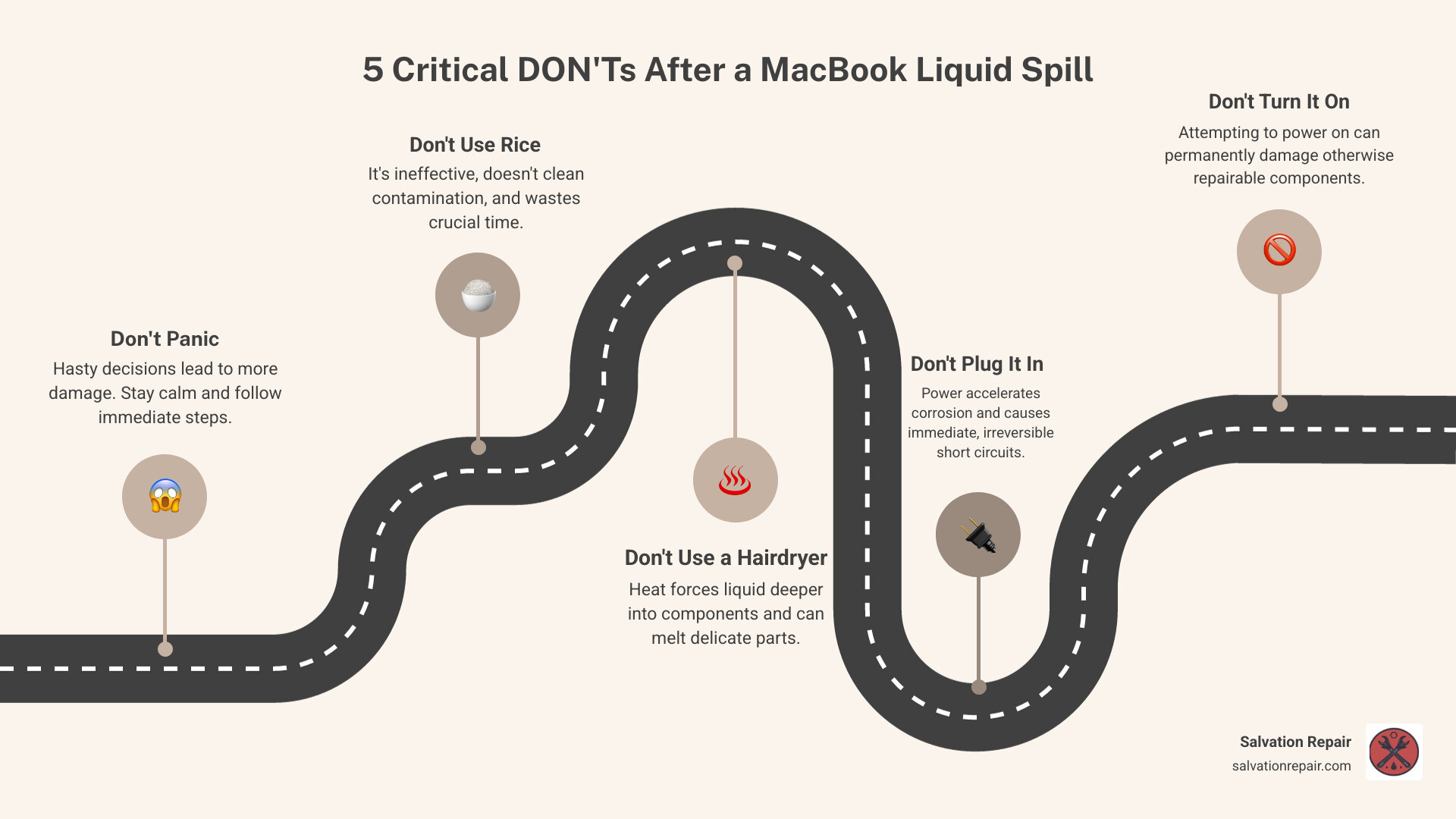
MacBook liquid damage repair vocab explained:
First Aid for Your MacBook: Immediate Steps After a Spill
Alright, so you’ve just had that heart-stopping moment: liquid on your beloved MacBook. Don’t worry, we’ve all been there. The good news is that your immediate actions can significantly impact the chances of a successful MacBook liquid damage repair. The absolute first priority is to cut off the power supply to prevent short circuits and slow down the inevitable corrosion process.
Here’s our step-by-step first aid guide:
- Don’t Panic, But Act Fast: We know, easier said than done. But a clear head will help you follow these steps precisely. Every second counts!
- Power Down Immediately: If your MacBook is still on, press and hold the power button until it completely shuts down. Do not try to gracefully shut it down through the operating system. The goal is to stop electrical current flow as quickly as possible.
- Unplug Everything: Disconnect the power adapter, any USB devices, external displays, or anything else plugged into your MacBook. This further isolates the device from potential power sources.
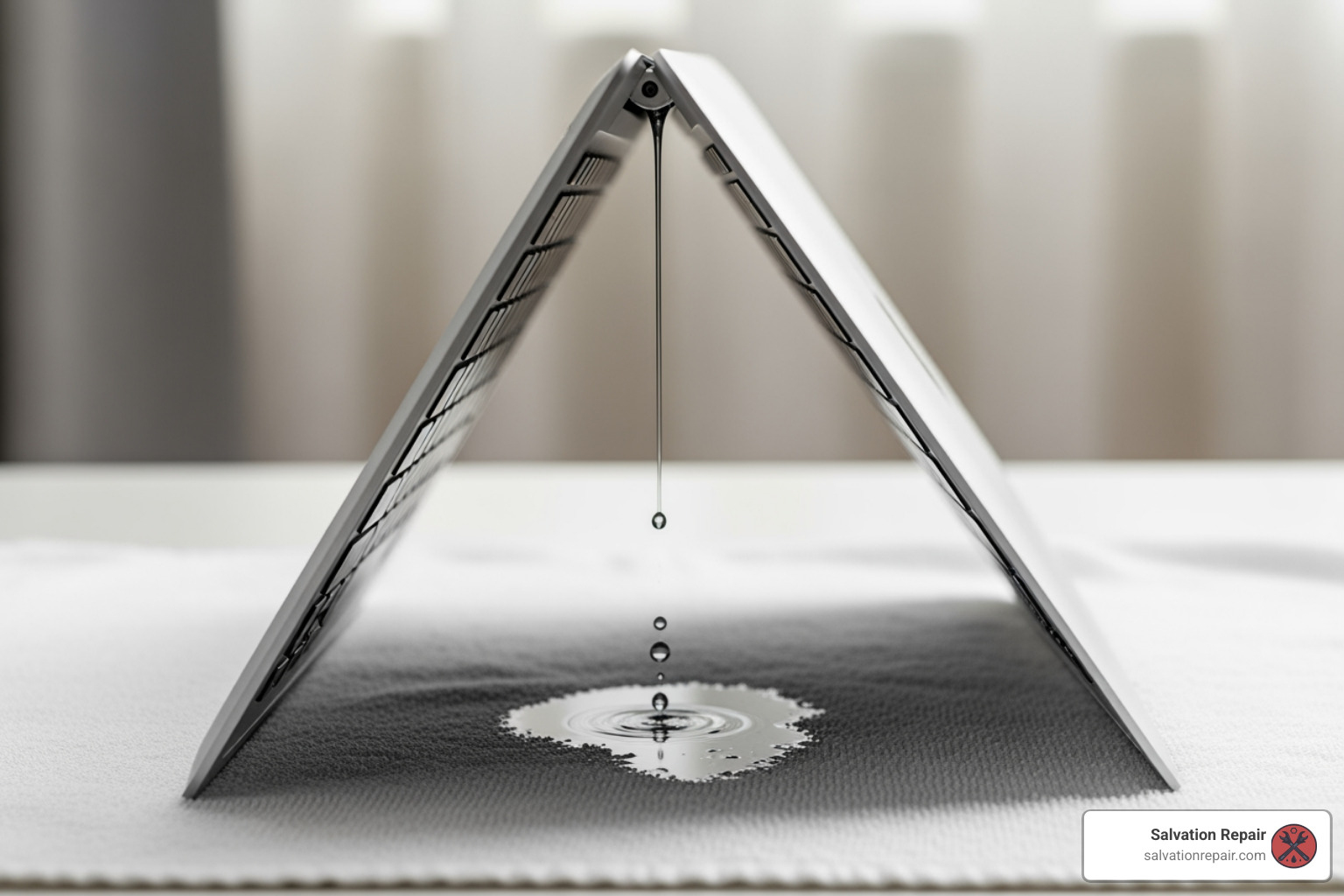
- Turn it Upside Down: Gently turn your MacBook into an upside-down ‘tent’ position, preferably with the lid open at a 90-degree angle, allowing gravity to work in your favor. Place it on a clean, absorbent towel to catch any draining liquid. This helps prevent the liquid from seeping deeper into critical components like the logic board.
- Mop Up Excess Liquid: Using a clean, lint-free cloth (like a microfiber towel), gently dab and wipe away any visible liquid from the keyboard, trackpad, screen, and exterior casing. Be thorough but gentle; avoid rubbing, which can spread the liquid.
- DO NOT Power It On (Seriously!): This is perhaps the most crucial step. Our research and our own experience at Salvation Repair confirm that attempting to power on a liquid-damaged MacBook is one of the biggest risks. Powering on can cause immediate and irreversible short circuits, frying components that might otherwise have been salvageable. Even if your MacBook seems to be working, the internal damage could be silently worsening due to accelerated corrosion.
- Avoid the Rice Myth: We’ve heard it a thousand times: “Just put it in a bag of rice!” Please, for the love of all that is digital, do not use rice. Rice is for dinner, not for electronics repair. It doesn’t effectively absorb moisture from inside sealed components, and worse, tiny starch particles can get into your MacBook, causing even more problems. It also wastes precious time while corrosion continues its destructive work.
- No Hairdryers or Ovens: High heat can cause more harm than good. A hairdryer can push liquid deeper into the device, and the heat can melt internal components or damage delicate solder joints. Ovens? Absolutely not.
- Bring it to a Professional, Fast: Once you’ve completed these immediate steps, your next move should be to get your MacBook to a professional MacBook liquid damage repair specialist in Laurel, MS, Jackson, MS, or Oxford, MS. Corrosion begins immediately after a spill and may cause a MacBook to function normally for days or weeks before failing. The sooner we can get to it, the higher the chance of a successful repair.
These immediate actions are vital for mitigating the initial damage and preventing further complications. The primary goals are to prevent liquid from bridging electrical connections (short circuits) and to prevent corrosion from taking hold.
The Science of a Spill: How Liquid Destroys MacBook Internals
When liquid meets your MacBook’s delicate internal components, it’s not just about things getting “wet.” A complex, destructive chain reaction begins almost instantly, changing a minor spill into a major problem if not addressed quickly and correctly. Understanding this process helps us appreciate why professional MacBook liquid damage repair is so critical.
At its core, liquid damage is about two main culprits: short circuits and corrosion.
-
Short Circuits: Electronic components rely on precise electrical pathways. When a conductive liquid (and most liquids are, to some degree) enters the system, it can bridge these pathways, creating unintended connections. This causes electricity to flow where it shouldn’t, leading to short circuits. If the MacBook is powered on or connected to a power source during a spill, these shorts can instantly fry micro-components, leading to immediate failure. This is why we emphasize immediately powering down and unplugging everything.
-
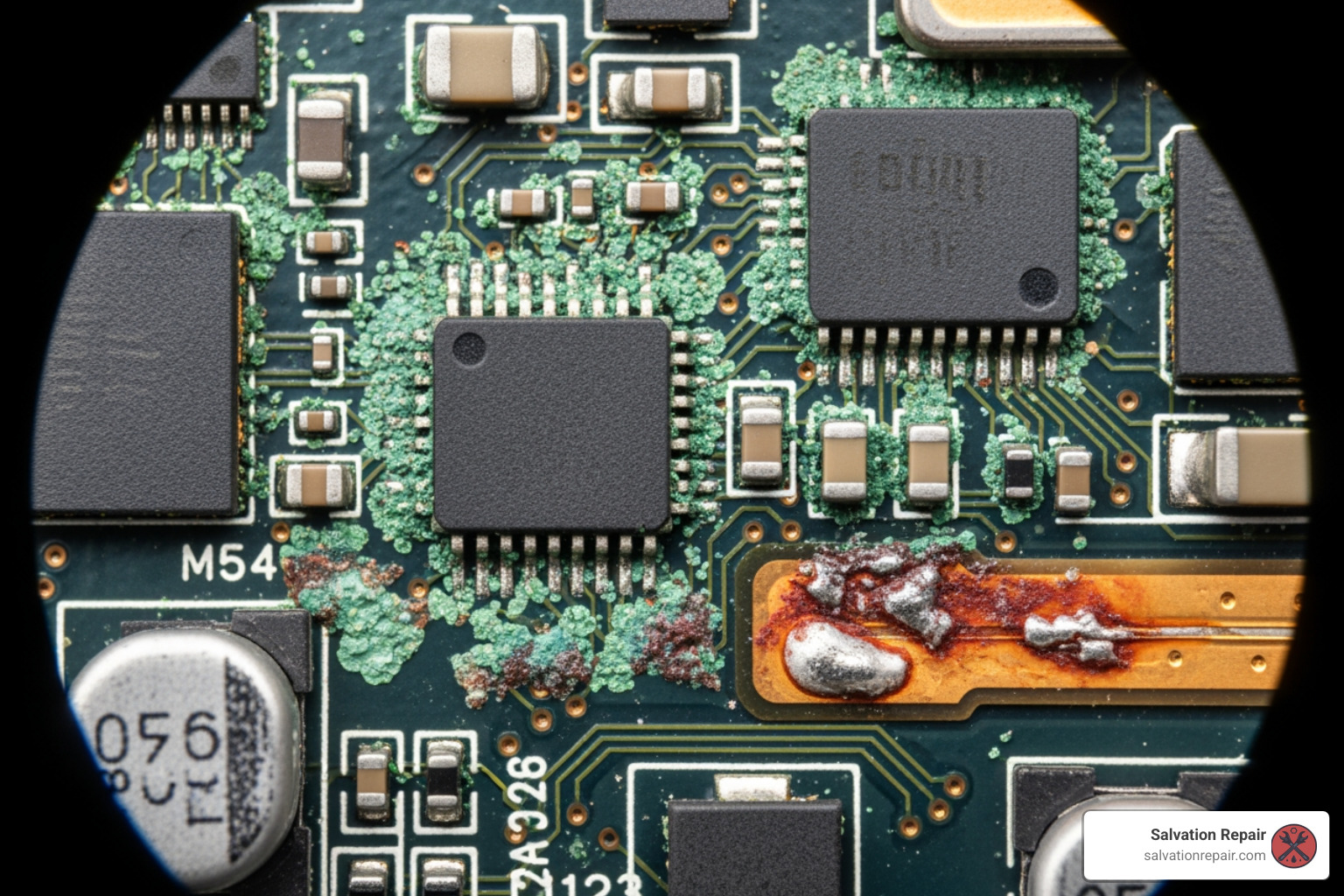
Corrosion (The Delayed Nightmare): Even if a short circuit doesn’t occur, the liquid begins to wreak havoc. The minerals, salts, and other contaminants in the liquid immediately start to eat away at the metal and soluble components inside your MacBook. This process is called corrosion.
- Electrolysis Explained: If there’s any residual electrical current (even from a battery that isn’t fully disconnected), the electric current interacts with the liquid, accelerating corrosion through a process called electrolysis. Metals like aluminum, copper, and iron begin to oxidize, forming compounds like aluminum oxide, copper oxide, and iron oxide (rust). This is why a liquid-damaged MacBook might seem fine for a few days or weeks, only to suddenly fail. Corrosion is a “delayed nightmare” that often works silently until critical components are compromised.
-
How Different Liquids Cause Damage
Not all liquids are created equal when it comes to damaging your MacBook. The type of liquid spilled significantly impacts the difficulty and cost of repair.
- Water (Tap, Bottled, Distilled): While pure distilled water is a poor conductor, tap and bottled water contain minerals and impurities that make them conductive and corrosive. They are generally less acidic and easier to repair if caught quickly, as they leave fewer sticky residues. However, they still cause corrosion.
- Sugary Drinks (Soda, Juice, Coffee with sugar): These are particularly insidious. Beyond their conductivity and acidity, they leave sticky, non-conductive residues when they dry. This residue can gum up moving parts (like keyboards and trackpads) and, more dangerously, prevent proper electrical contact, leading to intermittent issues or shorts. The sugars also attract moisture, exacerbating corrosion over time.
- Acidic Liquids (Fruit Juices, Wine, Vinegar): Liquids with lower pH values are highly corrosive. They aggressively attack metal components, leading to faster and more severe corrosion. Lemon juice, for example, has a pH of 2.3, cola 2.5-3.5, and fruit juice around 3.5. These acidic properties accelerate the breakdown of delicate circuits.
- For comparison, check out the pH levels of common beverages.
- Milk and Dairy Products: Milk contains fats, proteins, and sugars that decompose over time. This creates a foul odor and a highly corrosive, conductive environment. These spills are among the most challenging to clean and often lead to extensive damage.
- Alcoholic Beverages (Beer, Wine): While some alcohol evaporates, the remaining sugars, acids, and other compounds are highly damaging. Wine, for instance, is acidic and can cause significant corrosion.
Even minor spills can present advanced issues requiring lots of tools and expertise. At Salvation Repair, we have the specialized knowledge to understand these chemical reactions and apply the correct cleaning and repair techniques to give your MacBook the best chance of recovery.
Understanding Your Options for MacBook Liquid Damage Repair
When your MacBook takes an unexpected bath, you’re faced with a critical decision: attempt a DIY fix or seek professional help? While the internet is rife with advice, the reality of MacBook liquid damage repair is often more complex than it appears. Let’s break down your options.
| Feature | Professional Repair (Salvation Repair) | Attempting Basic Cleaning at Home – |
|---|---|---|
| Expertise | Certified technicians with experience in micro-soldering and component-level repairs. | Limited to online tutorials and guesswork. High risk of causing more damage. – |
| Tools | Professional-grade equipment like ultrasonic cleaners, microscopes, and micro-soldering stations. | Basic tools like screwdrivers and cotton swabs, which are often inadequate and can cause further damage. – |
| Success Rate | High. We can often save devices that seem completely dead. | Very low. Often leads to permanent, unrepairable damage. – |
| Warranty | Lifetime warranty on our repairs. | No warranty. If it breaks again, you’re on your own. – |
| Cost | Varies, but often more cost-effective than buying a new device. | Seems cheap initially, but can lead to a much more expensive repair or the need for a full replacement. – |
Warranty and Coverage: What You Need to Know
It’s a common misconception that your Apple warranty will cover liquid damage. Unfortunately, that’s not the case.
- Apple’s Limited Warranty: This standard warranty does not cover damage caused by liquids. Apple uses Liquid Contact Indicators (LCIs) inside your MacBook that change color when they come into contact with moisture, making it easy for them to determine if the device has been wet. You can learn more about this on Apple’s support page.
- AppleCare+: While AppleCare+ does offer coverage for accidental damage, including liquid spills, it typically involves a service fee and has a limit on the number of incidents. It’s a good safety net, but it’s not a free pass. You can Check your coverage status on Apple’s website.
What to Do at Home Before Professional MacBook Liquid Damage Repair
After the initial “first aid,” the best thing you can do is prepare your MacBook for a professional.
- Do Not Attempt DIY Repairs: Unless you are a trained technician with the right tools, opening your MacBook can cause more harm than good. You risk damaging delicate connectors, losing tiny screws, or causing further short circuits.
- Gather Information: Note down exactly what happened. What was spilled? When did it happen? What steps did you take immediately after? This information is invaluable for our technicians.
- Bring It In ASAP: The sooner you bring your device to a professional, the higher the chance of a successful and cost-effective repair.
Why Choose Professional MacBook Liquid Damage Repair
Choosing a professional service like Salvation Repair for your MacBook liquid damage repair is the smartest move. Our technicians have the specialized equipment and expertise to handle these delicate situations.
- Advanced Cleaning: We use ultrasonic cleaners and specific chemical solutions to safely and thoroughly remove corrosion and residue from the logic board and other components.
- Component-Level Repair: We don’t just replace entire boards, which can be incredibly expensive. Our experts can perform micro-soldering to replace individual damaged components on the logic board, saving you money. Learn more about our MacBook Logic Board Repair services.
- Data Recovery: In many cases, even if the MacBook can’t be fully repaired, we can often recover your precious data from the solid-state drive (SSD).
- Guaranteed Work: We stand by our work with a lifetime warranty on our repairs, giving you peace of mind.
