Xbox Controller Fixers: #1 Ultimate & Easy Fixes 2025
Why Your Xbox Controller Needs Professional Attention
Xbox controller fixers offer solutions ranging from DIY repairs to professional services that restore your controller to perfect working order. Here’s what you need to know:
Quick Guide to Xbox Controller Repair Options:
| Repair Option | Best For | Typical Cost | Turnaround Time |
|---|---|---|---|
| DIY Repair | Simple issues like cleaning buttons | $10-$30 (parts/tools) | 1-2 hours |
| Professional Service | Complex problems like stick drift, motherboard issues | Varies by repair | 5-6 business weeks |
| Replacement Parts | Joysticks, bumpers, motherboards | $7-$45 per part | Immediate (if in stock) |
When your controller starts acting up, your gaming escape disappears fast. Whether your character drifts on its own or a button won’t register, it’s a frustrating experience. The good news? Most Xbox controller problems are fixable. From the Xbox 360 to the Series X|S, issues with joysticks, bumpers, and motherboards can be repaired.
You have two main paths: a DIY repair with the right tools and parts, or handing it over to experienced technicians. The right choice depends on your comfort level, the problem’s severity, and your available time.
With over 20 years in electronics repair, we’ve seen it all. Most issues, from sticky buttons to power failures, have straightforward fixes when you know what you’re looking for. This guide will walk you through everything you need to know about getting your controller back in fighting shape.
Is Your Controller Acting Up? Common Signs You Need a Repair
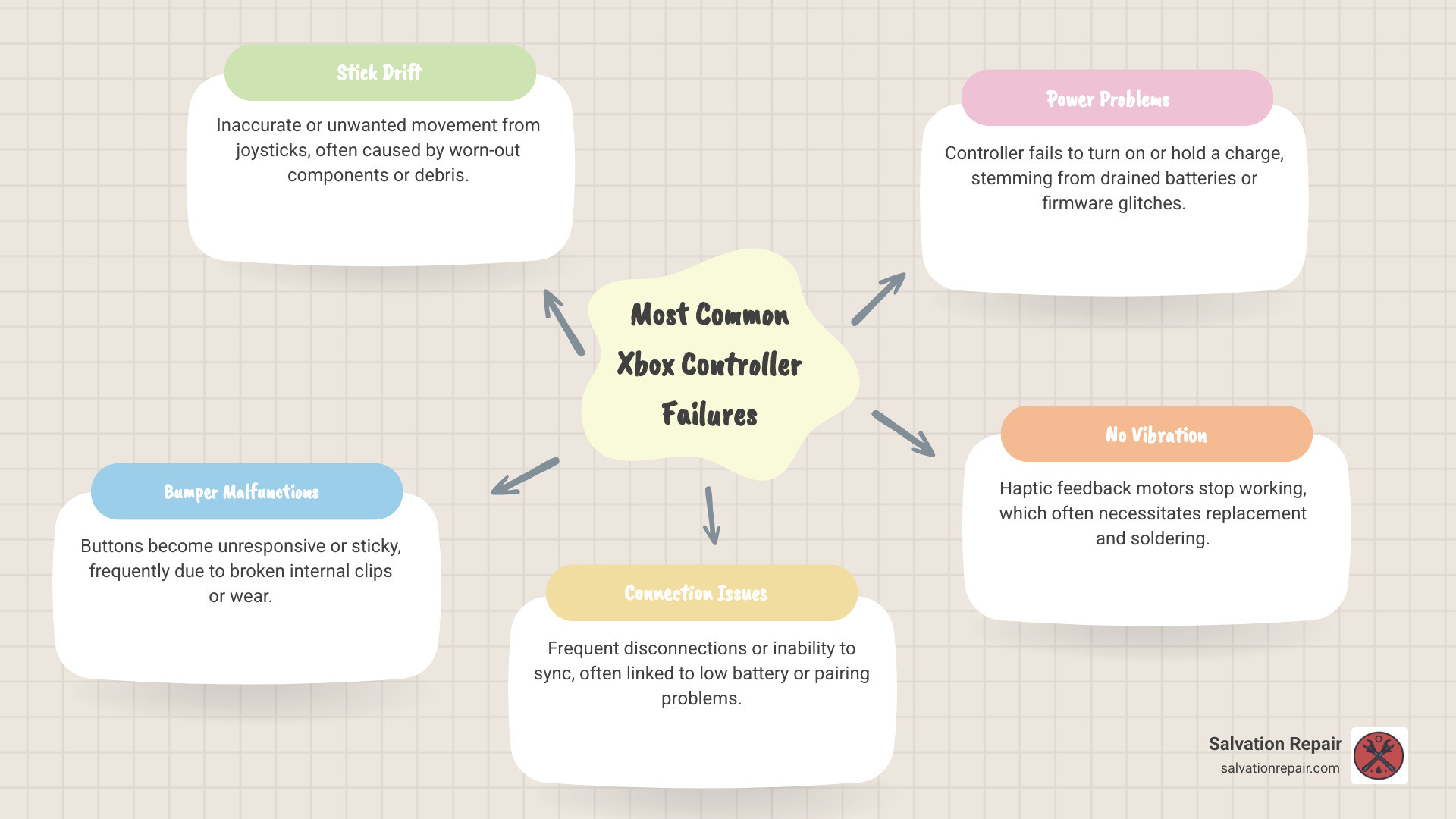
When your trusted Xbox controller starts behaving erratically, it can ruin your gaming experience. Recognizing the signs early can save you from frustration. Here are the most common indicators that your Xbox controller needs attention from xbox controller fixers:
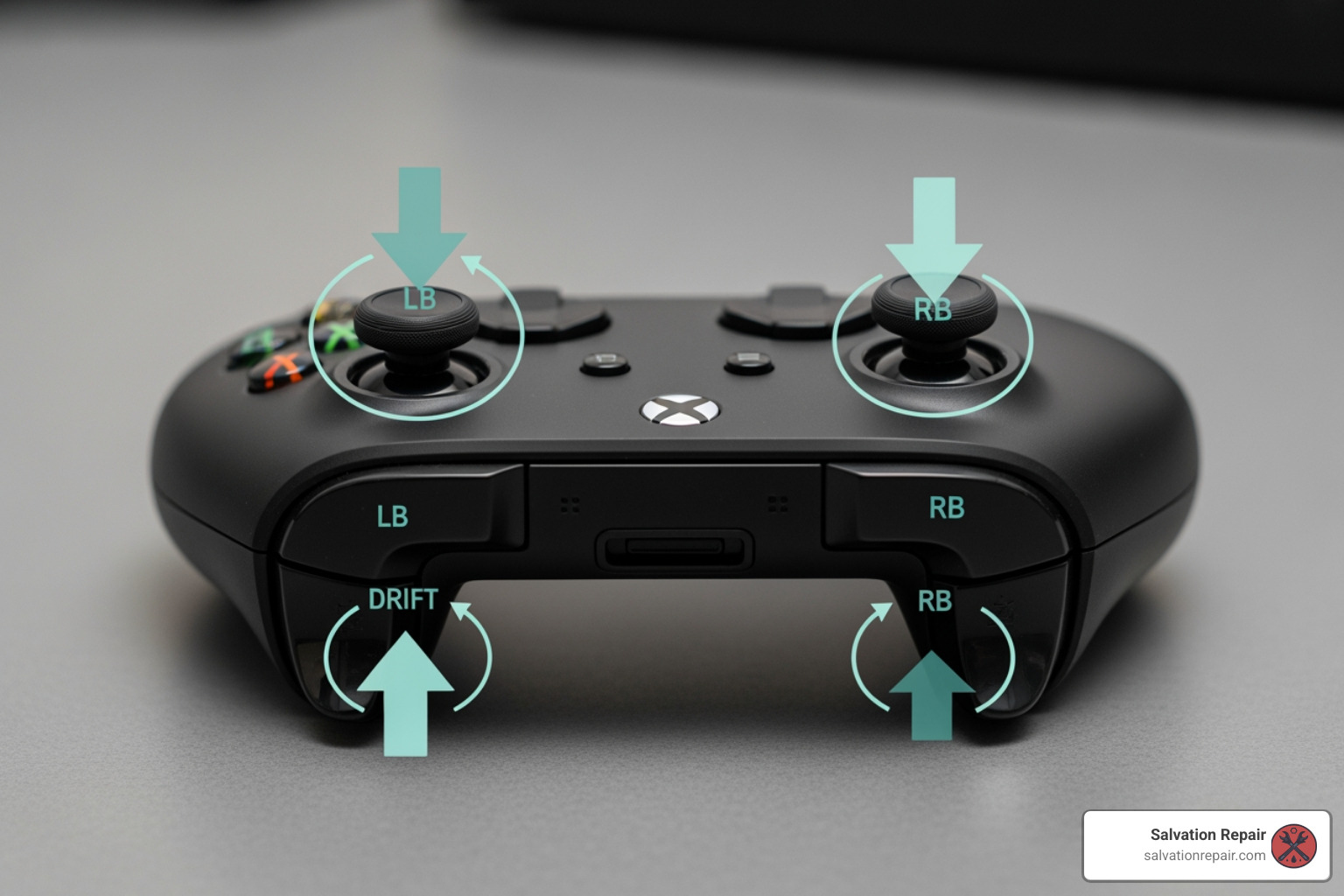
- Stick Drift: The most infamous controller ailment. Your character or camera moves without you touching the analog stick. This “phantom input” is usually caused by wear and tear on the joystick’s internal components.
- Unresponsive or Sticky Buttons: You have to mash a button for it to register, or it feels sluggish and doesn’t pop back up quickly. This is often due to dirt buildup or worn-out internal rubber membranes.
- Bumper Malfunction: The shoulder bumpers (LB and RB) feel loose, stop clicking, or don’t register presses. This is a common mechanical failure within the bumper assembly itself.
- Connection Issues: Your controller disconnects mid-game, flashes then turns off, or won’t sync with your console. This can be caused by low batteries, wireless interference, or internal module issues.
- Power Problems: The controller won’t turn on or shuts off randomly. This points to dead batteries, a faulty charging cable, or a more complex internal power failure.
- No Vibration: The haptic feedback stops working. After checking game settings and battery levels, the issue is likely a defective vibration motor that needs replacement, which often requires soldering.
Many of these issues can be diagnosed and fixed, saving you the cost of a brand-new controller.
The DIY Route: Can You Fix It Yourself?
Repairing an Xbox controller at home is feasible for many common issues and can be a cost-effective, rewarding project. However, it requires patience, a steady hand, and the right tools. While replacing a part for $10-$20 is cheaper than buying a new $60+ controller, remember to factor in your time and the risk of causing more damage. Many failed DIY projects end up on our repair bench.

Essential Tools for Home Repair
To perform a DIY repair, you’ll need a few specialized tools, often sold in affordable kits.
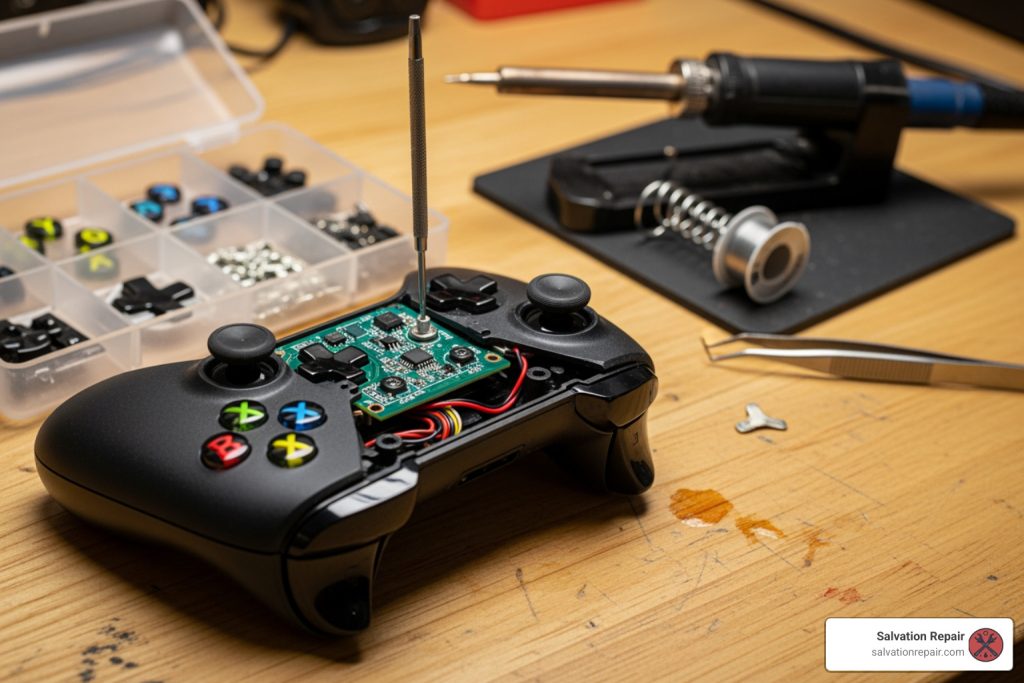
- TR8 Torx Security Screwdriver: This is essential for the special screws used in Xbox controllers.
- Prying Tools / Spudger: Plastic prying tools are necessary to open the controller’s shell without causing scratches or breaking clips.
- Tweezers: Precision tweezers are invaluable for handling tiny screws and delicate ribbon cables.
- Replacement Parts: You’ll need specific parts like joysticks or bumper assemblies. Ensure they are compatible with your controller model (e.g., Xbox One vs. Series X|S).
- Soldering Iron (Optional but Recommended): Required for more advanced repairs like replacing individual joystick modules or vibration motors.
- Cleaning Supplies: Isopropyl alcohol (90% or higher) and cotton swabs are great for cleaning sticky buttons.
Finding Parts and Guides
Reliable parts and detailed guides are crucial for a successful repair. The internet is your best resource.
- Online Tutorials and Guides: Many websites and video platforms offer step-by-step repair guides for various Xbox controller models. These can break down complex repairs into manageable steps.
- Sourcing Replacement Parts: Numerous online retailers specialize in electronic parts. Look for sellers with good reviews to ensure quality components and always double-check that the part is compatible with your specific controller model.
DIY repair can save money and teach you a new skill, but it’s not for everyone. If you’re hesitant about handling delicate electronics, it’s best to call in the professionals.
Why Choose Professional Xbox Controller Fixers?
While DIY can be rewarding, professional xbox controller fixers offer a smarter, more reliable choice. You want your controller fixed right and for good, which is where Salvation Repair shines. Our experienced technicians use specialized tools for precise repairs, minimizing risk and saving you time. The biggest advantage is our lifetime warranty on all game console repairs—a guarantee you won’t get with a DIY fix.
What to Expect from Salvation Repair’s Xbox Controller Services
When you trust your controller to us, you get a transparent, customer-focused process.
- Free Diagnosis & Clear Estimates: We start with a free, comprehensive diagnostic to pinpoint the problem. We then provide a clear, upfront estimate with no hidden fees, so you can make an informed decision.
- Expert Technicians & Quality Parts: Our skilled team is versed in all Xbox models. We use genuine replacement parts whenever possible to ensure a durable, high-quality repair.
- Lifetime Warranty: We stand by our work. Unlike the standard one-year guarantee you might find elsewhere, we offer a lifetime warranty on all parts and labor for game console repairs.
The Salvation Repair Process
Getting your controller fixed is easy, with locations in Laurel, Jackson, and Oxford, Mississippi.
- Bring It In: Visit one of our locations or Book an appointment with Salvation Repair online.
- Free Diagnosis & Estimate: Our technicians perform a full diagnostic to find the root cause, then provide a detailed estimate for your approval.
- Expert Repair: We differentiate between hardware and software issues, performing precision part replacements for things like joysticks, bumpers, or motherboards.
- Testing & Pickup: After the repair, we rigorously test every function to ensure it’s working perfectly. You can then pick up your controller, backed by our lifetime warranty.
Trust the experts at Salvation Repair to get your Xbox controller running smoothly.
DIY vs. Professional Repair: Which is Right for You?
Deciding whether to tackle your Xbox controller’s issues yourself or seek professional help from xbox controller fixers can be a tough call. Both options have their merits, and the best choice depends on your comfort level and priorities.
| Feature | DIY Repair | Professional Repair (Salvation Repair) |
|---|---|---|
| Cost | Low (parts & tools) | Moderate (includes labor, expertise, and warranty) |
| Time Investment | Significant (research, ordering, repair) | Minimal (drop-off/pickup, technicians handle the rest) |
| Difficulty Level | High (requires patience, precision, specific tools) | Low (you just bring it in!) |
| Technical Skill | Required (basic electronics knowledge helps) | Not required for you; handled by certified experts |
| Tools Needed | TR8 Torx Security screwdriver, prying tools, possibly soldering kit | State-of-the-art diagnostic and repair equipment |
| Parts Quality | Varies (depends on source) | Genuine replacement parts whenever possible, rigorously tested |
| Warranty | None | Lifetime warranty on parts and labor |
| Risk of Damage | High (can worsen problem if inexperienced) | Low (handled by experts, covered by warranty if issues arise) |
| Turnaround Time | Varies (shipping for parts, your availability) | Typically within a few days, depending on issue and part availability |
Cost: DIY is cheaper for parts, but you also have to buy tools. Professional repair includes labor and expertise but comes with a warranty, which can save you money if a DIY fix fails.
Time: A DIY project involves research, ordering parts, and performing the repair, which can take days or weeks. With professional service, you just drop it off, and we handle the rest.
Difficulty & Risk: Cleaning buttons is easy, but replacing a soldered joystick is complex and risks irreversible damage. Our technicians are trained for these intricate repairs.
Warranty: This is a key difference. DIY has no warranty. At Salvation Repair, our lifetime warranty means we stand behind our work, giving you long-term peace of mind.
If you enjoy tinkering and accept the risks, DIY can be fulfilling. But for a guaranteed, stress-free solution, especially for complex issues, professional repair is the clear winner.
Know Your Controller: Repairable Models & Limitations
Understanding your controller model is crucial for repair, as internal components vary. All official Xbox controllers share the signature offset analog sticks.
- Xbox 360 Controller (2005): Introduced the modern wireless design. Still repairable for common issues.
- Xbox One Controller (2013): Added Bluetooth and impulse triggers. Most models (1537, 1697, 1708, etc.) are repairable.
- Xbox Series X|S Controller (2020): A refined version of the Xbox One design, these are highly repairable.
What types of Xbox controllers can be repaired?
We repair most official Xbox controllers, including:
- Xbox 360 Wireless Controllers
- Xbox One & Xbox One Elite Controllers (Series 1 and 2)
- Xbox Series X|S Controllers (Model 1914)
Regardless of the model, the most common repairs involve the joystick, bumper assembly, and motherboard. You can learn more about the controller’s history on Wikipedia: Xbox Wireless Controller.
What are the repair limitations?
While we can fix most things, some controllers are beyond practical repair:
- Severe Motherboard Damage: Extensive corrosion, cracks, or liquid damage can make repair impossible or too costly.
- Third-Party Modded Controllers: Controllers from companies like Scuf or Battle Beaver often use proprietary parts we cannot source.
- Obsolete Models: Extremely old models may have parts that are no longer available.
For most official controllers, however, we can fix common issues like stick drift and button failures.
Preventative Care: How to Extend Your Controller’s Lifespan
An ounce of prevention is worth a pound of cure. Taking a few simple preventative measures can significantly extend your controller’s life, saving you money and frustration.
- Regular Cleaning: This is the most effective preventative measure. Dirt, dust, and oils cause sticky buttons. Use a soft cloth with a small amount of isopropyl alcohol to clean the exterior, and a cotton swab for tight spots.
- Proper Storage: Store your controller in a safe, dry place away from pressure or extreme temperatures. A dedicated stand or case is a great option.
- Avoiding Drops and Spills: Drops can damage internal components, and spills can cause corrosion and short circuits. If a spill happens, disconnect power immediately and bring it in for a professional cleaning.
- Correct Charging: Use the correct cable for your model (USB-C for Series X|S, micro-USB for older models). Damaged cables can harm the charging port. Use high-quality batteries to avoid power issues.
- Keep Firmware Updated: Regularly connect your controller to your console or PC to install firmware updates from Microsoft. These updates fix bugs and improve performance. Ensure a stable connection during the update process.
By incorporating these simple habits, you can significantly reduce the likelihood of needing repairs from xbox controller fixers. For official tips on keeping your gear pristine, check out the Xbox Support guide on cleaning and care.
Frequently Asked Questions about Xbox Controller Repair
We get a lot of questions about Xbox controller repairs. Here are some of the most common questions we hear at Salvation Repair.
How much does it cost to fix an Xbox controller?
The cost varies depending on the issue and repair method.
- DIY Costs: You’ll pay for parts and tools, typically ranging from $10-$45. For example, a joystick module might be $10, while a motherboard component could be $40.
- Professional Service Fees: Our fees include parts, expert labor, and our lifetime warranty. We offer a free diagnosis and provide a clear, upfront estimate. Our goal is always a cost-effective solution that’s cheaper than buying a new controller.
Can stick drift be permanently fixed?
Yes. While cleaning the joystick mechanism can be a temporary fix, the only permanent solution is to replace the faulty component. We routinely replace joystick modules to eliminate drift for good. For an even more durable solution, some gamers opt for Hall effect sensor upgrades, which use magnets to prevent wear-and-tear drift.
Is it worth fixing an Xbox controller or should I just buy a new one?
For most common issues, repair is absolutely worth it.
- Cost: A new controller costs $60-$70+, while most professional repairs are significantly less. Repair is especially cost-effective for expensive Elite or special edition models.
- Environment: Repairing reduces e-waste, making it a more environmentally friendly choice.
- Guarantee: With our lifetime warranty, a repair from us is a long-term investment, unlike buying a new controller that only has a limited manufacturer’s warranty.
Minor issues like stick drift or broken bumpers are almost always worth repairing. For severe damage, we provide a free diagnosis and an honest recommendation on whether repair or replacement is the better option.
Conclusion: Get Back in the Game
A faulty Xbox controller doesn’t have to end your gaming session. You have great options, from a challenging DIY project to the guaranteed peace of mind of a professional repair.
For those who want a hassle-free and reliable solution, professional repair is the best choice. At Salvation Repair, we are the go-to xbox controller fixers in the Laurel, Jackson, and Oxford, Mississippi areas. Our free diagnostics, expert technicians, and an unparalleled lifetime warranty on all repairs mean you can trust us to bring your controller back to life.
Don’t let stick drift, unresponsive buttons, or connection issues stop you. Get back to dominating the leaderboards and enjoying your games to the fullest.
Find out more about our game console repair services today, and let us help you keep your game on!
