The Ultimate iPhone 12 Screen Repair Manual
What to Do When You Have an iPhone 12 Cracked Screen
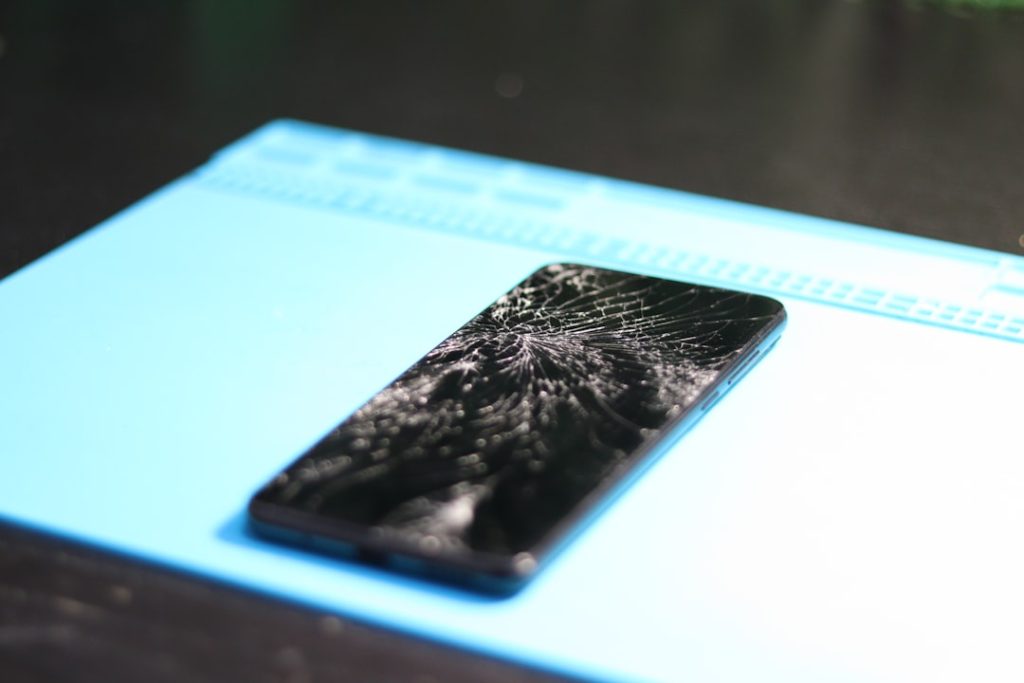
An iPhone 12 cracked screen is one of the most common — and most frustrating — device problems you can face. One drop, and suddenly your display is shattered, bleeding color, or completely dark.
Here’s a quick look at your main repair options:
| Repair Option | Estimated Cost | Turnaround Time |
|---|---|---|
| Apple (out of warranty) | ~$229+ | Same day or mail-in |
| Third-party shop (aftermarket LCD or OLED) | $89–$199 | 1–6 hours |
| Third-party shop (OEM screen) | ~$159 | 1–6 hours |
| DIY (aftermarket LCD/OLED kit) | $68–$100 | 1–2 hours |
Quick answer: If your iPhone 12 screen is cracked, you can get it repaired at an Apple Store, an authorized third-party repair shop, or fix it yourself with a screen replacement kit. Professional repairs typically take a few hours. DIY repairs take 1–2 hours but carry more risk.
Whether the glass is spiderwebbed but still working, or the display has gone fully dark, the right fix depends on your budget, your tech comfort level, and how fast you need your phone back.
This guide walks you through everything — from diagnosing the damage to choosing a screen type to replacing it yourself if you’re up for it.
I’m Ralph Harris, and with over a decade of electronics repair experience and more than 500 Apple repair certifications, I’ve seen every variation of an iPhone 12 cracked screen imaginable. I’ll give you straight, practical advice so you can make the smartest decision for your situation.
Relevant articles related to iPhone 12 cracked screen:
Assessing Your iPhone 12 Cracked Screen Damage
Not all screen damage is created equal. When you drop your phone in Laurel or Jackson, the result can range from a minor cosmetic annoyance to a completely bricked-looking device. Understanding the extent of the damage is the first step in determining your repair path.

If you are dealing with a Cracked Screen, the impact usually affects either the top glass or the underlying OLED panel. On the iPhone 12, Apple introduced “Ceramic Shield,” which is tougher than previous glass but still prone to shattering upon a hard impact against concrete or tile.
Common symptoms of a Broken Phone Screen include:
- Spiderweb Cracks: Radiating lines from the point of impact.
- Touch Unresponsiveness: Areas of the screen that don’t register your finger.
- Vertical Lines: Bright green or white lines running top to bottom.
- Ink Blots: Dark spots that grow over time (OLED bleeding).
For a deeper dive into the different types of damage, check out our iPhone Screen Repair Complete Guide.
Identifying Internal Display Failure
The iPhone 12 uses a sophisticated OLED (Organic Light Emitting Diode) panel. Unlike older LCDs, OLEDs don’t have a separate backlight; each pixel creates its own light. If you see “bleeding” (black spots that look like spilled ink) or bright green lines, the internal display panel has failed.
In these cases, you will definitely need an iPhone 12 Screen Repair (OLED) to restore functionality. Ghost touching—where the phone opens apps or types on its own—is another hallmark of internal digitizer failure.
When Only the Glass is Shattered
Sometimes you get “lucky.” The glass is shattered, but the picture is perfect and the touch still works. This means the digitizer and OLED panel are intact. However, because the iPhone 12 screen is a fused unit, the entire assembly must still be replaced. Leaving it cracked is risky; moisture can seep through the cracks, and glass shards can eventually damage the delicate OLED underneath or cut your fingers.
Professional vs. DIY: Choosing the Best Repair Path
Deciding whether to visit a pro or tackle the repair yourself is a balance of risk and reward. Over 340,000 people have viewed guides on iPhone screen replacement, but that doesn’t mean it’s for everyone.
If you have AppleCare+, your choice is easy: an official repair is usually only $29. However, if you are out of warranty, the costs jump significantly. Many users ask how to repair an iPhone 12 screen and find that while DIY is cheaper, professional services offer a level of security (and a warranty) that you can’t get at home.
iPhone 12 Cracked Screen Repair Costs
Cost is often the deciding factor. Here is a breakdown of what you can expect to pay for an iPhone 12 cracked screen fix:
| Service Provider | Estimated Cost (OLED) | Warranty |
|---|---|---|
| Apple Store | $279 | 90 Days |
| Salvation Repair | $179 – $199 | Lifetime |
| DIY Kit (Premium) | $80 – $120 | Varies |
When calculating the iPhone Screen Repair Cost, remember to factor in the risk of breaking Face ID components during a DIY attempt, which can be an expensive mistake to fix.
Essential Tools for an iPhone 12 Cracked Screen DIY Fix
If you decide to go the DIY route, you cannot use standard household tools. You will need:
- Pentalobe P2 Screwdriver: To remove the two screws at the bottom.
- Y000 Tri-point Bit: Used for almost all internal brackets.
- Suction Handle or iSclack: To lift the screen without bending the frame.
- iOpener or Heat Gun: To soften the incredibly strong waterproof adhesive.
- Plastic Opening Picks: To slice through the adhesive (never use metal picks inside!).
Step-by-Step Guide to iPhone 12 Screen Replacement
Replacing an iPhone 12 cracked screen is a “moderate” difficulty task. It requires patience and a very steady hand. Before you start, ensure your battery is discharged below 25% to prevent potential fires if the battery is accidentally punctured.
For a visual walkthrough, we recommend following our iPhone 12 Screen Replacement Guide.
Opening the Device and Disconnecting Power
- Remove Pentalobe Screws: These are located on either side of the Lightning port.
- Apply Heat: Use a hair dryer or iOpener on the edges for about 90 seconds. It should be hot to the touch but not burning.
- Lift and Slice: Use a suction cup to create a small gap at the bottom and insert a plastic pick. Warning: Do not insert the pick more than 3mm. If you go deeper, you risk slicing the delicate display cables on the left side.
- Isolate the Battery: This is the most important step. Once the screen is flipped open (like a book), remove the battery connector bracket and disconnect the battery immediately to prevent short-circuiting the board. This is a critical step for any iPhone 12 Pro Screen Repair (OLED).
Transferring the Sensor Assembly
This is where most DIY repairs go wrong. The earpiece speaker and sensor assembly on the back of the screen are “paired” to your logic board. This assembly includes the flood illuminator, which is essential for Face ID.
You must carefully unscrew the assembly from the old screen and transfer it to the new one. Use a bit of heat to soften the adhesive under the sensors and pry them up gently. If you tear the ribbon cable, Face ID will be permanently disabled unless you go to Apple. This applies to all models, including the iPhone 12 Pro Max Screen Repair (OLED).
Comparing Screen Quality: OEM vs. Aftermarket OLED
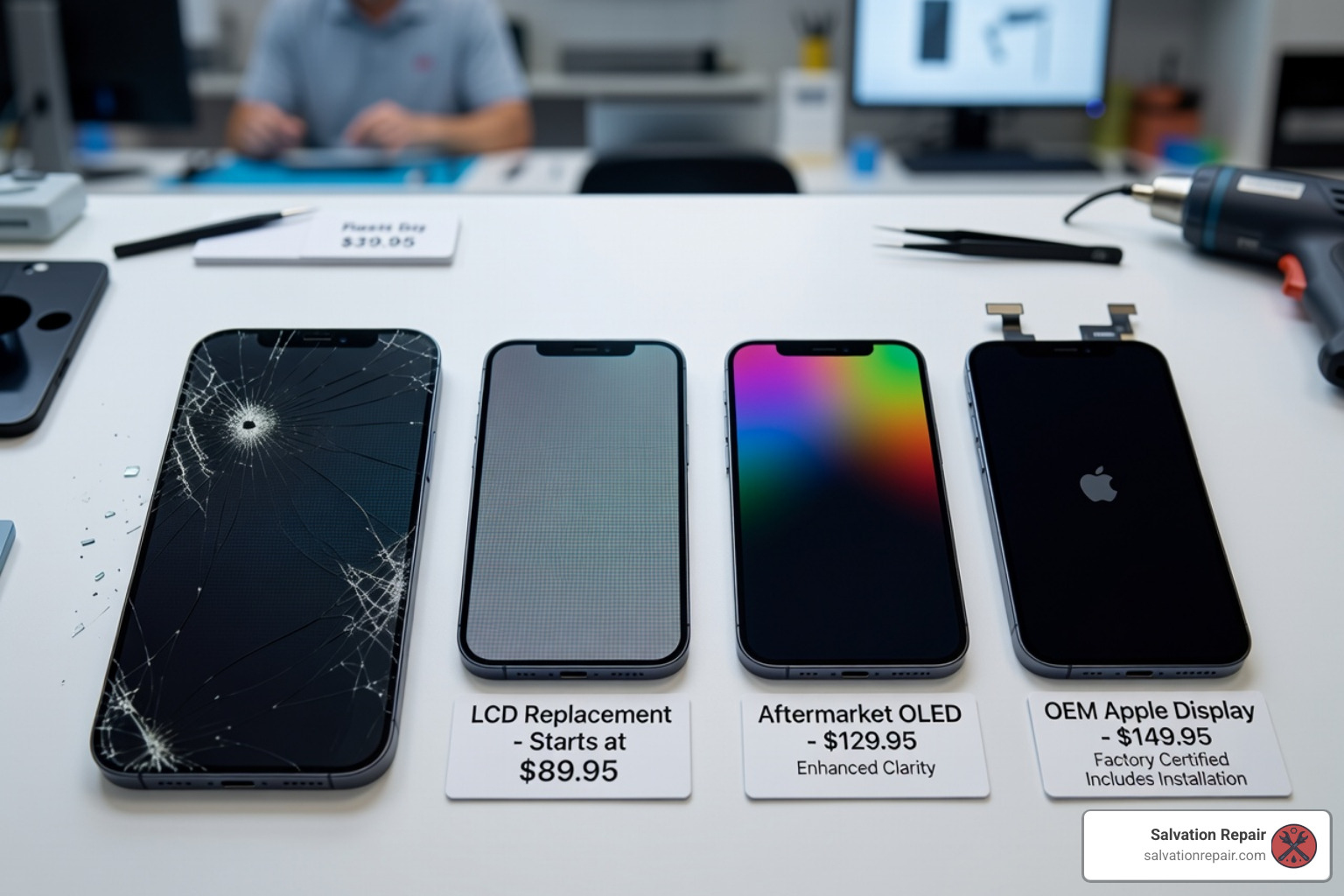
When shopping for parts, you will see many terms: In-Cell LCD, Hard OLED, Soft OLED, and OEM. Choosing the right one is vital for your user experience.
The Difference Between Soft and Hard OLED
The original iPhone 12 screen is a “Soft OLED.” This means it is built on a flexible plastic substrate, making it highly resistant to impact and allowing for those slim bezels.
- Soft OLED: Matches the original brightness (approx. 600-800 nits), color gamut, and durability. It is the gold standard for iPhone 12 Pro Screen Repair (OLED).
- Hard OLED: Built on a glass substrate. These are cheaper but much more fragile. A small drop that wouldn’t break a Soft OLED might shatter a Hard OLED internally.
- In-Cell LCD: Some shops offer an LCD replacement for the iPhone 12 to save money. We generally advise against this for the iPhone 12 Pro Max Screen Repair (OLED) because LCDs consume more power (shortening battery life) and lack the deep blacks and vibrant colors of the original display.
True Tone and Face ID Post-Repair
Historically, replacing your screen meant losing True Tone (the feature that adjusts screen color to ambient light) unless you had a specialized programmer. However, with the release of iOS 18, Apple introduced the Repair Assistant. If you use a genuine Apple part, you can now calibrate the screen and restore True Tone directly in the Settings menu. Face ID will also function normally as long as you successfully transferred your original sensor assembly.
Frequently Asked Questions
How long does a professional iPhone 12 screen repair take?
At a professional shop like ours, a standard iPhone 12 cracked screen replacement usually takes between 45 minutes and 1 hour. We perform a full diagnostic before and after the repair to ensure your cameras, sensors, and touch are all 100% functional.
Will replacing my screen void my Apple warranty?
Technically, yes. If a third party opens your device, Apple may refuse future warranty service on that specific component. However, if your phone is already out of warranty or the screen is cracked (which isn’t covered by the standard 1-year warranty anyway), you aren’t losing much. We provide our own lifetime warranty to give you peace of mind.
Can I fix my screen without losing Face ID?
Yes! As long as the original front sensor assembly (which contains the flood illuminator) is not physically damaged and is transferred correctly to the new screen, Face ID will work perfectly. This is the most delicate part of the repair, which is why many people prefer professional help.
Conclusion
Dealing with an iPhone 12 cracked screen is a major inconvenience, but it doesn’t have to be a permanent one. Whether you decide to take on the DIY challenge with the right tools or prefer the security of a professional fix, getting your display back to its original glory is entirely possible.
If you’re in the Laurel, MS, Jackson, MS, or Meridian, MS areas, we are here to help. At Salvation Repair, we specialize in same-day, on-site repairs for the entire iPhone 12 lineup. We stand behind our work with a lifetime warranty and a price match guarantee—if you find a lower local price, we’ll match it.
Don’t let a shattered display slow you down. More info about screen repair services is just a click away, or stop by one of our locations in Jones County today to get your iPhone 12 looking brand new again!
