Microsoft Surface Screen Repair Guide: Official vs. Third-Party Fixes
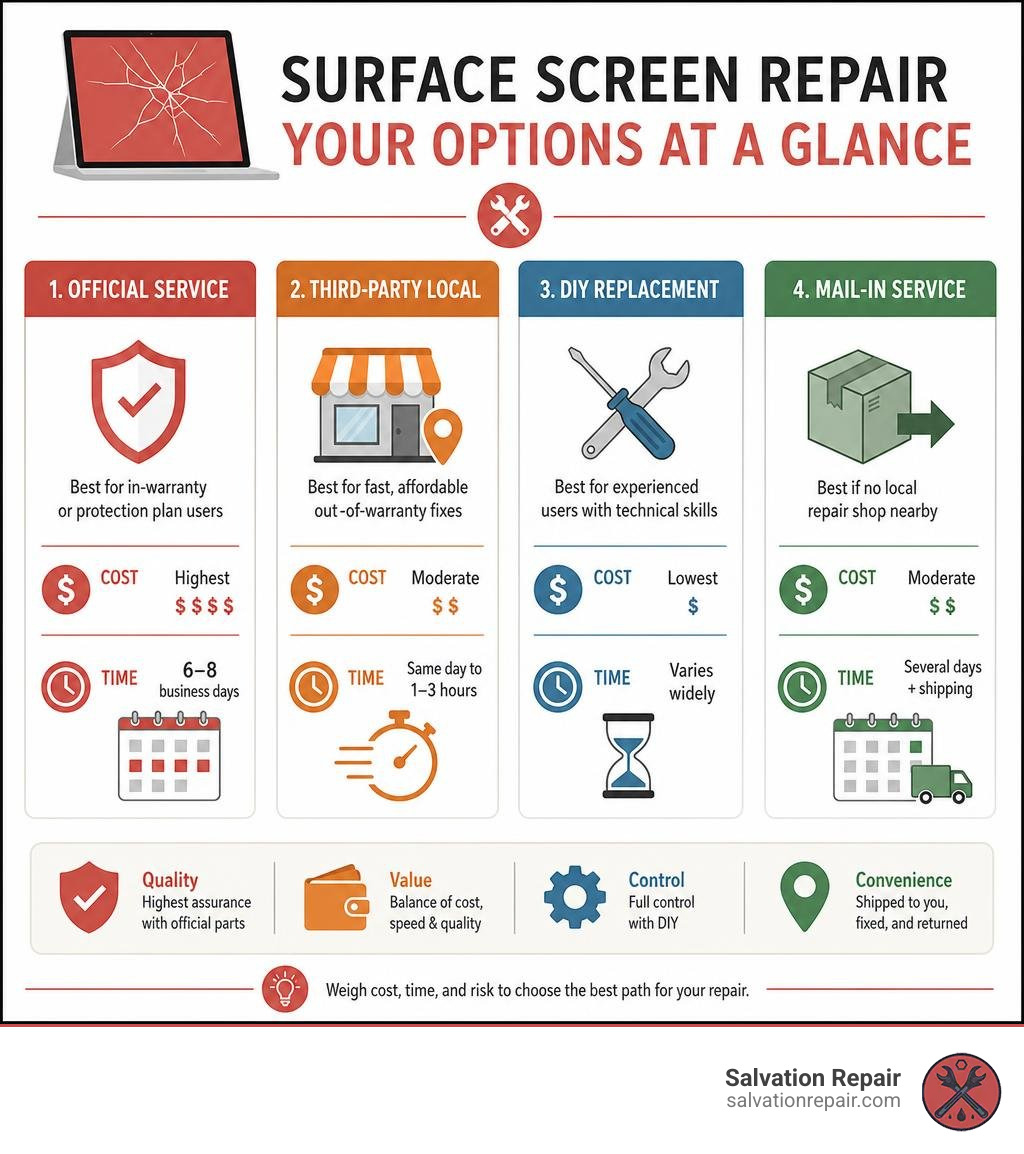
What Are Your Options for Microsoft Surface Screen Repair?
| Repair Path | Best For | Typical Turnaround |
|---|---|---|
| Microsoft Official Service | In-warranty or Microsoft Complete users | 6-8 business days |
| Third-Party Local Repair (e.g., Laurel, MS) | Fast, affordable, out-of-warranty fixes | Same day to 1-3 hours |
| DIY Replacement | Experienced users with technical skills | Varies widely |
| Mail-In Third-Party Service | No local shop nearby | Several days + shipping |
A cracked or flickering Surface screen can stop your whole day cold. Whether you dropped your Surface Pro down the stairs or noticed dead pixels spreading across your display, you’re not alone — and you do have real options.
The challenge is knowing which option is right for you. Microsoft’s official service is thorough, but it can take 6 to 8 business days just after shipping. DIY repairs are possible, but Surface devices use strong adhesive and delicate display cables that have tripped up even experienced users. As one repair community member put it after attempting a DIY fix: the display cable sheared during the first attempt, leaving the device completely non-functional.
That’s exactly why understanding the full picture — costs, risks, quality trade-offs, and turnaround times — matters before you commit to anything.
I’m Ralph Harris, a Wise Level 2 Technician and certified repair specialist with over 20 years of hands-on experience, including running multiple repair shops where laptop screen repair on Surface devices was a regular part of the job. In the sections below, I’ll walk you through everything you need to make the right call for your device and your budget.
Diagnosing Your Surface Screen: Repair vs. Replacement
Before you pull out your credit card or start looking up disassembly guides, we need to figure out exactly what is wrong with your screen. Sometimes, a display that seems completely dead is actually suffering from a minor software glitch. Other times, a tiny hairline crack means the entire physical panel is toast.
Let’s look at how to tell the difference so you don’t spend money on a full replacement when a simpler fix might do.
Identifying Common Surface Screen Issues
Surface screens are beautiful, high-resolution touch displays, but they are also highly complex. Here are the most common issues we see at our shops:
- Screen Flickering: This is a notorious issue on older models like the Surface Pro 4, often triggered by heat. If your display starts shaking or scrambling after a few hours of use, it is usually a hardware defect. However, before jumping to conclusions, you can check out More info on diagnosing display issues to rule out minor graphics driver bugs.
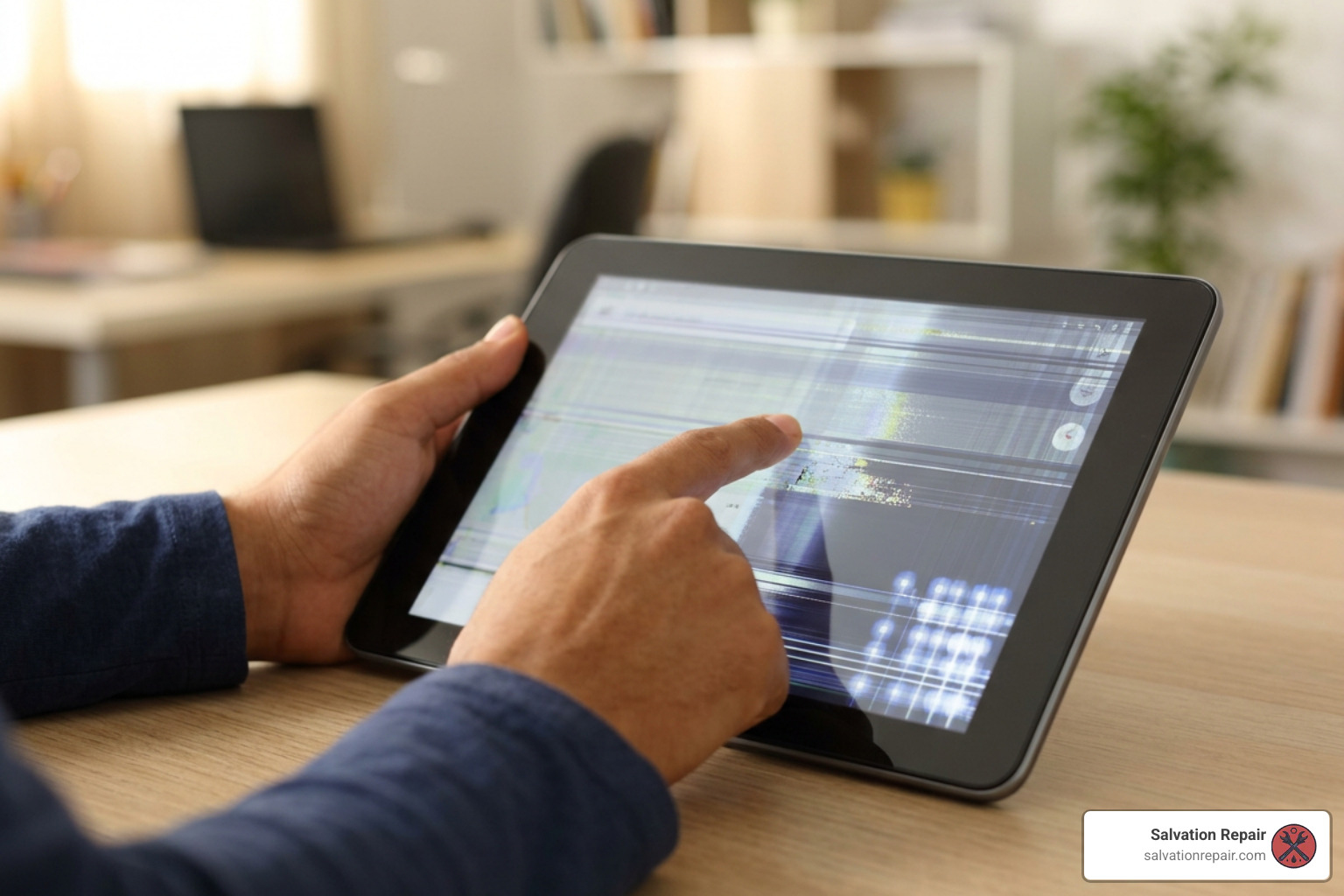
- Vertical or Horizontal Lines: If you see bright colored lines running across your screen, this usually indicates that the display’s ribbon cable has become loose or damaged, or the LCD panel itself has suffered internal pressure damage.
- Dead Pixels: Small black or colored dots that never change color are dead or stuck pixels. A few dead pixels might be annoying but don’t necessarily require a full repair. If they begin to spread, however, the panel is failing.
- Touch Failure or Ghost Touches: If your Surface acts like an invisible finger is tapping the screen, or if it stops responding to your touch or Surface Pen altogether, the digitizer layer (the glass that senses touch) is damaged.
When You Need a Full Screen Replacement
There are times when a simple software reset or driver update won’t save you. You will almost certainly need a complete hardware screen replacement if you experience:
- Shattered or Cracked Glass: Even if the touch functionality still works, cracked glass will eventually degrade, letting dust and moisture inside your device.
- LCD Bleeding: If you see dark splotches that look like spilled ink under the glass, the liquid crystal layer has ruptured.
- Severe Digitizer Damage: When physical trauma cuts off touch communication entirely.
To understand the full scope of what goes into handling these major physical issues, you can read our Complete guide to broken screens.
Screen Quality Options: LCD, OLED, and OEM Refurbished
When you look for a replacement screen online or at a local repair shop, you will quickly find that not all screens are created equal. The market is flooded with different screen types, ranging from budget-friendly options to premium original manufacturer displays.
Here is a quick breakdown of our standard repair pricing:
| Screen Type | Quality & Color Accuracy | Price | Best For |
|---|---|---|---|
| Standard LCD | Good / Decent | $129.95 | Budget-conscious repairs |
| Aftermarket OLED | Excellent Contrast & Blacks | $129.95 | Users wanting deep contrast |
| OEM | Flawless Factory Quality | $149.95 | Maximum longevity & warranty |
Standard LCD and AQ7 LCD Panels
Most Surface Pro models use high-quality LCD panels. Standard aftermarket LCDs are great for budget repairs, restoring full touch functionality and display clarity for just $129.95. However, keep in mind that cheaper aftermarket LCDs may have slightly lower maximum brightness and less vibrant color accuracy than the screen your Surface shipped with.
Aftermarket OLED vs. OEM Screen Options
For devices that support high-end displays, you might have to choose between aftermarket OLEDs and original equipment manufacturer (OEM) options:
- Aftermarket OLED ($129.95): These offer incredible contrast ratios and deep blacks because each pixel lights up individually. They are beautiful but can sometimes consume slightly more battery power if they aren’t optimized perfectly for your Surface’s motherboard.
- OEM ($149.95): This is a high-quality screen straight from the factory line. It guarantees absolute compatibility, flawless calibration, and the longest lifespan.
iPhone Screen Repair Pricing
In addition to laptop screens, we also offer specialized pricing for the latest mobile devices:
- iPhone 16 Pro: We quote LCD screen repairs at $149.95 and OLED screen repairs at $199.95.
- iPhone 16 Pro Max: We quote AQ7 LCD repairs at $129.95, aftermarket OLED at $219.95, OEM refurbished at $399.95, and brand-new OEM at $469.95.
Professional vs. DIY Laptop Screen Repair Surface Options
Is a DIY laptop screen repair surface project right for you, or should you leave it to the professionals? It’s the classic battle of saving money versus saving your sanity.
Understanding the Laptop Screen Repair Surface Process
Working on a Microsoft Surface is notoriously difficult. Unlike traditional laptops where the screen is held together by easily accessible screws, Surface tablets and laptops are sealed shut with incredibly strong industrial adhesive.
If you want to see just how deep the rabbit hole goes, you can look at the iFixit Surface Laptop 3 LCD Panel Replacement Guide. The general process for a DIY replacement involves:
- Softening the Glue: Using a heat gun or a specialized heating pad (like an iOpener) on low settings to soften the adhesive around the bezel.
- Prying Safely: Using plastic guitar picks and opening cards to slowly slice through the glue. You must not insert your tools deeper than 7 mm, or you risk slicing the delicate display and sensor cables underneath.
- Managing the Cables: Once the screen is slightly lifted, you must carefully disconnect the display press connectors and transfer the delicate sensor brackets from the old screen to the new one.
- Re-Sealing: Removing every speck of the old adhesive, cleaning the frame with high-percentage isopropyl alcohol, applying fresh 3M double-sided tape, and clamping the device down with even pressure (some DIYers even use heavy books!) while the glue cures.
If this sounds like a high-stress game of Operation, that’s because it is. One slip of a metal tool can puncture the lithium-ion battery, causing a fire hazard, or permanently destroy the motherboard. If you prefer to skip the risk, you can Get service for your out of warranty or damaged Surface through official channels.
Cost Breakdown for Laptop Screen Repair Surface Projects
Let’s look at the numbers. If you choose to go the DIY route, you will need to purchase the replacement screen ($129.95 to $149.95 depending on your model) plus a basic toolkit containing a heat gun, suction cups, plastic spudgers, and specialty adhesive (about $30 to $50).
If you take your device to a professional local shop, you will pay for the part plus labor. While this is more expensive upfront, it completely removes the risk of you accidentally destroying a $1,000 computer. You can Check our repair pricing to see how competitive local rates compare to the cost of buying tools and parts yourself.
Official Microsoft Service vs. Local Third-Party Repair
If you decide that prying open your own computer isn’t your idea of a fun weekend, you have two primary professional paths: sending it back to Microsoft or bringing it to a local repair shop.
To start exploring your options, you can read the official guide on How to get service or repair for Surface.
Official Microsoft Out-of-Warranty Service
If your device is out of warranty or has physical damage, Microsoft will not actually “repair” your specific screen. Instead, they will have you back up your data, ship your broken device to their service center, and send you a refurbished replacement unit.
- The Pros: You get a certified refurbished device that has been thoroughly tested and cleaned using genuine parts. It comes with a 90-day post-service warranty (or the remainder of your original warranty, whichever is longer).
- The Cons: It is expensive (often costing $300 to $600+ depending on the model) and takes 6 to 8 business days. Additionally, because they swap your device, you will lose all local data on your hard drive if you didn’t back it up beforehand.
Local Repair Services in Laurel, MS
For those of us living and working in Laurel, MS, Jackson, MS, and surrounding areas like Ellisville, Soso, and Meridian, sending your computer away for over a week is simply not an option.
At Salvation Repair, we believe in keeping things local, fast, and transparent. We specialize in Computer Repair and comprehensive Computer Fixing Services. If you are looking for reliable local help, check out our Laurel computer repair guide.
We focus on serving our local Mississippi communities with hometown care.
When you bring your device to us, you get:
- Same-Day Repairs: We know your time is valuable. While complex Surface screen repairs can take a few hours due to adhesive curing, we work quickly to get your device back to you the same day.
- Unmatched Speed on Other Devices: Need other tech fixed while you wait? Our iPhone screen repairs take just 10 to 15 minutes and are performed right in front of the customer. Battery repairs take only 30 minutes, and charging port repairs are completed in one hour.
- Lifetime Warranty: We stand behind our work. All our repairs come with a lifetime warranty on parts and workmanship.
- Price Matching: We will match any local competitor’s advertised price for the same repair.
Whether you need a Laptop RAM Upgrade, a general Laptop Upgrade Service, or specialized Gaming Laptop Repair, our team is ready to help. We repair any device with a power button!
Frequently Asked Questions About Surface Screen Repairs
How long does a Surface screen repair take?
A professional local screen replacement typically takes 1 to 3 hours. This includes safely heating and removing the old screen, cleaning the frame, installing the new panel, and allowing the new adhesive to cure under pressure. If you send your device to Microsoft, the turnaround time is usually 6 to 8 business days due to shipping and processing.
Can I replace just the glass digitizer or do I need the LCD too?
On almost all modern Surface Pro and Surface Laptop models, the outer glass digitizer and the inner LCD display panel are chemically fused together during manufacturing. While you can find cheap “glass-only” parts online, separating them without professional machinery is nearly impossible. You must replace the entire fused screen assembly.
Will third-party repairs void my Microsoft warranty?
Under the Magnuson-Moss Warranty Act, simply having a third-party shop work on your device does not automatically void your warranty. However, if a third-party repair causes physical damage to the internal components, Microsoft can refuse warranty coverage for that specific issue. If your factory warranty is already expired, third-party repair is almost always the most sensible and cost-effective route.
Conclusion
Dealing with a broken Surface screen doesn’t have to be a nightmare. While DIY repairs are highly risky due to intense adhesive and fragile ribbon cables, you don’t have to navigate this stressful process alone.
At Salvation Repair, we are proud to serve our neighbors in Laurel, Jackson, Ellisville, Soso, Meridian, and throughout Jones County, Mississippi. With our lifetime warranty, price matching, and commitment to repairing “any device with a power button,” we make getting your tech back on track simple and stress-free.
Don’t let a cracked screen hold you back any longer. Schedule your broken laptop screen repair today and let our experienced local team bring your Microsoft Surface back to life!
