When Your Screen Cracks, Here’s What You Need to Know

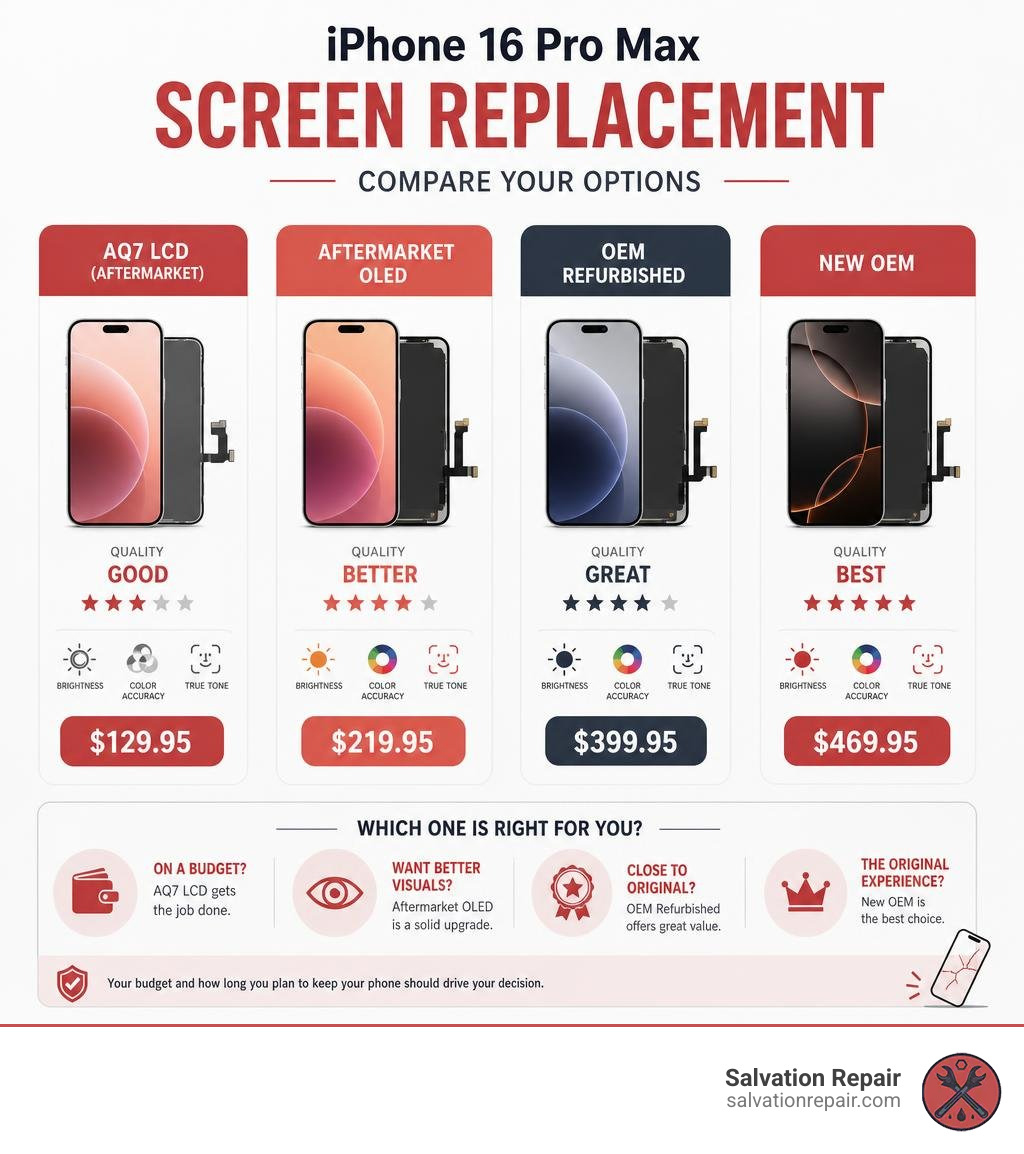
An iPhone 16 Pro Max screen replacement is one of the most common — and most stressful — repairs iPhone owners face. Before you dive into the full guide, here’s a quick breakdown of your main options:
| Screen Type | Quality | Price |
|---|---|---|
| AQ7 LCD (Aftermarket) | Good | $129.95 |
| Aftermarket OLED | Better | $219.95 |
| OEM Refurbished | Great | $399.95 |
| New OEM | Best | $469.95 |
The bottom line: Your budget and how long you plan to keep your phone should drive your decision. LCD works. OLED looks better. OEM matches the original experience most closely.
Your iPhone 16 Pro Max has a stunning 6.9-inch ProMotion OLED display — and when it breaks, getting the right replacement matters more than most people realize. Not all screens are created equal. Some cost under $130. Others push close to $470. The difference isn’t just price — it’s color accuracy, refresh rate, brightness, and whether features like True Tone still work after the repair.
Whether you’re weighing a quick DIY fix, shopping for parts, or looking for a trusted local shop, understanding your options upfront saves you money and headaches down the road.
I’m Ralph Harris, and with over 20 years of electronics repair experience and more than 500 Apple repair certifications, I’ve handled countless iPhone 16 Pro Max screen replacements — so I know exactly where things can go right (and wrong). Let’s walk through everything you need to make a confident, informed decision.
Your Complete Guide to iphone 16 pro max screen replacement
The display panel on the iPhone 16 Pro Max is a masterpiece of modern engineering. With a peak brightness of over 2,000 nits, a 120Hz ProMotion refresh rate, and incredibly thin borders, it is arguably the most advanced screen on any smartphone in June 2026. However, that thinness and complexity also mean that a drop onto pavement can easily shatter the outer glass or damage the delicate OLED matrix beneath.
When looking for an iphone 16 pro max screen replacement, you will quickly discover that the market is flooded with different screen types. Understanding these options is the key to getting your phone back to its original glory without overpaying.
To help you visualize the differences in display quality, refresh rates, and overall performance, we have put together a comprehensive comparison table of the screen replacement options available today:
| Feature | AQ7 LCD (Aftermarket) | Aftermarket OLED (Soft/Hard) | OEM Refurbished | New OEM (Genuine) |
|---|---|---|---|---|
| Display Tech | LCD (Liquid Crystal) | OLED (Organic LED) | OLED (Original Panel) | OLED (Original Panel) |
| Refresh Rate | 60Hz – 120Hz (varies) | 80Hz – 120Hz | 120Hz ProMotion | 120Hz ProMotion |
| Color Accuracy | Standard | Vibrant | Perfect (Factory) | Perfect (Factory) |
| True Tone Support | No (unless calibrated) | No (unless calibrated) | Yes (via Repair Assistant) | Yes (via Repair Assistant) |
| Battery Consumption | Higher | Moderate | Optimized | Optimized |
| Price Point | $129.95 | $219.95 | $399.95 | $469.95 |
Choosing the Right Parts for Your iphone 16 pro max screen replacement
Selecting the right replacement part is a balancing act between performance expectations and your wallet. At Salvation Repair, we believe in complete transparency. We offer four distinct quality tiers so you can choose exactly what fits your needs:
- Standard AQ7 LCD ($129.95): This is our most budget-friendly option. It uses liquid crystal display (LCD) technology rather than OLED. While it is highly functional and perfect for a quick, economical fix, the colors won’t be as deep, and the battery will drain slightly faster because LCDs require a backlight.
- Aftermarket OLED ($219.95): This option uses organic light-emitting diode (OLED) technology. It offers much better contrast ratios, deeper blacks, and vibrant colors that closely mimic the original screen. It is the sweet spot for users who want great display quality without paying premium OEM prices.
- OEM Refurbished ($399.95): This screen features an original Apple OLED panel that has had its damaged outer glass professionally replaced. You get the exact same color accuracy, brightness, and energy efficiency as a brand-new Apple screen because the underlying display panel is genuine.
- New OEM ($469.95): This is a brand-new, genuine Apple screen straight from the factory. It offers flawless performance, maximum brightness, and seamless integration with Apple’s calibration systems.
For more details on how these prices fit into the broader landscape of Apple repairs, check out The Ouch Factor A Guide to iPhone Screen Repair Costs.
Comparing Screen Quality: LCD vs. OLED vs. OEM
To truly understand what you are paying for, we have to look under the hood.
The original iPhone 16 Pro Max screen uses a Soft OLED panel. Soft OLED displays are built on a flexible plastic substrate, which makes them highly durable and resistant to impacts. They also allow for the incredibly thin bezels that give the phone its premium look. In contrast, some cheap aftermarket screens use Hard OLED panels built on a glass substrate. Hard OLEDs are cheaper to manufacture but are much more brittle and have thicker borders.
Furthermore, cheaper aftermarket options (especially LCDs) often struggle with high refresh rates. While the genuine screen glides at a buttery-smooth 120Hz, cheap aftermarket screens may be locked at 60Hz or 80Hz, resulting in noticeable stuttering when you scroll.
Another massive consideration is Apple’s strict parts pairing restrictions. Apple pairs the screen’s unique serial number to the logic board. If you install an aftermarket screen without professional calibration, iOS will display an “Important Display Message” in your settings, and features like True Tone and auto-brightness will be disabled.
To learn more about how different screen qualities affect your day-to-day use and pricing, read our iPhone Screen Repair Cost guide.
The Real Cost of Screen Repairs in 2026
When your screen breaks, the first question is always: How much is this going to set me back? In June 2026, the repair market offers a wide range of pricing tiers depending on whether you choose official Apple channels, an independent repair provider, or an aftermarket third-party solution. For standard iPhone models, LCD repairs are quoted at $129.95, aftermarket OLED at $129.95, and OEM at $149.95, whereas premium models like the iPhone 16 Pro Max have specialized pricing tiers.
If you have AppleCare+, a screen replacement will only cost you a $29 service fee. However, if you do not have AppleCare+ and go directly to an Apple Store, an out-of-warranty screen replacement for the iPhone 16 Pro Max typically starts at $379 and can easily exceed $400 when taxes and labor are factored in.
To put these numbers in perspective, you can compare them to previous generations by reading The True Cost of Repairing an iPhone 14 Screen.
Official Apple Service vs. Third-Party Repair Shops
Choosing between Apple’s official service and a third-party repair shop comes down to convenience, speed, and cost.
Going through Apple often involves scheduling an appointment days in advance, driving to a busy retail store, or shipping your phone away for a week. On the other hand, reputable local repair shops can offer much faster turnaround times and a wider variety of price points.
At Salvation Repair, we bridge this gap by offering both budget-friendly aftermarket screens and premium genuine OEM displays. This gives you the freedom to choose your price point while enjoying local, personalized service. If you are wondering what to look for when selecting a local shop, check out our guide on Same Day iPhone Screen Repair Where to Go and What to Expect.
DIY vs. Professional Screen Repair
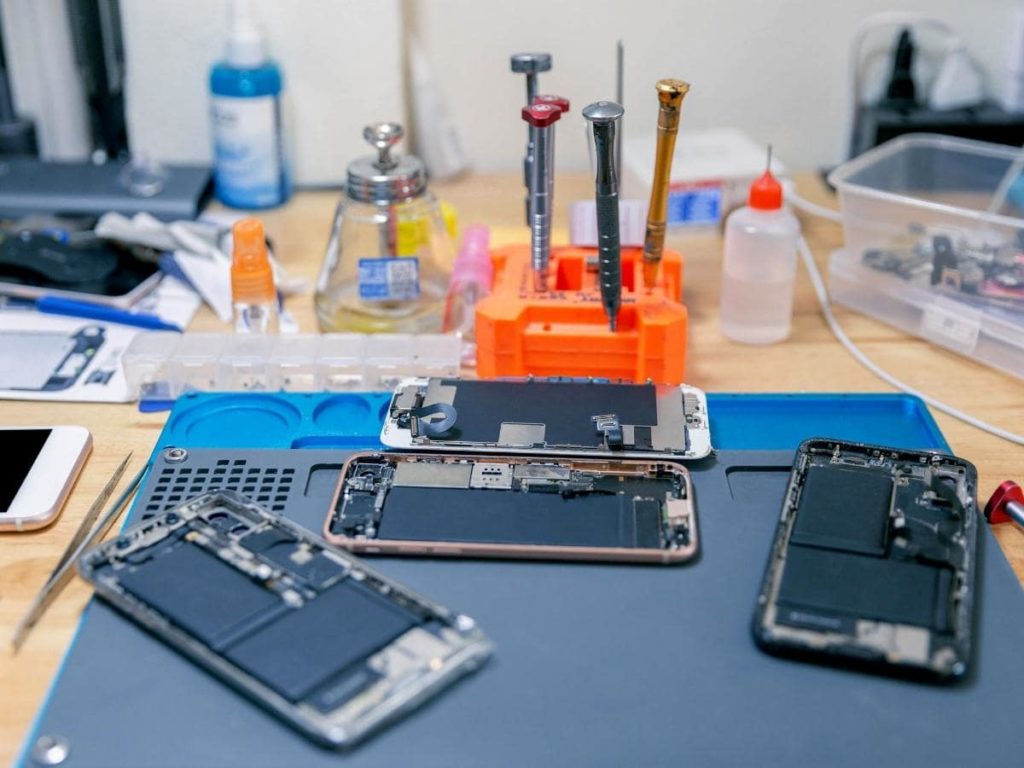
With the rise of right-to-repair manuals and toolkits, the temptation to perform an iphone 16 pro max screen replacement at home is stronger than ever. However, the iPhone 16 Pro Max is one of the most complex consumer electronics devices ever built. Before you order a kit online, you must carefully weigh the difficulty level and the specialized tools required.
To safely open and repair an iPhone 16 Pro Max, a standard screwdriver set simply won’t cut it. You will need:
- A specialized heating pad or iOpener to soften the display adhesive.
- A high-quality suction handle or Anti-Clamp tool.
- Ultra-thin opening picks.
- A P2 pentalobe screwdriver (for the bottom screws).
- A Y000 tri-point screwdriver (for internal bracket screws).
- Precision tweezers.
- Replacement waterproof adhesive seals.
If you want to see the exact tools and steps involved, you can review the official iPhone 16 Pro Max Screen Replacement – iFixit Repair Guide .
Step-by-Step: How to Perform an iphone 16 pro max screen replacement
If you are brave enough to tackle this repair yourself, here is a simplified overview of the highly technical process:
- Preparation: Drain your iPhone’s battery below 25%. A fully charged lithium-ion battery can catch fire or explode if accidentally punctured during the repair. Power down the phone.
- Apply Tape: If your screen is severely cracked, cover it with clear packing tape to prevent glass shards from cutting your hands or falling into the device.
- Remove Pentalobe Screws: Remove the two 7.4 mm-long pentalobe screws located on either side of the USB-C charging port.
- Heat the Frame: Apply heat to the bottom edge of the phone for several minutes to soften the incredibly strong waterproof adhesive.
- Create a Gap: Use a suction handle to lift the bottom edge of the screen gently, creating a tiny gap between the display panel and the titanium frame.
- Insert Opening Picks: Insert an opening pick into the gap. CRITICAL WARNING: Never insert the opening pick deeper than 3mm. Doing so will instantly slice the delicate display cables or damage the spring contacts inside.
- Slice the Adhesive: Carefully slide the pick around the perimeter of the phone, applying heat as needed, to separate the adhesive.
- Swing Open the Screen: Gently swing the screen open from the right side (like a book). Do not pull it away entirely yet, as it is still connected by fragile ribbon cables.
- Disconnect the Battery and Screen: Remove the internal connector covers using your Y000 screwdriver. Disconnect the display press connectors. Note: On the iPhone 16 Pro Max, the battery cannot be easily disconnected first during a screen-only repair, so you must use extreme caution not to touch any metal tools to exposed contacts.
- Transfer the Ambient Light Sensor: If your replacement screen does not come with the sensor pre-installed, you must carefully heat and transfer the delicate ambient light sensor assembly from the old screen to the new one.
- Clean and Re-Adhere: Scrape away all old adhesive residue using isopropyl alcohol (>90%), apply a new waterproof adhesive seal, reconnect the cables, screw the brackets back in, and press the screen firmly into place. Apply even pressure using heavy books for 30 minutes to activate the adhesive.
For official step-by-step documentation, you can also consult the iPhone 16 Pro Max Repair Manual – Apple Support .
The Risks of DIY Repairs
While saving money sounds great, DIY repairs carry massive risks.
First and foremost, you are working in extremely tight quarters next to a live lithium-ion battery. One slip of a metal screwdriver can puncture the battery, leading to a thermal runaway event (a chemical fire).
Second, the ambient light sensor and Face ID components are incredibly fragile. If you damage the front sensor assembly during the transfer, your Face ID will stop working entirely. Only Apple or an authorized technician can recalibrate and restore Face ID functionality.
Finally, without Apple’s proprietary calibration software, you will lose True Tone and auto-brightness. If you want to see how these risks applied to older models, you can read the iPhone 13 Pro Max Screen Replacement – iFixit Repair Guide or the iPhone 12 Pro Max Screen Replacement – iFixit Repair Guide .
What to Expect During a Professional Repair in Laurel, MS
If the risks of DIY repair sound a bit too daunting, bringing your phone to a professional is the safest and most stress-free route. But we know what you’re thinking: I can’t live without my phone for days!
At Salvation Repair, we have completely redesigned the repair experience for our neighbors in Laurel, MS, Jackson, MS, Ellisville, MS, Soso, MS, Meridian, MS, and throughout Jones County. We don’t believe in hiding your phone in a back room for hours or making you wait days for a simple fix.
For a deeper look into how fast and seamless a professional repair can be, explore The Fast Track to Flawless Quick iPhone Screen Repair Options.
Lightning-Fast Repair Times
When you bring your cracked iPhone 16 Pro Max to Salvation Repair, here is what you can expect:
- 10-15 Minute Screen Repairs: Yes, you read that right. Our expert technicians can complete an iphone 16 pro max screen replacement in just 10 to 15 minutes. Best of all, we perform the entire repair right in front of you at our counter. You can watch our precision work firsthand, ensuring complete peace of mind regarding your data privacy.
- 30-Minute Battery Repairs: If your battery life is starting to lag, we can swap it out in half an hour. (You can read more about battery physics and replacement in the iPhone 16 Pro Max Battery Replacement – iFixit Repair Guide ).
- 1-Hour Charging Port Repairs: If your phone refuses to charge, our team can replace the entire charging port assembly in about an hour.
Frequently Asked Questions
Will replacing my screen disable Face ID or True Tone?
If you perform a DIY repair or use a low-quality third-party shop that doesn’t have the proper calibration tools, yes, you will lose True Tone and auto-brightness. Face ID will also be disabled if the front sensor assembly is damaged during the transfer. However, at Salvation Repair, we use advanced calibration techniques to preserve your phone’s original features, and our premium OEM options can be fully calibrated using iOS Repair Assistant to ensure 100% functionality.
How long does a screen replacement take?
At Salvation Repair, a standard screen replacement takes only 10 to 15 minutes. We do it right in front of you while you wait, so you don’t have to leave your phone overnight or worry about your private data.
Does Apple’s warranty cover third-party screen repairs?
Apple’s standard one-year warranty does not cover accidental damage (like a dropped and cracked screen). If you choose to have your screen replaced by a third-party shop, Apple may refuse future warranty service on the display assembly itself, but under right-to-repair laws, they cannot deny service for unrelated issues (like a software bug or charging port failure) unless the third-party repair directly caused the damage. To protect you, Salvation Repair offers our own lifetime warranty on all screen replacements.
Conclusion
A cracked screen doesn’t have to ruin your week or empty your wallet. Whether you are looking for a budget-friendly option like our $129.95 AQ7 LCD or want the flawless, factory-perfect experience of a new OEM screen for $469.95, Salvation Repair has you covered.
We are proud to serve our local communities in Laurel, MS, Jackson, MS, Ellisville, MS, Soso, MS, Meridian, MS, and Jones County. We specialize in same-day, on-site repairs, and we proudly stand behind our work with a lifetime warranty, price matching, and our famous promise to repair “any device with a power button.”
Don’t let a cracked screen slow you down. Let our certified experts bring your phone back to life in under 15 minutes.
Ready to get started? Check out our step-by-step guide on From Cracked to Pristine Navigating Your iPhone 16 Screen Repair Journey or stop by Salvation Repair today!
