Cracked Your Screen? Here is Your iPhone 16 Pro Max Replacement Guide
What Are Your iPhone 16 Pro Max Screen Replacement Options?
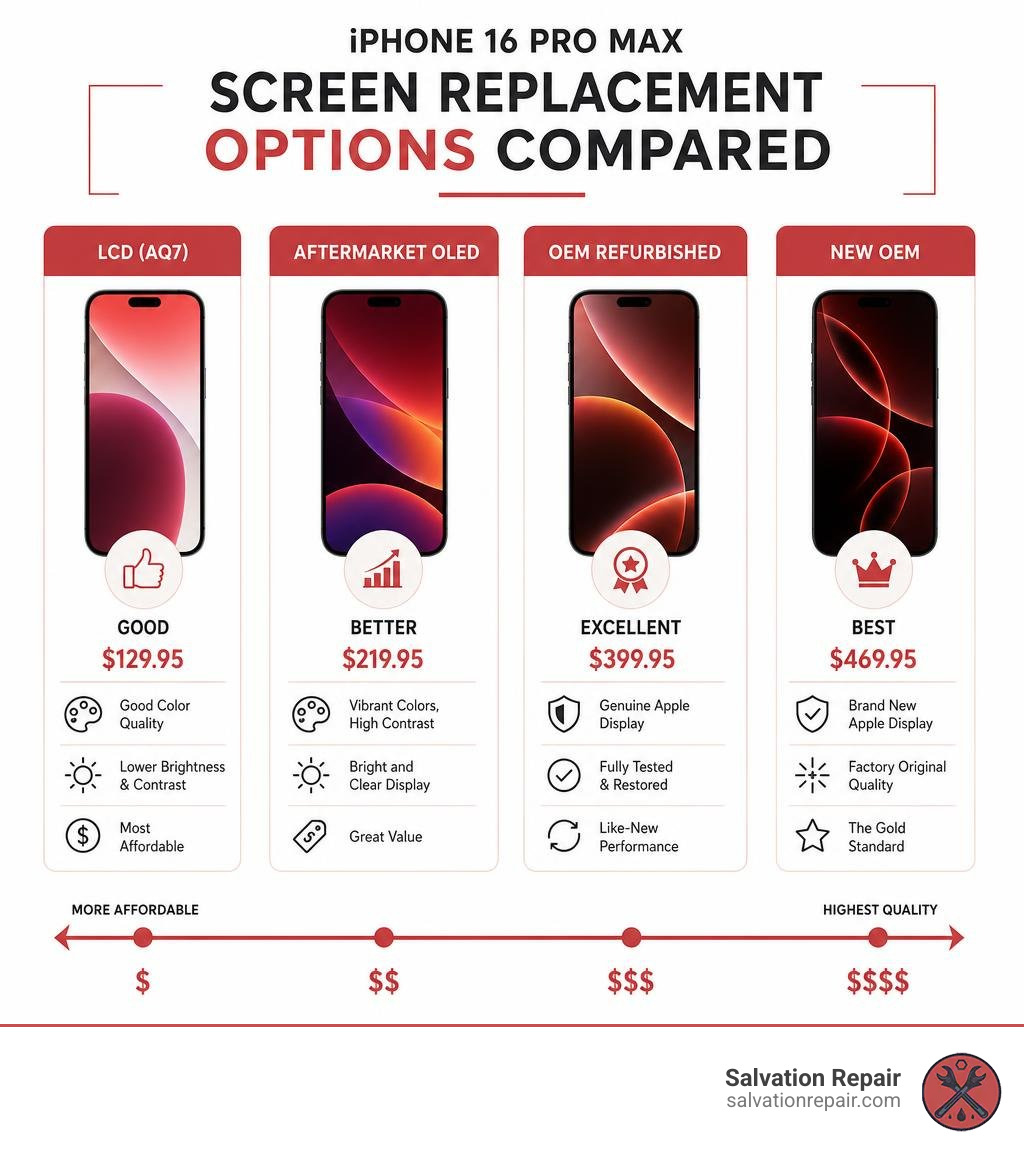
Getting an iphone 16 pro max replacement screen doesn’t have to be confusing. Here’s a quick breakdown of your main options:
| Screen Type | Quality | Price (Salvation Repair) |
|---|---|---|
| Standard LCD (AQ7) | Good | $129.95 |
| Aftermarket OLED | Better | $219.95 |
| OEM Refurbished | Excellent | $399.95 |
| New OEM | Best | $469.95 |
- LCD: Most affordable, slightly lower color quality than original
- Aftermarket OLED: Vibrant display, close to original quality, great value
- OEM Refurbished: Genuine Apple display, fully restored
- New OEM: Identical to factory original — the gold standard
A cracked screen is one of the most common — and most frustrating — things that can happen to your iPhone 16 Pro Max. One drop, one bad moment, and suddenly that stunning 6.9-inch Super Retina XDR display is a spiderweb of broken glass. You need it fixed fast, and you need to know you’re not getting ripped off or losing features like Face ID and True Tone in the process.
This guide walks you through everything: screen types, pricing, DIY risks, and what professional repair actually looks like — so you can make the right call without wasting time or money.
I’m Ralph Harris, and with over 20 years of electronics repair experience and more than 500 Apple repair certifications under my belt, iphone 16 pro max replacement screen repairs are something I’ve handled hundreds of times. In the sections ahead, I’ll give you the honest, straightforward breakdown you need to get your phone back in top shape.
Understanding Your iPhone 16 Pro Max Replacement Screen Options
When searching for an iphone 16 pro max replacement screen, you will quickly realize that the market is flooded with different terms like “Incell LCD,” “Hard OLED,” “Soft OLED,” and “OEM.” Understanding these differences is crucial to ensuring you get a display that matches your visual expectations and budget.
Standard LCD (AQ7 / Incell)
Standard LCD screens (such as the AQ7 Incell series) are the most budget-friendly replacement options available. However, because the iPhone 16 Pro Max natively uses an OLED display, switching to an LCD comes with noticeable compromises:
- Display Quality: LCDs require a backlight, meaning blacks will look dark gray rather than completely inky black.
- Battery Consumption: Because the backlight must illuminate the entire screen, LCDs consume more battery power than OLEDs.
- Refresh Rate: While some premium aftermarket LCDs claim higher refresh rates, they generally cannot match the native, buttery-smooth 120Hz ProMotion experience of the original display.
Aftermarket Hard OLED
Hard OLED screens are built on a rigid glass substrate. They offer the vibrant colors and deep blacks typical of OLED technology at a fraction of the OEM cost. However, because the substrate is rigid glass, they are more susceptible to cracking from minor drops compared to soft OLEDs. They also have slightly thicker bezels along the edges.
Aftermarket Soft OLED
Soft OLED displays are constructed using a flexible plastic substrate, mirroring the technology Apple uses in its original factory displays.
- Durability: They absorb impacts much better than Hard OLEDs, making them highly durable.
- Visual Performance: They support a true 120Hz refresh rate, rich color gamuts, and high brightness levels (often exceeding 500 to 1000 nits in aftermarket variations).
- Bezel Size: They offer the same ultra-thin bezel profile as your original screen.
OEM Refurbished vs. New OEM
If you want to maintain the absolute peak performance of your 6.9-inch Super Retina XDR display, original equipment manufacturer (OEM) parts are the way to go.
- OEM Refurbished: These are original Apple screens that had cracked outer glass but undamaged OLED panels. Specialized facilities replace the outer glass while keeping the original Apple OLED and digitizer intact. It gives you 100% original display quality at a lower price point.
- New OEM: These are brand-new, original assemblies sourced directly from Apple’s supply chain. They offer flawless color accuracy, maximum brightness (up to 2000 nits outdoors), and perfect compatibility.
The Cost of iPhone 16 Pro Max Screen Repair in 2026
By June 2026, screen repair pricing for the iPhone 16 Pro Max has settled into distinct tiers depending on whether you choose DIY kits, third-party repair shops, or official Apple services.
If you choose official Apple out-of-warranty service, a screen replacement typically costs upwards of $379 to $449. For those looking at third-party parts or local repair options, our pricing at Salvation Repair keeps things transparent and highly competitive:
- Standard LCD (AQ7): $129.95
- Aftermarket OLED: $219.95
- OEM Refurbished: $399.95
- New OEM: $469.95
If you are looking at parts alone for a DIY fix, you might find cheap Amazon glass-only kits priced around $39.99 (such as those from sellers like Tpyag). However, as we discuss below, these kits are incredibly deceptive. A complete high-quality aftermarket Soft OLED part assembly generally runs between $140 and $450 from reputable parts suppliers.
For a deeper dive into how these prices stack up across different models, check out our guide on How Much is iPhone 16 Screen Repair in 2026. You can also view raw component listings such as the Complete Screen iPhone 16 Pro Max to see how wholesale part costs translate to retail repairs.
DIY vs. Professional Screen Replacement
The temptation to buy a cheap screen online and perform a DIY repair is understandable, but the iPhone 16 Pro Max is one of the most complex consumer electronics on the market.
The Massive Risks of DIY Repair
Unlike older iPhone models, the iPhone 16 Pro Max presents a major safety and technical hurdle: you cannot safely disconnect the battery during the initial stages of the screen replacement. Because the battery connector is tucked beneath other vital shielding, you must work with live electrical contacts exposed. One slip of a metal screwdriver or pair of tweezers can cause a short circuit, permanently destroying your motherboard.
Additionally, cheap online kits like the Amazon.com: Tpyag for iPhone 16 Pro Max Screen Replacement … only include the outer glass layer. Separating the broken outer glass from the delicate OLED panel requires commercial-grade freezing or heating equipment and UV glue alignment jigs. Attempting a glass-only replacement at home without these tools almost always results in a ruined OLED panel.
If you want to understand the sheer complexity of this device before making a decision, read Your iPhone 16 Pro Max Screen Repair Guide to weigh your options carefully.
Step-by-Step DIY Process for an iPhone 16 Pro Max Replacement Screen
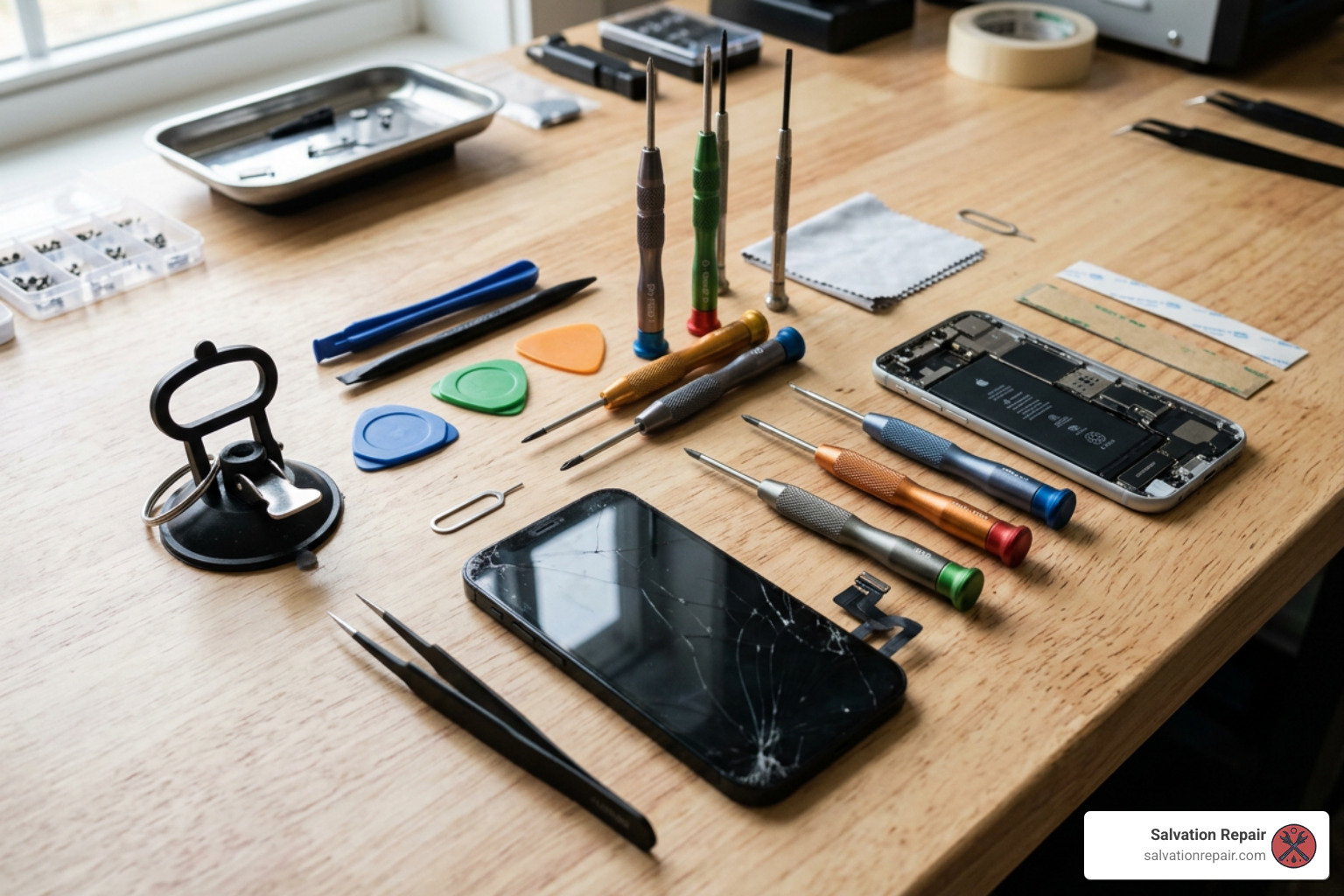
If you are an experienced technician or a highly confident DIYer with the proper ESD (electrostatic discharge) safety gear, here is an overview of how the physical repair process works.
1. Necessary Tools
- P2 Pentalobe screwdriver
- Y000 Tri-point screwdriver
- Suction handle
- Precision opening picks (marked at a maximum depth of 3mm)
- Heat gun or specialized heating pad
- High-concentration (>90%) isopropyl alcohol
- New pre-cut waterproof adhesive frame gasket
2. Opening the Device
- Prep: Drain your iPhone’s battery below 25% to minimize the risk of thermal runaway if the battery is accidentally punctured. Power down the phone.
- Apply Tape: If your screen is severely shattered, cover the entire display with packing tape to protect your fingers and give the suction cup a smooth surface to grip.
- Remove Screws: Remove the two 7.4 mm pentalobe screws located on either side of the USB-C charging port.
- Apply Heat: Apply heat to the bottom edge of the phone to soften the underlying adhesive.
- Slicing the Adhesive: Apply a suction cup to the bottom of the screen and pull up gently to create a microscopic gap. Insert an opening pick. CRITICAL WARNING: Never insert your pick deeper than 3mm. The iPhone 16 Pro Max has delicate ribbon cables on both the left and right edges. Slicing too deep will instantly sever these cables.
- Swing Open: Carefully slice the adhesive around the perimeter and swing the screen open to the left (like a book). Do not fully separate the screen yet.
3. Disconnection and Sensor Transfer
- Remove Shielding: Remove the connector covers using your Y000 tri-point screwdriver. Keep track of every screw; they are different lengths and putting a long screw into a short hole can ruin the motherboard.
- Disconnect Cables: Disconnect the display flex cable and the ambient light sensor cable.
- Sensor Transfer: The ambient light sensor must be carefully transferred from the old screen to the new iphone 16 pro max replacement screen assembly. Use light heat to soften the sensor’s adhesive, and gently pry it out using a plastic spudger. If this sensor is damaged or improperly aligned on the new screen, auto-brightness and True Tone will fail to function.
4. Reassembly and Sealing
- Clean Frame: Clean all old adhesive residue from the titanium frame using isopropyl alcohol.
- Apply New Adhesive: Lay down a new waterproof adhesive gasket.
- Reconnect and Test: Connect the display and sensor cables, temporarily lay the screen down, power on the device, and test touch responsiveness and brightness.
- Final Seal: Power the phone off, secure the metal shielding plates, remove the adhesive liners, and press the screen firmly into the frame. Apply light, even pressure (using a few heavy books) for about 30 minutes to activate the adhesive.
For a highly detailed, step-by-step visual walkthrough, you can consult the official iPhone 16 Pro Max Screen Replacement – iFixit Repair Guide . If you are working on an older device or want to compare how Apple’s internal design has evolved, you can also view the iPhone 13 Pro Max Screen Replacement – iFixit Repair Guide .
Why a Professional iPhone 16 Pro Max Replacement Screen Service is Safer
While physical installation is one half of the battle, software locks are the other. Apple utilizes a system called “parts pairing.” Each screen is serialized to its specific motherboard at the factory.
When you install a third-party aftermarket screen or even swap a genuine screen from another iPhone 16 Pro Max without Apple’s proprietary calibration software:
- True Tone and Auto-Brightness are immediately disabled.
- An “Important Display Message” warning will appear in your settings, stating that Apple cannot verify if the screen is a genuine part.
- Face ID can sometimes experience glitches or fail completely if the ambient light sensor/proximity sensor assembly is damaged during transfer.
At Salvation Repair, we have the specialized calibration tools and software access to handle these issues seamlessly. If you choose our OEM screen options, we can utilize Apple’s Repair Assistant system to calibrate your new screen, ensuring all native features like True Tone, auto-brightness, and Face ID work flawlessly without annoying system warnings.
Frequently Asked Questions about iPhone 16 Pro Max Screen Repair
Will I lose Face ID or True Tone after a screen replacement?
If you perform a DIY repair using a standard aftermarket screen without transferring the original sensor chip or calibrating the display, you will lose True Tone and auto-brightness. However, Face ID can be preserved as long as your original front sensor assembly is transferred carefully without damage. Choosing a professional repair service like Salvation Repair ensures that these features are correctly calibrated and fully preserved.
Is the iPhone 16 Pro Max still waterproof after repair?
No repaired phone is ever 100% waterproof to factory-fresh standards. However, we use professional-grade, pre-cut adhesive gaskets to seal the phone back up, restoring a high level of water and dust resistance against everyday splashes and rain.
How long does a professional screen replacement take?
At Salvation Repair, we value your time.
- Screen Repairs: Take just 10-15 minutes and are performed right in front of you while you watch!
- Battery Repairs: Take approximately 30 minutes.
- Charging Port Repairs: Take about 1 hour.
Professional Repair Services in Laurel, MS
If you live in the Laurel, MS area, you don’t have to ship your phone away to Apple or wait days for a mail-in service. Salvation Repair is your local, trusted electronics repair expert.
Why Choose Salvation Repair?
- We Repair Anything with a Power Button: From the latest iPhone 16 Pro Max to iPads, Samsung phones, and laptops, we handle it all.
- Lifetime Warranty: We stand behind our work. All our screen repairs come with a lifetime warranty against manufacturing defects.
- Price Matching: Find a lower local price for the same repair? We will match it.
- Unmatched Convenience: Our screen repairs are completed in 10-15 minutes, right in front of you. No waiting in line, no privacy concerns.
We proudly serve customers across Jones County and surrounding Mississippi areas, including:
- Laurel, MS
- Jackson, MS
- Ellisville, MS
- Soso, MS
- Meridian, MS
To understand more about what to expect when restoring your phone to pristine condition, read our comprehensive guide on Navigating Your iPhone 16 Screen Repair Journey or explore our iPhone Screen Repair Complete Guide.
Don’t let a cracked screen ruin your day. Skip the stress of DIY hazards and get your phone fixed by local professionals in minutes.
