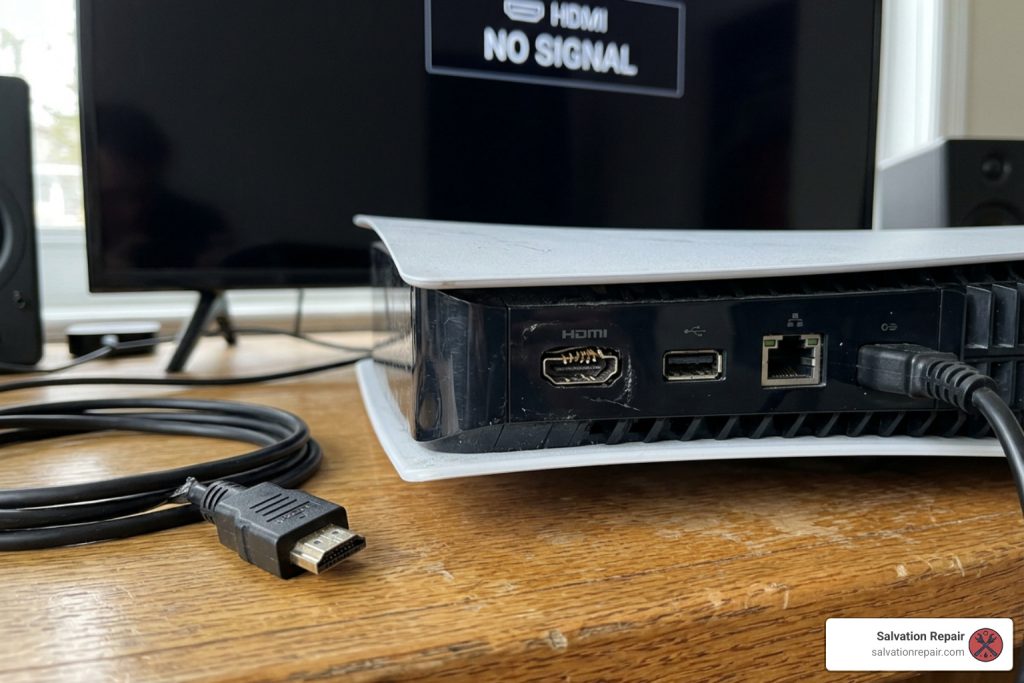
Don’t Panic! Here is How to Handle a Broken PS5 HDMI Port
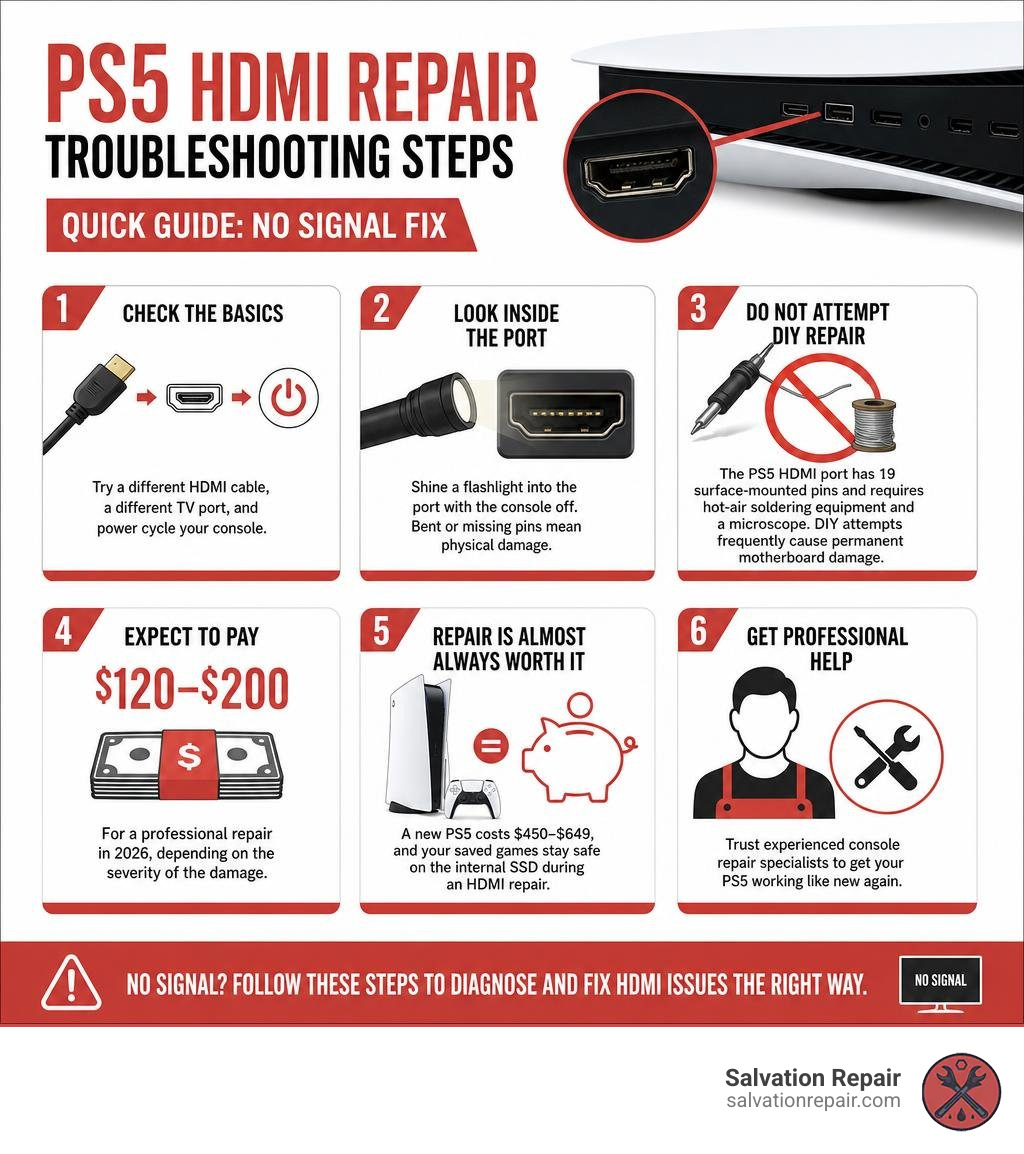
What to Do When Your PS5 HDMI Port Breaks (Quick Answer)
If you need an HDMI repair for your PS5, here is what you need to know right away:
- Check the basics first — try a different HDMI cable, a different TV port, and power cycle your console before assuming the port is broken.
- Look inside the port — shine a flashlight into the port with the console off. Bent or missing pins mean physical damage.
- Do not attempt DIY repair — the PS5 HDMI port has 19 surface-mounted pins and requires hot-air soldering equipment and a microscope. DIY attempts frequently cause permanent motherboard damage.
- Expect to pay $120–$200 for a professional repair in 2026, depending on the severity of the damage.
- Repair is almost always worth it — a new PS5 costs $450–$649, and your saved games stay safe on the internal SSD during an HDMI repair.
You hit the power button. The fan spins up. The light turns white. But your TV says “No Signal.” Sound familiar? HDMI repair on a PS5 is one of the most common console fixes technicians see today — and for good reason. The PS5’s HDMI port is soldered directly to the motherboard with no built-in strain relief, which means a single tug on the cable, a pet knocking into your setup, or even moving the console without unplugging first can bend those tiny pins or crack the solder joints entirely.
The good news? In most cases, this is a fixable problem — if it is handled correctly and quickly.
I’m Ralph Harris, and over more than 20 years of hands-on electronics repair experience — including running multiple repair shops and working on hundreds of gaming consoles — I have seen every variation of PS5 HDMI repair you can imagine, from simple pin damage to complex board-level trace reconstruction. Let’s walk through exactly what you are dealing with and how to handle it the right way.
Symptoms and Causes of PS5 HDMI Port Failure
When your PlayStation 5 refuses to display a picture, it is easy to assume the worst. However, before you declare the console dead, it is vital to recognize the differences between a simple cable issue, a broken port, and deeper motherboard damage.
Common Causes of HDMI Port Damage
Why do these ports break so easily? The PS5 uses a high-speed HDMI 2.1 port designed to output 4K resolution at 120Hz. While the performance is incredible, the port itself is physically delicate. The most common causes of failure include:
- Physical Accidents: Someone trips over the HDMI cable while it is plugged in, pulling the console off the shelf or wrenching the cable sideways.
- Frequent Plugging and Unplugging: Moving the console between rooms or taking it to a friend’s house creates friction and wear on the internal pins.
- Moving the Console with Cables Attached: Packing the PS5 into a backpack or box with the HDMI cable still plugged in puts immense leverage on the port, easily cracking the solder joints.
- Tight Entertainment Centers: Shoving the console back against the wall of a TV stand bends the cable at an extreme angle, applying constant downward pressure on the port.
- Hot-Plugging and Power Surges: Plugging the cable in while both the TV and PS5 are powered on can occasionally cause minor electrostatic discharge (ESD) damage, frying the sensitive chips connected to the port.
Symptoms of a Damaged Port
How do you know if your port is actually the culprit? Keep an eye out for these classic warning signs:
- The “No Signal” Black Screen: The console powers on, the light bar changes from blue to solid white (indicating it has booted successfully), but the screen remains completely black.
- Flickering or Intermittent Display: The picture cuts in and out when you wiggle the HDMI cable or walk near the console.
- Distorted Colors or Artifacts: The screen displays strange colors, static, “snow,” or horizontal lines.
- Resolution Restrictions: Your PS5 will only display in low resolution (like 480p) and refuses to switch to 1080p or 4K.
- Loose or Wobbling Port: If you gently touch the HDMI cable where it plugs into the console and feel significant physical play or movement, the internal solder anchors have likely broken.
If you are experiencing a black screen but aren’t entirely sure it is the port, check out our guide on how to fix ps5 slim no display in 5 steps to rule out other system issues first.
Can You Do a DIY HDMI Repair PS5 at Home?
We get it — you want to get back to gaming, and waiting for a repair shop can feel like an eternity. You might have stumbled across a video online like How to Replace the HDMI Port on a PS5: Quick & Easy Method and thought, “Hey, I can buy a cheap soldering iron on Amazon and do this myself!”
Let us stop you right there.
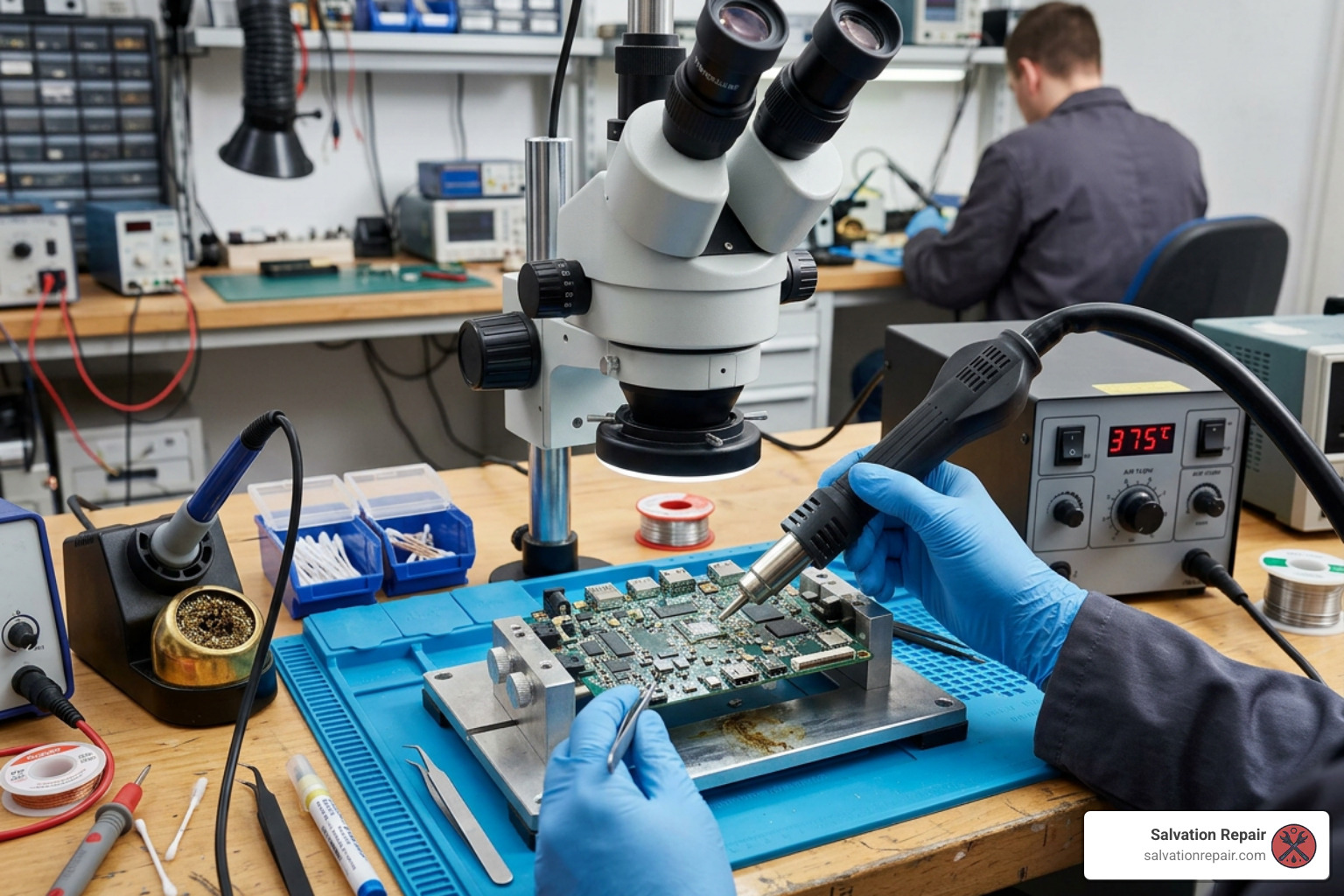
Replacing a PS5 HDMI port is not a beginner-friendly project. This is a highly advanced micro-soldering job that requires specialized equipment and professional-grade skills. Here is a breakdown of what a proper repair requires:
- A Hot Air Rework Station: You cannot remove a PS5 HDMI port with a standard handheld soldering iron. The motherboard acts as a giant heat sink, absorbing heat incredibly fast. To melt the lead-free factory solder safely, a professional hot air station set to precise temperatures (usually between 380°C and 420°C) is required.
- A Microscope: The 19 signal pins on the HDMI port are just 0.4mm wide and spaced incredibly close together. You cannot inspect these connections with the naked eye; a high-quality microscope is mandatory to ensure there are no bridges (shorts) between the pins.
- Specialized Consumables: High-quality tacky flux, low-melt bismuth solder, and copper desoldering braid are required to prep the board without damaging the delicate copper pads.
The Risks of DIY Attempts
When untrained enthusiasts try to tackle this repair, the results are almost always catastrophic. The most common DIY mistakes we see include:
- Torn Motherboard Pads: If you try to pull the old port off before the solder is fully melted, you will rip the microscopic copper pads right off the motherboard. Rebuilding these pads requires advanced trace reconstruction under a microscope, which dramatically increases the cost of professional repair.
- Melted Components: Without proper heat shielding (like Kapton tape), the intense heat from a hot air gun will melt nearby plastic connectors, blow tiny surface-mount capacitors off the board, or damage the liquid metal cooling seal on the main APU.
- Short Circuits: A tiny bridge of solder between two of the 19 pins can send voltage down a data line, instantly frying the HDMI encoder chip or the console’s main processor (APU), rendering the console permanently unrepairable.
Save yourself the headache, the money, and the heartbreak. If you don’t have extensive micro-soldering experience, leave this one to the professionals.
Simple Port Replacement vs. Complex Board-Level Repairs
Not all hdmi repair ps5 jobs are created equal. When a console comes to a professional bench, the technician must diagnose exactly where the signal path is failing. The repair typically falls into one of three categories:
1. Standard Port Replacement
This is the best-case scenario. The physical port is damaged, or the solder joints have cracked, but the motherboard itself is completely healthy. The technician carefully desoldering the old port, cleans the pads, and solders a brand-new, high-quality replacement port in place.
2. Trace and Pad Reconstruction
If the console suffered a severe yank, the physical port may have ripped off the board, taking the copper solder pads with it. Because the pins no longer have a pad to bond to, a standard replacement is impossible. The technician must perform micro-soldering to run tiny jumper wires to restore the broken circuits.
3. HDMI Encoder Chip or APU Failure
Sometimes, the port looks physically perfect, but there is still no signal. In these cases, the issue is often a failed HDMI encoder chip (specifically the Panasonic MN86471A chip on the PS5 motherboard). This chip acts as the translator between the console’s main processor and your TV. If a power surge occurred or the chip degraded over time, it must be desoldered and replaced.
In rare, worst-case scenarios, the video stage of the APU (the main processor) itself has failed. Because the APU is paired to the motherboard, an APU failure usually means the board is dead and cannot be economically repaired. To understand these different failure rates, technicians look at diagnostic breakdowns of the video circuitry.
Understanding the HDMI Repair PS5 Process
To give you an idea of what goes on behind the scenes during a professional ps5 hdmi port replacement, here is the step-by-step process our technicians follow:
- Complete Disassembly: The console is completely stripped down. This includes removing the outer covers, the fan, the optical drive (if present), the metal shielding, and carefully managing the liquid metal thermal compound on the APU to prevent spills.
- Board Prep and Cleaning: The motherboard is secured in an anti-static board holder. Technicians apply specialized flux to the port’s 19 pins and 4 massive ground legs.
- Desoldering: Using a professional hot air station, the technician heats the board evenly until the factory lead-free solder liquifies. The damaged port is gently lifted away.
- Pad Cleanup: The old solder is wicked away using copper braid and a soldering iron, leaving clean, flat copper pads. The area is thoroughly cleaned with isopropyl alcohol.
- Installing the New Port: A brand-new, OEM-spec HDMI port is positioned. The technician solders the four structural grounding legs first to anchor the port securely, then uses a fine-tip soldering iron or hot air to solder the 19 individual signal pins.
- Microscope Inspection: Every single connection is inspected under a high-power microscope to ensure perfect solder joints and zero short circuits.
- Reassembly and Testing: The console is put back together, the liquid metal is redistributed, and the system is subjected to a live stress test at 4K/120Hz to ensure long-term stability.
Rebuilding Lifted Pads and Traces
When a DIY attempt goes wrong or a cable is yanked with extreme force, the copper pads on the motherboard are often torn off. This is where general repair shops throw in the towel, but specialized board-level technicians can perform miracles.
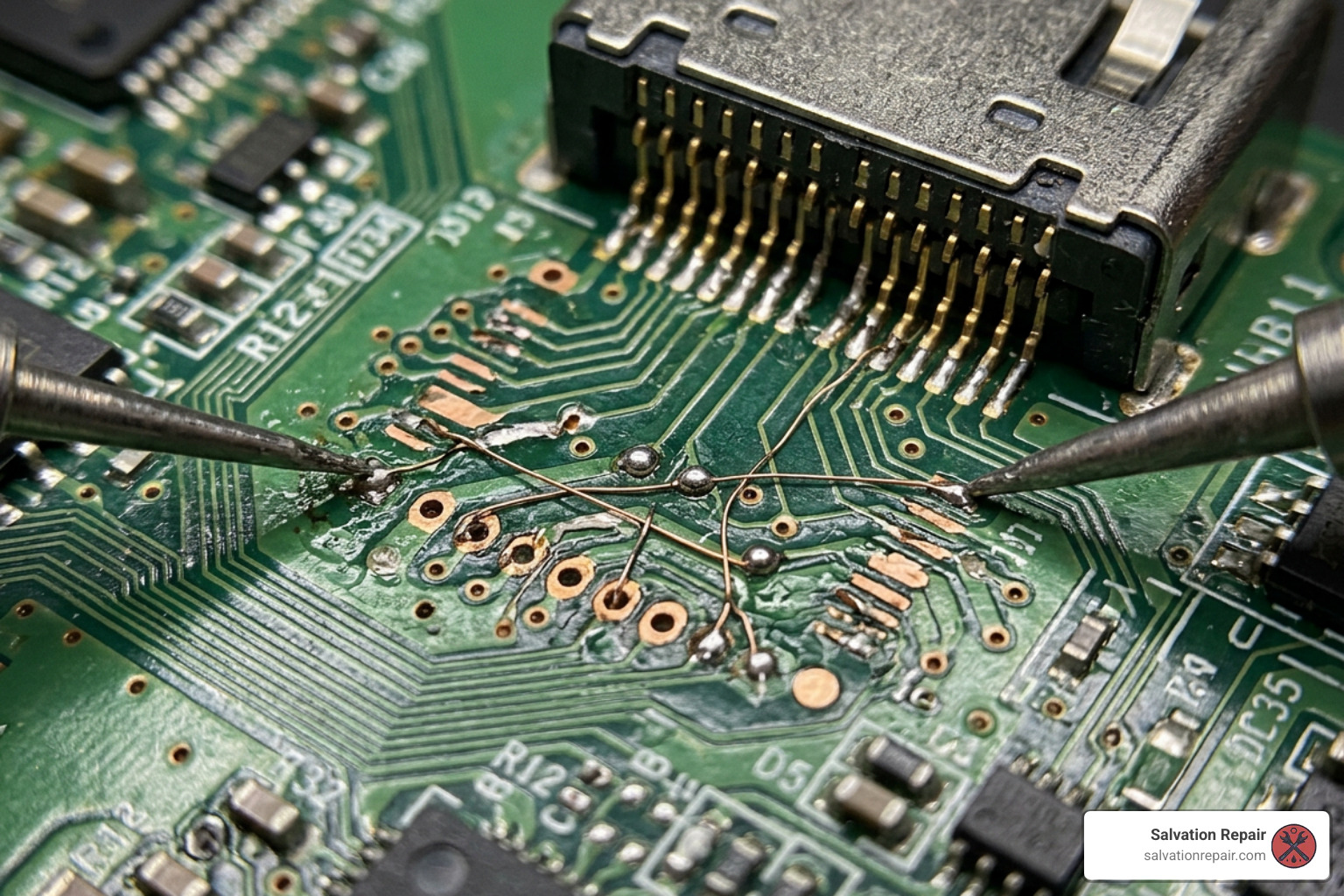
To rebuild a lifted pad, the technician must scrape away the protective green solder mask on the motherboard to expose the healthy copper trace underneath. They then solder a micro-jumper wire — a strand of copper wire thinner than a human hair (usually around 0.02mm) — from the trace directly to the pin of the new HDMI port.
Once the jumper is in place, UV-curable solder mask resin is applied and cured with a UV light to lock the wire in place and prevent it from shorting against other components. According to board-level experts, this delicate reconstruction is the only way to save a motherboard that would otherwise be destined for the landfill.
Cost and Time: What to Expect for a Professional Fix in 2026
If your console needs a fix, you are probably wondering about the bottom line. Let us look at the realistic costs and turnaround times you can expect for professional repairs in 2026.
| Repair Type | Average Cost (2026) | Bench Time | Typical Turnaround Time |
|---|---|---|---|
| Standard HDMI Port Replacement | $120 – $150 | 60 – 90 Minutes | 1 – 3 Business Days |
| Port Replacement + Trace/Pad Repair | $150 – $180 | 2 – 3 Hours | 3 – 5 Business Days |
| HDMI Encoder Chip Replacement (Panasonic) | $180 – $200 | 2 – 3 Hours | 5 – 7 Business Days |
| Console Replacement (Refurbished/New) | $450 – $649 | N/A | Immediate |
These prices are standard industry benchmarks for professional repairs. Be cautious of any shop offering a “quick heat fix” or charging under $80, as they are likely using cheap, non-reinforced aftermarket ports or unsafe reflow methods that will fail within weeks.
Is a Professional HDMI Repair PS5 Worth It?
When faced with a repair bill, the immediate question is: Should I just buy a new console?
In almost every scenario, yes, repairing your PS5 is absolutely worth it. Here is why:
- Massive Cost Savings: Even a complex board repair with trace reconstruction ($180) is less than half the cost of a refurbished console ($450) and a fraction of the cost of a brand-new PS5 ($649).
- Data Preservation: This is the big one. Your saved games, screenshots, and account settings are stored on the PS5’s high-speed SSD. Unlike the PS4, the PS5’s SSD is soldered directly to the motherboard and cannot be swapped into another console. If you buy a new console or Sony replaces your motherboard under their standard service, all your local game data is gone forever. Repairing your original motherboard preserves every single byte of your data.
- Environmental Impact: Repairing electronic devices keeps heavy metals and plastic waste out of landfills, making it the eco-friendly choice.
Frequently Asked Questions About PS5 HDMI Repairs
How can I prevent future HDMI port damage on my PS5?
Prevention is the best cure! To protect your newly repaired port:
- Leave Slack in the Cable: Never pull the HDMI cable tight. Ensure there is plenty of slack behind your console.
- Disconnect Before Moving: Always unplug the HDMI cable before moving your console, even if you are just sliding it over to clean dust.
- Use an HDMI Extension Cable: Plug a short, high-quality HDMI 2.1 extension cable into the back of your PS5 and leave it there. If you need to plug and unplug your console, do it from the extension, protecting the internal motherboard port from wear and tear.
What is the success rate of a professional HDMI repair?
With experienced technicians using proper micro-soldering stations and microscopes, the success rate for a standard HDMI port replacement exceeds 95%. The remaining 5% of failures are typically consoles with severe, pre-existing APU damage or previous DIY attempts that permanently burned the motherboard.
Can a bad HDMI cable or TV port damage my console?
Yes, absolutely. A physically damaged or extremely tight HDMI cable can bend the pins inside your console’s port upon insertion. Additionally, power surges traveling through an ungrounded TV or cheap HDMI switches can send voltage spikes down the cable, frying the HDMI encoder chip on your PS5’s motherboard. Always use high-quality, certified HDMI 2.1 cables.
Professional Gaming Console Repair in Laurel, MS
If you are located in Laurel, MS, or surrounding areas like Jackson, MS, Ellisville, MS, Soso, MS, Meridian, MS, or Jones County, Mississippi, you don’t have to ship your console away or wait weeks for a repair.
At Salvation Repair, we specialize in professional gaming console repair, including precision board-level hdmi repair ps5 services. Whether your console has a simple bent pin or requires complex jumper wires to rebuild torn motherboard traces, our highly trained technicians have the micro-soldering equipment and expertise to get you back in the game safely and quickly.
Beyond fixing your PS5, we are your go-to local experts for resolving other console headaches, like a ps4 loud fan repair or finding reliable xbox controller fixers.
Why Choose Salvation Repair?
- Lifetime Warranty: We stand behind our work. All our repairs come with a lifetime warranty against defects in parts and workmanship.
- Price Match Guarantee: We will match or beat any local competitor’s price to ensure you get the best deal.
- “Any Device with a Power Button”: From consoles to smartphones, we fix it all.
- Ultra-Fast Mobile Phone Repairs: If you have a broken phone, we offer lightning-fast service. iPhone screen repairs take just 10 to 15 minutes and are performed right in front of the customer. Battery repairs take only 30 minutes, and charging port repairs are completed in 1 hour! We quote standard LCD repairs at $129.95, aftermarket OLED at $129.95, and OEM at $149.95. For the iPhone 16 Pro, we quote LCD at $149.95 and OLED at $199.95. For the iPhone 16 Pro Max, we quote AQ7 LCD at $129.95, aftermarket OLED at $219.95, OEM refurbished at $399.95, and new OEM at $469.95.
Conclusion
A broken HDMI port on your PlayStation 5 can feel like a disaster, but it doesn’t have to mean the end of your gaming days. By recognizing the symptoms early, avoiding the dangerous pitfalls of DIY repair, and choosing a trusted, professional technician to handle the delicate micro-soldering work, you can save your console, your hard-earned money, and your precious game saves.
If you are ready to get your console fixed by the pros, visit our gaming console repair page to schedule your diagnostic or stop by one of our convenient Mississippi locations today. Let’s get you back in the game!
