A Comprehensive Guide to iPhone 14 Pro Front Glass Replacement Costs
What an iPhone 14 Pro Front Glass Replacement Really Costs
The cheapest part is not always the cheapest repair. If your iPhone 14 Pro still shows a clear image and responds to touch, a technician may be able to replace only the cracked outer glass and keep the original OLED screen. That takes specialized tools and carries a risk of damaging the OLED. Replacing the full display assembly costs more in parts but is the more practical DIY option. If the image or touch has failed, plan on a full display replacement.
This guide compares those costs with professional service, including the tools, risks, and screen quality that affect the final bill. At Salvation Repair, screen repairs include a free screen protector. Customers can also upgrade an LCD or OLED replacement screen to an OLED or OEM screen within 60 days of their repair.
I’m Ralph Harris, a certified Apple repair technician and Wise Level 2 phone repair specialist with more than 20 years of hands-on repair experience. I’ll use that experience to help you choose the right iPhone 14 Pro front glass replacement option for your budget and your phone.
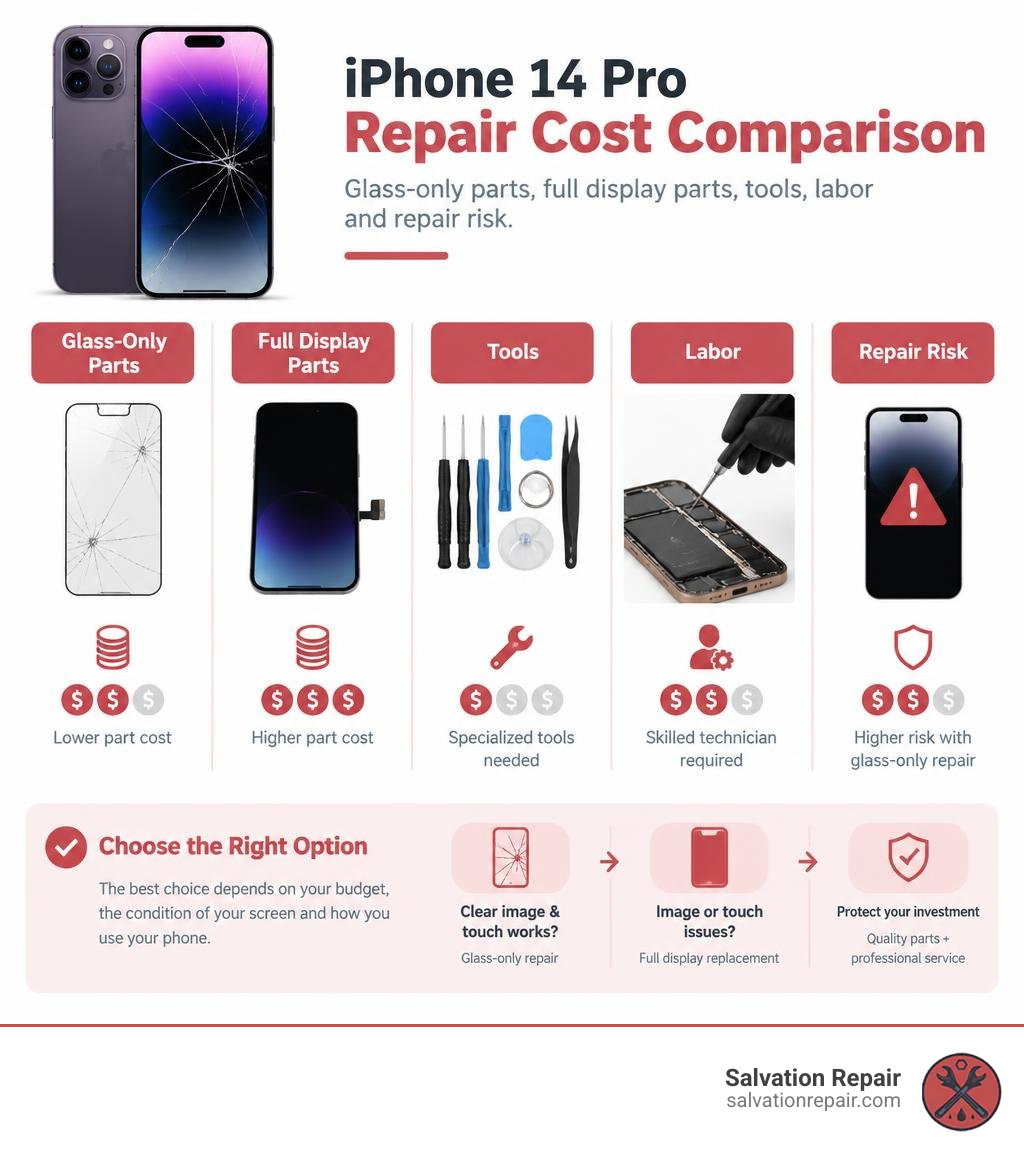
Glass-Only Refurbishment vs. Full Screen Assembly
When dealing with a cracked iPhone 14 Pro, understanding the structure of your display is the first step toward making an informed financial choice. The front screen is not a single layer of glass; it is a precision-engineered sandwich consisting of the outer protective glass (Apple’s Ceramic Shield), a touch-sensitive digitizer layer, and an ultra-thin, flexible Super Retina XDR OLED panel.
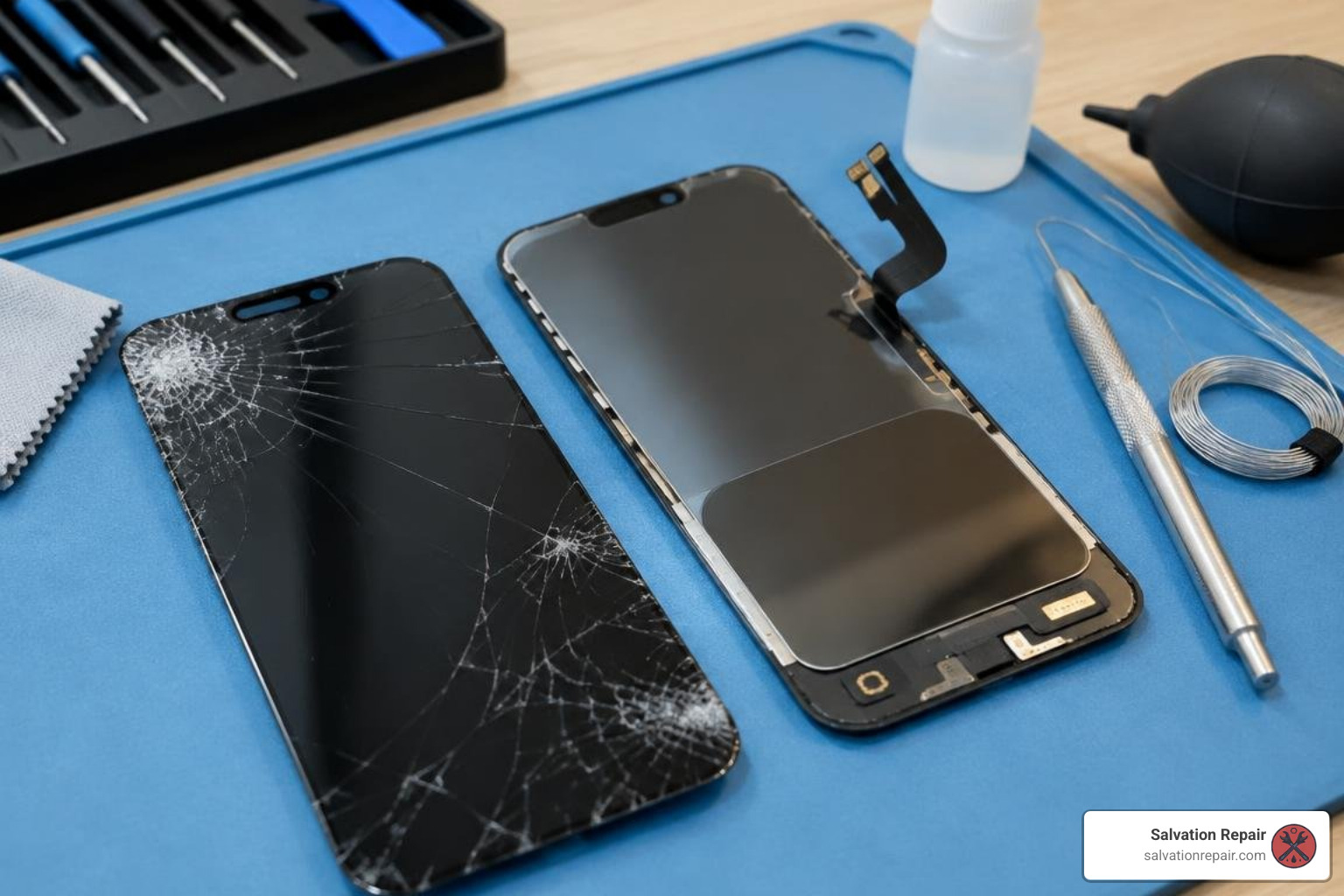
In our comprehensive Apple glass restoration guide, we explain the core difference between refurbishing the top glass and swapping out the entire display housing.
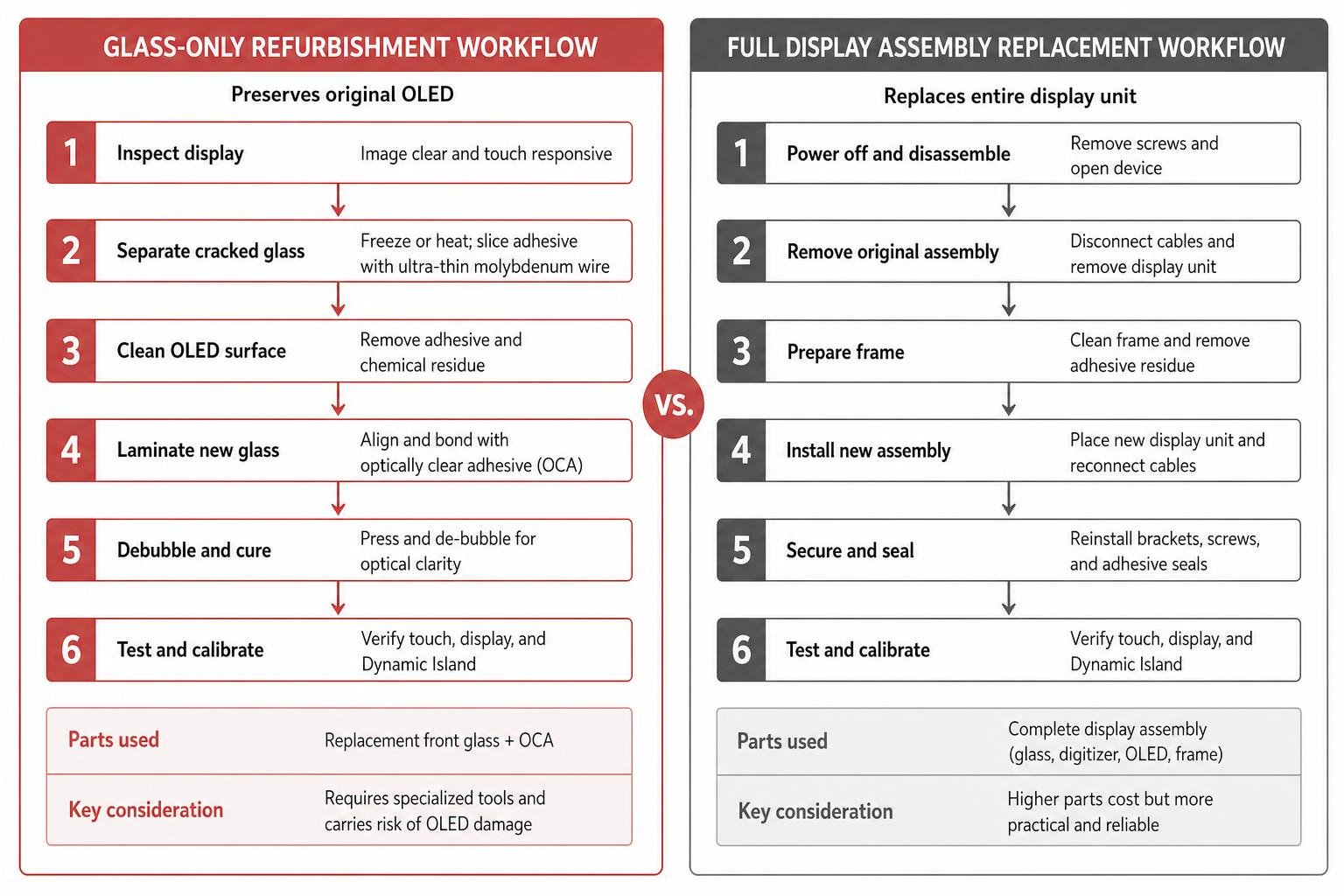
- Glass-Only Refurbishment: This process preserves your original factory OLED panel. A technician freezes or heats the screen assembly, uses ultra-thin molybdenum wire to slice through the optical adhesive, cleans away chemical residue, and laminates a brand-new glass lens over the bare OLED in a dust-free environment.
- Full Screen Assembly Replacement: The entire display unit—glass, digitizer, OLED panel, and mid-frame bracket—is removed and replaced with a pre-assembled unit.
While glass-only refurbishment retains the factory panel and Dynamic Island calibration, it carries a high failure risk without dedicated industrial equipment. For most individuals and general repair environments, swapping the entire assembly is far more reliable.
Role of Optically Clear Adhesive (OCA)
Optically Clear Adhesive (OCA) is the transparent, pressure-sensitive bonding sheet that fuses the top glass lens directly to the digitizer and OLED surface. Standard liquid adhesives (LOCA) can seep into microphone ports or under the bezel, but solid OCA sheets provide uniform thickness and zero optical distortion.
Achieving factory-grade visual performance requires an adhesive that eliminates micro-bubbles while maintaining light transmittance above 95%. Professional kits, such as the REPART precision glass kit with pre-installed OCA, streamline this restoration by factory-bonding the adhesive layer to aluminosilicate replacement glass. When technicians use pre-laminated sheets with dedicated alignment molds and autoclave de-bubblers, touch sensitivity and optical clarity match original specifications.
Incell LCD vs. Hard OLED vs. Soft OLED Displays
If you decide to replace the entire display assembly rather than separating the glass, you will encounter three primary aftermarket and replacement panel tiers:
- Incell LCD: The most economical option. It replaces the OLED panel with a backlit liquid crystal display. While budget-friendly, Incell panels are slightly thicker, consume more battery power, feature lower contrast ratios (since backlights cannot produce true blacks), and often operate at standard refresh rates, though options like an aftermarket 120Hz LCD replacement screen help bridge the smoothness gap.
- Hard OLED: Built on a rigid glass substrate. Hard OLED panels deliver true blacks, vibrant colors, and excellent sharpness at a lower cost than flexible panels. However, because the substrate is rigid glass, they are more susceptible to internal cracking if dropped or subjected to frame pressure.
- Soft OLED: The technology closest to the original factory screen. Built on a flexible polyimide substrate, Soft OLED screens flex slightly upon impact, matching original bezel dimensions, dynamic refresh rates, and drop resistance.
- OEM Options (Refurbished & New): Refurbished OEM screens use an original Apple OLED panel fitted with new outer glass, while New OEM units come straight from authorized supply chains.
DIY vs. Professional iPhone 14 Pro Front Glass Replacement Costs
The actual cost of repairing an iPhone 14 Pro depends heavily on whether you purchase standalone glass, an aftermarket display, or professional service.
| Repair Method / Part Type | Average Part / Service Cost | Required Equipment / Skill Level | True Tone & Feature Retention | Turnaround Time |
|---|---|---|---|---|
| DIY Glass-Only (with OCA) | $3.50 – $20.00 | Specialized hot plate, wire separator, vacuum laminator, autoclave (Advanced) | Retained (Original OLED kept) | 2–4 hours |
| DIY Incell LCD Assembly | $34.00 – $45.00 | Standard screwdriver set, suction cup, opening picks (Intermediate) | Needs programmer / iOS 18 Repair Assistant | 30–60 minutes |
| DIY Soft OLED Assembly | $70.00 – $90.00 | Standard precision toolkit, heat pad (Intermediate) | Needs programmer / iOS 18 Repair Assistant | 30–60 minutes |
| Apple Out-of-Warranty | ~$379.00 | None (Apple Service Center) | 100% factory calibrated | 3–5 business days (or same day) |
| AppleCare+ Incident | $29.00 | None (Authorized Provider) | 100% factory calibrated | Same-day or express mail |
| Professional Third-Party (Salvation Repair) | Standard LCD/OLED $129.95, OEM $149.95 | Professional technician bench | Full calibration & lifetime warranty | 10–15 minutes (in front of you) |
When planning your budget, check our analysis on the true cost breakdown for screen fixes to avoid hidden costs like specialty tools, sealants, and broken OLED replacements.
Professional Repair Service Options and Warranties
Choosing professional service gives you warranty protection and eliminates the financial risk of destroying a working OLED during glass separation.
- Apple and Apple Authorized Service Providers: Repairs with AppleCare+ cost $29. Out-of-warranty screen replacements generally run around $379. Apple provides a 90-day service guarantee or honors the remainder of your original warranty.
- Third-Party Chains: Chains like uBreakiFix handle display swaps using aftermarket or OEM parts, generally backed by a 1-year limited warranty.
- Independent Specialists: Sourcing parts like FixShop replacement front glass with OCA adhesive allows skilled local technicians to perform refurbished OEM repairs at a fraction of the dealer price.
- Salvation Repair (Laurel, MS): Transparent upfront pricing makes budgeting simple. Standard LCD repairs are quoted at $129.95, aftermarket OLED at $129.95, and OEM at $149.95. For newer models, iPhone 16 Pro screens are quoted at $149.95 for LCD and $199.95 for OLED. For the iPhone 16 Pro Max, options include AQ7 LCD at $129.95, aftermarket OLED at $219.95, OEM refurbished at $399.95, and new OEM at $469.95. Screen repairs take just 10–15 minutes directly in front of the customer, battery repairs take 30 minutes, and charging port repairs take 1 hour.
Sourcing Quality Replacement Components
Not all replacement glass delivers the same optical and structural performance. Low-grade glass lacks impact resistance and scratches easily.
High-grade aftermarket components, including the parts catalogued in our genuine and compatible replacement parts inventory, feature chemically strengthened aluminosilicate glass. Quality glass undergoes a standard 90g steel ball drop test to ensure everyday impact durability, maintains a tight manufacturing precision tolerance of ±0.003 mm for an exact frame fit, and incorporates a vacuum-electroplated oleophobic coating that repels fingerprints and body oils.
Technical Guide to Front Glass Removal and Display Replacement
If you decide to handle the repair yourself, understanding proper physical disassembly is critical to avoid permanent hardware damage.
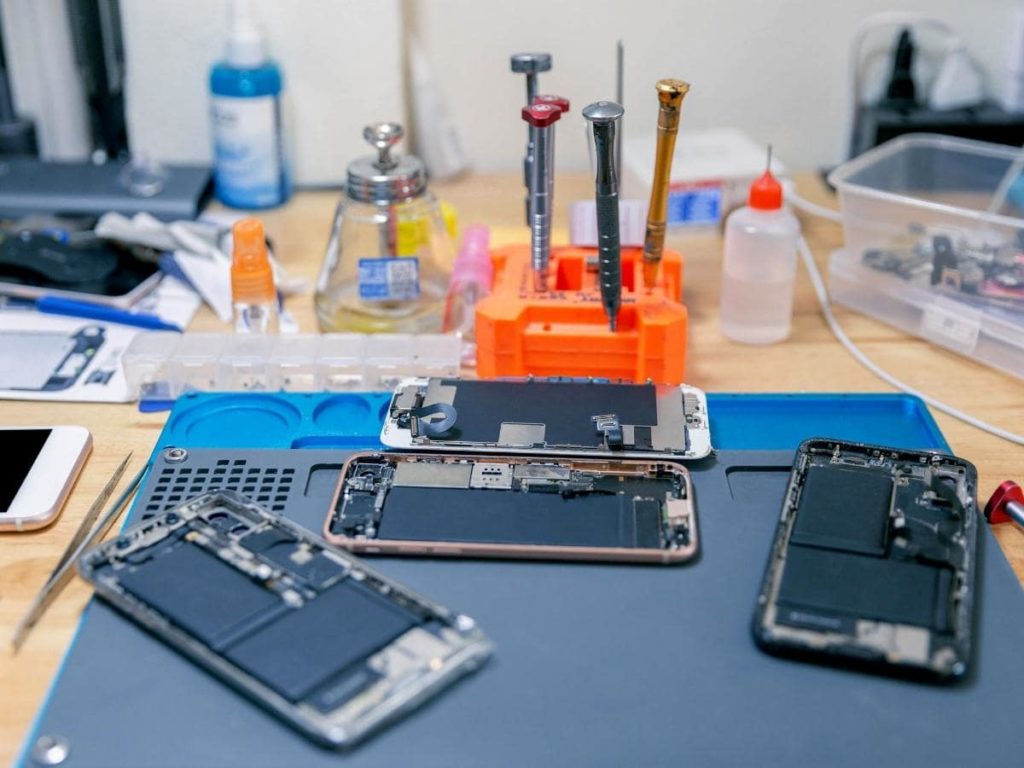
Safety and Preparation Precautions
- Discharge the Battery: Always discharge the iPhone 14 Pro battery below 25% before starting disassembly. Puncturing a fully charged lithium-ion battery can trigger immediate thermal runaway.
- Apply Protective Packing Tape: If the front glass is shattered, cover the entire surface with clear packing tape to keep glass shards from piercing internal flex cables or causing personal injury.
- Protect the Face ID Array: Never touch or apply cleaning solvents directly to the TrueDepth camera or ambient light sensor assembly at the top of the chassis.
Step-by-Step Walkthrough for iPhone 14 Pro Front Glass Replacement
Display removal requires steady heating and controlled prying. For a deeper breakdown of hardware steps, consult the iFixit teardown and screen disassembly guide.
- Remove Pentalobe Screws: Power off the device and unscrew the two 6.8 mm P2 pentalobe screws flanking the Lightning charging port.
- Heat the Perimeter Adhesive: Warm the bottom and side edges using a heat pad or heat gun at 70°C–80°C for 2–3 minutes to soften the factory waterproof seal.
- Lift and Separate: Apply an anti-clamp suction handle to create a microscopic gap along the lower seam. Insert an opening pick no deeper than 2–3 mm to slice through the adhesive perimeter without snagging internal cables.
- Swing Open the Display: Carefully hinge the screen open from the right edge (the display opens like a book toward the left side).
- Disconnect the Power and Display Flex Cables: Remove the tri-point Y000 screws securing the battery connector cover, disconnect the battery connector first, then disconnect the display and sensor flex cables.
- Glass Separation (Refurbishment Only): If attempting a glass-only repair, remove the bezel frame, secure the bare OLED on a vacuum heating plate, and feed a 0.03 mm molybdenum wire between the glass and the polarizer layer. Clean remaining adhesive using specialized OCA solvent, align the new glass with pre-installed OCA, and place the assembly in an autoclave chamber at 40°C under 5–6 bars of pressure to eliminate bubbles.
- Reassembly: Clean the iPhone frame with 90%+ isopropyl alcohol, install a new perimeter water-resistant gasket, reconnect all cables, torque the internal brackets, and seal the device.
If you prefer to skip the headache and specialized tool expenses, you can explore our professional screen repair solutions for fast, on-site service.
Software Calibration Following iPhone 14 Pro Front Glass Replacement
Modern iPhones pair their internal hardware to the logic board using unique factory serial numbers. In the past, replacing a display assembly resulted in lost True Tone functionality and permanent “Unknown Part” warnings.
Under current iOS releases (such as iOS 18), Apple introduced the built-in Repair Assistant. After installing a compatible screen replacement:
- Connect to Wi-Fi.
- Go to Settings > General > About > Parts & Service History.
- Select Restart & Finish Repair to initiate the on-device System Configuration tool.
- The utility verifies the display sensors, recalibrates ambient light readings, and restores True Tone without third-party hardware programmers.
Frequently Asked Questions About iPhone Screen Repairs
Can I replace only the front glass without buying a new OLED display?
Technically, yes—provided the underlying OLED displays clear images without black ink spots, colored vertical lines, or touch failure. However, glass-only separation requires an industrial heat separator, wire jigs, lamination molds, and a de-bubbling chamber. Without these tools, attempting glass-only removal almost always ruins the delicate OLED, turning a simple repair into an expensive display replacement.
Will Face ID and True Tone work after replacing the front glass?
Yes, provided the original sensor flex cable remains intact. Face ID hardware (the TrueDepth infrared camera and dot projector) is housed inside the iPhone body, not the front glass itself. As long as you transfer the original upper sensor array without tearing its ribbon cable—or properly run the iOS 18 Repair Assistant after a display swap—both Face ID and True Tone will function normally.
How does third-party glass affect device durability and feel?
High-grade aftermarket aluminosilicate glass provides structural performance and touch responsiveness that closely matches the original feel. However, because factory water-resistant seals are broken during repair, the device will lose its original factory IP68 rating. To protect your investment, we recommend adding a high-grade tempered glass screen protector immediately after completing any front glass fix.
Conclusion
Whether you choose a DIY display swap, glass refurbishment, or professional service, selecting the right screen grade and repair method makes all the difference in long-term reliability.
If you are located in Laurel, MS or nearby communities like Ellisville, Bay Springs, or Soso, let our team at Salvation Repair take care of the heavy lifting. Located at 1503 Lakeview Rd, Laurel, MS 39440, we fix “any device with a power button.”
Here is why our customers choose us:
- Fast, Transparent Service: iPhone screen repairs take just 10–15 minutes and are performed directly in front of you. Battery replacements take 30 minutes, and charging port repairs take one hour.
- Free Protection: We include a free screen protector with every screen repair.
- 60-Day Screen Upgrade Policy: We give customers the option to upgrade from an LCD or OLED screen to an OLED or OEM screen at any point within 60 days of their repair.
- Unmatched Peace of Mind: Enjoy a lifetime warranty on replacement parts and workmanship, alongside our price-match guarantee.
(Note: For Samsung owners, our S22 Ultra screen repairs feature labor-included pricing: aftermarket OLED for $219.95, refurbished OEM for $309.95, and new OEM for $339.95).
Explore our ultimate iPhone screen repair guide to learn more about our process, or bring your device to our Laurel shop today for a quick fix!
