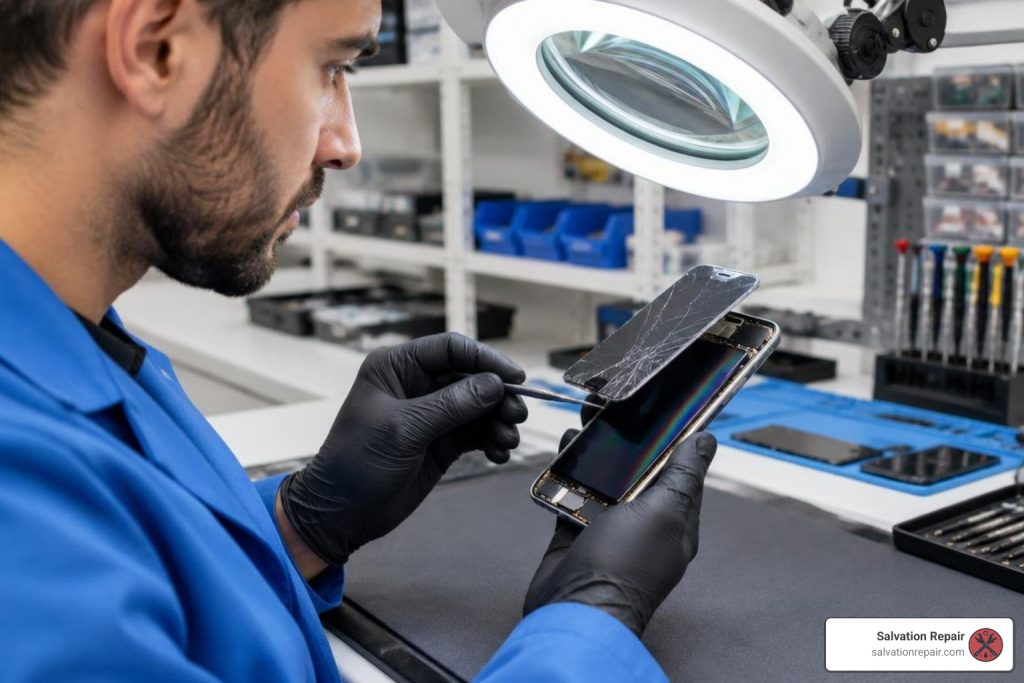
How to Find iPhone 17 Screen Repair Cost & Options in 3 Easy Steps
Step 1: Diagnose Your Display Damage and Hardware Symptoms
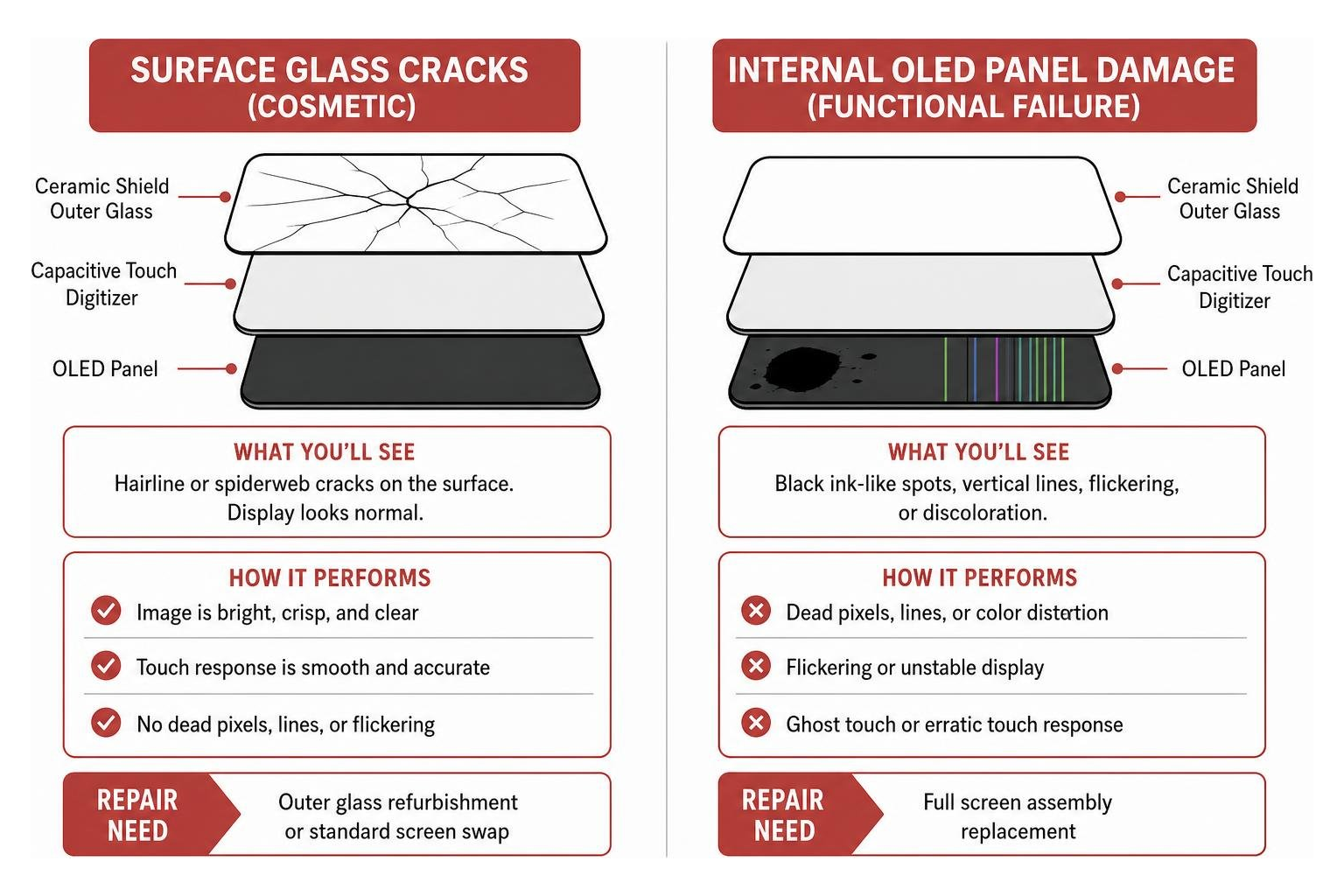
Finding the right iPhone 17 screen repair cost and option comes down to three steps: diagnose whether you have glass-only cracks or full OLED panel damage, compare provider pricing and part tiers like LCD versus Soft OLED, and select a local walk-in, mobile, or mail-in repair method. Before you start calling repair shops or scheduling an appointment at an Apple Store, you need to understand what is actually broken. The front assembly of your iPhone 17 is not just a single pane of glass; it is a multi-layered sandwich consisting of the Ceramic Shield outer glass, a capacitive touch digitizer, and a high-refresh-rate OLED panel.
Taking a few minutes to inspect your phone will help you get an accurate repair quote and avoid paying for components you might not need.
Glass-Only Cracks vs. Full OLED Panel Damage
Display damage generally falls into two distinct categories:
- Surface Glass Cracks (Cosmetic): If you dropped your device and see hairline fractures or spiderweb cracks across the surface, but the image remains bright, crisp, and free of discoloration, your underlying OLED panel survived the impact. If the screen responds smoothly to every tap and swipe, you may only need outer glass refurbishment or a standard screen swap.
- Internal OLED Panel Damage (Functional Failure): If you notice black ink-like spots (dead pixels), bright green or purple vertical lines running down the display, flickering, or “ghost touch” (where the phone opens apps on its own), the underlying OLED panel is physically broken. In these cases, you will need a full screen assembly replacement such as an iPhone 17 XO7 Soft OLED Replacement Screen 120Hz or an iPhone 17 Pro XO7 Soft OLED Replacement Screen 120Hz to restore full 120Hz ProMotion smoothness and touch responsiveness.
Diagnostic Checks for Face ID and Ambient Sensors
A cracked screen can also compromise the delicate biometric and lighting sensors housed near the top of the chassis. Before handing your phone over for service, run through this quick hardware checklist:
- Face ID / TrueDepth Camera: Open your Settings app and test Face ID recognition. If the TrueDepth camera sensor array is damaged by glass shards, facial recognition will fail.
- Ambient Light Sensor & True Tone: Swipe down to your Control Center and adjust the brightness slider. Check whether True Tone is active. A damaged ambient light sensor bracket will disable automatic brightness adjustments.
- Proximity Sensor: Place a test phone call and hold the phone up to your ear. The screen should immediately turn black to prevent accidental cheek presses.
That accidental drops are excluded under Apple’s standard one-year limited warranty, as detailed in resources exploring does the Apple warranty cover cracked screens.
Step 2: Compare iPhone 17 Screen Repair Cost Across Providers
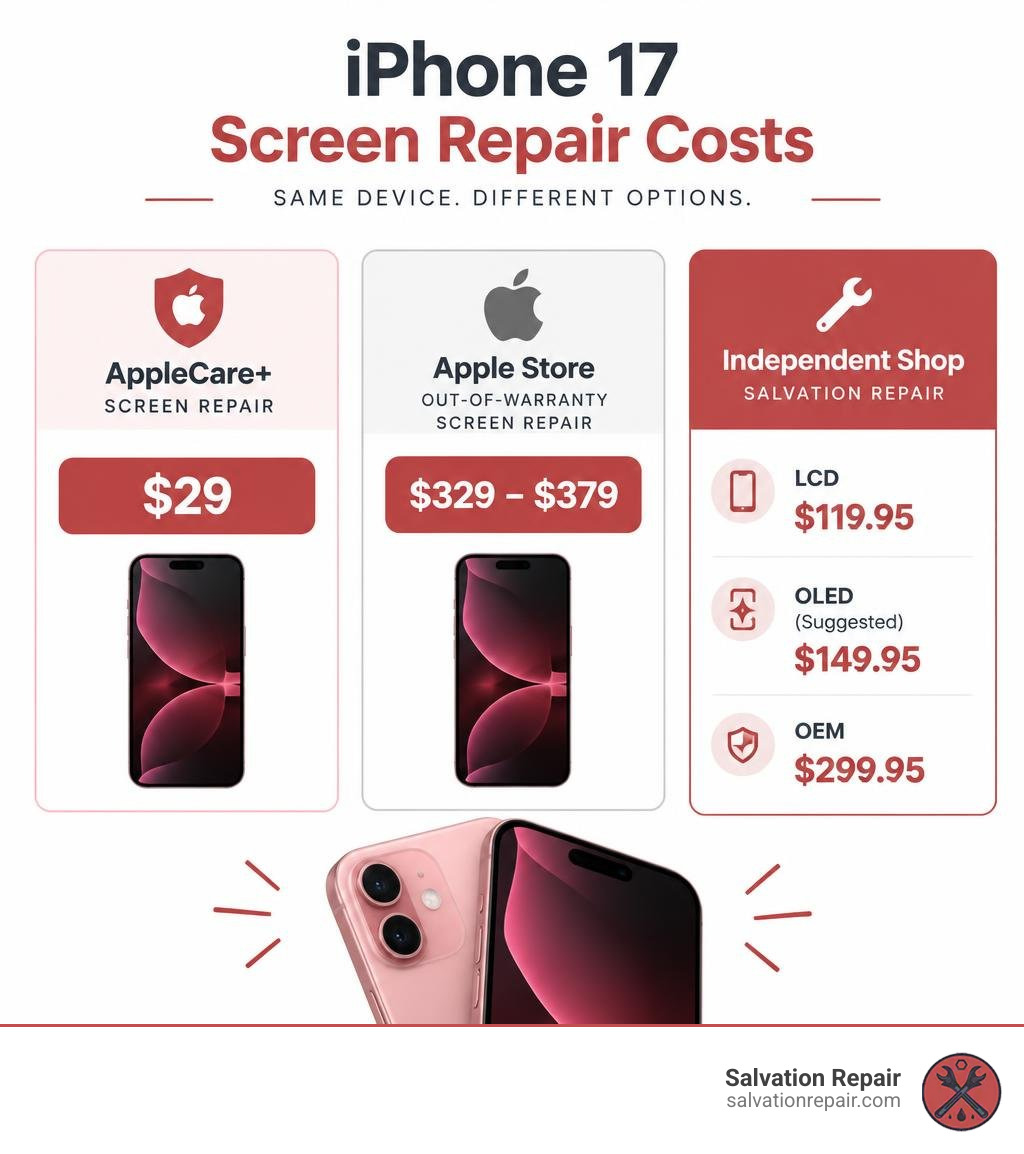
Once you have identified the symptoms, the next step is assessing how much you should expect to pay. Screen repair pricing in October 2026 varies drastically depending on whether you carry active insurance, choose an official Apple channel, or visit an independent repair provider.
To get a broader perspective on how local and regional market rates fluctuate, you can consult an iPhone screen repair cost guide.
Official Apple Store and AppleCare+ Pricing
If you prefer going directly through Apple, your costs depend almost entirely on your AppleCare status:
| Provider or Plan | iPhone 17 Screen-Repair Pricing | Notes | Typical Turnaround |
|---|---|---|---|
| AppleCare+ Active | $29.00 service fee | $11.99/mo or $119.99/yr coverage | Same-day (Genius Bar) or 3–5 days (Mail-in) |
| AppleCare One | $29.00 service fee | $19.99/mo for up to 3 devices | Same-day (Genius Bar) or 3–5 days (Mail-in) |
| Out-of-Warranty (Apple Store) | $329.00–$379.00 | Full retail price | Same-day (with appointment) |
| Independent Shop (Salvation Repair) | $119.95 (LCD), $149.95 (OLED, suggested), $299.95 (OEM) | Choose the tier that fits your display needs and budget | Varies by repair and part availability |
| Screen + Back Glass (Apple) | $469.00–$549.00 | Full retail price | Same-day to 48 hours |
If you are wondering whether paying upfront protection plans makes financial sense for your habits, independent analyses like Consumer Reports’ guide on AppleCare+ break down the long-term value against out-of-pocket replacements.
Replacement Part Tiers: Soft OLED vs. Budget LCD
When working with independent repair centers, you generally have a choice between different part quality tiers. For iPhone 17 screen repairs, Salvation Repair’s iPhone 17 screen repair prices start at $119.95 for LCD, with OLED repairs priced at $149.95 and OEM displays at $299.95. For comparison across Pro tiers, an iPhone 16 Pro repair runs $149.95 for LCD and $199.95 for OLED, while an iPhone 16 Pro Max is priced at $129.95 for AQ7 LCD, $219.95 for aftermarket OLED, $399.95 for OEM refurbished, and $469.95 for new OEM:
- Budget In-Cell LCD (e.g., AQ7 LCD): The most affordable option. While an iPhone 17 Pro 120Hz LCD Replacement Screen delivers functional touch and crisp imagery, LCD technology requires a backlight, resulting in slightly thicker bezels, lower contrast ratios, and higher battery draw compared to OLED.
- Soft OLED (e.g., XO7 Soft OLED): Built on a flexible substrate that mimics the factory display’s thin profile. An iPhone 17 Pro Max XO7 Soft OLED Replacement Screen 120Hz preserves vibrant HDR colors, deep inky blacks, and responsive 120Hz refresh rates at a fraction of Apple’s out-of-warranty fee.
- Refurbished OEM & New OEM: These screens use original Apple display panels with new front glass or brand-new factory modules, providing 100% factory color matching and peak outdoor brightness.
At Salvation Repair, we believe in giving you complete flexibility. If you opt for an affordable screen repair today to get your device back up and running, you can upgrade from an LCD or OLED screen to an OLED or OEM screen at any point within 60 days of your repair.
Step 3: Select Your Service Method and Booking Option
Now that you know your damage level and part preferences, you can choose how and where to get your phone fixed.
DIY vs. Professional iPhone 17 Screen Repair Risks
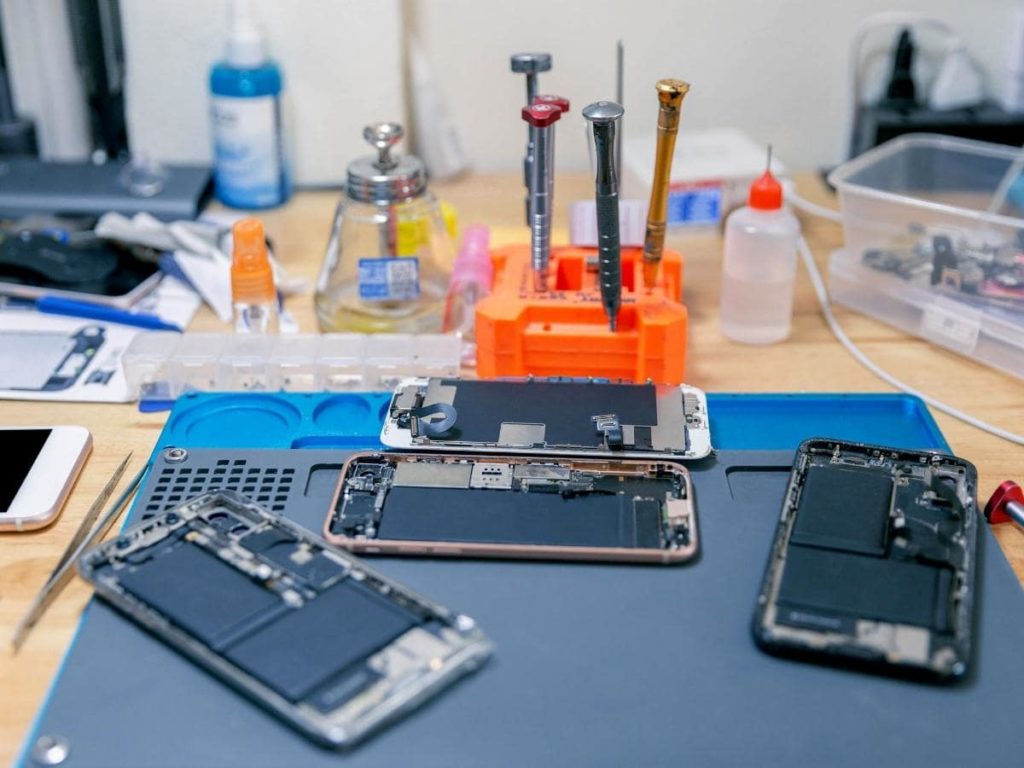
It might be tempting to buy a cheap tool kit online and try fixing your iPhone 17 at home, but modern smartphones feature tightly packed internal designs that carry real risks:
- Battery Safety Hazards: The iPhone 17 battery cannot be fully isolated prior to lifting the display. Prying with metal tools near the battery pouch can puncture the cell, causing thermal runaway or smoke.
- Permanent Face ID Loss: The ambient light sensor and ear speaker flex cables are paper-thin. Tearing these micro-ribbons during screen transfer permanently disables Face ID.
- Software Calibration & Serialization: Apple’s display panels are digitally paired to the logic board. Professional repairers use certified tools and Apple’s Repair Assistant to ensure True Tone, auto-brightness, and touch sensitivity work without software errors.
Booking In-Person or Mobile iPhone 17 Screen Repair
If you decide on professional service, you have three primary ways to book:
- Walk-In or Scheduled Local Repair: The fastest option. Professional shops complete the work on-site, letting you inspect your phone before walking out the door. Exploring guides on same-day iPhone screen repair will help you know what to expect during your visit.
- Doorstep Mobile Service: Technicians arrive in a customized repair van to fix your device outside your home or office.
- Mail-In Repair: Convenient if you live far from reputable technicians, though it typically requires 2 to 5 business days without your phone.
Before handing over your device, always create an iCloud or local computer backup, update to the latest iOS version, and note your passcode so you can test display features immediately after installation. To understand typical turnaround times across different repair types, check out this detailed guide to iPhone screen repair time.
Frequently Asked Questions About iPhone 17 Screen Fixes
Does Apple’s standard warranty cover a cracked iPhone 17 screen?
No. Apple’s standard One-Year Limited Warranty covers manufacturing defects and internal hardware malfunctions, but explicitly excludes accidental damage like cracked front glass or damaged OLED panels. To get subsidized repair pricing through Apple, you must have an active AppleCare+ or AppleCare One plan.
Can I replace only the front glass on an iPhone 17?
Yes, but only through specialized repair shops with cleanroom laminating equipment. Glass-only refurbishment requires freezing or heating the broken glass off the delicate OLED panel, cleaning away the old optical adhesive, and applying a new glass lens using Optically Clear Adhesive (OCA) under high pressure. If your touch digitizer or OLED layer is damaged, a full display assembly replacement is required.
How long does an iPhone 17 display replacement typically take?
An in-person iPhone screen repair by an experienced technician typically takes just 10 to 15 minutes right in front of the customer. Other repairs are also completed quickly on-site: battery replacements take about 30 minutes, and charging port repairs take approximately 1 hour. Mail-in repairs through Apple or third-party depot services generally require 2 to 5 business days, including transit time.
Conclusion
A cracked screen does not mean you need to replace your entire phone or wait days for an expensive fix. By diagnosing your display symptoms, comparing part tiers, and selecting a reputable repair channel, you can restore your iPhone 17 quickly and affordably.
For residents across Laurel, MS, and nearby communities like Ellisville, Bay Springs, and Soso, our team at Salvation Repair makes fixing your phone simple. We handle iPhone screen repairs in just 10–15 minutes right in front of you (with battery repairs taking 30 minutes and charging port repairs taking 1 hour), back our work with a lifetime warranty, and provide a free screen protector with every screen installation. Plus, our flexible 60-day screen upgrade policy ensures you are never locked into a part tier if you decide you want OEM glass later on.
Ready to learn more about keeping your Apple devices running like new? Explore our comprehensive iPhone screen repair complete guide or visit our shop on Lakeview Road today.
