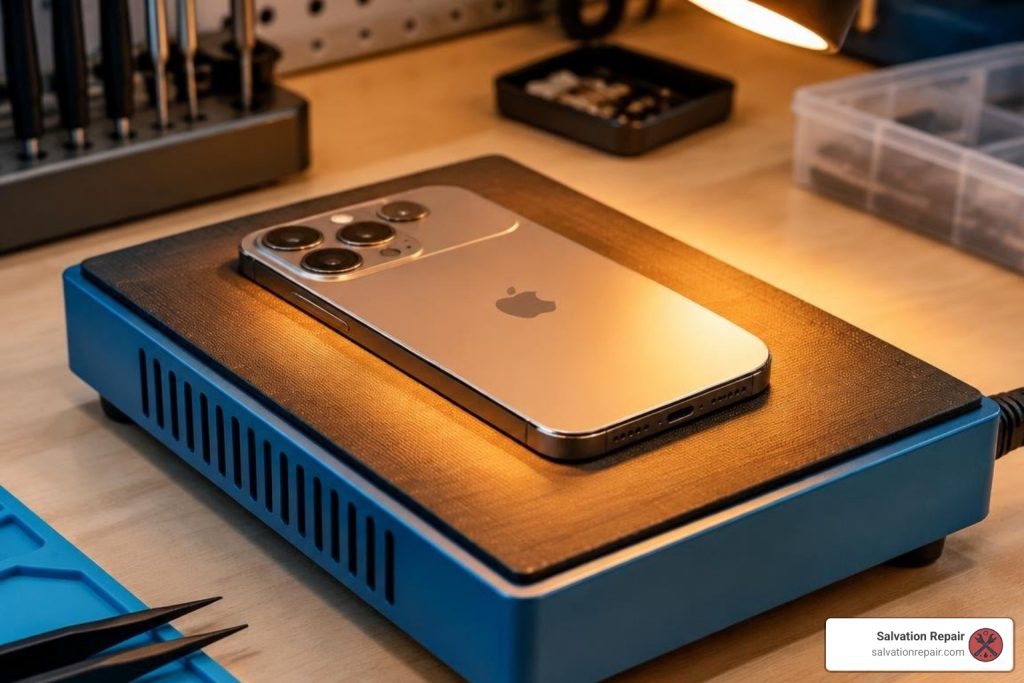
iPhone 17 Pro Max Screen Repair Cost & Options in Laurel, MS
Signs of Damage and How to Assess Your Screen
When an iPhone 17 Pro Max takes a hard fall onto concrete or asphalt, the damage is not always limited to shattered exterior glass. Because Apple equips this flagship with an ultra-thin LTPO OLED display behind its Ceramic Shield glass, impacts can cause varying levels of structural and internal failure.
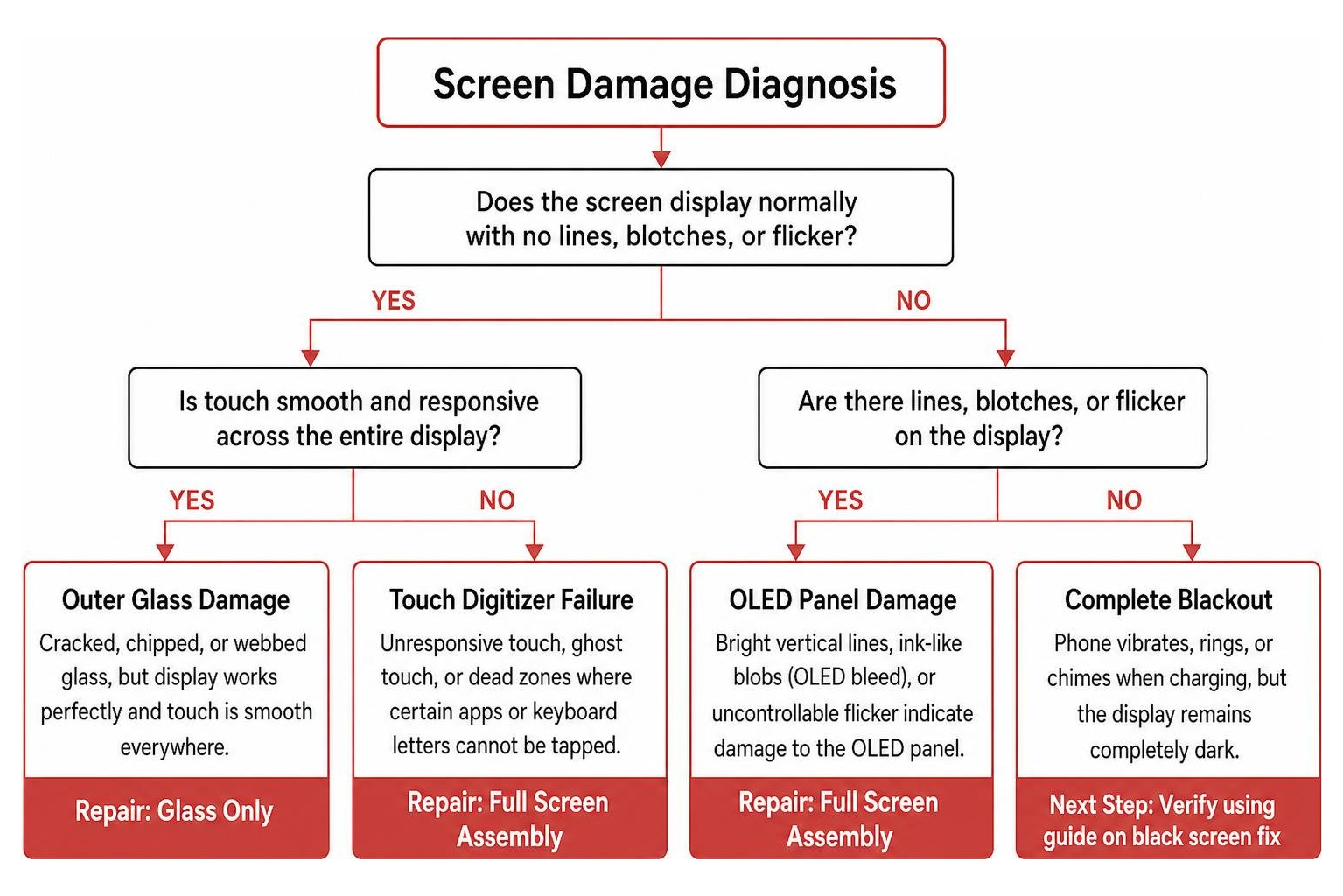
To choose the proper repair path, you need to determine whether only the outer glass is damaged or if the underlying OLED digitizer has failed:
- Cosmetic Glass Cracking: The protective outer glass is cracked, chipped, or webbed, but the display still illuminates perfectly. The touch responsiveness is smooth across the entire display area, with no discoloration or blind spots.
- OLED Panel Damage: Bright purple or green vertical lines slice across the screen, black ink-like blobs (“OLED bleed”) expand over time, or the screen flickers uncontrollably. This indicates deep physical trauma to the organic light-emitting layer.
- Touch Digitizer Failure: The screen fails to respond to finger swipes, suffers from phantom inputs (“ghost touch”), or exhibits dead zones where certain apps or keyboard letters cannot be tapped.
- Complete Blackout: The phone vibrates, rings, or chimes when connected to a charger, but the display remains completely dark. If you encounter this, review our guide on how to fix an iPhone black screen without data loss to verify hardware failure versus a temporary software crash.
Before sending your phone for service or opening the chassis yourself, safeguarding your data is essential. If touch is still partially working, navigate to Settings > [Your Name] > iCloud > iCloud Backup and tap Back Up Now. If the touch panel is completely unresponsive, plug your iPhone into a trusted Mac or PC, open Finder or iTunes, and create an encrypted local backup on your computer.
Understanding iPhone 17 Pro Max Screen Repair Costs and Screen Types
Display replacement pricing varies significantly depending on the technology inside the replacement panel, the component manufacturer, and where you take the device. Modern smartphone panels utilize distinct engineering tiers, which we explore thoroughly in our phone screen repair cost guide for 2026.
When evaluating your options, you will encounter three main panel categories: Incell LCD, aftermarket Soft OLED, and genuine OEM (Original Equipment Manufacturer) displays.
| Screen Type | Display Technology | Refresh Rate | Durability & Fit | Relative Cost | Best Suited For |
|---|---|---|---|---|---|
| Incell LCD (e.g., AQ7) | Backlit Liquid Crystal | 120Hz compatible | Slightly thicker frame; standard drop resistance | Budget-Friendly | Fast fixes, trade-ins, temporary use |
| Soft OLED (e.g., XO7) | Flexible OLED Substrate | 120Hz ProMotion | Exact 1:1 factory profile; high impact flex | Moderate | Daily power users wanting near-factory quality |
| OEM / Refurbished OEM | Original Apple Factory OLED | 120Hz ProMotion | Original Ceramic Shield; maximum peak brightness | Premium | Original equipment purists and strict Apple spec |
For context across different tiers and generations, standard repairs scale based on panel sophistication, with standard LCD repairs priced at $129.95, aftermarket OLED at $129.95, and OEM at $149.95. For the iPhone 16 Pro, LCD replacements are $149.95 and OLED is $199.95. On the iPhone 16 Pro Max, an AQ7 LCD replacement is $129.95, aftermarket OLED is $219.95, OEM refurbished is $399.95, and new OEM is $469.95.
When you choose Salvation Repair for professional screen repair, we take the financial risk out of choosing your panel. Every screen installation includes a complimentary, professionally installed screen protector. Furthermore, if you start with an Incell LCD or aftermarket OLED and later decide you want richer colors or factory-matched brightness, you can take advantage of our 60-day screen upgrade guarantee to upgrade to an OLED or OEM panel by paying only the difference.
Choosing the Right Display: Incell LCD vs. Soft OLED vs. OEM
Making the right choice comes down to how you use your phone every day:
- Incell LCD Panels: Options like the iPhone 17 Pro Max 120Hz AQ7 Incell LCD assembly utilize a compact liquid-crystal layer. While LCDs rely on a global backlight (meaning blacks appear dark gray rather than true black), advanced Incell engineering integrates touch sensors directly into the liquid crystal. This preserves a fluid 120Hz refresh rate and responsive touch at an accessible price point.
- Soft OLED Assemblies: Products such as the iPhone 17 Pro Max XO7 Soft OLED replacement screen match Apple’s underlying structural design. Built on a flexible substrate, soft OLEDs bend naturally along internal borders, ensuring thin bezels, true pixel-level black levels, high contrast ratios, and resilience against minor drops.
- OEM & Refurbished OEM Displays: These assemblies utilize original Apple factory panels. Recycled or re-glassed from pristine original panels, they provide maximum HDR peak nit brightness, exact color space reproduction, and full hardware compatibility.
Professional vs. DIY: Complete Screen Replacement Breakdown
Replacing a display on an iPhone 17 Pro Max is fundamentally different from repairing older smartphone generations. Flagship Apple devices employ sophisticated software locks, serialized sensor arrays, and ultra-tight tolerances.
When you install a replacement screen without specialized equipment, Apple’s iOS ecosystem may trigger an “Unknown Part” prompt under your device’s Parts & Service History. While the phone remains operational, features like True Tone and ambient light auto-brightness may be deactivated unless the display’s EEPROM data is transferred using a programmer, or calibrated post-repair using Apple’s Repair Assistant in iOS.
For DIY enthusiasts seeking a visual teardown, reviewing the verified iPhone 17 Pro Max iFixit repair guide offers helpful hardware schematics. However, understanding the physical risks is vital before handling delicate ribbon assemblies.
Essential Tools and Steps for DIY iPhone 17 Pro Max Screen Repair
If you possess micro-soldering and electronics repair experience and wish to proceed independently, follow these structured instructions drawn from standard workshop procedures and community references like the iPhone 17 Pro Max DIY guide from PhoneRepair.co.uk:
Required Workshop Tools:
- P2 Pentalobe precision screwdriver
- Tri-point Y000 screwdriver & JIS micro driver
- Heat pad (calibrated to 75°C / 165°F) or temperature-controlled heat gun
- Heavy-duty suction pliers or suction handle
- Plastic opening picks (marked at 2mm and 3mm insertion depths)
- Non-conductive nylon spudger and ESD tweezers
- 99% Isopropyl alcohol and lint-free microfiber wipes
- Pre-cut perimeter replacement water-resistant adhesive gasket
- Safety glasses (mandatory when handling shattered glass)
Step-by-Step DIY Replacement Procedure:
- Safety & Discharge: Power down your device completely. Ensure the internal battery is discharged below 25% to minimize thermal runaway risks in the event of accidental puncture.
- Glass Preparation: If the outer glass is shattered, apply clear packing tape across the entire face. This prevents loose glass shards from peeling off and ensures suction cups maintain an airtight seal.
- Bottom Screw Removal: Remove the two P2 Pentalobe screws located on either side of the USB-C charging port. Store them in a magnetic project mat.
- Adhesive Softening: Place the phone face-down on a heat mat set to 75°C for 5 to 7 minutes, or warm the outer perimeter using a heat gun until the glass is warm to the touch.
- Opening the Seam: Secure your suction handle to the lower third of the screen. Gently pull upward to create a hairline gap between the display bezel and the frame. Insert a plastic opening pick no deeper than 3mm to slice through the lower adhesive.
- Slicing Perimeter Adhesive: Carefully work around the right, top, and left edges. Caution: Do not insert picks deeper than 2mm along the left edge to avoid tearing the delicate display and sensor ribbon cables.
- Swinging the Panel Open: Gently swing the screen open from the right edge toward the left, opening like a book. Never pull the screen away abruptly.
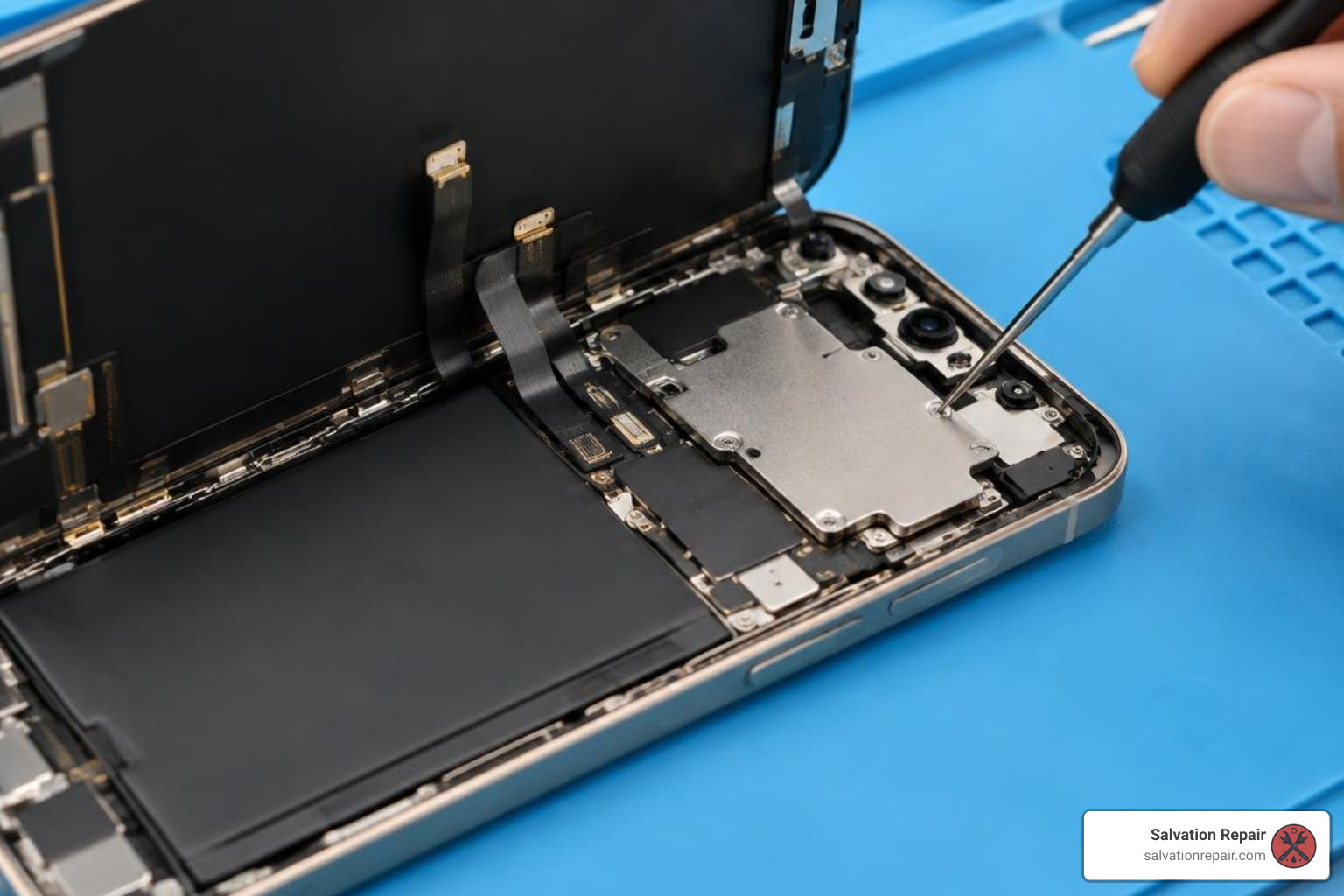
- Battery Disconnection: Unfasten the tri-point screws securing the logic board shield cover, remove the bracket, and use a nylon spudger to disconnect the battery terminal first. This cuts power to the board and prevents short-circuits.
- Disconnecting Display Cables: Disconnect the primary display ribbon cable and sensor flex connectors, then lift the old assembly away from the phone body.
- Transferring Sensor Assembly: Carefully heat and detach the top sensor and ambient light assembly from the old screen frame, transferring it to your new panel to maintain sensor continuity.
- Frame Cleaning & Re-Sealing: Scrape away all old adhesive residue from the titanium chassis using isopropyl alcohol. Lay down a fresh pre-cut perimeter adhesive gasket.
- Connection & Testing: Connect the new display and sensor flex cables, reconnect the battery, and power on the device to test touch tracking, brightness, and digitizer accuracy before closing the chassis.
- Final Assembly: Re-install logic board brackets, seal the screen firmly into the adhesive channel, and re-install the two bottom Pentalobe screws. Calibrate True Tone via iOS Repair Assistant if supported.
Why Choose Professional iPhone 17 Pro Max Screen Repair Services
While fixing a device at home can be an interesting technical project, repairing modern flagship devices involves considerable risk. Slipping with a metal pick can pierce a battery cell or sheer off microscopic logic board resistors, turning a screen replacement into an unbootable device.
Opting for professional repair eliminates these hazards:
- Fast 10-15 Minute Turnaround: We complete iPhone screen replacements right in front of you in 10 to 15 minutes, letting you watch the entire process without leaving your phone behind for days.
- Lifetime Warranty Protection: Our repairs are backed by a lifetime parts and labor warranty, guaranteeing coverage against unexpected touch or display defects.
- Factory-Grade Equipment: We utilize dedicated micro-heaters, digital torque drivers, and high-purity adhesive rollers that ensure a clean seal and proper frame alignment.
- Local Convenience: With our dedicated workshop and mobile on-site capabilities, we bring fast, same-day phone repairs directly to your schedule.
How to Choose a Local Phone Repair Shop in Laurel, MS
Choosing the right local repair technician is critical to ensuring your iPhone 17 Pro Max retains its performance, water protection, and internal health. When selecting a repair partner in Jones County, look for the following qualifications:
- Transparent In-Person Repairs: Trustworthy shops work openly. Look for technicians who service your phone in full view rather than taking it into a back room.
- Clear Screen Quality Tiers: A reputable business explains the direct differences between Incell LCD, Soft OLED, and OEM displays, providing clear pricing without hidden labor fees.
- Real Warranty Coverage: Make sure the shop provides solid warranty protection on replacement parts and labor.
- Local Community Roots: Avoid impersonal mail-in queues or pop-up kiosks. Partner with established technicians who specialize in phone repair in Laurel, MS and understand the local community.
For area residents looking for dependable local service, our guide on finding fast, reliable iPhone screen repair in Laurel, MS details exactly what questions to ask before handing over your smartphone.
Frequently Asked Questions About Screen Replacement
Will replacing my screen disable Face ID or True Tone?
If your screen replacement is performed correctly, Face ID will continue functioning normally. The TrueDepth sensor array responsible for Face ID is tied directly to your phone’s motherboard. As long as the technician transfers the upper sensor flex without causing physical stress, facial recognition remains intact.
True Tone functionality is tied to calibration profiles stored in your original screen’s chip. At Salvation Repair, we restore True Tone through proper software calibration and hardware programming during the installation process.
How long does an iPhone 17 Pro Max screen repair take?
A professional screen replacement at Salvation Repair takes just 10 to 15 minutes and is performed while you wait. By contrast, tackling the repair yourself at home typically requires 1 to 2 hours of delicate disassembly, adhesive scraping, and screw organization. For a breakdown of timelines across other repair types, check our detailed screen repair time guide.
Does a screen replacement compromise water resistance?
Any time a sealed smartphone is opened, its factory water barrier is broken. However, professional technicians completely remove the degraded glue using chemical solvent baths and install an OEM-grade, custom-cut perimeter adhesive gasket before closing the chassis. While no repaired phone should be deliberately submerged in water, this restoration re-establishes everyday resistance against rain, spills, and humidity.
Conclusion
A shattered screen on your flagship iPhone does not mean you have to deal with long turnaround times or pay exorbitant replacement costs. Whether you are balancing budget with an Incell LCD or restoring original visual performance with a premium Soft OLED or OEM panel, reliable repair options are right around the corner.
At Salvation Repair, located at 1503 Lakeview Rd, Laurel, MS 39440, we make electronic repairs seamless and stress-free across Laurel, Ellisville, Bay Springs, and Soso:
- Fast Service: iPhone screen replacements are completed in just 10-15 minutes directly in front of you. Battery replacements take only 30 minutes, and charging port repairs are finished in one hour.
- Unmatched Guarantees: Enjoy our comprehensive lifetime warranty and upfront price-matching policy.
- Extra Perks: Every screen repair includes a free, professionally installed screen protector.
- Flexibility: Change your mind anytime with our 60-day screen upgrade guarantee, allowing you to transition between LCD and OLED/OEM tiers by simply paying the difference.
- All-Device Expertise: We repair any device with a power button, from Samsung flagships (such as S22 Ultra repairs featuring aftermarket OLED for $219.95, refurbished OEM for $309.95, and new OEM for $339.95, parts and labor included) to game consoles and laptops.
Ready to restore your display? Visit us on Lakeview Road or book your iPhone 17 Pro Max screen repair online today!
