Don’t Despair, Repair: Fixing Your iPhone 13 Screen
Is Your iPhone 13 Screen Broken? Here Are Your Options
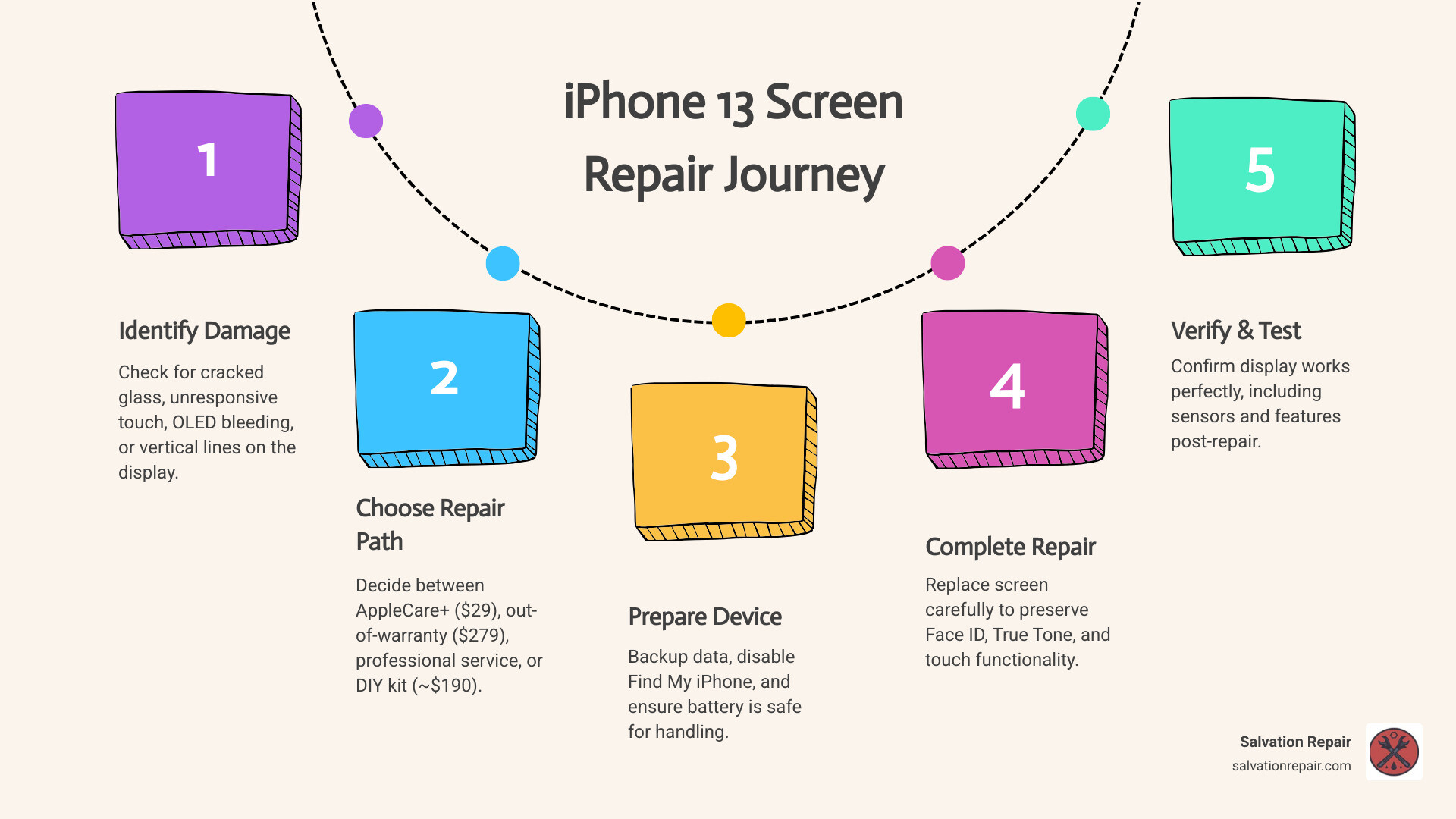
iPhone 13 screen repair is something thousands of people deal with every year — and the good news is you have real choices.
Here’s a quick look at your main options:
| Repair Option | Estimated Cost | Turnaround | Best For |
|---|---|---|---|
| Salvation Repair | $99.95 | Same-day (10-15 min) | Fast, affordable, local repair |
| Apple (with AppleCare+) | ~$29 per incident | Same-day or mail-in | Covered devices |
| Apple (out-of-warranty) | ~$279 | Same-day or mail-in | Guaranteed OEM parts |
| DIY (iFixit Soft OLED kit) | ~$189.99 | 30 min – 2 hours | Budget-conscious, hands-on users |
A cracked or shattered screen is one of the most stressful things that can happen to your iPhone 13. One drop, one bad day — and suddenly your display is a spiderweb of broken glass. Maybe the touch stops working. Maybe the screen goes dark entirely.
You need it fixed fast. And you need to know you’re not getting ripped off.
The iPhone 13 uses a high-quality Super Retina XDR OLED display — which means repairs are more involved than older LCD models. There are also some real pitfalls to watch out for, like parts serialization that can affect Face ID and True Tone if the repair isn’t done right.
This guide walks you through everything: how to spot real screen damage, what your repair options actually cost, and how to avoid the mistakes that can make a bad situation worse.
I’m Ralph Harris, and with over 20 years in electronics repair and more than 500 Apple repair certifications under my belt, iPhone 13 screen repair is something I’ve handled hundreds of times. I’ll give you the straight facts so you can make the best call for your situation.
Explore more about iPhone 13 screen repair:
Identifying the Need for iPhone 13 Screen Repair
Not every screen issue is just a simple “crack.” Because the iPhone 13 features a sophisticated Super Retina XDR OLED panel protected by Ceramic Shield glass, the symptoms of failure can vary wildly. Understanding what you’re looking at helps determine if you need a simple glass fix or a full Screen Repair.
Cracked Glass vs. Internal Damage
The most obvious sign is a Cracked Screen. Even if the phone still works, those tiny shards of glass can eventually cut your fingers or allow moisture to seep into the sensitive internals. The iPhone 13 has an IP68 water resistance rating, but once that glass is breached, that protection is effectively gone.
OLED Bleeding and Vertical Lines
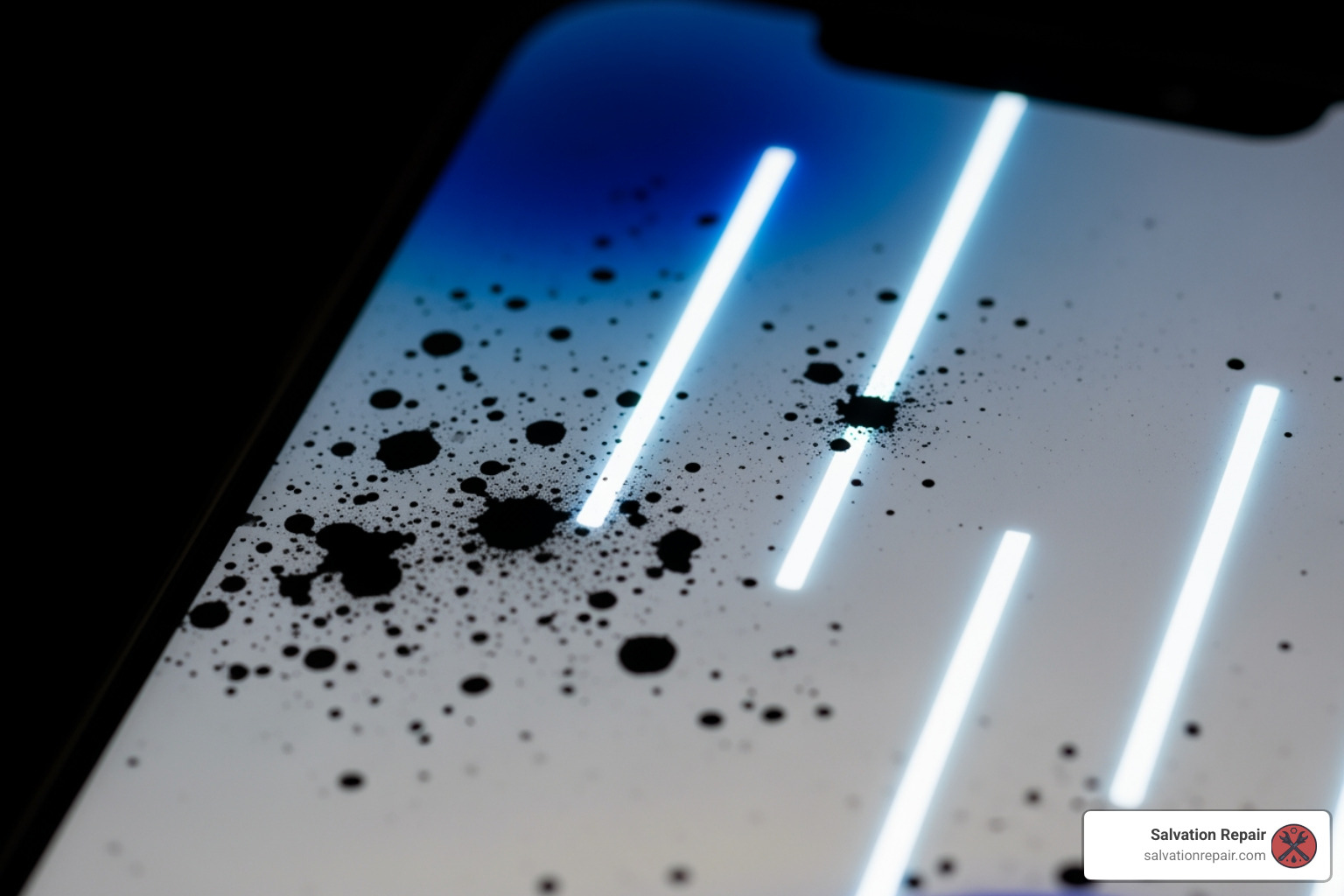
If you see ink-like black spots spreading across the display or bright neon vertical lines, your OLED panel is physically damaged. This is often referred to as “OLED bleeding.” In these cases, the iPhone Screen Not Working correctly is a hardware failure that requires a complete panel replacement.
Touch Unresponsiveness
Sometimes the glass looks perfect, but the phone won’t respond to your swipes. Ghost touching (where the phone opens apps on its own) or dead zones are clear indicators that the digitizer layer has failed.
Mini vs. Pro Models
While the standard iPhone 13 and the Mini use similar OLED technology, the Pro and Pro Max models feature ProMotion (120Hz refresh rates). This makes the parts more expensive and the repair slightly more delicate. Regardless of the model, if you’re in the Laurel or Jackson, MS area, we can help diagnose these issues quickly.
Professional vs. DIY: Choosing Your iPhone 13 screen repair Path
When your screen breaks, you face a crossroads: do it yourself, go to the manufacturer, or use a trusted local shop like us at Salvation Repair.
| Feature | Salvation Repair | Apple (Out-of-Warranty) | DIY (iFixit Kit) |
|---|---|---|---|
| Price | Competitive / Price Match | $279 | ~$190 |
| Warranty | Lifetime Warranty | 90 Days | None (Part only) |
| Speed | 20-45 Minutes | 3-7 Days (if mailed) | 2+ Hours |
| Complexity | Professional | Authorized | High Risk |
AppleCare+ Considerations
If you are currently paying for AppleCare+, an iPhone 13 screen repair is a flat $29. This is usually the best financial move. However, if you are out of warranty, Apple’s standard price jumps to approximately $279. You can check your coverage status on Apple’s official site to be sure.
Quality Matters: Soft OLED vs. Hard OLED
In third-party repairs, part quality is everything.
- Soft OLED: This is the closest match to your original screen. It’s flexible, durable, and handles drops better.
- Hard OLED/LCD: These are cheaper alternatives. Hard OLEDs are more prone to cracking on impact, and LCDs are thicker, dimmer, and drain more battery.
At Salvation Repair, we prioritize high-quality parts because we stand behind our work with a lifetime warranty. For a deeper dive into these differences, check out our iPhone Screen Repair Complete Guide.
E-waste and Sustainability
Repairing your device instead of replacing it is a win for the planet. We ensure all damaged screens are handled responsibly. If you’re looking for the iPhone Screen Repair Cost for your specific model, we offer transparent pricing without the “hidden fees” often found elsewhere.
The Risks of DIY iPhone 13 screen repair
While we love the “Right to Repair” spirit, the iPhone 13 is a “repair nightmare” for beginners. Apple uses parts pairing (serialization), which means the hardware is digitally locked to the logic board.
- Face ID Loss: If you replace the screen yourself and don’t transfer the original sensor assembly perfectly, Face ID will stop working.
- True Tone: Without specialized programmers, you will likely lose True Tone functionality (the feature that adjusts screen color to ambient light).
- Software Locks: Even with a genuine Apple screen, you may see an “Important Display Message” in your settings unless the repair is “verified” by Apple’s software.
- Flex Cable Damage: The cables inside are thinner than a piece of tape. One slip of a pry tool can turn a $190 repair into a $700 paperweight.
If you’re feeling brave, you can view the iPhone 13 Display Screen Replacement guide, but for most users in Jones County, a Professional iPhone Repair is the safer bet.
Preparing Your iPhone 13 for Professional Repair
Before you bring your device to us in Laurel or Jackson, or send it off to Apple, there are a few critical steps you must take to protect your data and ensure a smooth process.
- Back Up Your Data: Repairs are generally safe, but “better safe than sorry” is our motto. Use iCloud or a computer to back up your photos and contacts.
- Disable Find My iPhone: This is a security feature. Most repair shops (including Apple) cannot perform certain diagnostics or software calibrations if Find My is active.
- Charge the Battery: Try to have your battery between 20% and 50%. A fully charged lithium-ion battery is more volatile if accidentally punctured during the screen removal process.
- Remove Your Case and Screen Protector: It saves time and allows us to inspect the frame for any bends that might prevent the new screen from sitting flush.
Frequently Asked Questions about iPhone 13 Screen Repair
We get a lot of questions at our shops in Laurel, MS and surrounding areas like Soso and Ellisville. Here are the most common ones.
What are the typical costs for iPhone 13 screen repair?
The Cracked Screen Repair Cost varies based on where you go.
- Apple Official: $279 (plus tax and potential shipping fees).
- DIY Kits: iFixit’s Soft OLED kit is about $189.99.
- Salvation Repair: We offer competitive local pricing and we price match. Plus, we don’t charge those pesky shipping fees if you walk into our Laurel or Jackson locations.
Will a third-party screen replacement disable Face ID?
This is a major concern. On the iPhone 13, the Face ID sensors are part of the upper sensor assembly. If a technician is sloppy and damages the flood illuminator or doesn’t transfer the original assembly to the new screen, Face ID is gone forever. At Salvation Repair, we have the expertise to handle these delicate iPhone 13 Display Screen Replacement procedures safely.
How long does the repair process typically take?
If you send your phone to Apple, you might be looking at 3 to 7 business days. If you’re looking for Phone Repair Laurel MS, we pride ourselves on same-day service. Most iPhone 13 screen repairs take us between 20 and 45 minutes. You can grab a coffee and come back to a phone that looks brand new.
Conclusion
A broken screen doesn’t have to mean the end of your iPhone 13. Whether you choose the official Apple route, a DIY kit, or a trusted local specialist, getting it fixed is always better than struggling with broken glass.
At Salvation Repair, we serve the communities of Laurel, Jackson, Ellisville, Soso, and Meridian, MS. We believe in high-quality service, which is why we offer a lifetime warranty on our screen repairs. If the touch fails or the screen glitches due to a part defect, we’ve got you covered. We also repair “any device with a power button,” so if your iPhone 13 Battery Replacement is also due, we can handle that in the same visit.
Don’t let a cracked screen ruin your week. Visit us today for a fast, professional, and guaranteed Screen Repair.
Ready to fix your phone? Check out our other guides:
