Fixing the Connection: A Complete Guide to HDMI Port Replacement for PS5
PS5 HDMI Port Replacement: What to Check First
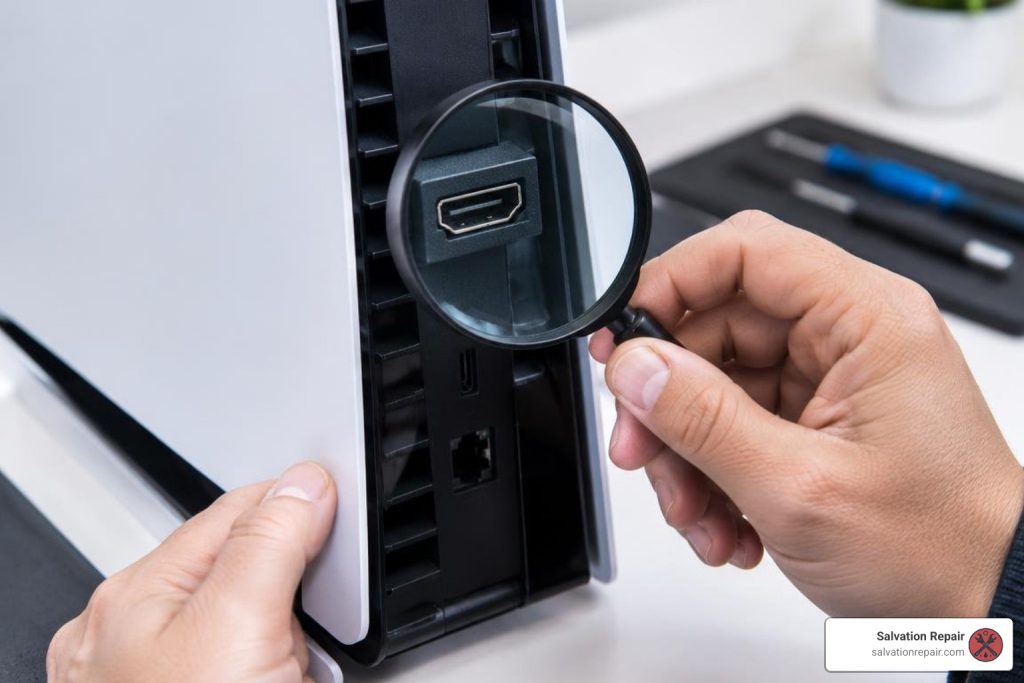
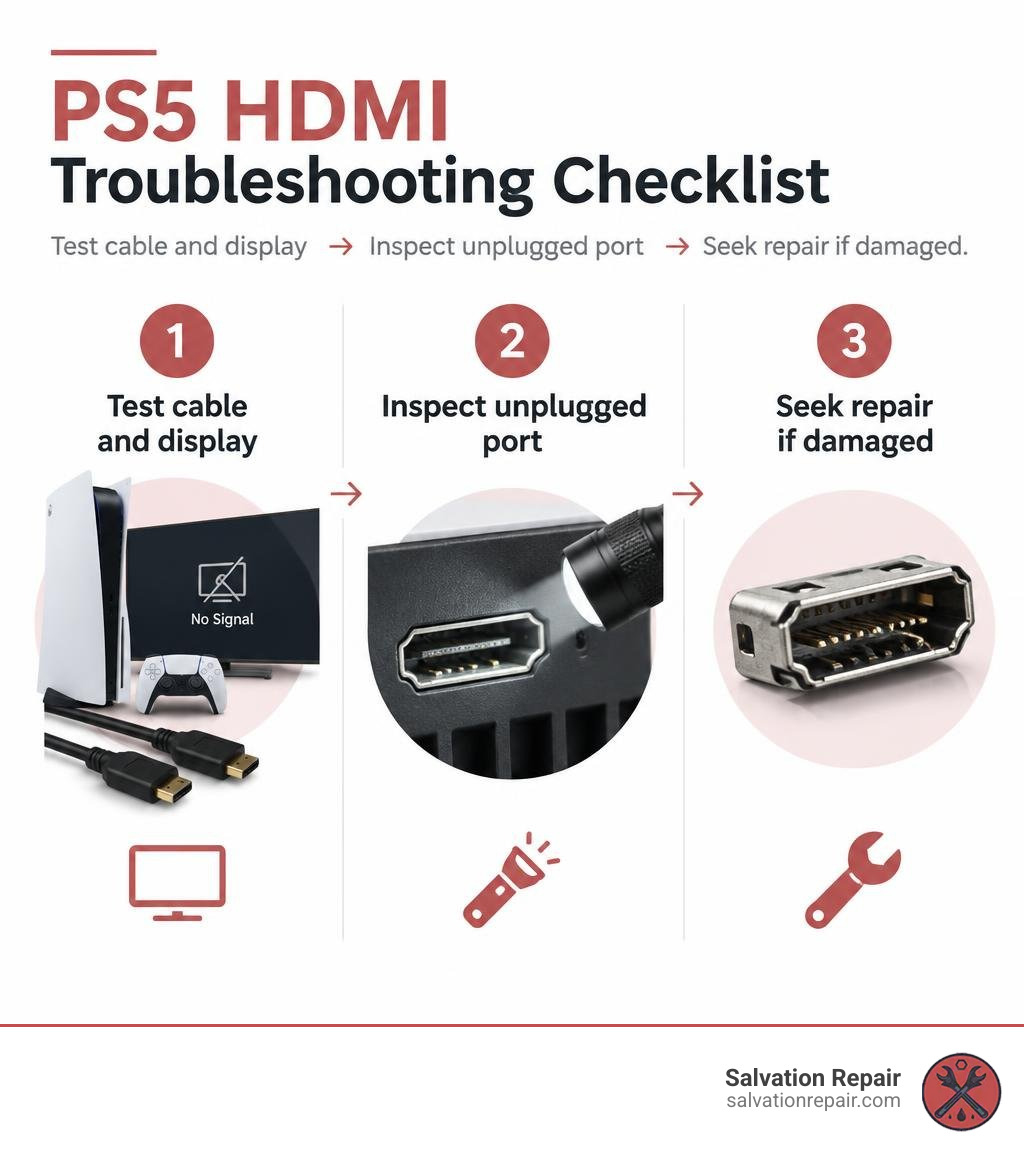
If your PS5 powers on but the TV shows No Signal, don’t replace the port yet. Try another HDMI cable and TV input, then test a different display. If the problem remains, turn off and unplug the console. Use a flashlight to check the port for bent pins or a loose socket. Don’t push tools into it or try to bend pins back.
A damaged port must be removed and soldered to the motherboard. That takes board-level tools and skill, so professional HDMI port replacement for PS5 consoles is the safer choice for most owners. At Salvation Repair, PS5 HDMI port replacement starts at $99.95. If the board also needs repair, that is a separate service with a separate charge.
I’m Ralph Harris, and I’ve spent more than 20 years repairing electronics, including gaming consoles, and writing repair guides. In this guide, I will explain everything you need to know about completing an HDMI port replacement PS5 consoles need when video output fails.
Important repair guides:
Identifying Symptoms and Causes of PS5 HDMI Port Failure
When a PlayStation 5 suffers an HDMI connection failure, the symptoms can range from subtle display glitches to a completely dead video output. Knowing the difference between a minor glitch and a hardware issue helps you decide whether you need a quick setting adjustment or a full hardware repair.
Common physical and digital symptoms include:
- The “White Light of Death” (No Signal): The PS5 pulses blue upon startup, successfully transitions to a solid white light (indicating the console booted its operating system normally), but the television screen remains pitch black or displays a “No Signal” prompt.
- Flickering Video or Artifacting: The video cuts in and out intermittently, flashes colored static, or displays distorted lines across the display.
- Resolution Locking: The console refuses to output in 4K or 1080p, locking itself into a low-resolution 480p mode because the handshake communication pins are severed.
- Audio Loss: Video displays normally, but multichannel or stereo audio cuts out entirely.
- Visible Port Damage: The internal plastic bridge is pushed backward, copper pins are visibly mangled or touching one another, or the external metal housing wobbles inside the chassis.
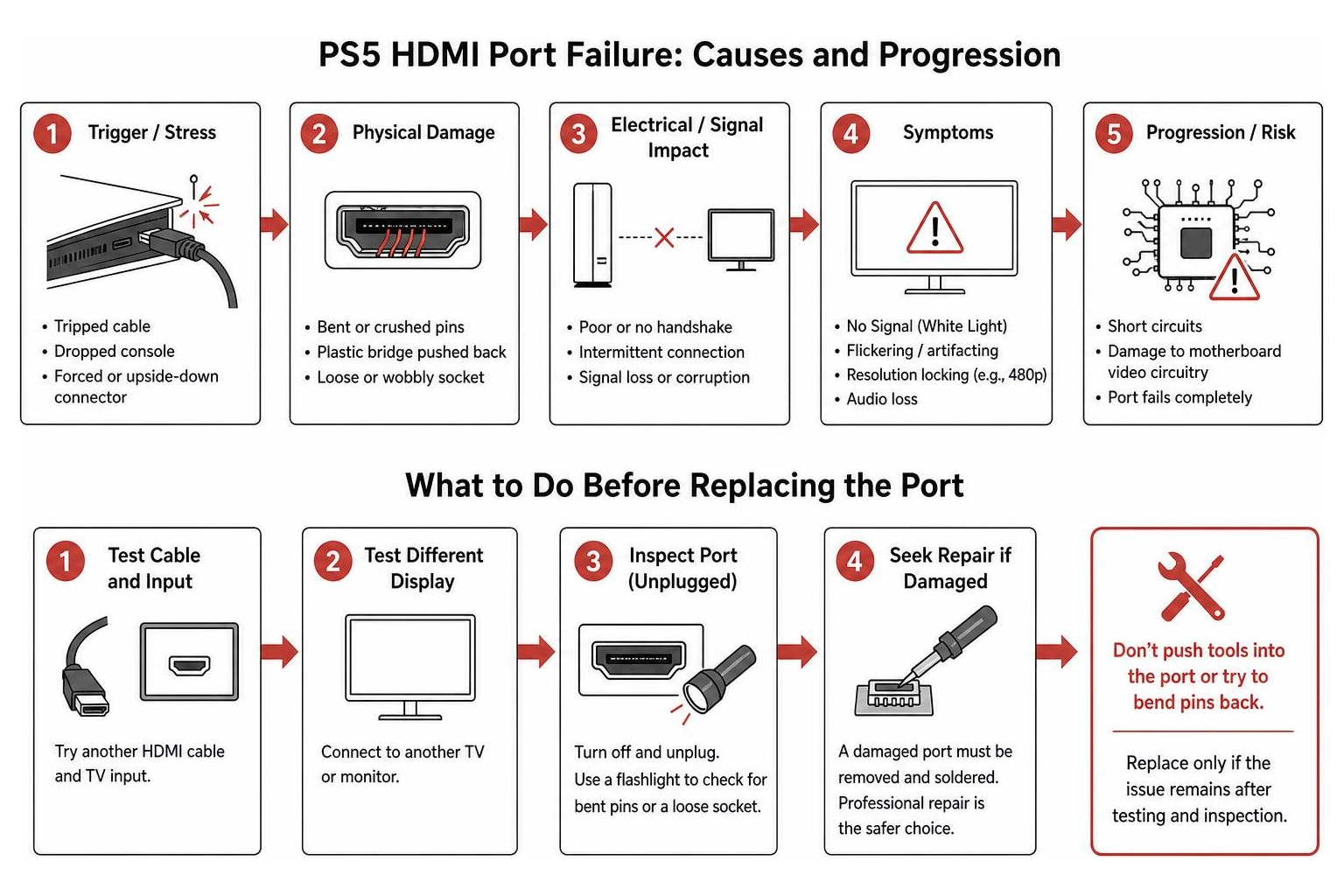
Why do these ports fail so frequently? The primary cause is mechanical stress. Tripping over an HDMI cable, dropping the console while it is plugged in, or forcing a cable into the socket upside down easily crushes the internal alignment pins.
Additionally, consoles undergo severe thermal cycling. Extended gaming sessions heat the internal components, and cooling cycles cause minute expansions and contractions that fatigue solder joints over time. Recognizing these damaged port warning signs early on prevents electrical shorts from damaging the underlying display circuitry.
Troubleshooting Before Replacing the Port
Before assuming your console requires micro-soldering, run through essential, non-invasive troubleshooting steps to eliminate external faults.
- Perform a Complete Power Cycle: Shut down the console completely (do not enter Rest Mode). Unplug the power cable and the HDMI cable from the wall and the television. Wait 60 seconds to allow the capacitors to drain fully, reconnect the cables, and power on.
- Swap Cables and Ports: Test a certified Ultra High-Speed HDMI 2.1 cable on a different input port on your television, or connect the console to a secondary monitor.
- Boot into Safe Mode: With the console powered off, press and hold the physical power button on the front panel. Release it only after you hear a second beep (about seven seconds after the first). If Safe Mode displays on your screen, select option 2 to change the video output resolution to default settings (such as automatic or 1080p) or disable HDCP handshake restrictions.
- Inspect the Physical Socket: Shine a bright flashlight directly into the rear HDMI jack. If you spot displaced copper pins, do not insert a metal pick or cable.
Reviewing quick troubleshooting methods helps ensure you do not dismantle a perfectly functional console when a simple cable swap or software reset would resolve the problem. If the socket is physically crushed, read our guide on handling broken port steps to avoid damaging internal board traces.
The Technical Process of HDMI Port Replacement PS5 Consoles Require
Replacing a PlayStation 5 HDMI socket is a delicate micro-soldering procedure that requires complete console disassembly and precision thermal management.
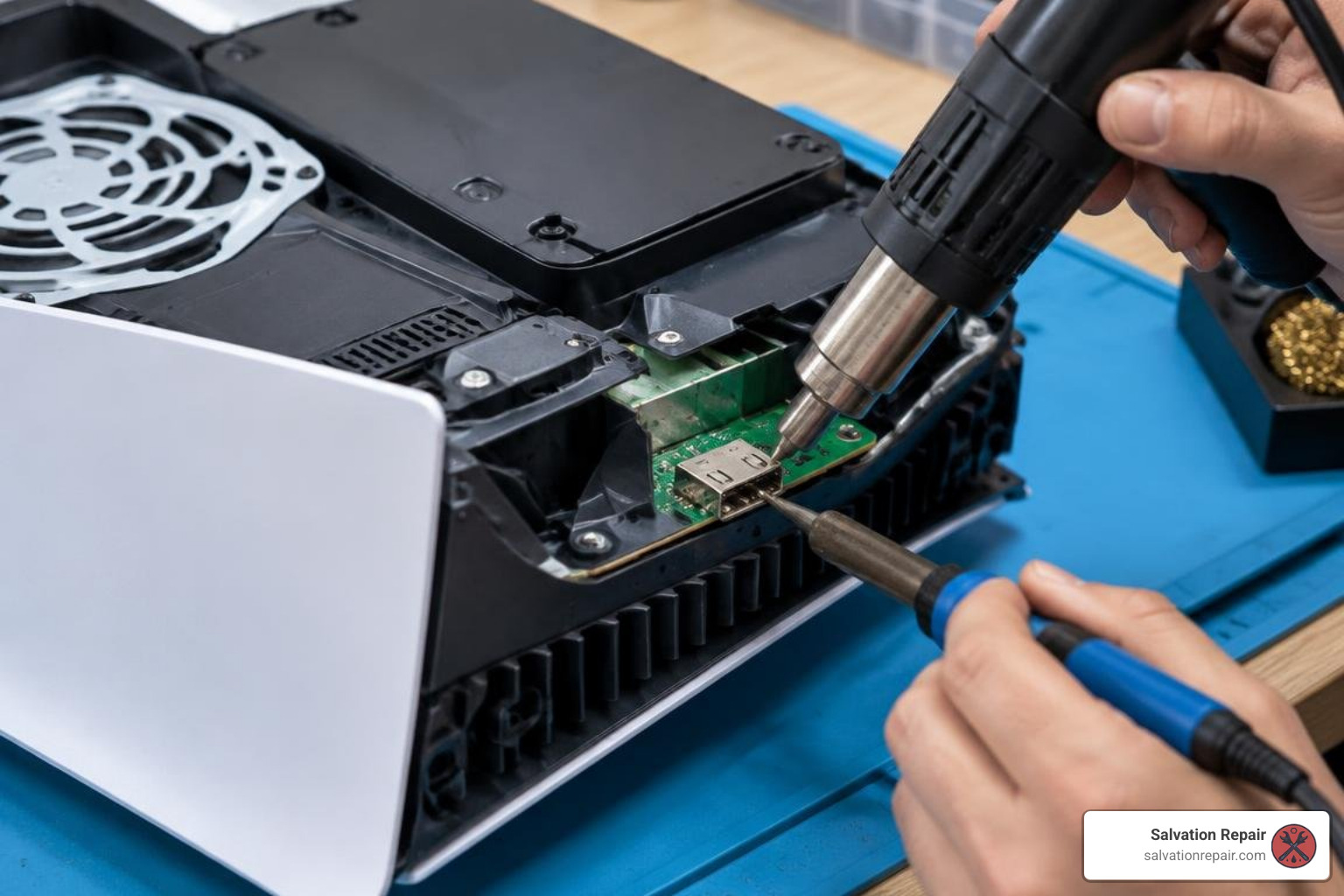
The repair process follows strict bench steps:
- Tear-Down and Liquid Metal Safety: The PS5 outer covers, fan assembly, power supply, and optical drive (if equipped) are removed to expose the main board. Because Sony utilizes liquid metal thermal compound on the custom AMD APU, technicians must exercise extreme caution. The liquid metal barrier must remain intact, or the compound must be carefully contained so conductive gallium alloy does not spill across surface-mount components.
- Hot-Air Desoldering: The motherboard is secured in a PCB pre-heater to gently raise board temperature. A hot-air rework station applies concentrated heat to the four structural through-hole anchor legs and 19 surface-mount signal pins on the damaged connector until the lead-free factory solder liquefies, allowing clean port extraction.
- Pad Preparation: Technicians apply flux and use copper desoldering braid to clear residual oxidized solder from all 19 signal pads and the ground anchor holes.
- Installing the Replacement: A new OEM-spec 19-pin connector is aligned under a digital microscope. Fresh leaded or high-grade lead-free solder anchors the through-hole posts, followed by micro-pencil soldering to tack down each signal pin individually.
- Diode and Filter Continuity Testing: Using a digital multimeter in diode mode, the technician inspects adjacent SMD components. HDMI lines utilize 1pF filtering capacitors and SOD323 TVS diodes to guard against electrostatic discharge. If any trace shows an open circuit or continuity short, the damaged surface component must be replaced.
Technicians rely on a reliable PlayStation 5 HDMI port replacement for motherboard repair to guarantee seamless signal transmission and 4K 120Hz bandwidth.
Sourcing the Right HDMI Port Replacement PS5 Hardware
Not all console ports are identical. While every PS5 revision uses a customized 19-pin HDMI 2.1 design, structural mounting pins vary between hardware generations:
- Launch Units (CFI-1000 series): Feature specific through-hole anchor pin spacing.
- Mid-Generation Revisions (CFI-1100 and CFI-1200 series): Feature updated heatsink layouts and modified ground plane tabs.
- PS5 Slim Models (CFI-2000 series): Utilize smaller internal geometries requiring tailored port brackets.
You can inspect verified replacement hardware on specialized component directories or order a standalone PlayStation 5 HDMI Port to match original manufacturer physical dimensions and electrical shielding tolerances.
Tools and Micro-Soldering Skills Required
Attempting this repair without proper gear leads to irreversible board failure. A complete console soldering setup includes:
- Temperature-controlled hot-air rework station and preheater
- Micro-soldering iron with ultra-fine conical or knife tips
- Inspection microscope (10x to 40x magnification)
- Rosin flux and desoldering wick
- Precision tweezers and anti-static ESD matting
- Digital multimeter with needle-point probes
Common risks include tearing fragile copper traces off the PCB substrate by pulling an un-melted port, or bridging adjacent micro-pins with excessive solder. If severe trace damage occurs, jumper wires must be micro-soldered under high magnification. For complex power or board faults, explore our general PlayStation 5 repair services to evaluate the entire electronic assembly.
Professional vs DIY Repair: Cost, Risks, and Turnaround Time
Deciding between tackling a port replacement yourself or hiring a certified electronics technician comes down to tool availability, technical comfort, and budget.
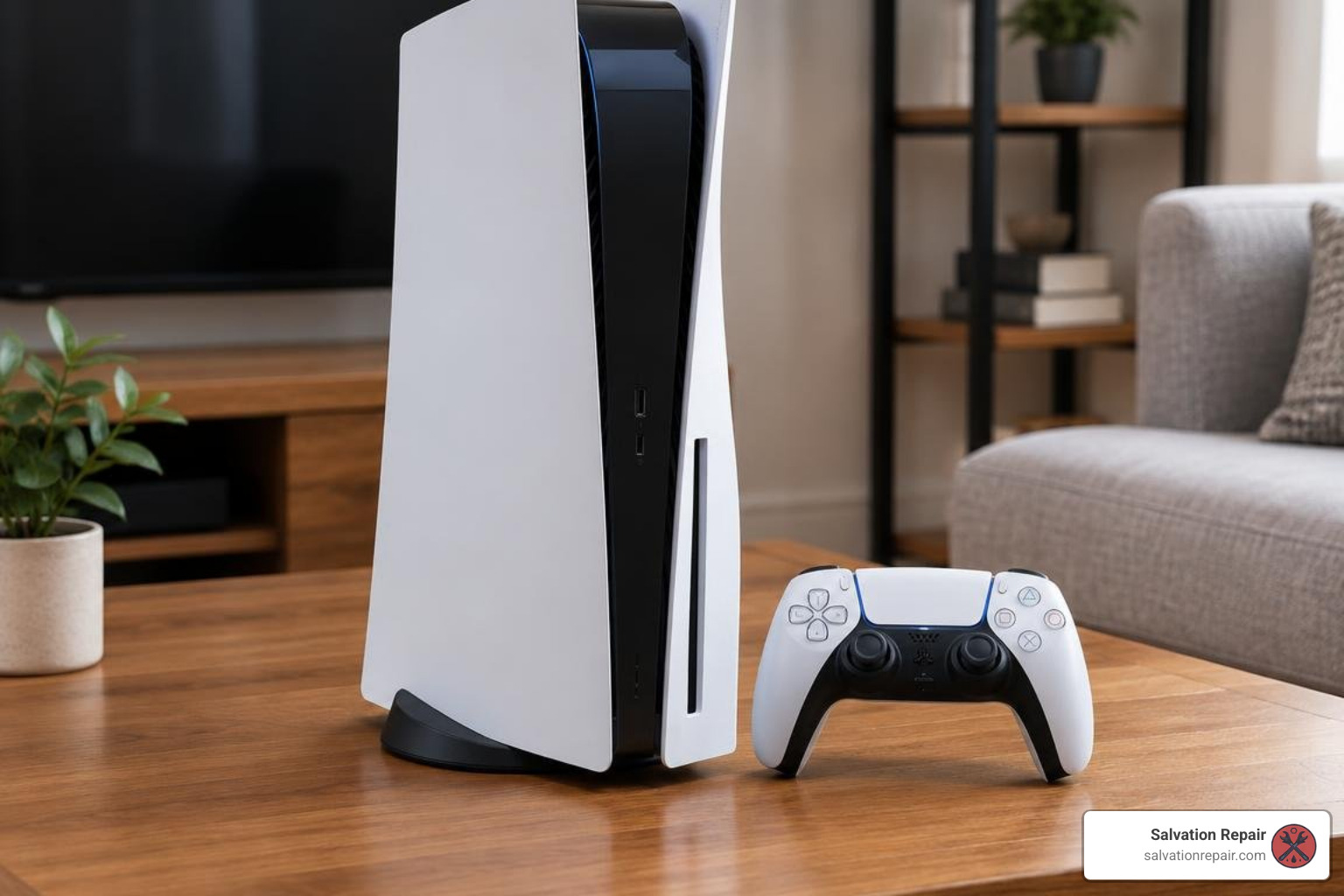
A simple DIY repair kit can be purchased online for under $10 to $24. However, the specialized micro-soldering station, digital microscope, and consumables needed to install it safely often cost between $250 and $600. With modern consoles commanding substantial replacement costs, a botched soldering job can turn a fixable console into an unrecoverable paperweight.
| Repair Method | Estimated Total Cost | Turnaround Time | Technical Risk Level | Tools Required |
|---|---|---|---|---|
| DIY Solder Repair | $10 – $25 (parts only) | 1 – 4 Hours | High (Trace tear, thermal damage) | Hot air station, microscope, iron, flux |
| Local Walk-In Shop | $99.95 – $180 | Same-Day to 48 Hours | None (Covered by shop guarantee) | None (Turnkey professional bench) |
| Mail-In Service | $49 – $150 + Shipping | 3 – 7 Business Days | Low (Risk limited to transit handling) | Safe packaging materials |
To review pricing trends, check out our local repair cost analysis or browse our complete ps5 hdmi port replacement options.
When to Choose Professional HDMI Port Replacement PS5 Services
If you open the port housing and see sheared traces, missing filtering diodes, or scorched circuit boards from previous repair attempts, stop immediately. Professional repair is strongly advised when:
- You lack daily experience working with surface-mount technology (SMT) and hot-air flow control.
- Copper traces have lifted clean off the fiberglass board.
- The console suffered a severe power surge during an electrical storm, which may have compromised the HDMI encoder IC chip alongside the port.
Turning the job over to dedicated hdmi repair specialists ensures that pad repairs, diode replacements, and 4K HDR handshake testing are carried out correctly.
Mail-In vs Local Walk-In Repair Options
If you lack a specialized micro-soldering repair center in your immediate area, mail-in repair services offer an accessible alternative.
Mail-in providers allow you to box up your console and ship it to regional workshops. Options range from independent providers offering budget services to commercial mail-in hubs. The trade-off is transit time, potential shipping carrier damage, and packaging responsibilities.
Local walk-in shops provide distinct advantages: you can hand your console directly to the technician, discuss the exact symptoms in person, receive a quick diagnostic check, and often pick up your repaired console on the very same day.
How to Prevent Future PS5 Port and Hardware Damage
Once your HDMI port is replaced and operating with pristine 4K video output, simple maintenance habits will protect your console for years to come.
- Leave Slack in the Cable: Never pull your HDMI cable taut around entertainment center corners. Ensure there is generous slack so movement does not exert torque on the rear socket.
- Disconnect Cables Before Moving: If you transport your console to tournaments, social gatherings, or between rooms, unplug all cables first. Moving a console with a heavy, rigid HDMI cable plugged in is the most common reason pins snap.
- Use a High-Grade Surge Protector: Electrical spikes traveling through home wiring or cable lines can blow out the HDMI ESD diodes. Always plug your gaming setup into an authentic surge suppression unit.
- Anchor the Console Securely: Use the official vertical base stand or horizontal mounting feet to prevent the console from tipping over.
If your console experiences power delivery failures or abrupt shutdowns following an electrical event, read our walkthrough on fixing console power issues to diagnose underlying motherboard shorts.
Frequently Asked Questions About PS5 HDMI Repairs
Can I play my PS5 while waiting for an HDMI port repair?
Yes! If your console powers on normally (displaying a solid white status light), you can bypass the broken HDMI hardware using PlayStation Remote Play. Download the Remote Play application onto a compatible Windows PC, Mac, iPad, iPhone, or Android device connected to the same local network. Sync your DualSense controller via USB or Bluetooth to your secondary screen, and you can stream your game library while you plan your repair.
How much does professional PS5 HDMI port repair cost?
Professional repair services across the industry typically charge between $150 and $200 on average. At Salvation Repair, our PS5 HDMI port replacement starts at $99.95 and is never lower. If your console also suffered torn copper traces, blown TVS diodes, or a shorted Panasonic HDMI retimer/encoder chip from a power spike, motherboard repair is handled as a separate service with a separate charge.
How long does an HDMI port replacement take?
For an experienced micro-soldering technician, the bench labor for teardown, desoldering, pad cleanup, soldering the new port, and reassembly takes roughly 30 to 45 minutes. Local walk-in repairs are frequently completed within 24 to 48 hours (often same-day if scheduled), whereas mail-in services average 3 to 7 business days to account for round-trip postal transit.
Conclusion
A damaged HDMI port does not mean you need to scrap your console and purchase an expensive replacement. With accurate diagnosis, proper micro-soldering techniques, and quality replacement hardware, your PlayStation 5 can be restored to full 4K, 120Hz gaming performance.
At Salvation Repair, we repair “any device with a power button.” Conveniently located at 1503 Lakeview Rd, Laurel, MS 39440, we provide fast, professional diagnostic evaluations and same-day turnaround on console and electronic repairs for our neighbors across Laurel, Ellisville, Bay Springs, and Soso. We back our craftsmanship with a lifetime warranty and provide honest price matching on local repair quotes.
Whether you need a new console port or expert gaming console repair, visit our Laurel workshop or contact us today to get your system back in the game!
