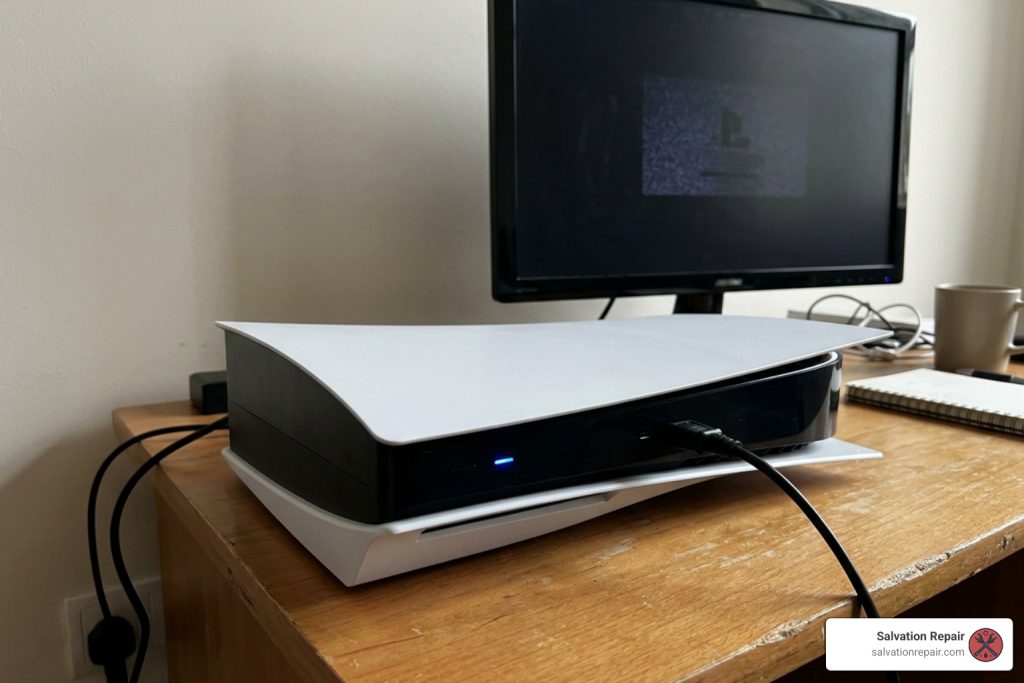
How to Fix PlayStation 5 One Beep No Power Issue
What a PlayStation 5 One Beep No Power Fault Actually Means
If your PlayStation 5 one beep no power issue has you staring at a silent console, here is the short answer:
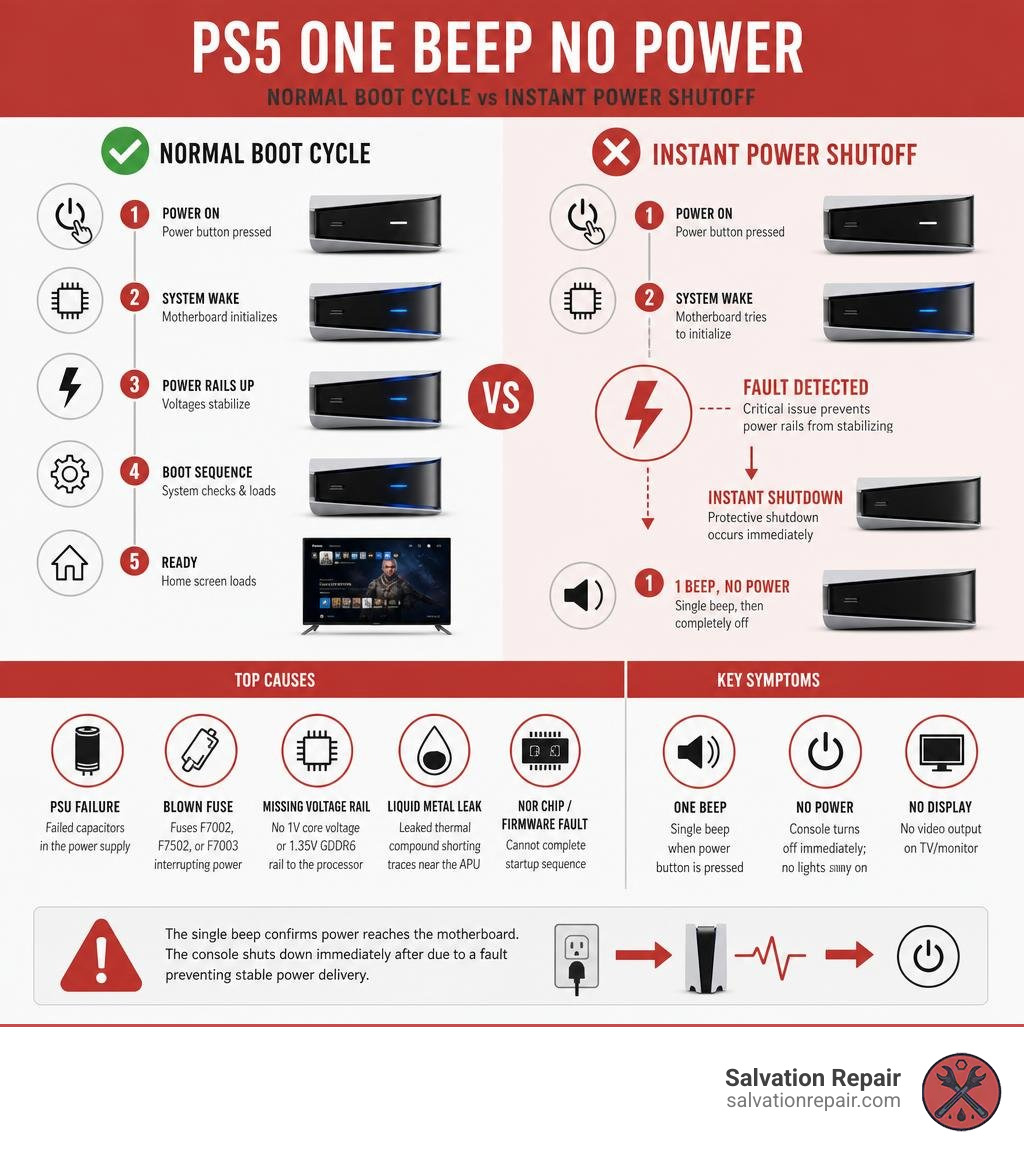
The single beep confirms power is reaching the motherboard — but the console is shutting down immediately after. This points to one of these causes:
| Most Likely Cause | What It Means |
|---|---|
| PSU (power supply) failure | ~70% of cases — failed capacitors inside the ADP-400 power supply |
| Blown fuse on motherboard | Fuses F7002, F7502, or F7003 interrupting power delivery |
| Missing voltage rail | No 1V core voltage or 1.35V GDDR6 rail reaching the processor |
| Liquid metal leak | Leaked thermal compound shorting traces near the APU |
| NOR chip or firmware fault | Console cannot complete startup sequence |
The beep itself is actually useful information. It tells you the console received the power-on signal and the motherboard woke up. The problem happens in the fraction of a second that follows — when the system tries to bring up its main power rails and something fails.
This is not a completely dead console. It is a console that is trying to start and then immediately protecting itself by shutting down.
Launch PS5 consoles (CFI-1000 series, released November 2020) are now approaching six years old — right in the window where electrolytic capacitors inside the internal power supply begin to fail at a noticeably higher rate. If you are in a region with frequent power outages, each power-restoration event delivers a voltage spike that adds stress to those components over time.
I’m Ralph Harris, an electronics repair specialist with over 20 years of hands-on experience diagnosing and fixing gaming consoles, including dozens of PlayStation 5 one beep no power faults at the component level. In this guide, I’ll walk you through every step — from the safest external checks you can do right now, all the way to advanced board-level diagnostics.
Common Playstation 5 one Beep no power vocab:
Safe External Solutions for a Playstation 5 one Beep no power Fault
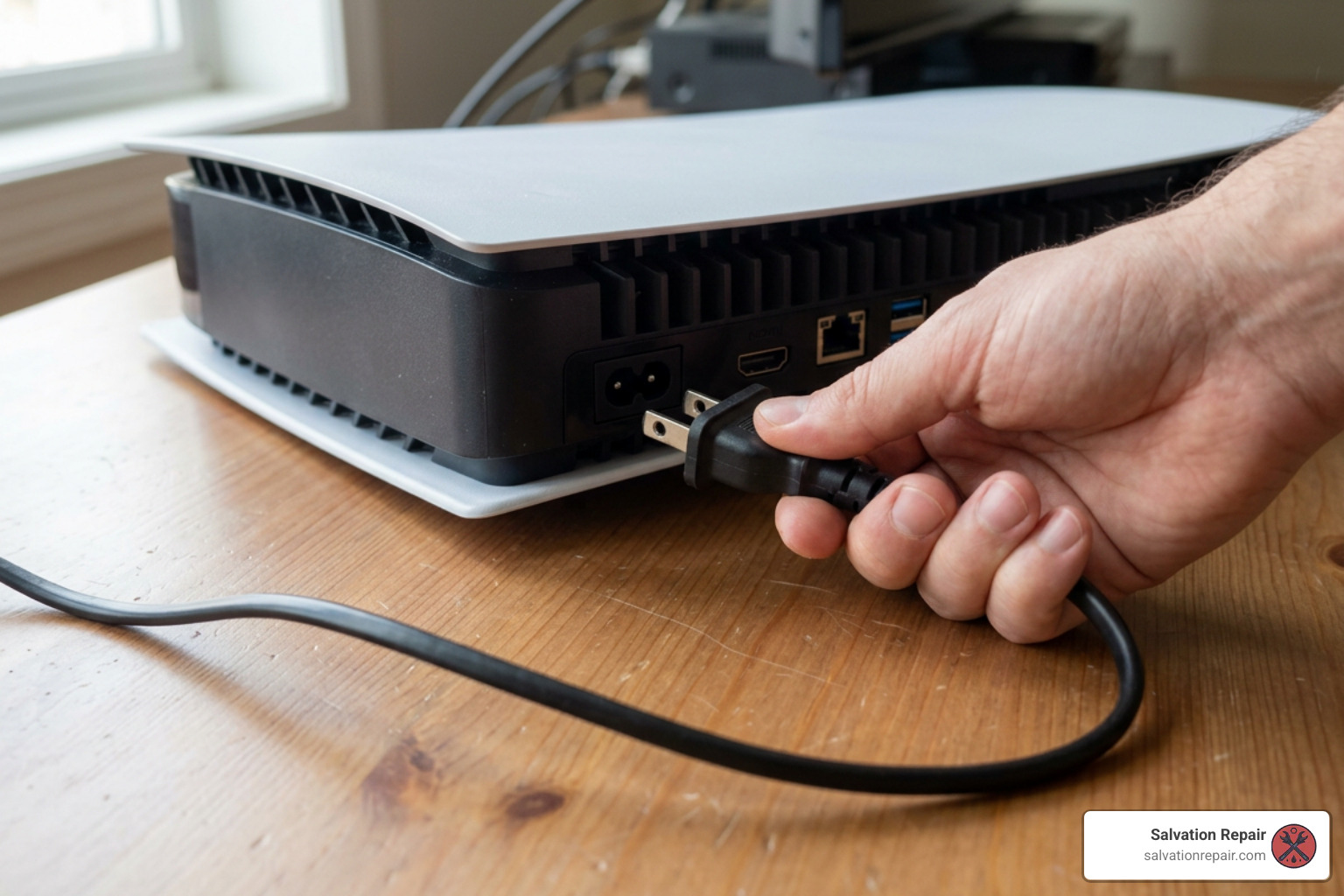
Before cracking open your PlayStation 5 or panicking about circuit board repairs, we always recommend starting with non-invasive external solutions. Often, what looks like a total hardware collapse is simply a locked power state or a tripped internal safety logic loop. Following a clear guide on How To Fix A Broken Playstation In 5 Easy Steps can save you time and money.
Basic Safe Steps for Playstation 5 one Beep no power Issues
When a PS5 experiences a single beep followed by immediate power failure, power management microcontrollers on the mainboard may be holding residual energy in their logic circuits. Bypassing power strips and completing a full electrical drain is your best first move.
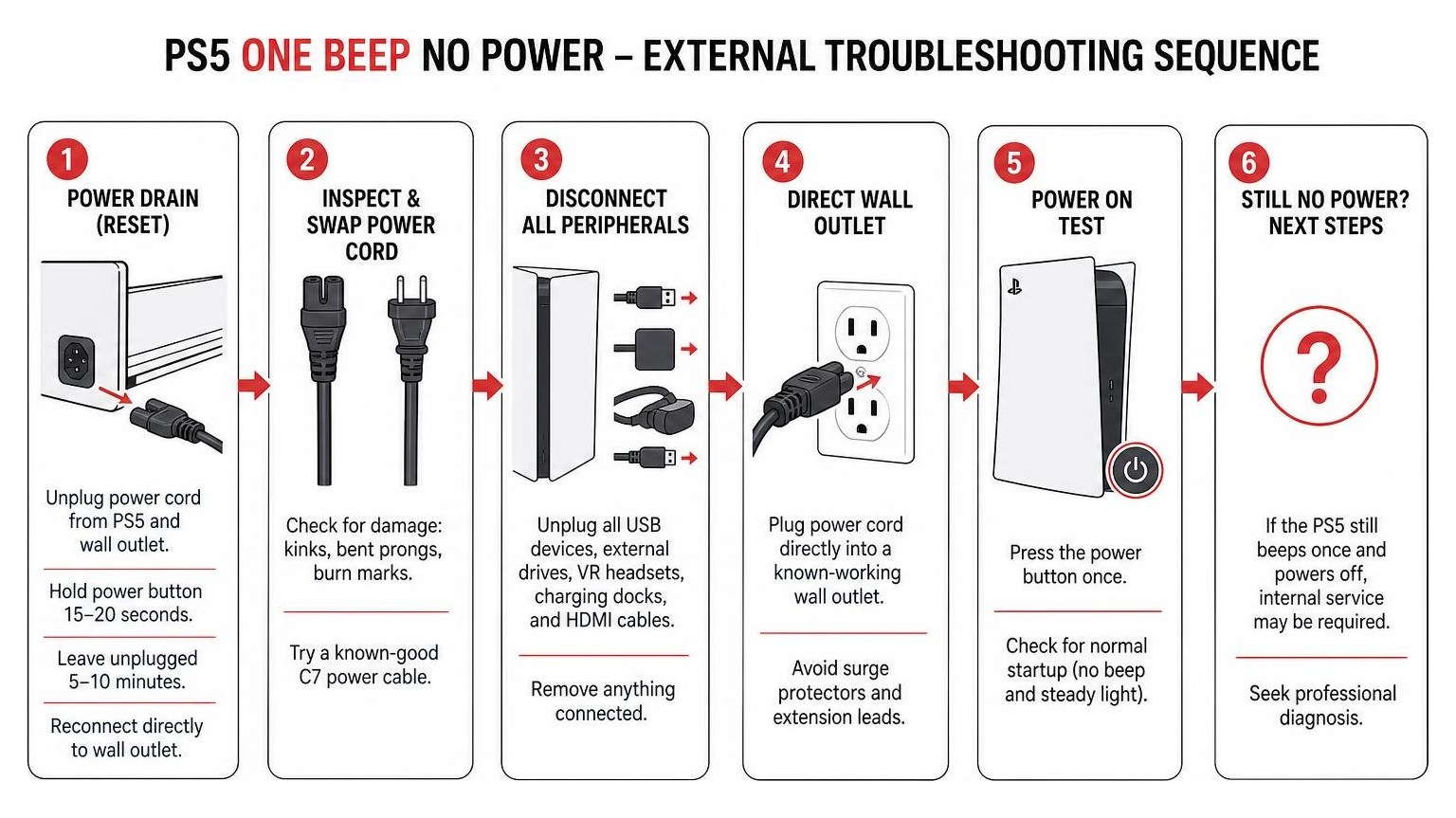
Perform a Full Power Reset (Power Drain):
- Unplug the figure-8 (IEC C7) AC power cord from both the back of the console and the wall socket.
- Press and hold the PS5 power button on the front panel for 15 to 20 seconds while completely unplugged. This discharges any residual energy stored in the internal power supply capacitors.
- Leave the console unplugged for at least 5 to 10 minutes.
- Reconnect the AC power cord directly to a known-working wall outlet (skip surge protectors and extension leads for now).
Inspect and Swap the Power Cord:
- Examine the figure-8 power cord for kinked wires, bent prongs, or dark burn marks around the socket interface.
- Try substituting a standard, undamaged C7 power cable (the same cable used by PS4, Xbox One, or many home printers) to verify whether the cable itself has failed.
Check Output Ports and Peripherals:
- Unplug all external USB hard drives, VR headsets, charging docks, and HDMI display cables.
- Faulty peripherals or shorted pins inside a damaged port can pull excess current from the 5V standby rail, triggering immediate power protection upon startup. If you suspect port damage, review our guide on How To Fix Ps5 Hdmi Port Without Replacement or consider a professional Ps5 Hdmi Port Replacement.
Safe Mode Recovery for Playstation 5 one Beep no power Consoles
In some cases, software or firmware corruption causes the PS5 to register the power button press, emit a single beep, and then instantly fail to initialize the operating system. Attempting to force the console into Safe Mode helps determine if system firmware is intact.
To attempt Safe Mode boot:
- Ensure the PS5 is completely powered down (no light bar, no sound).
- Press and hold the power button on the front of the console.
- Listen for the initial beep, and continue holding the button down for approximately 7 seconds until you hear a second beep.
- Release the button after the second beep.
If your console successfully reaches Safe Mode, connect your DualSense controller using a direct USB cable and select Option 5: Rebuild Database or Option 7: Reset PS5 (Reinstall System Software). If you want to explore more safe boot options, check out this diagnostic summary on PS5 not Powering on — What to Try.
However, if your console gives a single beep and instantly dies before the 7-second mark—never reaching that second beep—you are dealing with an internal hardware shutdown.
PSU vs. Motherboard Failure: What Causes the Single Beep?
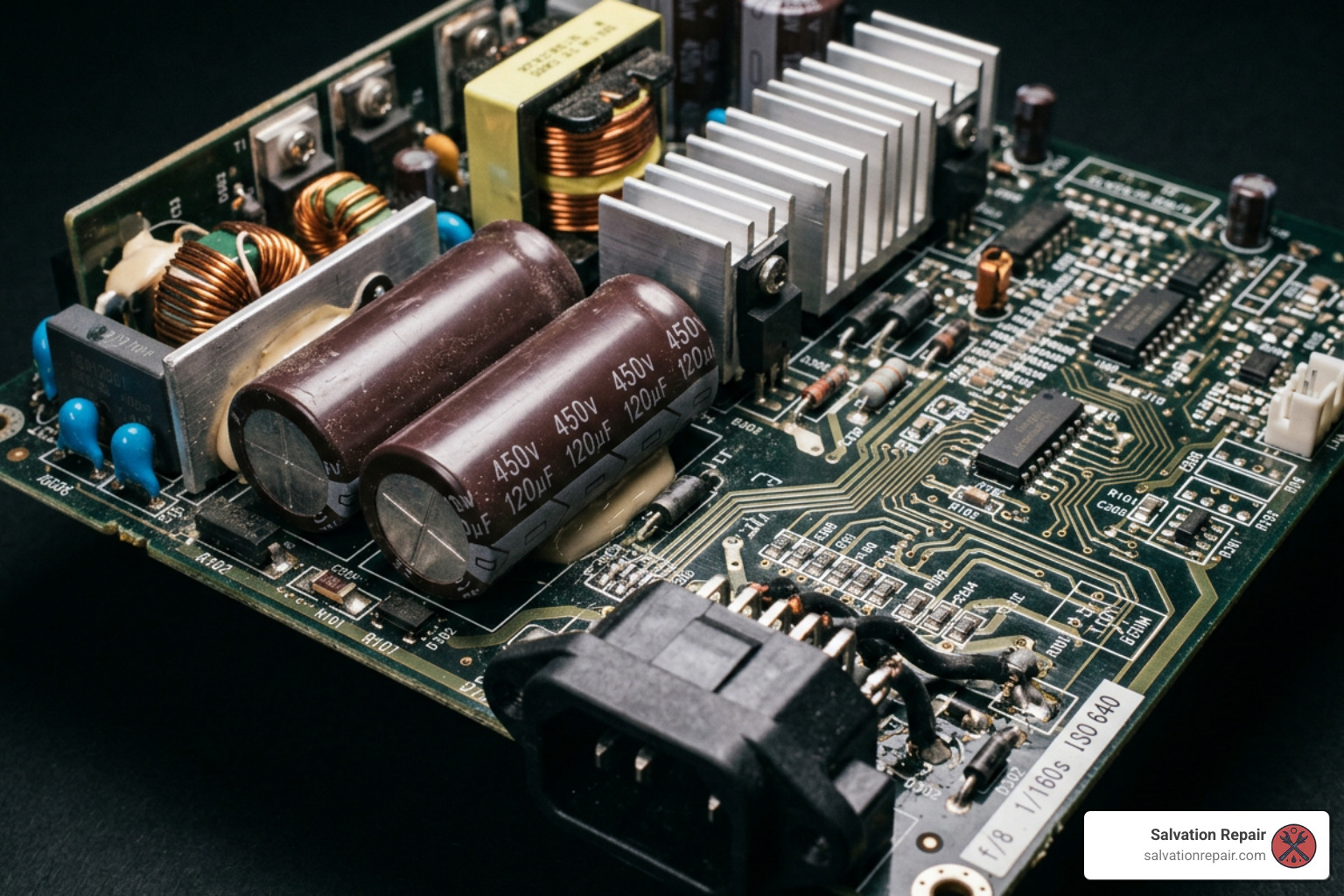
When external troubleshooting fails to fix the Playstation 5 one Beep no power symptom, the problem lies inside the unit. The system is designed with strict self-monitoring hardware protections. The moment you press the power button, the Southbridge IC and power management ICs attempt to enable the console’s primary 12V rail and step-down sub-rails. If any rail measures a short circuit, abnormal voltage drop, or missing signal, power is cut within milliseconds.
Statistically, these power protection shutoffs break down into two main categories: internal power supply unit (PSU) degradation and motherboard-level component failures.

To help narrow down where the fault originates, we can compare how these two component failures typically present during testing, as highlighted in this analysis of PS5 3 Beeps of Death: PSU vs Motherboard:
| Diagnostic Factor | Power Supply Unit (PSU) Failure | Motherboard / APU Fault |
|---|---|---|
| Primary Root Cause | Degraded high-voltage electrolytic capacitors (ADP-400 series) or failed primary switching FETs. | Shorted MLCC capacitors, blown inline fuses, damaged step-down converters, or liquid metal leaks. |
| Console Age Factor | Common on launch models (CFI-1000/1100 series) after years of heat cycles and surge exposure. | Can occur on any model due to power surges, manufacturing defects, or physical movement. |
| Multimeter Reading (12V Main Pins) | 0V or fluctuating low voltage directly at the PSU output terminals when isolated. | PSU outputs clean 12V when disconnected, but drops to 0V when plugged into motherboard (short detected). |
| Startup Behavior | Single beep, no fan spin, no blue LED pulse, silent collapse. | Single beep, brief current spike (~310mA dropping to ~9mA standby), zero display response. |
| Environmental Triggers | Power restoration spikes after electrical outages or local grid load-shedding events. | Physical drops, liquid metal running off the APU die, or shorted HDMI/USB controller ICs. |
The Role of Liquid Metal and NOR Chips
Beyond simple capacitor breakdown, two specific hardware issues frequently cause single-beep shutoffs on PS5 motherboards:
- Liquid Metal Migration: The PS5 uses an indium-based liquid metal alloy as thermal interface material between the AMD APU and the main heatsink. If the console is kept standing vertically for long periods under high heat, or if the internal foam barrier degrades, liquid metal can escape onto the surrounding substrate. Because liquid metal is highly conductive, a tiny stray droplet can bridge surface-mount capacitors around the APU core, triggering an instant power shutdown.
- NOR Flash Chip / Firmware Faults: The NOR flash IC (e.g., Winbond W25Q16JVN1M) holds the early startup bootloader code. If power drops during a system update, the code inside the NOR chip can become corrupted. When the Southbridge attempts to read the startup instructions after the initial beep, missing boot code causes the board to halt power delivery immediately.
Advanced Motherboard Diagnostics: Voltage Rails, Fuses, and ICs
For technicians and advanced DIYers comfortable with micro-soldering, pinpointing a Playstation 5 one Beep no power fault requires systematic multimeter testing across primary and secondary voltage rails. You can read technical discussions on PS5 (EDM-010) beeps once, won’t start and our detailed walkthrough on Ps5 Slim Power Issues Fixing The Single Beep Mystery.
Key Voltage Rails and Normal Resistance Baselines
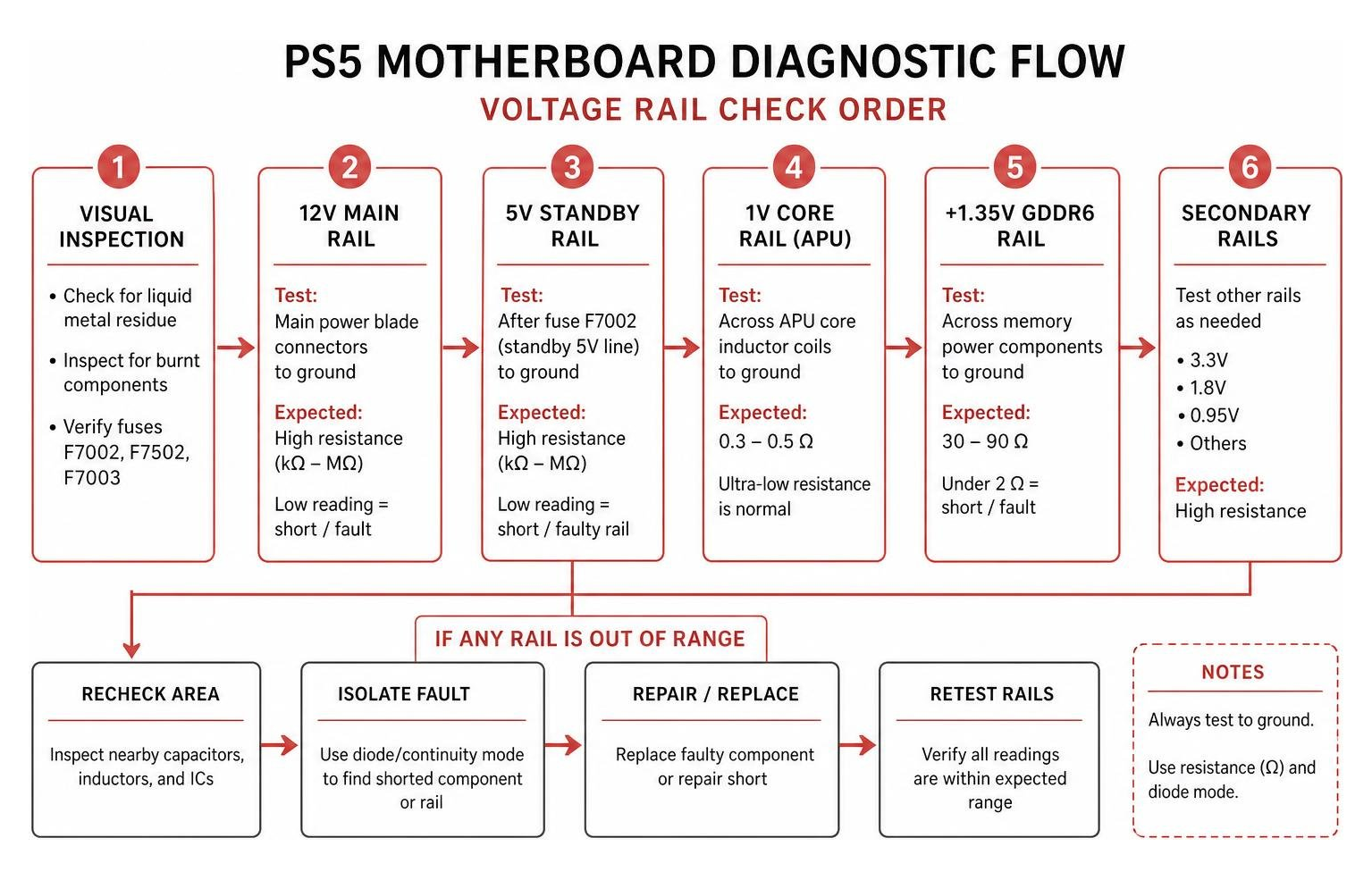
When testing a board (such as the EDM-010 or EDM-020 series), set your multimeter to resistance (Ohms) and diode mode to measure key power lines relative to ground:
- 12V Main Rail:
- Test across the main power blade connectors entering the motherboard.
- Expected Reading: High resistance (several kilohms or megohms). A reading near 0 Ohms indicates a shorted main filtering capacitor or blown MOSFET on a power phase.
- 1V Core Rail (APU Power):
- Measure across the large inductor coils surrounding the main APU.
- Expected Reading: 0.3 to 0.5 Ohms. Because the APU is a high-current, low-voltage processor, an ultra-low resistance reading is normal here. Do not assume 0.4 Ohms is a short circuit!
- +1.35V GDDR6 Memory Rail:
- Test the power delivery circuitry supplying the Micron or Samsung GDDR6 RAM chips.
- Expected Reading: Roughly 30 to 90 Ohms depending on memory vendor. A reading under 2 Ohms indicates a shorted RAM chip, shorted smoothing capacitor, or damaged APU memory interface.
Crucial On-Board Components to Inspect
When a PS5 emits a single beep every 30 seconds or shuts down instantly, experience points to several recurring component failures:
- Fuses F7002, F7502, and F7003: Check these tiny surface-mount fuses for continuity. Fuse F7002 commonly blows when downstream step-down converters fail, isolating the primary 5V standby line.
- TLV62090RGTR Step-Down Converter: Located near fuse F7002, this 5V-to-3.3V step-down IC regulates standby power for essential system logic. A shorted decoupling capacitor right next to the TLV62090RGTR chip will hold the entire rail low, causing a single beep and total boot failure.
- Dialog DA9081 Power Management IC (PMIC): The Dialog DA9081 chip coordinates power-up sequencing for the console’s low-voltage rails. Inspect the tiny SMD inductors and capacitors around pins 21–24 under a microscope. Shorted ceramic capacitors in this area directly prevent the PMIC from sending the “power good” signal to Southbridge.
- UART Diagnostic Error Logs: When visual inspections yield no obvious shorts, professional shops read the system error log by dumping the NOR flash or tapping into the motherboard’s UART serial lines. Error codes (such as
80801120, which signals a GDDR6 RAM Bank 6 fault) reveal exactly which chip failed during boot up.
DIY vs. Professional Repair: When to Call an Expert
Deciding whether to tackle a Playstation 5 one Beep no power issue at home comes down to having the right tools, technical experience, and risk tolerance.
External fixes—such as power cycling, swapping cables, or cleaning ventilation dust—are 100% safe for anyone to try. However, going deeper into internal disassembly is where many home repairs go wrong.
Risk Assessment and High-Voltage Safety
Working on PS5 internal hardware presents serious risks that every console owner should understand:
- High-Voltage Capacitor Hazard: The internal ADP-400 power supply contains large electrolytic capacitors that store high voltages (up to 400V) long after the console is unplugged. Touching these terminals accidentally can deliver a painful electric shock or burn.
- Torn Board Connectors: The PS5 motherboard uses delicate latch connectors for the cooling fan, disc drive, and power switch. Beginners frequently tear these pads off the board during teardown, turning a straightforward power supply fix into an expensive micro-soldering trace repair.
- Liquid Metal Spills: Removing the main heatsink without proper experience can cause liquid metal thermal compound to spill across surrounding SMD components, instantly frying the motherboard when power is re-applied.
- Micro-Soldering Requirements: Replacing a failed TLV62090RGTR converter, a shorted GDDR6 chip, or an SMD fuse requires hot-air rework stations, flux, microscopic magnification, and precision thermal control. Attempting BGA rework with a standard household soldering iron will warp the circuit board.
If basic external resets do not resolve the single beep, seeking professional diagnostic service is the safest, most cost-effective path forward. For additional background on power supply replacements, review The Ultimate Ps5 Slim Power Supply Switch Repair Guide.
Frequently Asked Questions
Why does my PS5 beep once but show no lights or fan movement?
The single beep proves that the standby power rail is active and the power button circuit is functional. However, because no lights or fan activity follow, the motherboard’s main power-management controller detected a critical fault (such as a 12V short circuit, blown fuse, or dead primary rail) during the first few milliseconds of startup. The system cut all main power immediately to protect the processor.
Is the single-beep issue usually caused by the PSU or motherboard?
In roughly 70% of older or surge-exposed consoles, a single beep with instant shutoff is caused by failure inside the internal power supply unit (ADP-400 series), specifically degraded high-voltage capacitors or failed switching FETs. The remaining 30% of cases trace to motherboard-level faults, such as shorted capacitors around the Dialog DA9081 PMIC, blown fuses (F7002/F7502), or leaked liquid metal shorting the APU.
How do you safely test low-resistance voltage rails like the 1V core?
Testing ultra-low resistance rails requires a digital multimeter set to Ohms or Diode mode. Place the black probe on chassis ground and the red probe on the 1V core inductor coils near the APU. A reading between 0.3 Ohms and 0.5 Ohms is completely normal for the APU core rail due to its high current demands. Do not inject high voltage into these rails with a bench power supply without strict current limits, as exceeding 1.0V can permanently destroy the processor core.
Conclusion
A PlayStation 5 one beep no power error can certainly throw a wrench into your gaming plans, but it doesn’t mean your console is destined for the recycling bin. By systematic troubleshooting—starting with simple external power drains, direct outlet tests, and cable swaps—you can quickly rule out simple electrical lockups before considering internal hardware repairs.
When external resets aren’t enough, our expert team at Salvation Repair is here to help. Serving Laurel, MS, Jackson, MS, Ellisville, MS, Soso, MS, Meridian, MS, and surrounding Jones County communities, we specialize in comprehensive Gaming Console Repair. Whether your PS5 needs an internal ADP-400 power supply replacement, liquid metal clean-up, or precision motherboard micro-soldering, we handle it all with same-day service, clear price matching, and our trusted lifetime warranty.
If your console is stuck on a single beep, don’t risk damaging delicate internal circuits. Bring your device to Salvation Repair, or contact our team today to get your PlayStation 5 powered back up and back in the game!

One thought on “How to Fix PlayStation 5 One Beep No Power Issue”