The Ultimate Guide to the Best iPhone Screen Replacement Options
What Is the Best iPhone Screen Replacement Option?
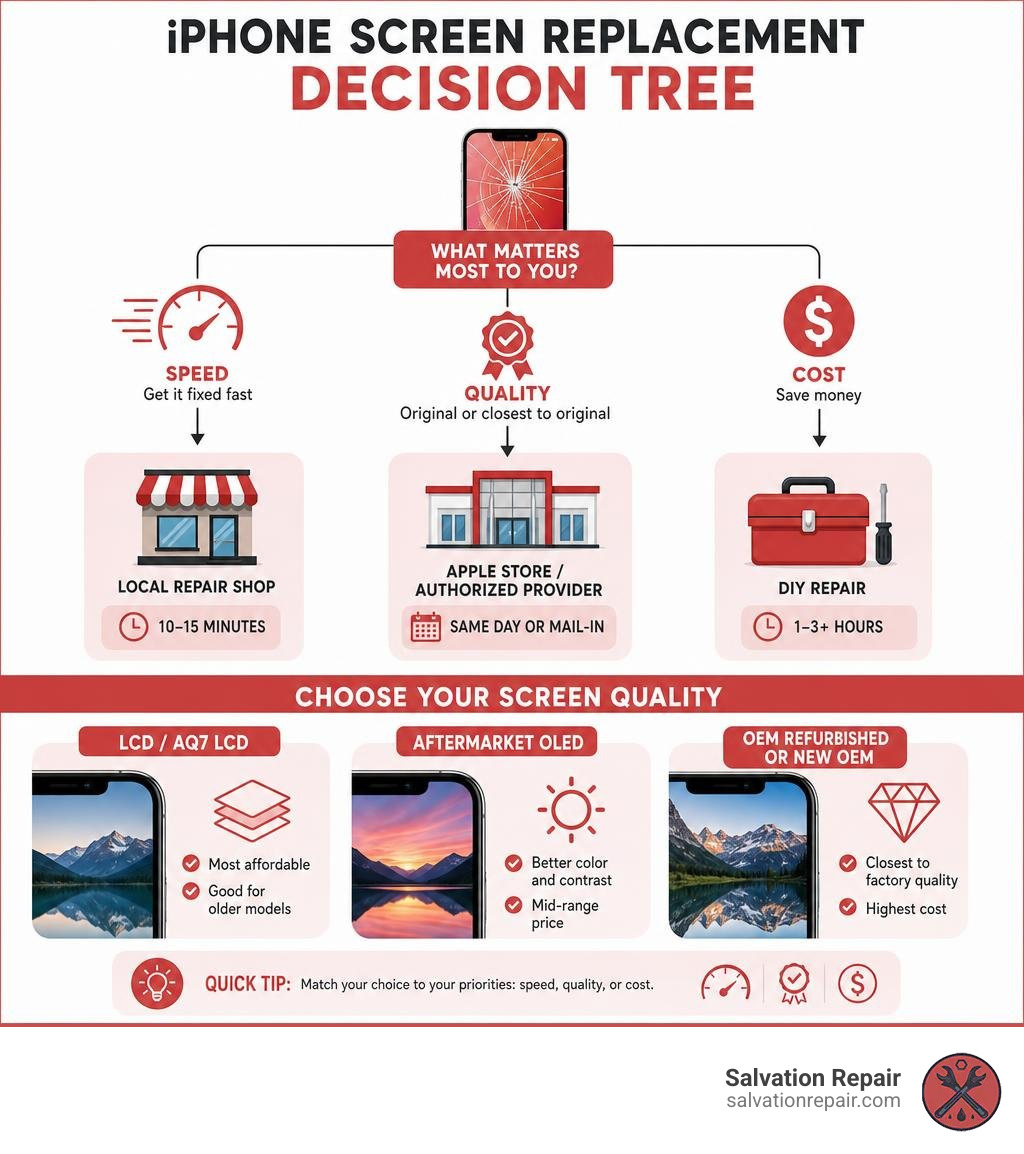
Finding the best iPhone screen replacement comes down to three things: quality, cost, and how fast you need your phone back. Here is a quick breakdown to help you decide:
| Option | Best For | Typical Cost | Repair Time |
|---|---|---|---|
| Apple Store / Authorized Provider | Warranty coverage, genuine parts | $129–$329+ | Same day or mail-in |
| Local Third-Party Shop (e.g., Salvation Repair) | Speed, affordability, no appointment needed | $89–$470 depending on screen type | 10–15 minutes |
| DIY Kit (e.g., iFixit) | Tech-savvy users, lowest cost | $50–$150 parts only | 1–3+ hours |
Screen quality tiers matter too. At a repair shop, you will typically have three choices:
- LCD / AQ7 LCD – Most affordable, good for older models
- Aftermarket OLED – Better color and contrast, mid-range price
- OEM Refurbished or New OEM – Closest to factory quality, highest cost
A cracked iPhone screen is one of the most common device problems people face. It is frustrating, it slows you down, and every day you wait makes it worse. The good news is that your options are better than ever — whether you want Apple’s official service, a fast local repair, or a hands-on DIY fix.
But not all replacements are equal. The screen type, the shop you choose, and even your iOS version can all affect how your phone looks and works after the repair. This guide breaks it all down so you can make a confident, informed decision.
I am Ralph Harris, a certified Apple repair technician and Wise Level 2 certified phone repair specialist with over 20 years of hands-on experience running phone repair shops — and I have helped thousands of customers find the best iPhone screen replacement for their budget and situation. Let us walk through everything you need to know.
Understanding Your Options for the Best iPhone Screen Replacement

When your screen looks more like a spiderweb than a display, you have three primary paths to choose from. Each path has its own balance of convenience, price, and part quality. Let’s look at how they stack up.
Official Apple Store and Authorized Service Providers
Going directly to Apple or an Apple Authorized Service Provider (AASP) is the most straightforward way to guarantee you get a brand-new, original screen. If you have AppleCare+, this is almost always your best bet. Under AppleCare+, a screen replacement is highly subsidized, usually costing a small deductible.
Apple uses factory-fresh, genuine parts and has specialized calibration machines to pair your new screen to your phone’s logic board. You can book in-person appointments or use their mail-in service. However, if you do not have AppleCare+, out-of-warranty repairs at the Apple Store can be incredibly expensive. You can check your options on the official Apple Service and Repair for iPhone Screens – Apple Support page.
Local Third-Party Repair Shops
For many people, independent repair shops offer the best iPhone screen replacement experience because they bridge the gap between high quality and fair pricing. You do not have to wait days for an appointment, and the turnaround is usually incredibly fast.
At Salvation Repair, we specialize in high-quality, local service throughout Laurel, MS, Jackson, MS, Ellisville, MS, Soso, MS, and Meridian, MS. We pride ourselves on transparency, which is why we perform our repairs right in front of you. To see how local shops compare across the board, take a look at our guide on The 7 Best iPhone Screen Repairs Compared.
Choosing a reputable local shop gives you personalized service without the big-brand markup. For a broader look at why local expertise matters, explore our resource on Professional iPhone Repair.
DIY Screen Replacement Kits
If you love tinkering and have a steady hand, you can replace the screen yourself. Platforms like iFixit have made DIY repair incredibly popular, offering detailed step-by-step instructions and specialized toolkits. For instance, the iPhone 14 Screen Replacement – iFixit Repair Guide has been viewed hundreds of thousands of times by brave DIYers.
However, DIY repairs carry significant risks. iPhones are held together with tiny, fragile components. You will need to deal with proprietary pentalobe screws, heat up tough adhesive seals, and use a suction handle to pry open the phone without tearing delicate ribbon cables. If you make a mistake, you could permanently damage your Face ID sensors or the logic board, turning a simple screen fix into an expensive paperweight.
Screen Quality Tiers: LCD vs. Aftermarket OLED vs. OEM
Not all replacement screens are built the same way. When you take your phone to an independent shop, you will often be asked which “tier” of screen you want. Understanding these differences will help you save money without sacrificing the features you care about.
LCD and AQ7 LCD Screens
Liquid Crystal Display (LCD) screens are the classic budget options. If you are repairing an older iPhone model (like an iPhone 11 or older) that originally came with an LCD, this is the natural choice.
However, if you put an LCD on a newer iPhone that originally came with an OLED screen (like the iPhone 12 through iPhone 16 series), you will notice some differences. LCDs rely on a backlight, meaning they cannot display true, deep blacks. They are also slightly thicker, draw more battery power, and have slightly lower peak brightness. At Salvation Repair, we offer high-quality budget options like the AQ7 LCD, which provides excellent durability and touch response for users who want a reliable fix without breaking the bank.
Aftermarket OLED Screens
Organic Light-Emitting Diode (OLED) screens are the mid-range sweet spot for modern iPhones. Because OLED pixels emit their own light, these screens offer an incredibly high contrast ratio, vibrant colors, and true blacks.
Aftermarket OLEDs are manufactured by third-party companies to match Apple’s original display specifications. They are highly power-efficient and offer excellent touch sensitivity. For the vast majority of users, a premium aftermarket OLED is virtually indistinguishable from the screen that came in the box, making it one of the best iPhone screen replacement choices for daily use.
OEM Refurbished and New OEM Screens
OEM (Original Equipment Manufacturer) screens represent the gold standard.
- New OEM screens are brand-new panels made either by Apple or their official display suppliers. They offer the exact factory specifications for color accuracy, peak brightness, and glass durability.
- OEM Refurbished screens are original Apple LCD or OLED panels that had cracked outer glass. Specialized recyclers separate the broken glass and laminate a brand-new, ultra-durable glass pane onto the original, perfect OEM display underneath. This gives you original Apple display performance at a slightly lower price point.
Technical Risks, Parts Pairing, and Software Features
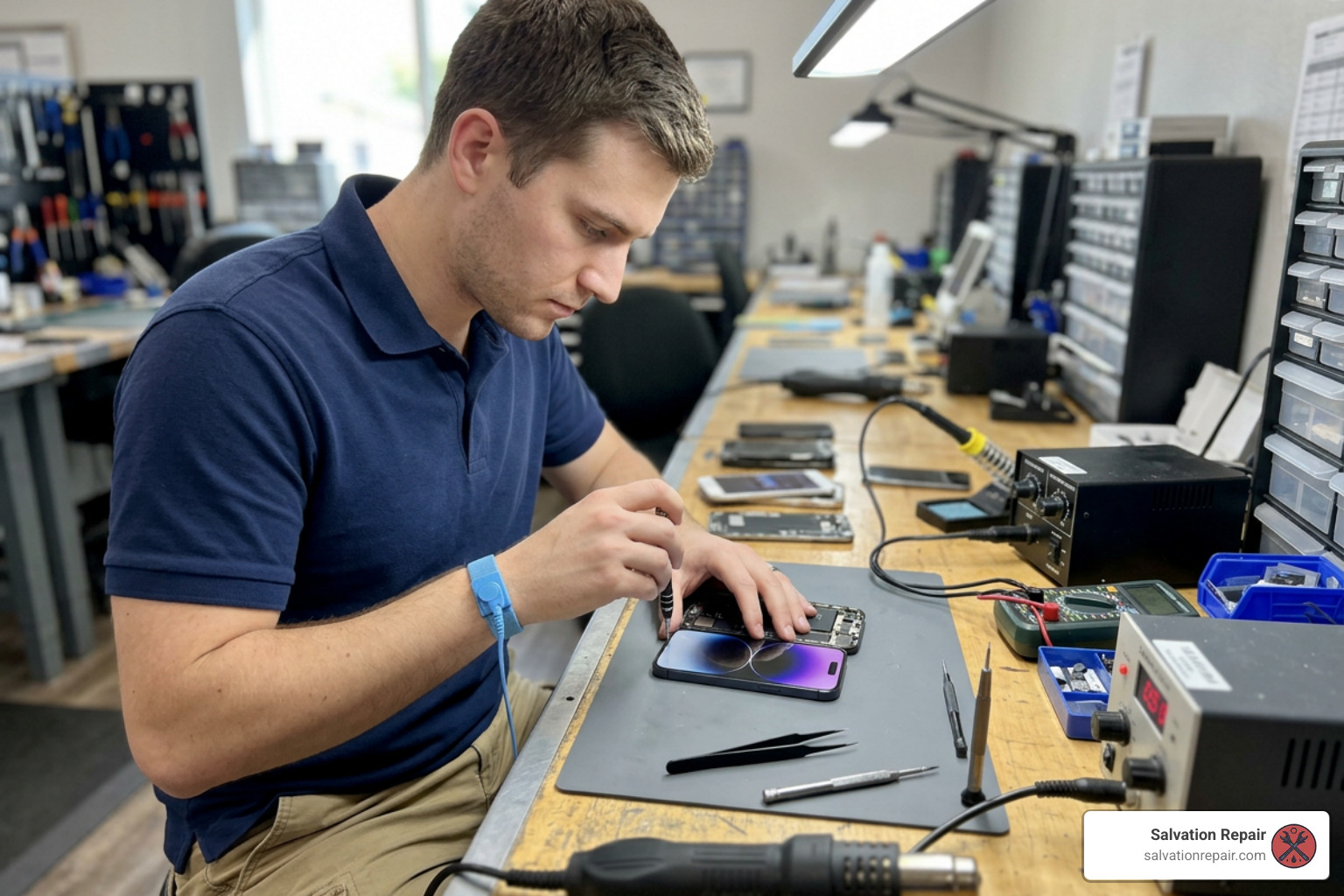
Modern iPhones are highly sophisticated computers, and Apple has implemented security and software measures that make screen replacements more technical than just plugging in a new part.
True Tone and Face ID Functionality After Repair
Apple uses a system called “parts pairing” (or serialization). Each screen is digitally locked to the specific logic board it shipped with. If you swap a screen without the proper calibration tools, iOS may disable features like True Tone (which adjusts the display’s color temperature to match ambient light) and auto-brightness.
Fortunately, Apple’s software policies have become more repair-friendly. If you are running iOS 18 or newer, the built-in Repair Assistant allows for the calibration of genuine Apple parts right on the device, restoring True Tone and auto-brightness automatically. If you are on iOS 17.6 or earlier, these features often require a specialized hardware programmer to transfer the microchip data from your old screen to the new one.
As for Face ID, the sensors are tied to your front camera assembly. During a repair, this assembly must be carefully transferred to the new screen. To see how delicate this process is, you can read the iPhone 16 Pro Max Screen Replacement – iFixit Repair Guide. For a deep dive into how this affects newer models, check out our Guide to iPhone 16 Pro Max screen repair.
Water Resistance and Adhesive Seals
iPhones feature an IP68 dust and water resistance rating, which is made possible by a strong, custom-cut adhesive gasket sealing the screen to the frame. Whenever an iPhone is opened, this seal is completely ruined.
To maintain water resistance, a high-quality replacement adhesive must be meticulously applied during reassembly. Even with a perfect seal, no repaired phone is ever guaranteed to be 100% waterproof again. If you want to see how the adhesive is laid down on slightly older models, look at the iPhone 15 Plus Screen Replacement – iFixit Repair Guide.
Comparing Costs, Repair Times, and Warranties
Let’s look at the practical side of things: your wallet, your schedule, and your peace of mind.
Cost Breakdown of the Best iPhone Screen Replacement
Official Apple screen repairs out-of-warranty can cost upwards of $300 to $400 for newer models. At Salvation Repair, we keep our pricing straightforward and highly competitive.
For standard models, our standard LCD repairs are quoted at $129.95, aftermarket OLED at $129.95, and OEM at $149.95.
If you are looking for the best iPhone screen replacement pricing on the latest models, here is exactly what we charge:
- iPhone 16 Pro:
- LCD Option: $149.95
- OLED Option: $199.95
- iPhone 16 Pro Max:
- AQ7 LCD: $129.95
- Aftermarket OLED: $219.95
- OEM Refurbished: $399.95
- New OEM: $469.95
We also offer price matching to ensure you get the absolute best deal in our Mississippi service areas. For a comprehensive look at what goes into these numbers, read our Detailed iPhone screen repair cost guide or check out our overview on A guide to iPhone screen repair costs.
Repair Times and Convenience
If you send your phone to Apple, you might be without it for 3 to 5 business days. Even booking an appointment at an Apple Store can require waiting in line and losing half your afternoon.
We do things differently. At Salvation Repair, our iPhone screen repairs take 10-15 minutes in front of the customer. There is no mailing your phone away or leaving it in a back room for hours. We also handle other fast fixes:
- Battery repairs: Completed in 30 minutes.
- Charging port repairs: Completed in 1 hour.
To understand what to look for when you need a fast fix, check out our guide on Same day repair expectations or read about our Quick iPhone screen repair options.
Warranty and Service Guarantees
Apple offers a standard 90-day warranty on their repairs and replacement parts. Many third-party shops offer anywhere from 30 days to a year.
At Salvation Repair, we stand behind our workmanship and the quality of our parts. That is why we offer a lifetime warranty on our screen replacements. If your screen experiences any manufacturer defects or touch issues (unrelated to physical drops or liquid damage) down the road, we will replace it for free.
Frequently Asked Questions About iPhone Screen Repairs
Will I lose my data during a screen replacement?
No, you will not lose your data. Your iPhone’s storage is located on the flash memory chips soldered directly to the logic board. The screen is simply an output device (like a monitor on a computer). Replacing the screen does not touch your data. However, as a best practice, we always recommend keeping a recent iCloud backup of your device just in case of unexpected hardware issues.
How can I verify if my replacement screen is high quality?
When you get your phone back, test it thoroughly:
- Touch Sensitivity: Type rapidly, drag an icon all over the screen, and ensure there are no “dead zones.”
- Brightness and Contrast: Take the phone under bright sunlight to ensure it is easily readable, and view a dark image in a dim room to check the black levels.
- Viewing Angles: Tilt the phone side to side. A high-quality OLED screen should maintain its color accuracy and brightness even at sharp angles.
For a deeper look at what to expect during this process, read our guide on Navigating your iPhone 16 screen repair journey.
What is the best iphone screen replacement option for older models?
For older models (like the iPhone 11, XR, or SE), an LCD or high-quality aftermarket screen is usually the most cost-effective choice. Spending $300 on an OEM screen for a phone worth $200 doesn’t make financial sense. Opting for a reliable, budget-friendly replacement lets you extend the life of your device without overspending. If you are using a slightly older device in our local area, you can learn more by reading about iPhone 15 screen repair in Laurel MS.
Conclusion
Getting the best iPhone screen replacement does not have to be a stressful or overly expensive experience. Whether you choose the official Apple route, take on the challenge of a DIY repair, or drop by a trusted local shop, knowing your screen tiers and technical requirements ensures you get your phone back in perfect working order.
If you are in the Laurel, MS, Jackson, MS, Ellisville, MS, Soso, MS, or Meridian, MS areas, we at Salvation Repair are here to help. We repair “any device with a power button,” offer price matching, and back our work with a lifetime warranty. Best of all, we will replace your screen in just 10 to 15 minutes right in front of you.
Ready to get your phone looking brand new again? Head over to our Complete iPhone Screen Repair Guide to find your nearest location and book your repair today!
