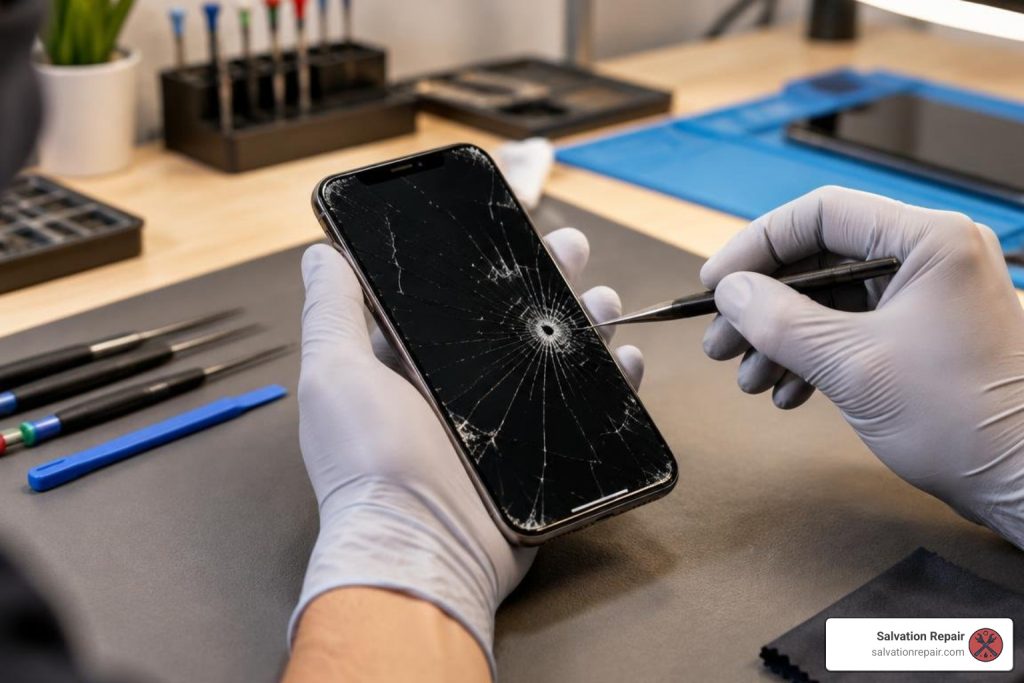
How to Fix a Smashed iPhone Screen in 3 Easy-to-Follow Steps
What to Do After You Smash Your iPhone Screen
A smashed iPhone screen needs quick action: protect your fingers, back up your data if the phone still works, and arrange a repair before loose glass, pressure, or moisture make the damage worse.
- Cover sharp cracks with clear tape and keep the phone dry.
- Test the display and touch controls, then use Siri or VoiceOver if touch is failing.
- Choose a qualified repair option. At Salvation Repair in Laurel, MS, many iPhone screen repairs take 10-15 minutes and are completed in front of you. Every screen repair includes a free screen protector.
A crack can damage the digitizer or OLED panel beneath the glass, causing flickering, black spots, ghost touches, or a screen that stops responding. Avoid putting the phone in a tight pocket, under a pillow, or anywhere pressure can spread the damage. Salvation Repair also lets customers upgrade from an LCD or OLED replacement to an OLED or OEM screen within 60 days of repair.
I’m Ralph Harris, a certified phone repair specialist and Apple repair technician with more than 20 years of hands-on repair experience, including diagnosing and fixing every level of smashed iPhone screen damage. Let’s start by checking whether your screen is safe to use and what needs attention first.
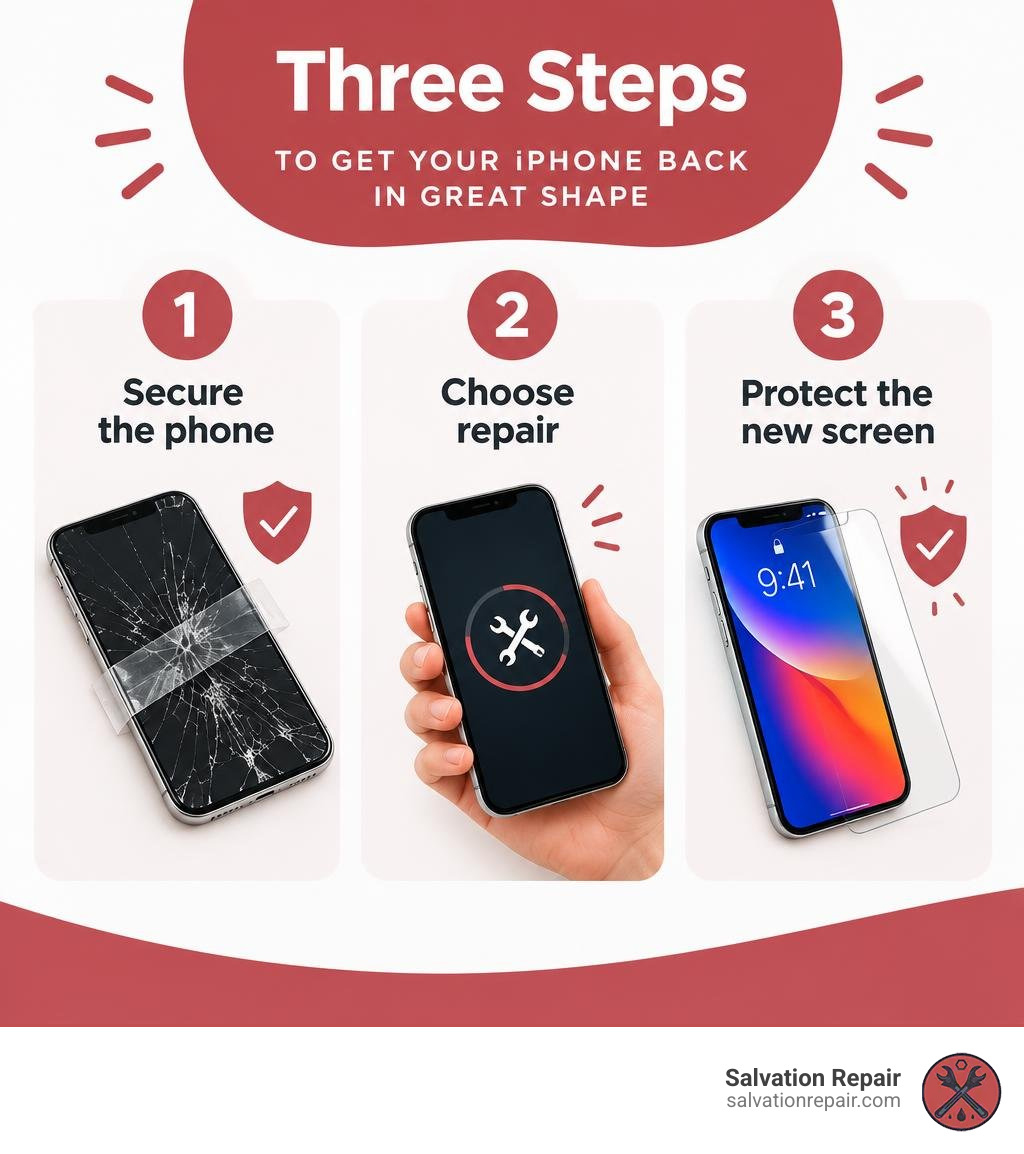
Step 1: Assess and Secure Your Smashed iPhone Screen
When your phone takes a hard fall, the first step is figuring out the full extent of the damage. A broken display rarely affects just the surface glass. Your iPhone’s display assembly consists of three primary layers fused together: the outer protective glass, the capacitive touch digitizer, and the underlying display panel (either LCD or OLED).
Take a close look at your device under good lighting. Is the break merely a hairline crack across the surface, or has the glass shattered into spiderweb fractures? Next, turn the display on to check for internal bleeding. On OLED displays, physical impact often ruptures the organic light-emitting diodes, causing purple or black ink-like pools that spread across the viewable area over time. If you notice vertical green lines, flickering white bars, or total blackness, the internal display panel has sustained critical trauma.
Beyond visual flaws, test the touch responsiveness across the entire grid. Tap icons in every corner and drag an app across the screen to see if your finger drops the icon. If the screen ignores your touch or registers erratic inputs, explore these broken phone screen solutions to understand how digitizer failure impacts day-to-day usability.
Prevent Injury and Contain Glass Shards
Loose glass shards can easily pierce your skin or work their way into your fingertips. Furthermore, missing chunks of glass expose the fragile internal circuitry to environmental dust and liquid. While iPhones feature factory water resistance, physical cracks instantly compromise the adhesive perimeter seals, allowing ambient moisture or humidity to seep inside and corrode logic board components.
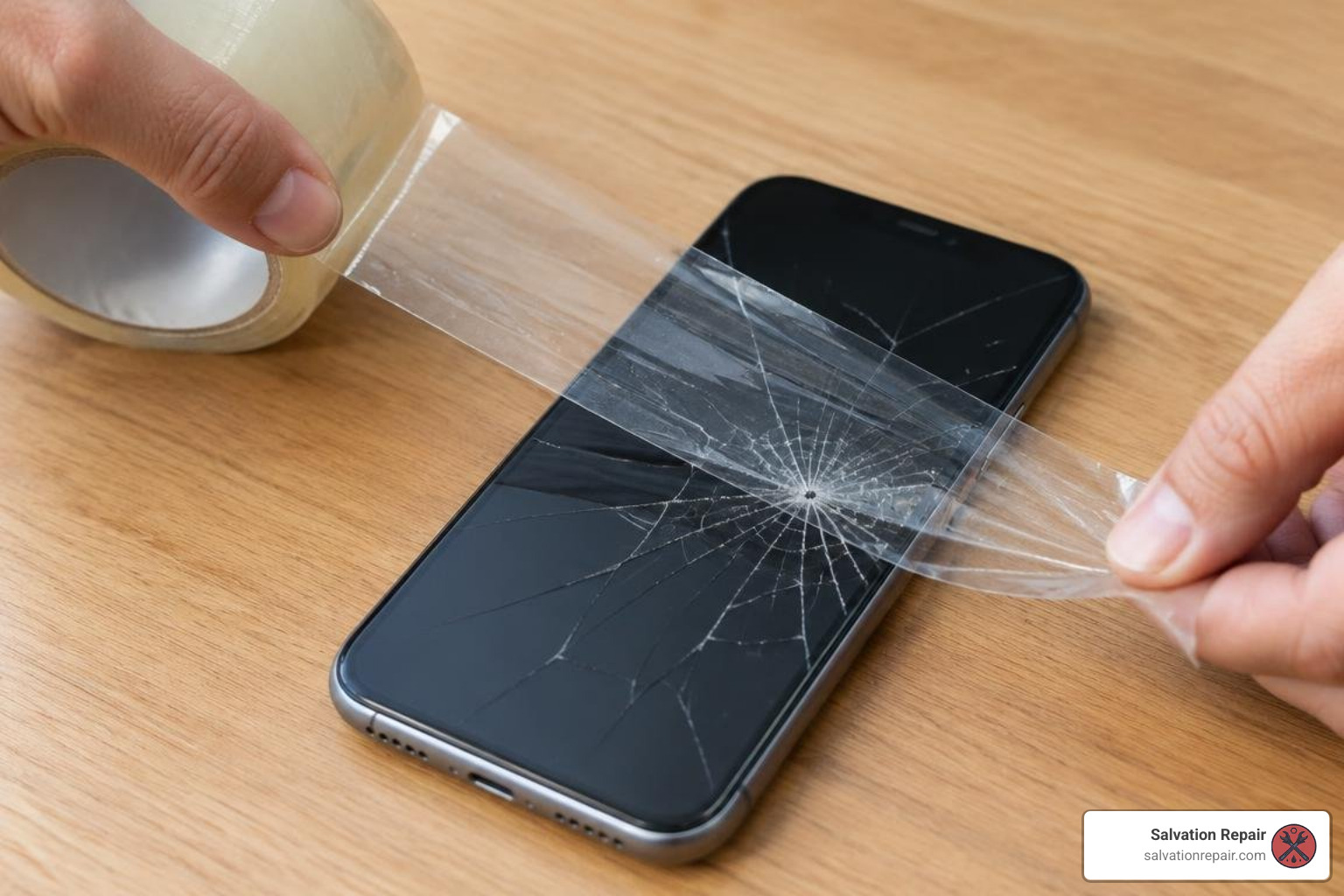
To secure the device immediately:
- Lay a strip of clear packing tape smoothly across the entire face of the screen.
- Trim any excess tape around the edges using a precision blade or scissors so buttons remain accessible.
- Smooth out air bubbles gently with a plastic card, pressing down loose glass fragments to lock them into place.
This simple fix prevents micro-splinters from embedding in your thumbs and keeps moisture from entering the chassis, consistent with safety advice from the iFixit guide on broken iPhone screen handling.
How to Navigate a Smashed iPhone Screen with Broken Touch
If the touch digitizer is unresponsive or registering ghost touches, you do not have to lose access to your photos, messages, and contacts. You can navigate iOS using built-in accessibility tools or external hardware:
- Invoke Siri Voice Commands: If Siri is enabled, press and hold the Side button or use “Hey Siri” to make calls, send text messages, or check reminders. You can say, “Hey Siri, turn on VoiceOver” to enable screen-reading navigation.
- Connect a Hardware Keyboard or Mouse: Plug a standard USB keyboard or mouse into your iPhone using a Lightning-to-USB (or USB-C) Camera Adapter. This allows you to type your lock screen passcode, navigate settings, and approve computer trust prompts without touching the glass.
- Trigger an Immediate iCloud Backup: Once unlocked via keyboard or voice, plug your iPhone into power and connect to your known Wi-Fi network. Ask Siri to “Open iCloud Backup” or navigate to Settings to initiate an immediate cloud backup before seeking professional cracked screen repair services.
Step 2: Compare Repair Options and Replacement Costs
Around 60% of all smartphone screen repairs completed worldwide are on iPhones, making them twice as likely to be repaired as competing Android handsets. When choosing where to get your screen fixed, you generally have three routes: an official Apple Store, an independent repair facility, or performing the repair yourself.
Here is how common repair options compare across cost, repair time, and warranty terms:
| Repair Method | Estimated Cost (Out of Warranty) | AppleCare+ Cost | Typical Turnaround Time | Warranty Protection |
|---|---|---|---|---|
| Official Apple Store | $149 – $329+ | $29 | 2 – 5 Business Days (or same-day appointment) | 90 Days |
| Independent Repair (Salvation Repair) | 20–30% lower than Apple standard | N/A | 10 – 15 Minutes (on-site) | Lifetime Warranty |
| DIY Replacement Kit | $40 – $120 (parts only) | N/A | 1 – 3 Hours (high personal risk) | None (User assumes risk) |
Before booking service, review our comprehensive cracked screen repair cost breakdown to see how screen technologies and generation tiers influence overall pricing.
Official Apple Store and AppleCare+ Coverage
If you carry active AppleCare+ coverage on your iPhone, fixing a broken display is straightforward. Apple charges a standardized $29 service fee for front screen damage across all supported iPhone models. You can schedule a Genius Bar reservation or mail your device to a regional repair center.
However, out-of-warranty screen replacements at the Apple Store climb steeply. Servicing older models like the iPhone 7 or iPhone 8 costs around $149, while modern Pro Max OLED flagships regularly exceed $329. Furthermore, walk-in appointments can require hours of waiting, and mail-in options leave you without your primary phone for several business days. For an in-depth breakdown of carrier claims and official coverage tiers, read our iPhone screen repair complete guide.
Independent Third-Party Repair Shops
Choosing a reputable independent repair shop typically saves you 20% to 30% compared to out-of-warranty Apple Store pricing while offering significantly faster turnaround times. At Salvation Repair, we complete iPhone screen repairs in just 10 to 15 minutes right in front of you (while battery repairs take 30 minutes, and charging port repairs take 1 hour).
When selecting replacement screens, independent shops offer distinct tiers to fit your budget:
- Premium LCDs (including AQ7 LCD options): Cost-effective replacement panels that provide dependable brightness and touch response for budget-conscious users.
- Aftermarket OLEDs: Vibrant panels that match factory contrast ratios, true blacks, and power efficiency without the premium OEM price tag.
- OEM Assemblies (Refurbished OEM and New OEM): Factory-original panels reconditioned to factory standards, preserving original glass strength, viewing angles, and color accuracy.
For standard repairs, LCD replacements are quoted at $129.95, aftermarket OLED replacements are $129.95, and OEM replacements are $149.95.
For recent flagship models, our labor-included pricing provides clear options across every panel grade:
- iPhone 16 Pro: LCD replacement is $149.95; OLED replacement is $199.95.
- iPhone 16 Pro Max: AQ7 LCD replacement is $129.95; aftermarket OLED replacement is $219.95; OEM refurbished replacement is $399.95; new OEM replacement is $469.95.
For customers with other flagship devices, like the Samsung Galaxy S22 Ultra, our complete labor-included screen repair pricing is:
- Aftermarket OLED: $219.95
- Refurbished OEM: $309.95
- New OEM: $339.95
Note: In addition to mobile devices, we repair gaming systems; PlayStation 5 HDMI port replacement starts at $99.95. Please note that HDMI port repair and motherboard repair are separate services with distinct charges.
To learn how to vet local repair shops and avoid low-grade glass, check our best iPhone screen replacement guide for 2026.
DIY Screen Replacement Kits and Hidden Risks
Attempting a DIY repair using online toolkits can seem like an attractive way to save money, but modern iPhones are tightly packed electronic devices. Opening an iPhone requires specialized tools, including pentalobe screwdrivers, specialized tri-point bits, suction cups, and controlled heating pads to soften factory perimeter adhesive.
The hidden risks of DIY repairs include:
- Face ID Sensor Damage: The earpiece speaker and front sensor assembly contain the flood illuminator and ambient light sensor. Tearing this delicate ribbon cable permanently disables Face ID functionality.
- Torn Flex Cables: Slipping with a metal pry tool can slice display data lines or battery ribbons.
- Board Short-Circuits: Installing a screw into the wrong standoff (long-screw damage) can drive metal threads directly into microscopic circuit traces on the motherboard, bricking the phone permanently.
- Loss of True Tone: Installing an aftermarket screen without an EEPROM programmer strips your device of True Tone ambient color matching.
Step 3: Complete the Repair and Safeguard Your Display
A professional screen replacement is a precision process involving teardown, component transfer, sensor calibration, and resealing the chassis against dust.
During a standard replacement, the technician performs several sequential steps:
- Safety Isolation: The bottom pentalobe screws are removed, the phone is heated to approximately 80°C to soften the water-resistant seal, and the screen is hinged open carefully to disconnect the battery terminal first.
- Sensor Transfer: The upper sensor bracket housing the microphone, proximity sensor, and flood illuminator is delicately unseated from the damaged glass and transferred to the replacement panel.
- Testing: The new display is temporarily connected to test multi-touch registration, color balance, 3D/Haptic touch response, and maximum brightness output.
- Frame Prep and Resealing: The old adhesive residue is cleared from the aluminum frame, a new die-cut adhesive gasket is laid down, and the screen is seated and secured.
Restoring Face ID and True Tone Functionality
Modern iOS versions pair the factory screen serial number to the device logic board. When replacing a display, an experienced technician reads the display matrix data from your original screen using a dedicated calibration programmer and flashes those calibration parameters directly onto the new screen’s microchip. This process ensures True Tone display functionality is restored.
Furthermore, because Face ID components are paired to Apple’s Secure Enclave, transferring the original ambient light sensor without physical damage preserves biometric facial authentication.
Protecting Against Future Smashed iPhone Screen Accidents
Once your screen is restored, taking active preventive measures will keep it safe from future drops and pressure fractures:
- Apply Tempered Glass: A 9H-hardness tempered glass screen protector acts as a sacrificial layer. Upon impact, the protector shatters to disperse kinetic shock waves before they reach your primary display.
- Use Raised-Bezel Protective Cases: Select a case with a raised front lip (bezel) extending at least 1.5mm beyond the screen surface. This ensures that face-down drops onto flat surfaces impact the shock-absorbing polymer frame rather than the glass.
- Avoid Thermal and Pocket Stress: Never sit on your phone or store it in tight back pockets where walking, sitting, or climbing stairs exerts torsional bending forces on the chassis. Additionally, keep your device away from high-heat environments like car dashboards, as thermal expansion weakens tempered glass.
For Laurel locals wanting fast, high-grade display care, discover one simple way to fix a cracked iPhone screen in Laurel MS through our professional walk-in team.
Frequently Asked Questions About Smashed iPhone Screens
Why is my screen glitching or touching on its own after cracking?
This phenomenon—often called “ghost touching”—occurs when physical impact damages the capacitive digitizer grid layered between the front glass and display panel. The digitizer tracks electrical conductivity from your fingertips. When fractured glass fragments press against this grid, or when the sensor traces crack, the phone registers false electrical inputs, causing apps to open spontaneously, keyboards to type erratically, or the screen to freeze completely.
Can an iPhone screen shatter without being dropped?
Yes. While spontaneous glass breakage is rare, modern smartphone glass can fail under delayed stress. A minor bump or drop weeks earlier can create microscopic micro-fissures along the edges of the glass. Later, minor torsional pressure—such as climbing stairs with the phone in a tight pocket or sleeping with the phone under a pillow—causes that latent stress fracture to propagate across the entire panel. Technicians can differentiate between a single hairline stress crack (which may indicate a material defect) and multi-directional spiderweb cracks (which indicate direct impact or structural bending).
Does intentionally breaking a screen lead to faster replacement?
No. A viral trend emerged where individuals intentionally damaged their screens hoping to bypass repair wait times for an immediate in-store device replacement, as discussed in an AllHipHop report on intentional screen smashing. Attempting to exploit warranty policies carries substantial financial risks. AppleCare+ policies explicitly exclude catastrophic intentional damage and abuse. Deliberately breaking your screen can void warranty coverage, leaving you with full out-of-pocket replacement expenses.
Conclusion
A shattered display does not mean you need to invest in an expensive new phone. By securing the broken glass early, safely backing up your personal data, and selecting an experienced repair provider, you can restore your iPhone to pristine working condition in no time.
If you are in Laurel, MS, or surrounding communities like Ellisville, Bay Springs, or Soso, visit Salvation Repair at 1503 Lakeview Rd, Laurel, MS 39440. We specialize in same-day, on-site electronics repairs with standout advantages:
- Lightning-Fast Turnaround: iPhone screen replacements take just 10 to 15 minutes and are performed directly in front of you. Other standard services are equally swift—battery replacements take 30 minutes, and charging port repairs take one hour.
- Lifetime Warranty & Price Matching: We stand behind our workmanship with an industry-leading lifetime warranty and price-match guarantee.
- Free Screen Protector: Every screen repair includes a complimentary tempered glass screen protector installed on the spot.
- 60-Day Screen Upgrade Guarantee: If you choose an LCD or aftermarket OLED and decide you want an OEM panel later, you can upgrade within 60 days of your repair by simply paying the difference.
Whether you need help with an iPhone, iPad, Samsung handset, laptop, or gaming console, we repair any device with a power button. Stop by our shop today or explore our dedicated expert screen repair services to restore your screen today.
