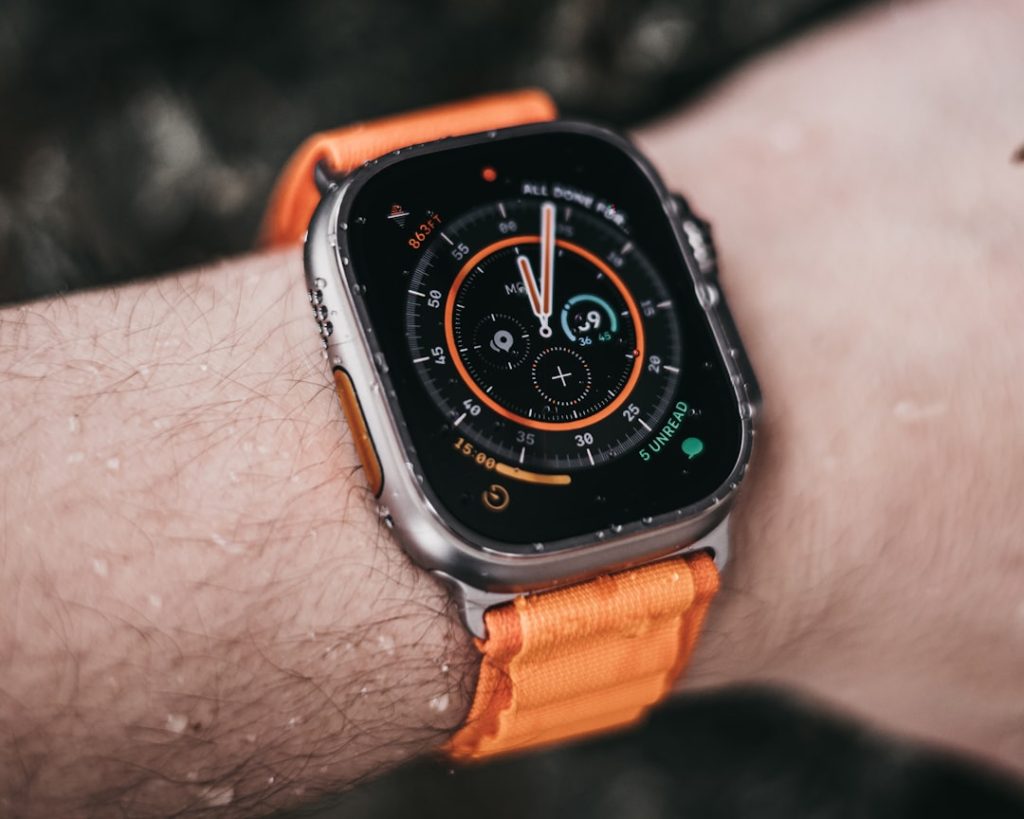
How to Replace an Apple Watch Battery on a Budget
Battery Replacement Apple Watch: Your Fast, Budget-Friendly Options
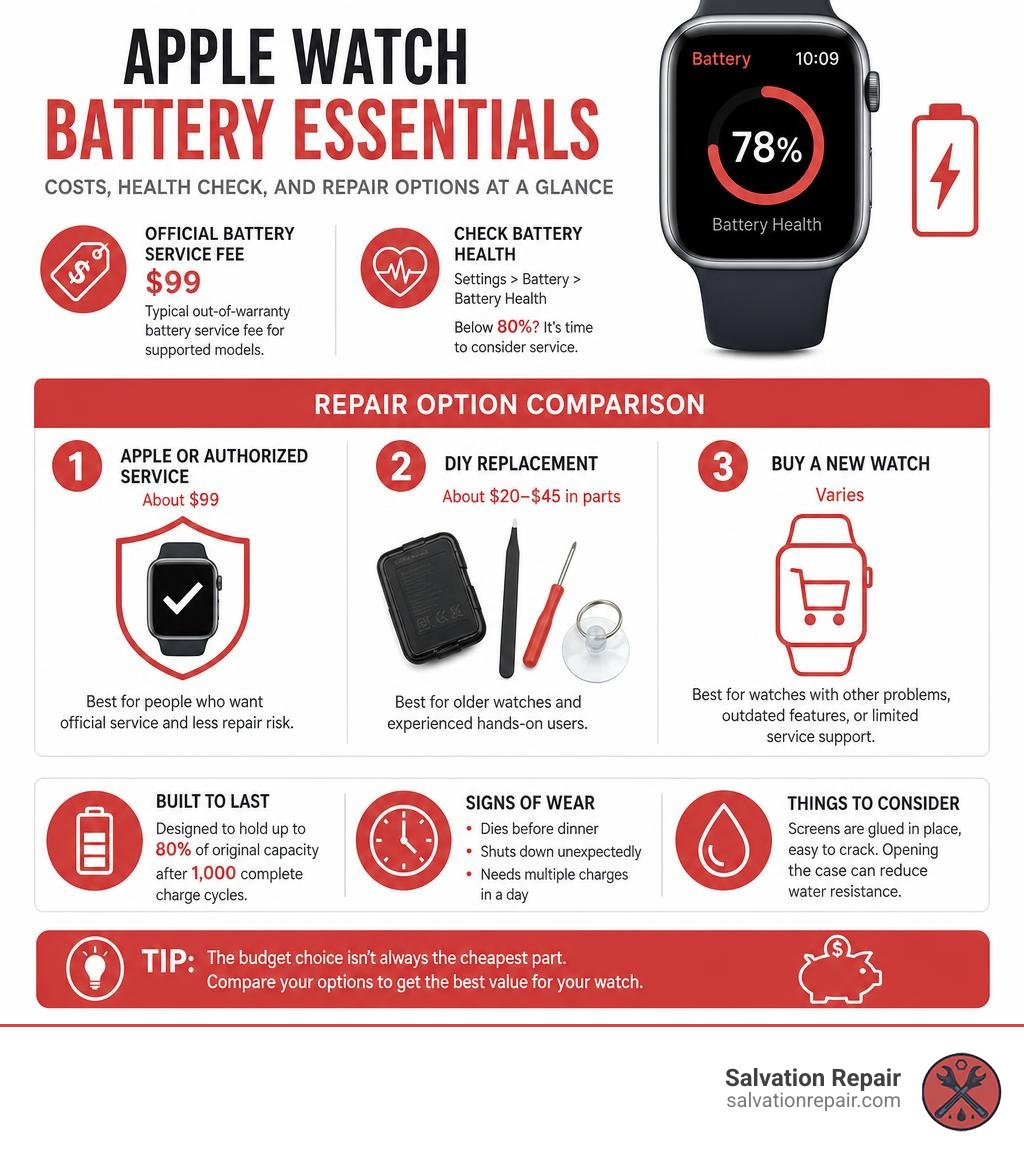
A battery replacement apple watch project can cost about $20 to $45 for a DIY battery and parts kit, while Apple’s typical out-of-warranty battery service fee is about $99 for supported models. Before spending money, check your watch’s maximum battery capacity in Settings > Battery > Battery Health. A reading below 80% is a strong sign the battery is worn out.
| Option | Typical Cost | Best For |
|---|---|---|
| Apple or authorized service | About $99 | People who want official service and less repair risk |
| DIY replacement | About $20-$45 in parts | Older watches and experienced hands-on users |
| Buy a new watch | Varies | Watches with other problems, outdated features, or limited service support |
Apple Watch batteries are designed to hold up to 80% of their original capacity after 1,000 complete charge cycles. But heavy daily use, age, heat, and charging habits can make a watch run down sooner. A battery that dies before dinner, shuts down unexpectedly, or needs multiple charges a day may be ready for service.
The budget choice is not always the cheapest part. Apple Watch screens are glued in place, the OLED display is easy to crack, and opening the case can reduce its original water resistance. This guide will help you compare your options before you decide whether to repair, replace, or upgrade.
I’m Ralph Harris, a certified Apple repair technician with more than 20 years of electronics repair and technical-writing experience. I have helped customers and readers make practical battery replacement apple watch decisions without wasting money on the wrong fix.
Evaluating Options: Service Costs, Coverage, and Upgrade Trade-offs
When an Apple Watch battery begins to fail, jumping straight to a replacement isn’t always the smartest financial move. Evaluating service costs, warranty coverage, and overall watch trade-in value ensures you make a budget-friendly choice that lasts.
Apple’s standard out-of-warranty service fee for a battery replacement apple watch across supported models is roughly $99. On the surface, paying $99 to revive a device you originally bought for several hundred dollars feels reasonable. However, if you own an older model—such as a Series 4, Series 5, or Series 6—you must weigh that fee against the actual cash value of the watch. For instance, if an older watch only has a trade-in value of $50 to $75, investing $99 into official battery service might not yield the best return on investment.
On the other hand, tackling a DIY replacement using a third-party kit costs between $20 and $45 depending on the series and battery size (like standard 41mm/45mm or Ultra cells). This delivers a net savings of $49 to $79 compared to official out-of-warranty service.
For a complete overview of model lifespans and service expectations, check out our Apple Watch Battery Replacement Guide 2026. Furthermore, devices that hit Apple’s official “vintage” or “obsolete” lists (typically 5 to 7 years after distribution ends) can no longer receive official hardware support, making self-repair or upgrading the only paths forward.
| Service Pathway | Estimated Cost | Processing / Turnaround Time | Primary Advantage | Primary Drawback |
|---|---|---|---|---|
| Apple Official Out-of-Warranty | ~$99 | 3 to 5 business days | Certified components, straightforward process | Higher relative cost on older watch models |
| DIY Home Battery Kit | $20 – $45 | 45 minutes to 2 hours | Maximum initial cost savings | High risk of screen/cable damage and lost water seal |
| Trade-In / New Device Upgrade | Net price varies | Instant / Shipping time | Brand-new hardware, updated features | Highest total out-of-pocket expenditure |
How to Check Battery Health Before a Battery Replacement Apple Watch Project
Before buying tools or scheduling an appointment, confirm that the battery is genuinely the culprit behind your device’s short run time. Apple Watch batteries are rated to retain up to 80% of their original capacity at 1,000 complete charge cycles.
To verify your watch’s current health status:
- Press the Digital Crown to bring up your app list.
- Tap the Settings gear icon.
- Scroll down and tap Battery.
- Select Battery Health.
Look at the Maximum Capacity percentage. If the number sits at or below 80%, watchOS will display a recommendation suggesting service.
If your battery health shows 85% or higher but you are still experiencing rapid drain, software issues might be at fault. Try unpairing and repairing the watch with your iPhone, turning off background app refresh, disabling the Always-On display, or adjusting workout heart-rate monitoring frequency before spending money on hardware.
Understanding Warranty and AppleCare+ Battery Service
Understanding your device’s warranty status can potentially save you from paying anything out-of-pocket:
- 1-Year Limited Warranty: Standard Apple Watch and Sport models come with a one-year manufacturer warranty covering factory defects, but this explicitly excludes normal battery wear and tear.
- 2-Year Edition Warranty: Premium Apple Watch Edition models originally included two full years of standard coverage for manufacturing defects.
- AppleCare+ Coverage: If your watch is covered under active AppleCare+ and the battery capacity has dropped below 80%, Apple provides a battery replacement apple watch service at no extra charge.
- Express Replacement Service: Active AppleCare+ subscribers can request Express Replacement, where Apple ships a refurbished replacement device to your door before you mail back the degraded watch.
- Service Guarantees: Official Apple service and replacement components come backed by a 90-day service guarantee or the remaining duration of your original warranty, whichever is longer.
Complete DIY Battery Replacement Apple Watch Guide
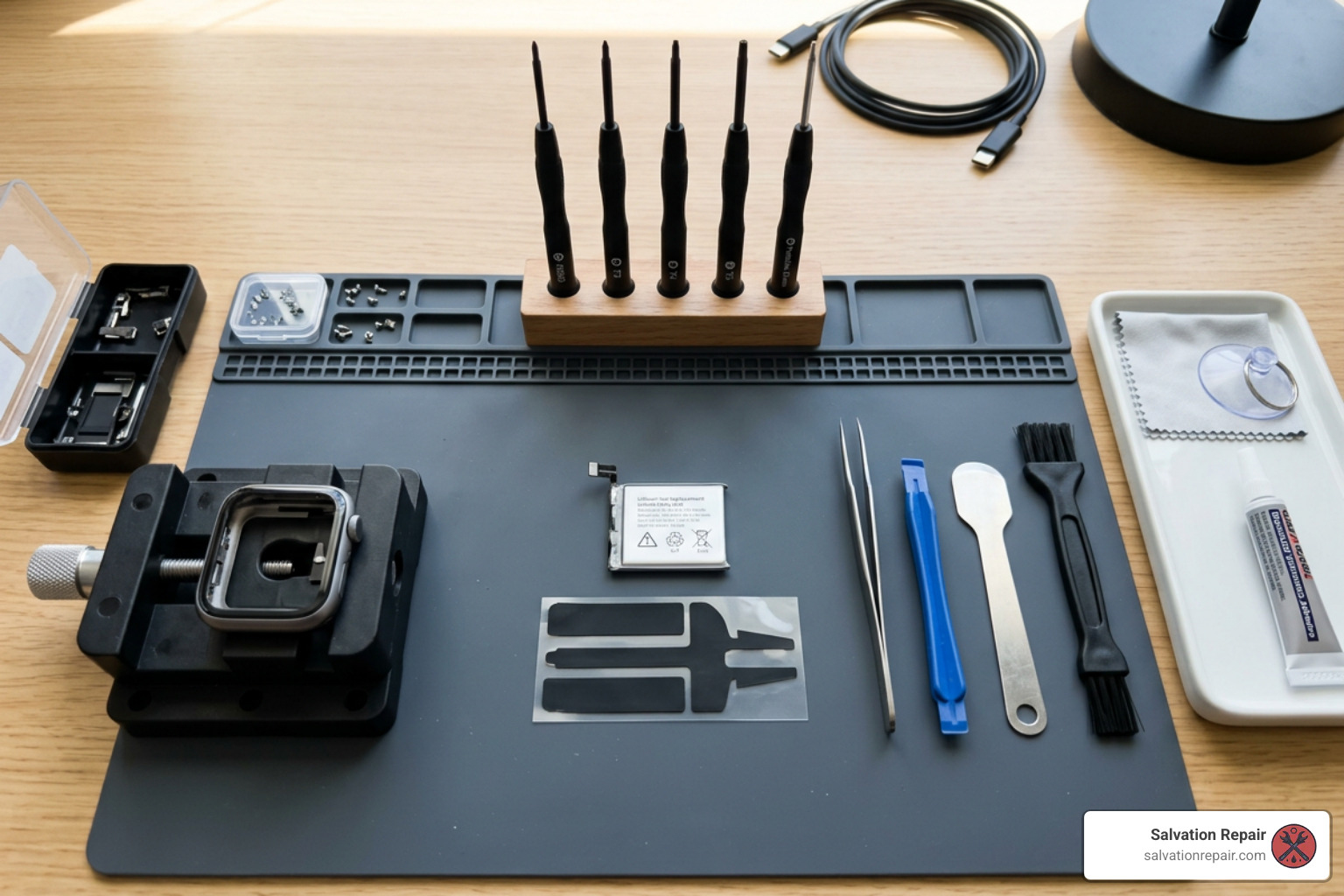
Replacing an Apple Watch battery yourself offers significant financial savings, but it requires patience, steady hands, and precision electronics tools.
Before purchasing parts, identify your exact Apple Watch model. Locate the model “A” number printed inside the watch band slot or listed in the iPhone Watch app under General > About. Ordering the exact model-specific replacement cell is vital; for instance, Series 7 and Series 8 41mm models use different silver-capped cell designs compared to black-cased 45mm cells, and Apple Watch SE batteries are chemically identical to Series 5 cells.
Expect a DIY repair to take anywhere from 45 minutes to 2 hours depending on your experience. To learn more about the hands-on process, review this DIY Apple Watch Battery Replacement: Step-by-Step reference guide.
Step-by-Step Battery Replacement Apple Watch Instructions
Before attempting this procedure, gather your equipment: a flexible prying tool (iFlex or curved razor blade), an iOpener or precision heat gun, plastic spudgers, opening picks, 90%+ isopropyl alcohol, pre-cut adhesive gaskets, and a Tri-Point Y000 precision screwdriver.
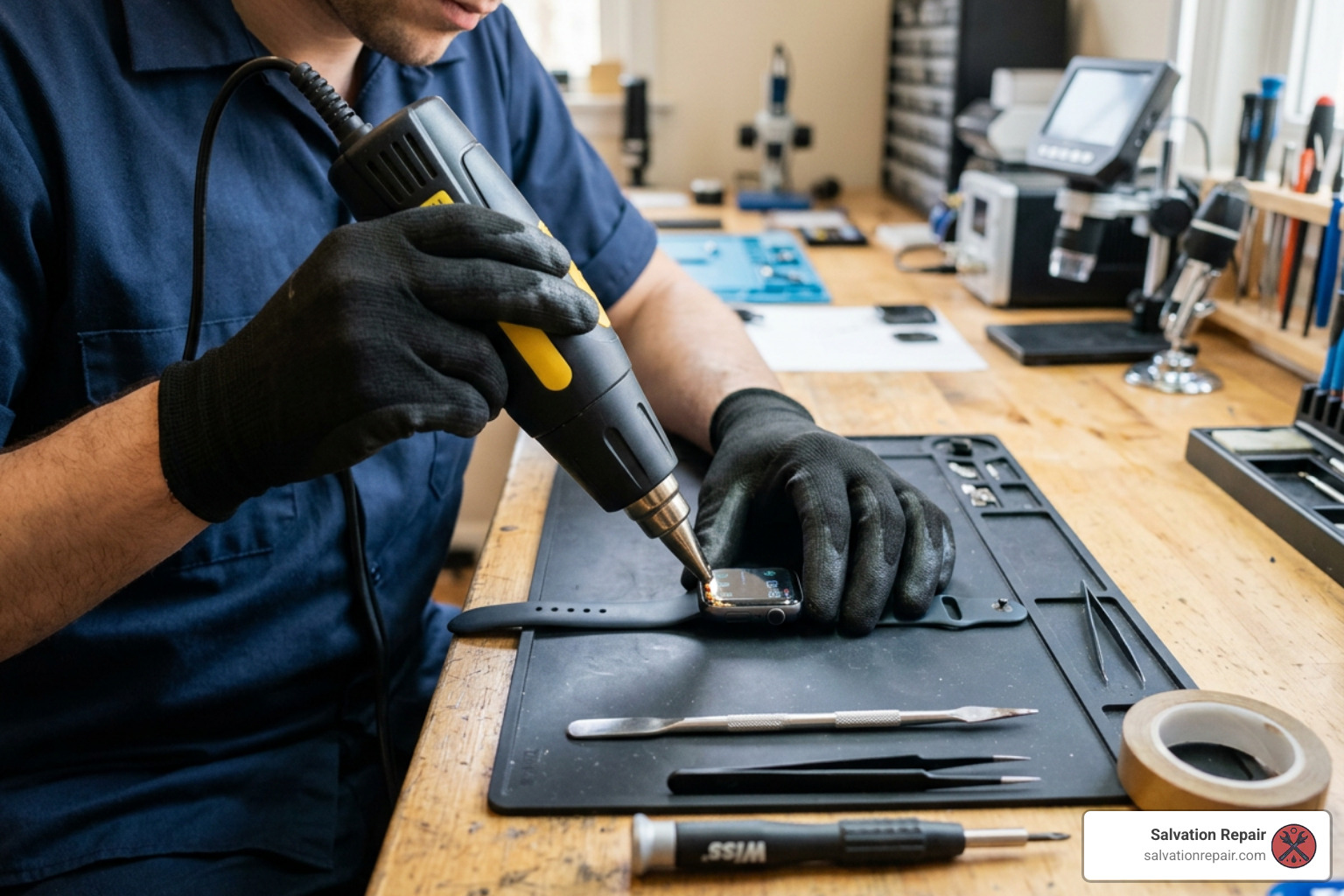
- Safety Pre-Check & Discharge: Discharge your watch battery below 25% prior to opening. Fully charged lithium-ion batteries pose a severe thermal runaway and fire hazard if punctured accidentally. Power off the device completely.
- Softening the Adhesive: Apply heat to the watch display face for 2 to 3 minutes using a heated iOpener, hair dryer, or heat gun. The perimeter adhesive must soften until the glass is slightly too warm to touch comfortably.
- Creating the Initial Opening: Place the watch on a flat surface. Insert an iFlex or curved prying blade into the microscopic gap between the outer glass screen and the metal case along the bottom edge or near the Digital Crown.
- Slicing Perimeter Glue: Once a minor gap appears, slide an opening pick under the edge. Do not insert opening picks deeper than 3 mm (1/8 inch). Over-insertion near the Digital Crown will slice internal display digitizer cables or ruin the Force Touch sensor array.
- Swinging open the Display: Carefully slice the remaining adhesive around all four edges. Gently swing the OLED screen open like a book toward the Digital Crown side, keeping pressure off the flex cables.
- Disconnecting the Power Connector:
- On models like the 45mm Series 7, Series 8, or Series 10, use a Tri-Point Y000 screwdriver to unfasten the 1.1 mm metal bracket screw securing the battery press connector.
- On smaller 41mm models, peel back protective tape covering the ZIF connector lever, flip the locking tab up, and pull the thin ribbon cable free using fine tweezers.
- Prying Up the Old Cell: Apply a tiny drop of 90%+ isopropyl alcohol around the battery well perimeter to dissolve stubborn bottom glue. Insert a plastic spudger under the battery cell and gently lift it out. Never use metal tools directly against the battery.
- Installing & Testing: Place fresh double-sided adhesive in the battery well, position the replacement battery, carefully align and click down the press connector edges (avoid pressing hard on the center of small connectors), and replace the retaining bracket. Turn on the watch to verify screen touch, charging, and crown responsiveness before final sealing.
For a specialized visual walkthrough on older flagships, read this Apple Watch Series 7 Battery Replacement guide.
How to Reseal Your Watch Frame and Maintain Water Resistance
Once internal assembly passes a bench test, restoring frame structural integrity is critical.
- Clean Old Residue: Dip a cotton swab in 90%+ isopropyl alcohol and meticulously clean all sticky, leftover gasket residue off both the aluminum/steel case channel and the rear display rim.
- Apply Pre-Cut Adhesive Gasket: Remove the backing from a model-specific pre-cut replacement adhesive gasket. Carefully lay it flush along the case perimeter. Use tweezers to align the corners perfectly without touching the sticky surface with bare fingers.
- Closing & Clamping: Peel off the top protective strip of the gasket, align the OLED screen onto the body, and lower it gently into place. Apply uniform, light pressure using a specialized repair clamp or by placing the watch under a small book or weighted pad for 15 to 30 minutes.
Water Resistance Warning: Opening an Apple Watch permanently alters its original factory immersion seal. Even with a new pre-cut adhesive gasket applied, you should assume the watch is no longer suitable for swimming, high-speed water sports, or shower exposure.
Safety Precautions and Risks of Self-Service Repair
Working on ultra-compact wearables carries distinct risks compared to larger devices:
- Thermal Hazards: Puncturing a swollen or charged lithium-ion battery with a metal blade can release intense toxic heat, flames, and heavy smoke. Always discharge the cell below 25% before starting.
- Display Damage: Apple Watch OLED screens are paper-thin glass assemblies directly bonded to delicate digitizer layers. Excessive prying lever force will instantly crack the screen or destroy touch responsiveness. Replacing an OLED panel adds substantial costs—for example, screen options across smartphones range widely (from budget LCD options like AQ7 LCD to aftermarket OLED, OEM refurbished, and brand-new OEM panels). On a watch, display damage quickly destroys any DIY savings.
- Cable Tearing: Flex cables lie mere millimeters from the case rim. Inserting opening picks deeper than 3 mm risks severing display data lines or destroying Force Touch sensor gaskets.
- Proper Recycling: Never toss old or swollen lithium-ion cells in household trash bins. Take spent batteries to certified R2 or e-Stewards electronics recycling centers.
For expanded safety principles across lithium-ion maintenance, check out our resource on More advice on battery repair safety.
Frequently Asked Questions About Apple Watch Battery Replacement
Can I replace my Apple Watch battery myself without prior repair experience?
While it is technically possible, we generally recommend caution for beginners. The internal components of an Apple Watch are densely packed, held together by tiny Tri-Point Y000 screws, fragile ribbon connectors, and stubborn water-resistant adhesives. If you lack experience handling micro-electronics, precision tweezers, and delicate heating procedures, the risk of tearing an OLED cable or cracking the glass is moderate to high.
How long does an Apple Watch battery replacement take?
A DIY home replacement usually takes between 45 minutes and 2 hours, depending on your patience level and specific model construction.
By comparison, when scheduling service at an official Apple Authorized location or sending your device out via mail, turnaround times typically take around 5 business days.
If you’re curious how this compares to other electronic device repairs, you can review our iPhone battery repair time comparison. At Salvation Repair, we complete iPhone battery repairs in just 30 minutes, charging port repairs in one hour, and iPhone screen repairs in only 10–15 minutes right in front of the customer.
Does Apple replace the original battery or send a refurbished watch?
When you submit an Apple Watch for official out-of-warranty battery service ($99 fee), Apple almost never opens your specific watch case on-site. Instead, to preserve factory water resistance standards and maintain quality control, Apple replaces the entire unit by issuing you an equivalent refurbished replacement watch.
Because of this unit swap policy, you must back up your Apple Watch data to your paired iPhone beforehand and unpair the device. Additionally, always remove and keep your watch bands, charging cables, and accessories at home before mailing or dropping off the device, as mailed accessories will not be returned.
Conclusion
Choosing the best way to handle a battery replacement apple watch comes down to balancing your budget against the complexity of working on tiny, glued devices. Buying a $20 to $45 battery kit gives hands-on builders a cheap way to fix an older watch, provided they accept the risk of cracking the glass screen or losing water resistance. On the other hand, paying Apple’s $99 out-of-warranty fee guarantees an official replacement unit, which makes sense for newer models that still have plenty of life left in them.
At Salvation Repair, we are an electronic device repair company in Laurel, MS, dedicated to helping keep all your daily technology running like new. We take pride in offering fast, dependable, same-day service backed by price matching, certified technicians, and a lifetime warranty on our craftsmanship. Whether you need a 30-minute phone battery swap, a 1-hour charging port repair, or a 10–15 minute iPhone screen repair completed right in front of you, we make sure you never pay more than necessary.
If you are located in Laurel, MS, Jackson, MS, Ellisville, MS, Soso, MS, Meridian, MS, or anywhere across Jones County, Mississippi, visit our shop or contact our team today. Standard LCD repairs are quoted at $129.95, aftermarket OLED at $129.95, and OEM at $149.95. For an iPhone 16 Pro, screen replacement options include $149.95 for LCD and $199.95 for OLED. For the iPhone 16 Pro Max, options include $129.95 for AQ7 LCD, $219.95 for aftermarket OLED, $399.95 for OEM refurbished, and $469.95 for new OEM.
Before you make a final decision, re-check your watch’s battery health percentage, review our full Apple Watch Battery Replacement Guide 2026, and choose the path that best fits your device’s age and your repair budget.
