How to Fix My iPhone Screen Fast by Using Salvation Repair in Laurel, MS
How to Get Your iPhone Screen Fixed Fast in Laurel, MS
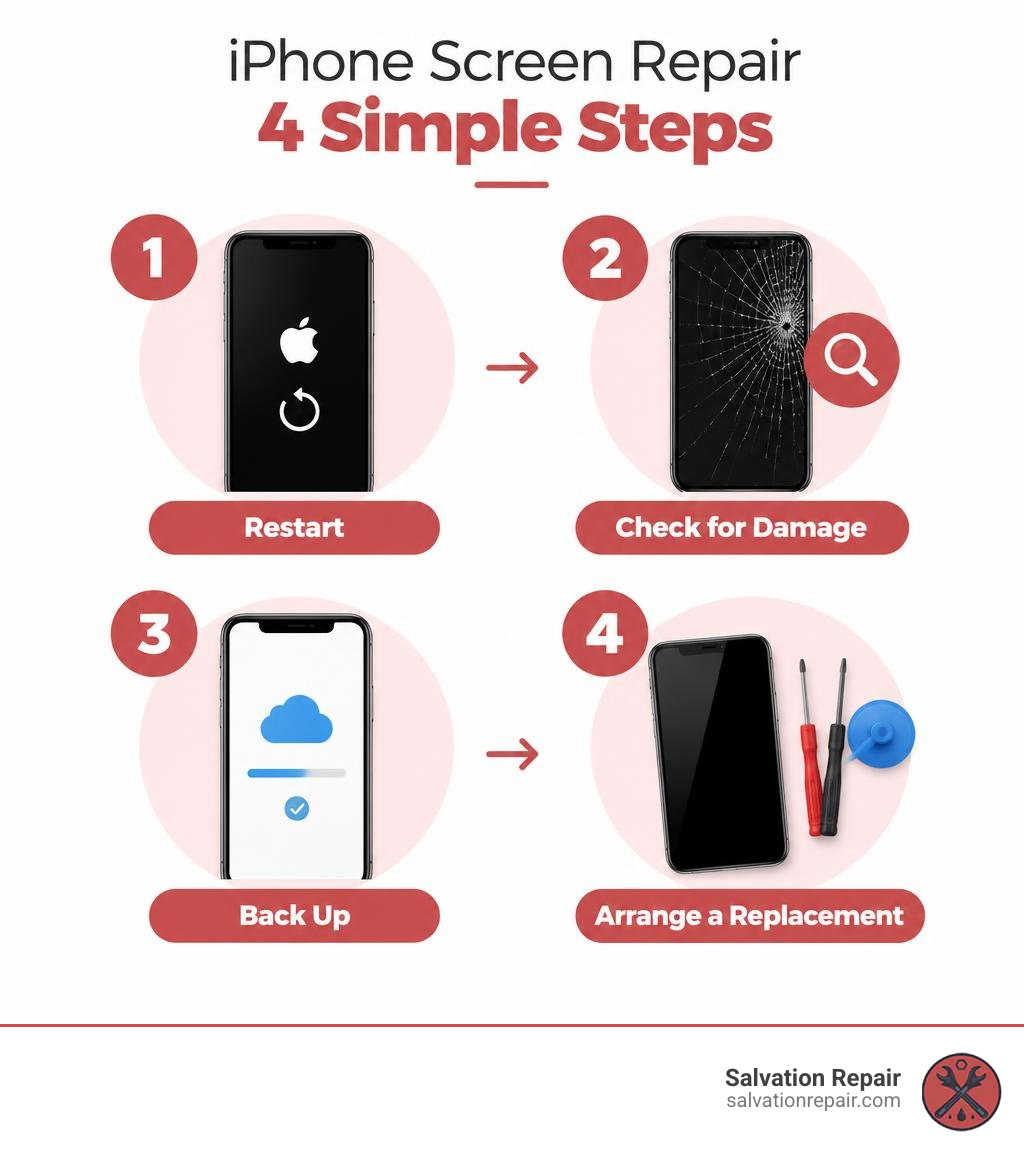
If you’re searching “apple fix my screen,” start with a restart if touch has stopped working. If you see cracked glass, dark spots, or areas that won’t respond to touch, back up your iPhone if you can and arrange a screen repair.
Apple offers screen repair, but you can also get your iPhone fixed locally at Salvation Repair in Laurel, MS. iPhone screen repairs take 10 to 15 minutes and are done in front of you. Each screen repair includes a free screen protector. If you choose an LCD or OLED screen, you can upgrade to an OLED or OEM screen within 60 days of the repair.
I’m Ralph Harris, a certified Apple repair technician with more than 20 years of hands-on device repair experience. When someone searches “apple fix my screen,” I help them find the quickest sensible next step, whether that’s troubleshooting or replacing a damaged display.
Apple fix my screen word roundup:
Troubleshooting Before Repair: Can Apple Fix My Screen or Is It a Glitch?
Before heading out the door or booking an appointment, take a couple of minutes to determine whether your phone is suffering from physical hardware failure or a temporary software lockup. Basic troubleshooting steps can resolve surprisingly complex touch issues.
A quick force restart solves many unresponsive displays without wiping your device data:
- Press and quickly release the Volume Up button.
- Press and quickly release the Volume Down button.
- Press and hold the Side (Power) button until the Apple logo appears on screen, then release.
How to Fix an Unresponsive Screen Before Asking Apple to Fix My Screen
Sometimes the issue is not the underlying display assembly, but an external accessory or surface debris causing ghost touches or input failure.
- Remove Protective Cases and Screen Guards: Thick, misaligned, or cheap screen protectors can trap moisture and dust, interrupting capacitive touch input.
- Clean and Dry the Glass: Wipe down the glass thoroughly with a clean microfiber cloth. Moisture or oils mimic finger contact, confusing the digitizer.
- Disconnect Charging Cables: Low-quality third-party charging bricks and frayed Lightning or USB-C cables can introduce electrical noise, causing touch hesitation or wild phantom clicks.
- Check Storage and System Hangs: If an app freezes the display entirely, our guide on resolving black screen issues without data loss can help restore normal response before you pay for an unnecessary hardware service.
Testing Hardware vs Software Display Damage
If your phone completes a restart but the screen still misbehaves, inspect the panel for signs of physical trauma. Software glitches don’t cause physical discoloration, but dropped devices frequently show internal panel fractures.
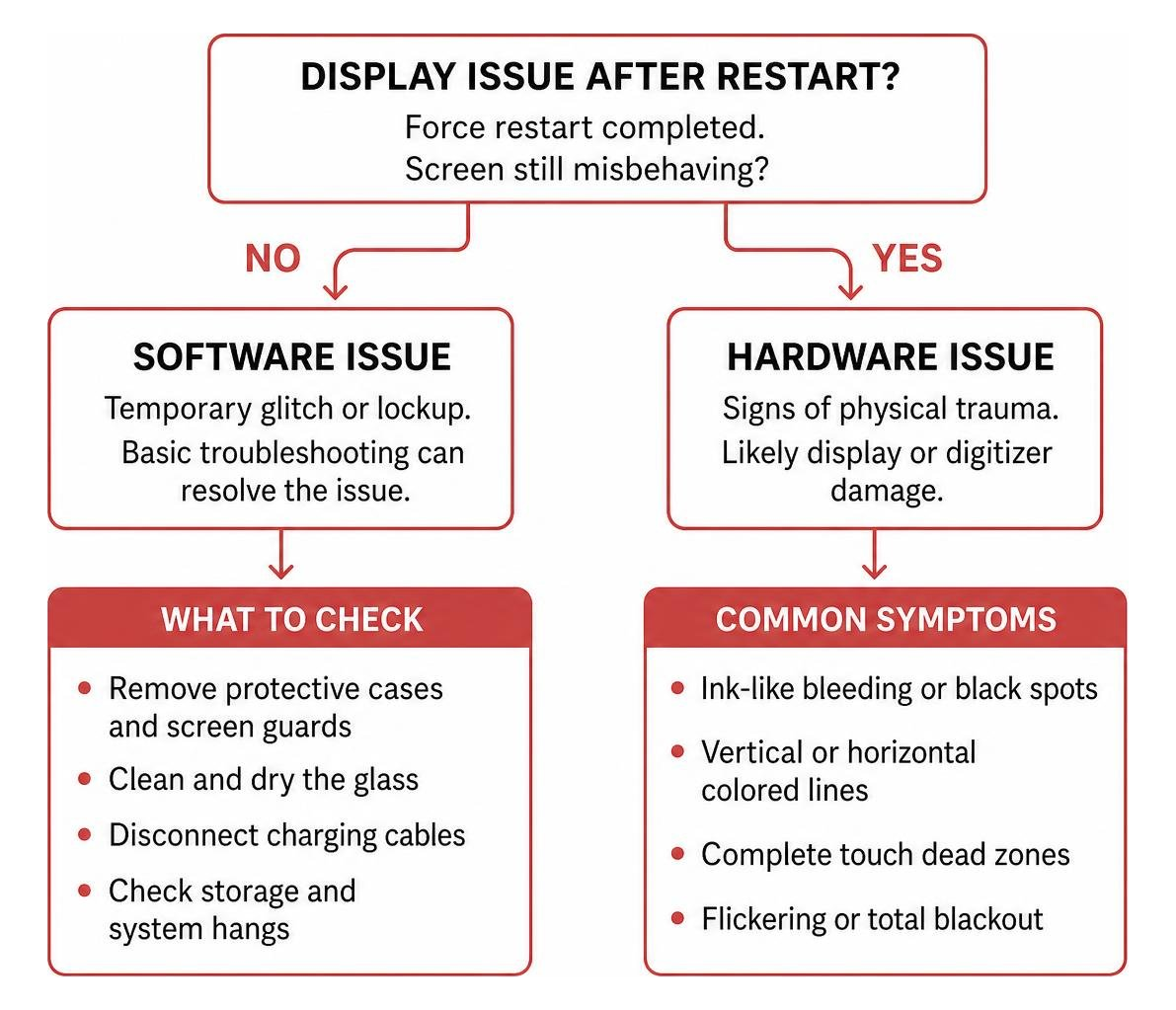
Common symptoms of hardware digitizer and panel failure include:
- Ink-Like Bleeding or Black Spots: This indicates broken OLED pixels where organic compound has leaked.
- Vertical or Horizontal Colored Lines: These lines point to a fractured display matrix or damaged ribbon connector.
- Complete Touch Dead Zones: If entire rows or sections of the keyboard refuse input, the digitizer layer is physically severed.
- Flickering or Total Blackout: The phone may vibrate or play notification sounds while showing no picture.
When these symptoms appear, follow a dedicated smashed screen replacement guide to secure professional hardware repair.
Official Apple Screen Repair Options and Out-of-Warranty Costs

When asking Apple to fix your screen, you can choose between an in-person Genius Bar appointment, mail-in repair via a prepaid shipping box, or visiting an Apple Authorized Service Provider. You can always check your coverage and claim progress through Apple’s repair status portal.
Official screen service costs depend heavily on warranty status. Apple’s standard One-Year Limited Warranty covers manufacturing defects, but it excludes all accidental drops, cracks, and liquid damage. If you do not have AppleCare+, you are billed out-of-warranty rates.
According to our comprehensive out-of-warranty iPhone screen repair cost guide for 2026, official Apple pricing ranges from $129 for an iPhone SE up to $379 for flagship models like the iPhone 15 Pro Max and iPhone 16 Pro Max.
Official Apple Service Channels and AppleCare Coverage
If you carry active AppleCare+, accidental front glass damage carries a fixed deductible of $29 per incident. Apple guarantees its repair work and replacement components for 90 days or the remaining balance of your device warranty, whichever is longer.
When handling out-of-warranty hardware, understanding the steps for replacing shattered front glass helps you evaluate whether official mail-in depots, retail stores, or independent repair shops offer the best balance of price and speed.
Why Will Apple Fix My Screen with Genuine Parts Only?
Apple pairs its display hardware directly to the logic board using proprietary software serialization. Genuine panels are calibrated during manufacturing to ensure:
- Accurate True Tone color temperature matching your ambient environment.
- Responsive multi-touch and haptic feedback performance.
- Proper functionality of ambient light sensors and proximity detection during phone calls.
- Full compatibility with camera and microphone privacy indicator dots in iOS.
Using non-genuine, low-grade copy panels can lead to uncalibrated colors, rapid battery drain, touch dead zones, and persistent “Unknown Part” system notices.
Professional vs DIY iPhone Screen Repair: Authorized, Independent, and Self-Service
You have several distinct paths when restoring a broken display: official Apple retail channels, self-service DIY repair, or trusted local repair shops.
| Repair Option | Average Cost Range | Turnaround Time | Parts Quality | Warranty Protection |
|---|---|---|---|---|
| Apple Store / Out-of-Warranty | $129 – $379 | 2 to 5 business days (mail) / Same-day appointment | Original OEM | 90-day Apple warranty |
| DIY Home Repair | $81 – $240 | 1 to 3 hours of manual labor | Aftermarket or OEM | Part supplier warranty only |
| Salvation Repair (Laurel, MS) | $129.95 – $469.95 (Model Dependent) | 10 to 15 minutes (on-site) | Premium LCD, OLED, & OEM | Lifetime Warranty |
Self-Service Repair and DIY Screen Replacement Kits
Performing a DIY screen replacement requires specialized tools, including:
- Pentalobe and Tri-point precision screwdrivers
- Suction handle pliers and display opening picks
- Heat guns or heating pads to soften factory water-resistant seals
- Anti-static ESD wrist straps and plastic spudgers
While attempting a DIY screen replacement can sometimes reduce parts costs compared to official out-of-warranty service, it typically takes 30 minutes to several hours of delicate labor. It also carries significant risks, such as puncturing the lithium-ion battery or tearing fragile Face ID sensor flex cables.
Post-Repair Display Calibration and Apple Repair Assistant
Beginning with modern iOS versions on iPhone 12 through iPhone 16 series, replacing a display triggers internal calibration requirements.
Once a new display is installed, Apple’s built-in Repair Assistant configures the screen:
- Connect your iPhone to a stable Wi-Fi network with at least 20% battery charge.
- Navigate to Settings > General > About > Parts & Service History.
- Select Restart & Finish Repair to calibrate True Tone, ambient brightness, and touch response.
If a part has Activation Lock linked to another Apple Account, Repair Assistant requires the original credentials before completing setup.
Fast Local Screen Repair in Laurel, MS: What to Expect
When you need an immediate fix without mailing your phone away for a week or driving out of town, Salvation Repair provides rapid, transparent repair right here in Laurel, MS.
When exploring fast same-day iPhone repair options, we focus on rapid turnaround and quality workmanship. We serve our neighbors across Laurel as well as nearby Ellisville, Bay Springs, and Soso.
Turnaround Time and On-Site Repair Convenience
We value your time and privacy. While Apple mail depots take several days, our technicians complete repairs swiftly on-site:
- iPhone Screen Replacement: 10 to 15 minutes in front of the customer
- iPhone Battery Replacement: 30 minutes
- Charging Port Repair: 1 hour
- Phone Deep Cleaning & Port Blowout: $29.95
Screen Types, Upgrade Flexibility, and Extra Protection
We believe in giving you clear options for your budget and device performance needs:
- Standard Repairs: Standard LCD at $129.95, aftermarket OLED at $129.95, and OEM at $149.95.
- iPhone 16 Pro: LCD at $149.95 and OLED at $199.95.
- iPhone 16 Pro Max: AQ7 LCD at $129.95, aftermarket OLED at $219.95, OEM refurbished at $399.95, and new OEM at $469.95.
We also repair Samsung displays, such as the Galaxy S22 Ultra (labor-included prices: aftermarket OLED $219.95, refurbished OEM $309.95, and new OEM $339.95).
Every screen installation at Salvation Repair comes with a free screen protector installed on the spot. Plus, we offer our 60-Day Upgrade Policy: if you install an LCD or OLED screen and decide you want an OLED or OEM display instead, you can upgrade at any point within 60 days of your repair by simply paying the difference.
Frequently Asked Questions About iPhone Screen Repairs
How much does an out-of-warranty iPhone screen repair cost?
Direct out-of-warranty pricing from Apple ranges from $129 for basic SE models up to $379 for flagship Pro Max units. Independent repair with Salvation Repair quotes standard LCD and aftermarket OLED screens at $129.95 and standard OEM at $149.95, with iPhone 16 Pro Max options ranging from $129.95 for AQ7 LCD up to $469.95 for brand-new OEM panels.
How do I verify if my replacement screen is a genuine Apple part?
Open Settings > General > About. Under the Parts and Service History section, a genuine panel calibrated through Apple diagnostics will display a “Genuine” label. Aftermarket replacements will display an “Unknown Part” notice, though high-grade aftermarket OLEDs function with full touch and display performance.
How long does a professional iPhone screen replacement take?
Apple Store Genius Bar repairs generally take 1 to 2 hours if appointments are open, while mail-in depot service takes 3 to 5 business days. At Salvation Repair in Laurel, MS, iPhone screen repairs take just 10 to 15 minutes and are performed directly in front of the customer.
Conclusion: Get Your iPhone Screen Fixed Fast in Laurel, MS
You don’t have to live with sharp cracked glass, unresponsive touch dead zones, or distorted display lines. While Apple can fix my screen through mail-in depots and retail Genius Bars, Salvation Repair delivers faster turnaround right here at home.
Visit us at 1503 Lakeview Rd, Laurel, MS 39440. We back our workmanship with a lifetime warranty, offer price matching on comparable parts, include a free screen protector with every display repair, and fix any device with a power button.
For complete details on choosing the right display for your phone, explore our complete iPhone screen repair guide or stop by our Laurel shop today to get your screen looking brand new in under 15 minutes!
