How to Repair PS5 Slim HDMI Port: 2 Methods that Guarantee Results
PS5 Slim HDMI Port Repair: What to Check First
If your PS5 Slim turns on but your TV says “No Signal,” start with the easy checks: try another HDMI cable, TV input, and display. Then power off and unplug the console. Shine a flashlight into its HDMI port. Bent pins or a loose port point to physical damage, but a port that looks normal does not rule out an internal fault.
There are two ways to repair a damaged port: a skilled technician may realign a pin or repair a minor solder joint if the port is sound, or replace the port if it is broken. Do not keep forcing the cable into a damaged port. If you see no damage, get a diagnosis before paying for a port replacement; the HDMI circuitry or another part of the console may be at fault.
I’m Ralph Harris. I’ve spent more than 20 years repairing electronics, including game consoles, and writing repair guides; below, I’ll walk you through PS5 Slim HDMI port repair and when each method makes sense.
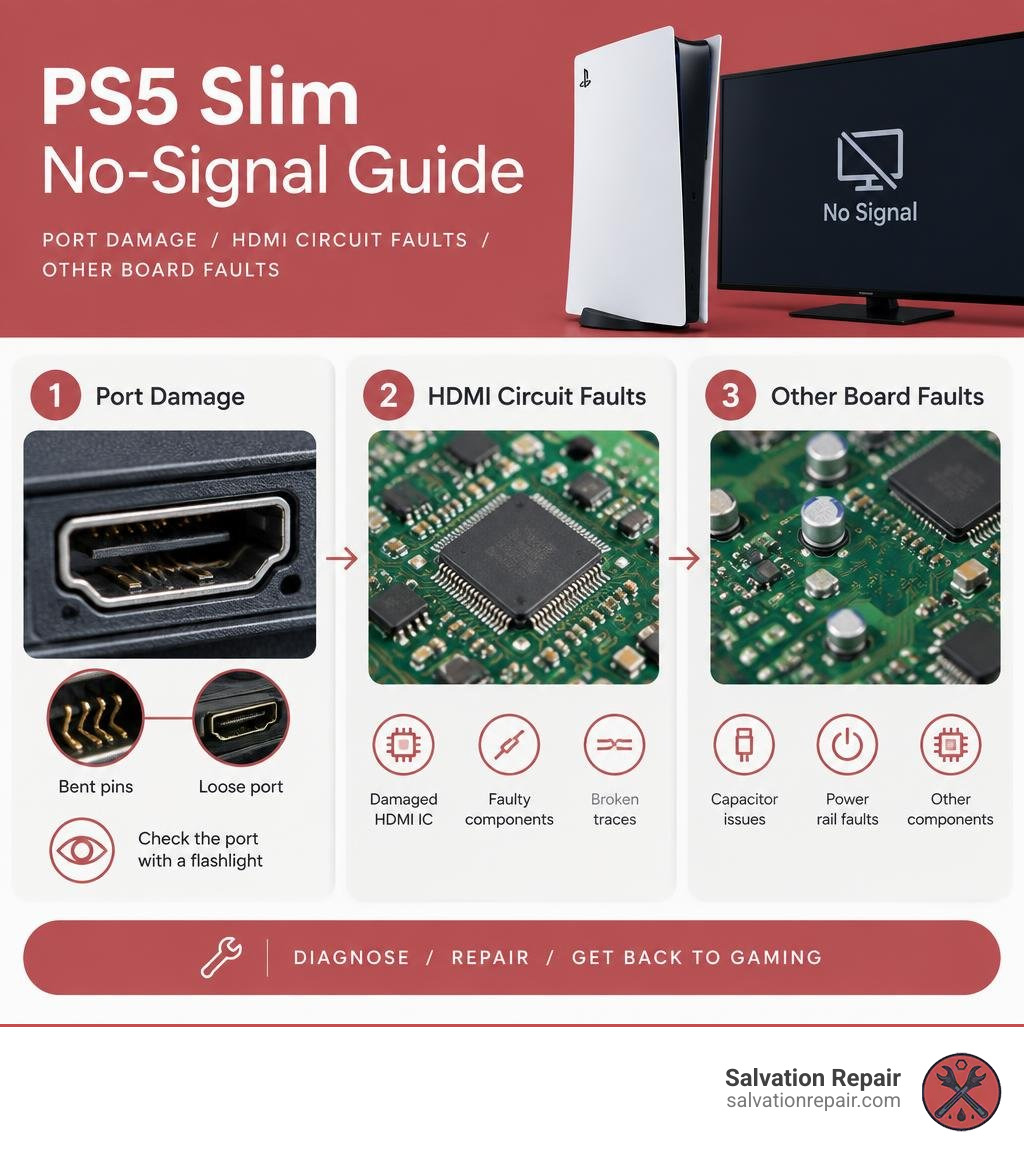
Simple PS5 Slim HDMI port repair word guide:
Diagnosing PS5 Slim Video Output: Is the HDMI Port Actually Broken?
When your console powers up, transitions from a pulsing blue light to a steady white light (known as the “White Light of Life”), but leaves your monitor completely pitch black, you are facing a video handshake failure. In the repair industry, roughly 60% of all PS5 video dropouts stem directly from bent or crushed pins inside the connector. Another 30% are caused by a failed HDMI retimer/encoder IC (often triggered by hot-plugging cables while the TV is live or electrical surges), and the remaining 10% involve APU-level video stage faults or severed motherboard circuit traces.
Before jumping straight to physical hardware disassembly, check out our guide on troubleshooting PS5 Slim no display issues to isolate fundamental software glitches.
| Symptom | Root Cause | Failure Frequency | Repair Complexity |
|---|---|---|---|
| Pushed-back/bent internal pins | Physical impact or cable yank | ~60% of cases | Moderate (Pin realignment or micro-soldered replacement) |
| White light, clean port, no video | Blown Panasonic HDMI retimer IC | ~30% of cases | Advanced (BGA chip rework and circuit testing) |
| Pulsing blue light / abrupt shutdown | APU video failure or power fault | ~10% of cases | High (Board-level diagnostic or motherboard swap) |
| Flickering 4K/120Hz or snow artifacts | Cracked solder joint / damaged filter | Common | Moderate (Joint reflow or EMI filter replacement) |
Visual and Hardware Checks: Port Pins vs. Encoder IC vs. APU
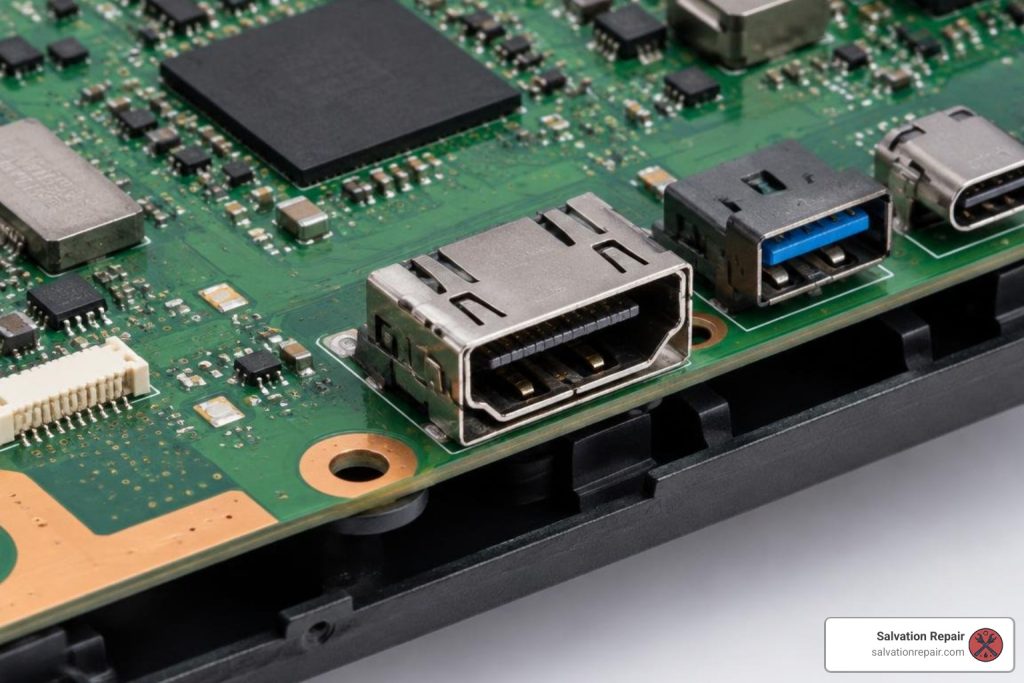
A high-output flashlight and a bit of magnification are your best diagnostic tools. The PS5 Slim HDMI interface relies on 19 tiny gold-plated copper pins spaced a mere 0.4 mm apart. When cables are plugged in at steep angles, these pins can easily buckle backward or bridge together, causing an immediate short circuit.
If all 19 pins appear perfectly parallel, straight, and seated firmly against their plastic molding, the issue likely shifts downstream to the motherboard’s Panasonic HDMI encoder/retimer management chip. For a deeper breakdown of physical port signs, check out our guide on damaged HDMI port fixes.
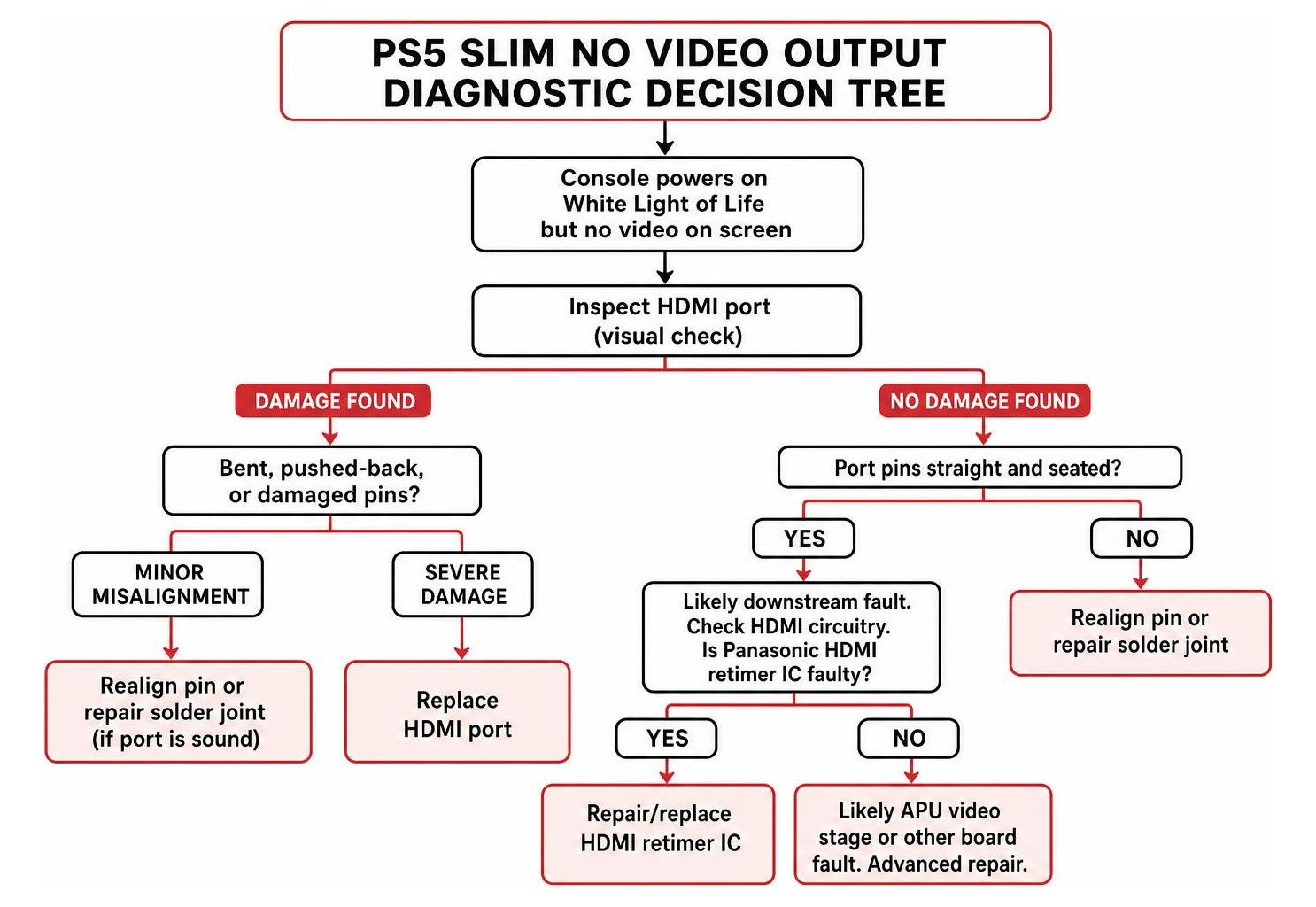
Diagnostic Steps Before PS5 Slim HDMI Port Repair
Before pulling out screwdrivers or sending your console in for service, systematically eliminate display handshake errors:
- Perform a Safe Mode Handshake Reset: With the console completely off, press and hold the front power button until you hear a second beep (roughly seven seconds). If Safe Mode displays on your screen, change the video output resolution to 1080p or turn off HDCP to resolve HDCP handshake conflicts.
- Swap to a Certified HDMI 2.1 Cable: Defective or substandard cables can fail to drive high-bandwidth 4K signals, mimicking physical hardware failure.
- Test Multiple Display Inputs: Switch ports on your television or try a dedicated computer monitor to rule out dead TV HDMI ports.
If these external steps fail, refer to our walkthrough on how to handle a broken PS5 HDMI port to protect the internal traces from further damage.
The 2 Proven Methods for PS5 Slim HDMI Port Repair
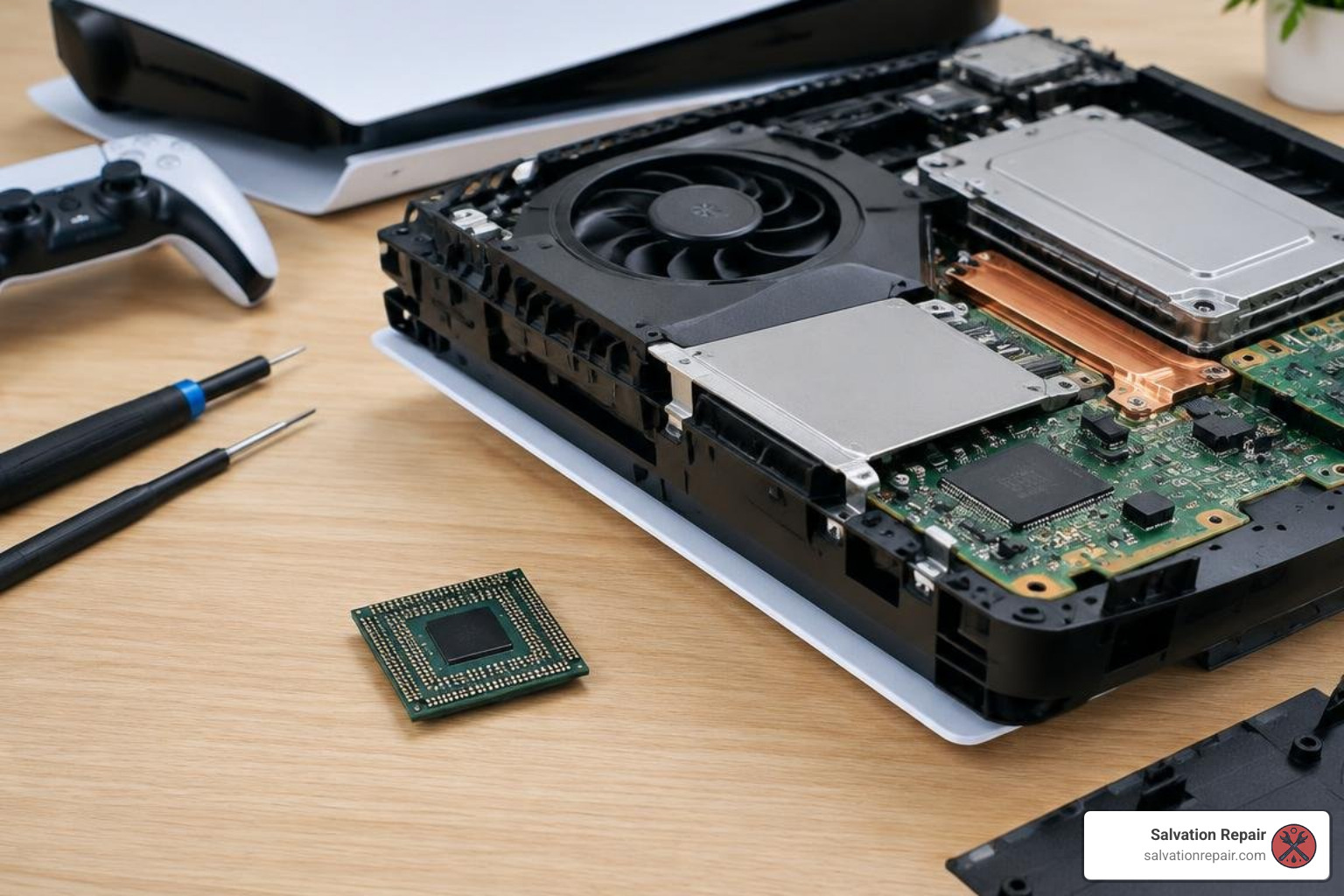
Restoring 4K video output requires precision micro-soldering. If you are exploring specialized HDMI repair, technicians rely on two distinct approaches depending on structural housing integrity.
Method 1: Pin Realignment and Minor Joint Reflow for Intact Ports
When the metal shield of the connector is undamaged and the internal plastic bridge is intact, full port replacement may not be required. If a pin is simply displaced or a solder joint has cracked from thermal cycling, micro-manipulation can resolve the issue:
- Micro-Tweezers Realignment: Under a trinocular microscope, technicians use fine-point micro-tweezers to guide displaced pins back into their retention channels.
- Cold Solder Joint Reflow: Using high-grade tacky flux and a fine 0.4 mm soldering iron tip, each individual pin joint on the rear anchor pads is reflowed using leaded or low-melt solder alloy to eliminate micro-fractures.
To explore whether your console qualifies for this less invasive method, read our detailed article on fixing a PS5 HDMI port without full replacement.
Method 2: Full Hot-Air Port Replacement and Trace Reconstruction
If pins are snapped, flattened, or the plastic core is shattered, complete replacement is the only reliable solution.

This process requires high-precision bench tools:
- Desoldering the Damaged Connector: The board is secured on a preheater, and focused hot air (380°C to 420°C) is applied uniformly across the ground anchor legs and data pins until the old port lifts away cleanly.
- Pad Clearing and Prep: Copper desoldering braid and isopropyl alcohol clear away old lead-free factory solder, exposing fresh copper pads.
- Trace Reconstruction: If previous physical force ripped copper traces from the board, micro-jumpers (0.02 mm enameled copper wire) are bridged to via points and cured under UV solder mask.
- Soldering the New Port: An original-specification connector with reinforced anchor legs is aligned and soldered.
- Quality Verification: Full continuity testing confirms zero pin bridges, followed by a live 4K at 120Hz HDR stress test.
Learn more about the full technical workflow on our dedicated PS5 HDMI port replacement service hub.
DIY vs. Professional PS5 Slim HDMI Port Repair: Tools, Liquid Metal, and Risks
Attempting a DIY repair on a PlayStation 5 Slim model CFI-2015 carries serious risks for anyone without extensive micro-soldering experience. Repair benches regularly see consoles with torn traces and heat-warped circuit boards caused by DIY attempts using standard hardware-store soldering irons.
Professional Micro-Soldering for PS5 Slim HDMI Port Repair
Professional repair facilities utilize industrial preheating plates, surgical trinocular microscopes, and temperature-regulated hot-air stations. For a detailed cost perspective, check out our PlayStation 5 HDMI port repair costs in Laurel MS breakdown.
Liquid Metal Containment and Motherboard Trace Risks
Unlike older consoles that used standard silicone paste, Sony uses an electrically conductive liquid metal thermal interface on the PS5 Slim APU. During teardown:
- Barrier Breaches: Tilting or handling the mainboard carelessly can breach the protective foam gasket, letting liquid metal spill onto SMD capacitors and instantly shorting out the board.
- Ground Plane Heat Sinking: The massive internal ground planes absorb heat rapidly. Standard soldering irons cannot heat the ground legs sufficiently without overheating nearby components, frequently resulting in ripped copper pads.
PS5 Slim HDMI Repair Costs, Turnaround Times, and Data Preservation
Opting for professional repair restores full display capabilities quickly and reliably.
| Service Option | Estimated Cost (2026) | Turnaround Time | Data Preserved? |
|---|---|---|---|
| Salvation Repair (Laurel, MS) | Starts at $99.95 | 1–3 Business Days | Yes (100% Intact) |
| Standard Professional Micro-Soldering | $100 – $150 | 1–5 Business Days | Yes |
At Salvation Repair, PlayStation 5 HDMI port replacement pricing starts at $99.95 and is never lower. For all PlayStation 5 repairs, HDMI port repair and board repair are separate services with separate charges; there is no combined port-and-board repair charge.
Frequently Asked Questions About PS5 Slim Video Issues
Will fixing the HDMI port delete my saved games or factory reset my console?
No. The HDMI port and retimer circuit are purely dedicated to video output transmission. They do not interact with the encrypted internal SSD storage chips. Your account profiles, trophies, game installs, and offline save files remain completely untouched.
How does PS5 Slim HDMI port repair differ from the original standard PS5?
While the 19-pin electrical layout remains identical, the PS5 Slim (CFI-2000 series) utilizes a more compact motherboard with altered ground shield anchor geometry and tighter component spacing around the video filters. Thermal dissipation characteristics also differ, requiring precise heat management during hot-air desoldering.
Can I prevent future HDMI damage on my PS5 Slim?
To protect your port:
- Avoid moving the console while cables are plugged in.
- Never force a cable in blindly; ensure correct orientation first.
- Use a short, flexible HDMI 2.1 extension or a 90-degree adapter to relieve mechanical leverage on the internal connector pins.
- Power down the console before disconnecting or reconnecting display cables.
Conclusion
A broken HDMI port does not mean your PS5 Slim is beyond saving. Whether your console requires precision pin realignment or a full hot-air connector replacement, professional micro-soldering restores complete 4K/120Hz functionality while keeping all your game saves intact.
At Salvation Repair, located at 1503 Lakeview Rd, Laurel, MS 39440, we provide expert gaming console repair backed by a lifetime warranty on our workmanship and a straightforward price-matching guarantee. We fix any device with a power button for gamers across Laurel and neighboring communities like Ellisville, Bay Springs, and Soso.
Beyond game consoles, we specialize in fast, high-quality device care. Standard phone screen options include LCD repairs at $129.95, aftermarket OLED at $129.95, and OEM at $149.95. For the iPhone 16 Pro, we offer LCD repairs at $149.95 and OLED at $199.95. For the iPhone 16 Pro Max, options include AQ7 LCD at $129.95, aftermarket OLED at $219.95, OEM refurbished at $399.95, and new OEM at $469.95. For Samsung Galaxy S22 Ultra owners, we offer aftermarket OLED ($219.95), refurbished OEM ($309.95), and new OEM ($339.95) options, all including labor. We provide free screen protectors with all screen repairs, and customers can upgrade from an LCD or OLED screen to an OLED or OEM screen anytime within 60 days of their repair. For fast mobile service, iPhone screen repairs take just 10–15 minutes in front of the customer, battery repairs take 30 minutes, and charging port repairs take 1 hour.
Reach out to Salvation Repair today to get your PS5 Slim back on the screen and ready for your next gaming session!
