
How to Fix PS5 Slim Not Turning On Without Replacing It
What to Try When Your PS5 Slim Is Not Turning On
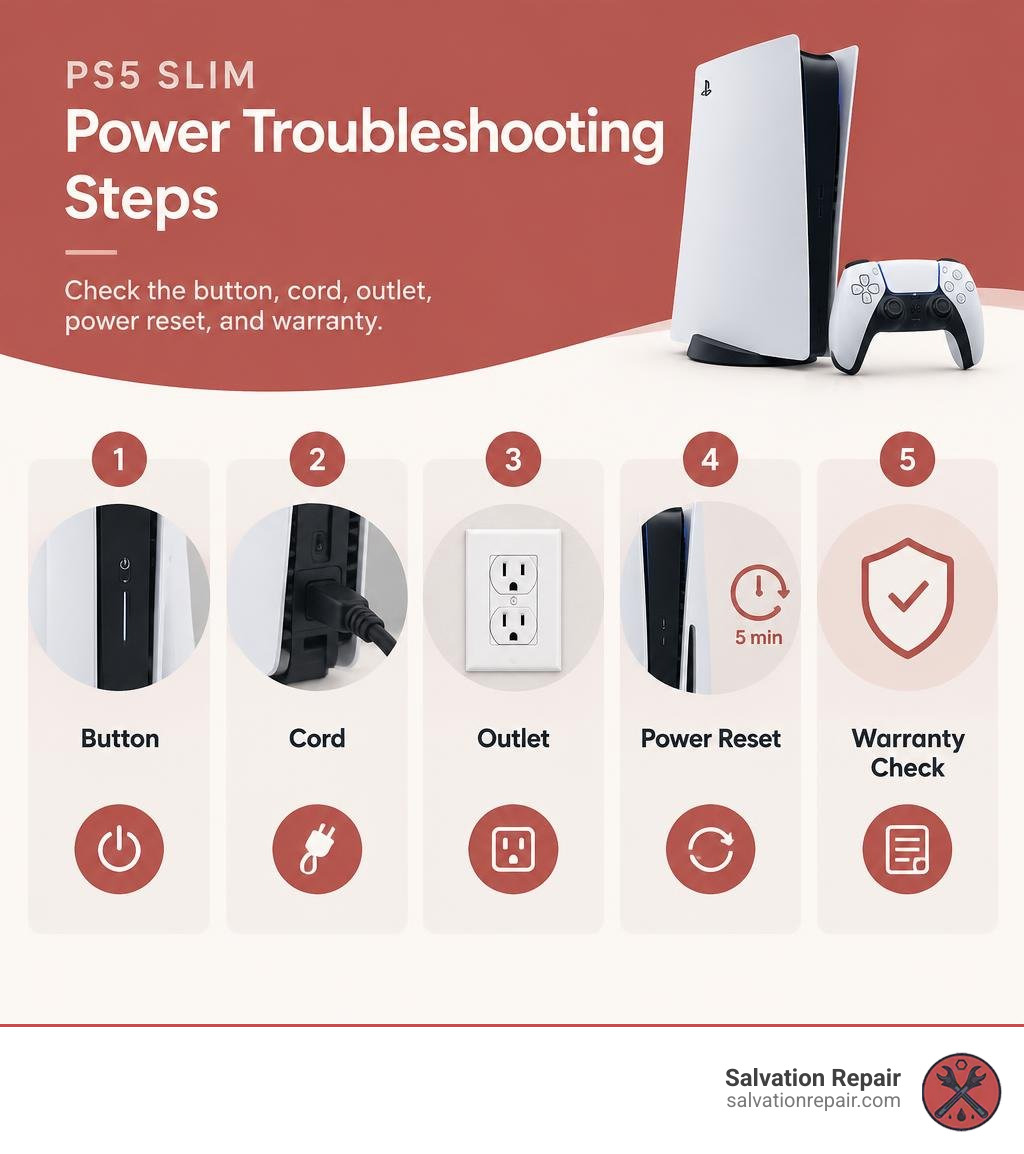
If your PS5 Slim is not turning on, start with the power source. Press the button on the console itself, then check that the power cord is firmly seated. Test a working wall outlet. If nothing happens, unplug the console for a few minutes, reconnect it, and try again. No lights or beeps after those checks may point to an internal fault, so don’t open the console before checking your Sony warranty options.
I’m Ralph Harris, and I’ve spent more than 20 years repairing electronics, including gaming consoles. I’ll use that experience to help you diagnose power issues without guessing at parts.
Related guides for common console faults:
Recognizing Symptoms When Your PS5 Slim Is Not Turning On
Diagnosing a console failure starts by observing its visual and audible indicators. The PS5 Slim uses light bars on its front panel alongside specific beeping sequences to communicate its operational state.
According to the SONY CFI-2016 Play Station Slim Edition Gaming Console User Guide, normal operation features a light strip that blinks blue upon pressing the power button before settling into a solid white glow, indicating full readiness. An orange indicator represents rest mode, while an unlit bar means the console is fully powered down or receiving no electrical current.
When things go wrong, the light behavior changes drastically:
- No Light, No Sound: The console is completely unresponsive to button presses or controller inputs, indicating an open circuit or severe power rail failure.
- Pulsing Blue Light (BLOD): The light pulses continuously without transitioning to solid white, pointing to a handshake timeout between the APU, RAM, or power control systems.
- Single Beep with No Lights: The system initiates boot logic but aborts within milliseconds due to an immediate short circuit protection trigger.
Reviewing the official Sony guide on troubleshooting PS5 power issues provides a solid baseline for basic status verification before tearing into the hardware.
What to Do When Your PS5 Slim Not Turning On Shows No Lights or Beeps

When a console shows zero signs of life—no illuminated indicators, no chime, no disc drive motor spin—the issue lies entirely within the power delivery path.
Start by isolating external variables:
- Verify the wall socket functions by testing it with a lamp or phone charger.
- Ensure the figure-8 AC cable is firmly pushed into the back of the PS5 Slim. The revised Slim chassis uses a slightly recessed socket where cables can feel seated without making full electrical contact.
- Remove any surge protectors, extension cords, or smart plugs to eliminate intermediary component failure.
If basic external tests fail, you are likely dealing with deep PlayStation 5 Slim power issues stemming from a tripped internal power supply unit (PSU) breaker or a blown standby circuit.
Single Beep and Immediate Shutdown Behavior
A console that emits a single beep before shutting off instantly presents a different diagnostic puzzle. That single chime proves the power switch itself is functional and reaches the motherboard, but the Southbridge controller immediately halts the boot process to protect internal silicon.
This behavior occurs when the console detects an immediate short circuit or missing voltage rail. Common culprits include:
- A collapsed 12-volt main rail from a degraded MOSFET.
- Damaged power management integrated circuits (PMICs).
- Liquid metal runoff bridging microscopic surface-mount components around the APU.
Investigating the PS5 Slim single beep mystery or reading our deep dive into the PlayStation 5 one beep no power issue helps distinguish between simple power delivery faults and motherboard-level shorts.
Step-by-Step DIY Power Reset and Basic Fixes
Before reaching for screwdrivers, execute a complete system drain to reset internal logic states and thermal trip-switches.
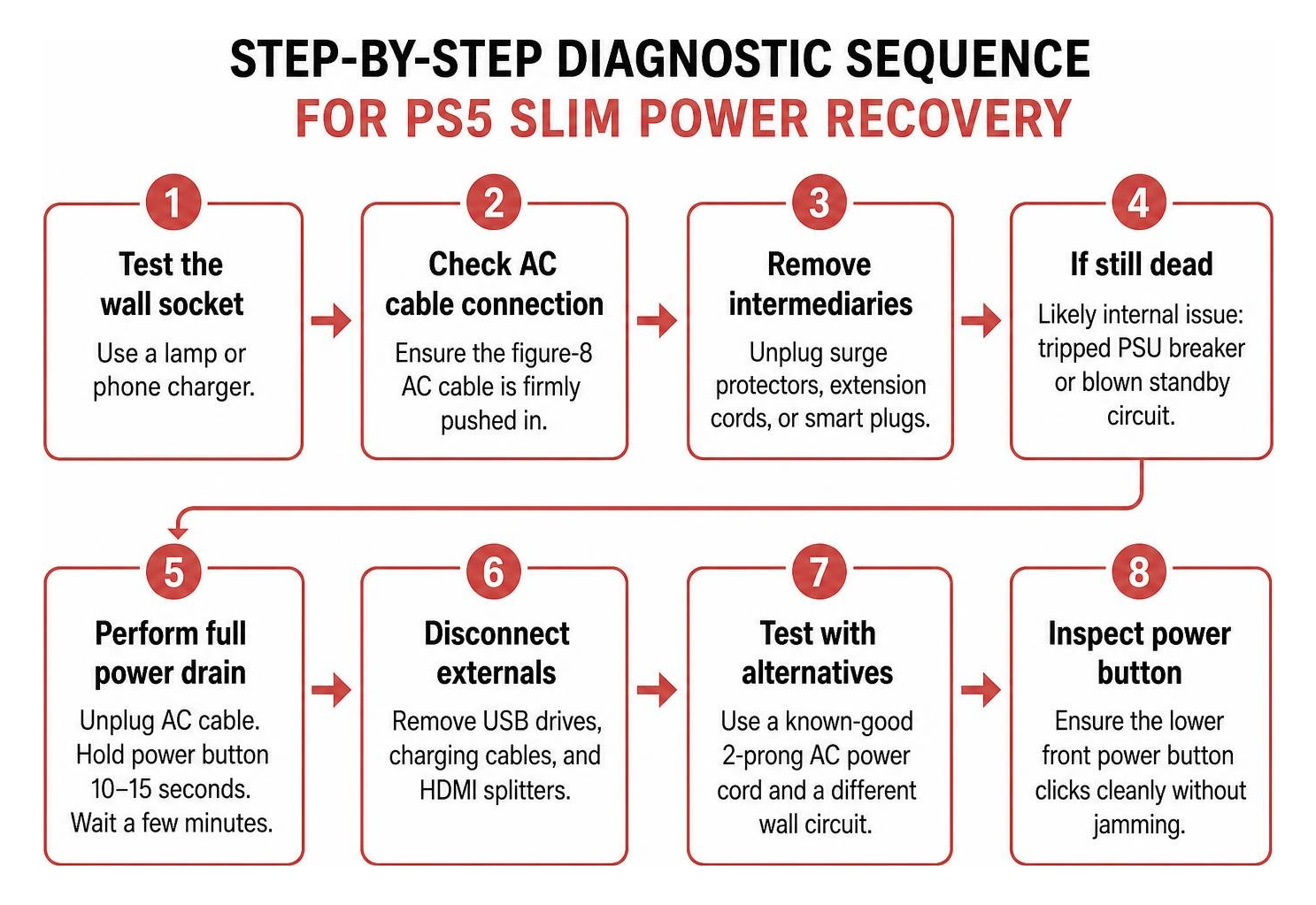
Follow these basic external checks:
- Disconnect all external USB drives, charging cables, and HDMI splitters.
- Test with a known-good standard 2-prong AC power cord.
- Switch to a completely different wall circuit in your home.
- Inspect the physical power button on the lower front plate to ensure it clicks cleanly without jamming.
Safely Power Cycling and Resetting the Internal Power Supply
Modern console power supplies feature internal latching protection circuits. When exposed to a minor voltage spike or low-voltage brownout, the PSU locks itself in a protective cutoff mode until fully discharged.
To reset the internal PSU:
- Unplug the AC power cord directly from the rear of the PS5 Slim.
- Press and hold the power button on the front of the console for a full 30 seconds. You may hear a faint, dying beep or see a microscopic flicker of the LED—this is residual power draining out of the high-voltage capacitors.
- Leave the console unplugged from the wall for at least 15 minutes.
- Plug the AC cord directly into a wall outlet without using a power strip.
- Connect your DualSense controller using an authentic USB-C cable and press the PS button on the controller to trigger a remote boot.
Cleaning Dust Blockages to Stop Thermal Power-Offs
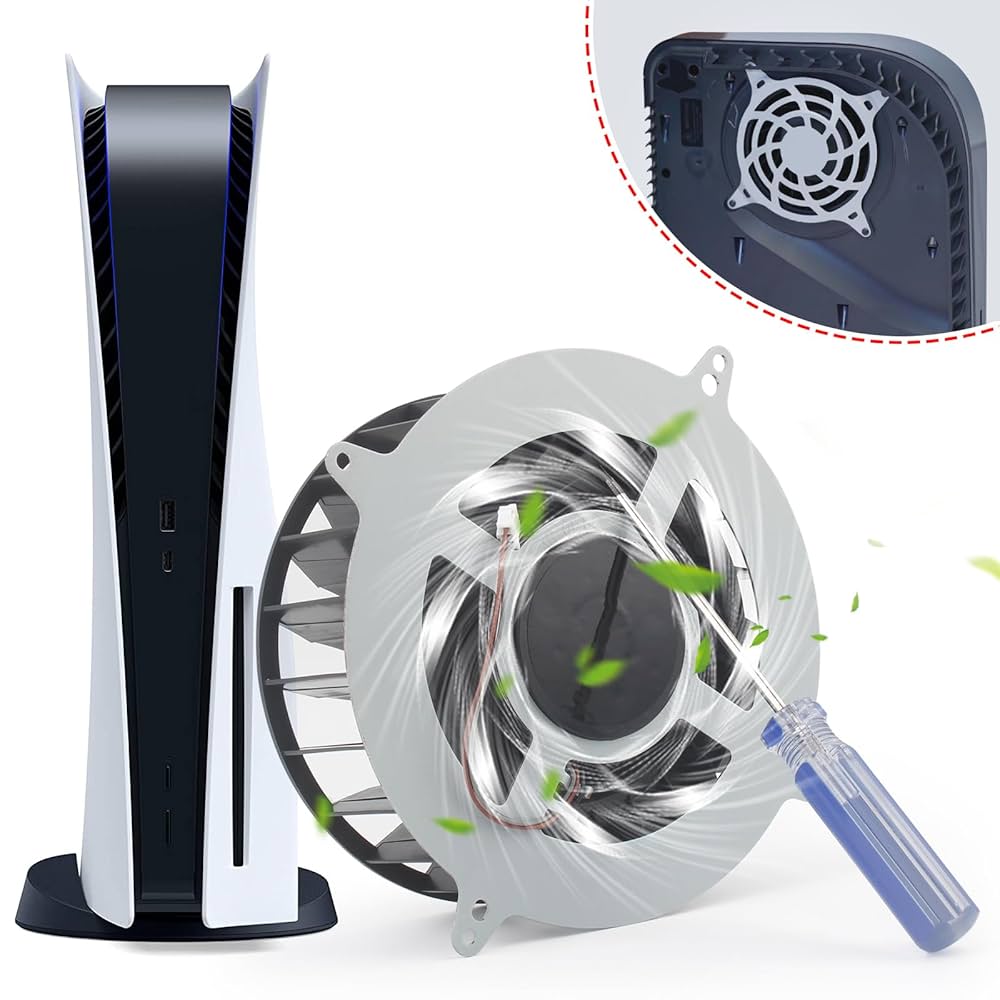
Overheating does not always announce itself with a high-pitched fan whine. In many cases, fine dust builds up along the internal heatsink fins and power supply intake vents, causing the console to shut off abruptly after 10 to 20 minutes of gameplay or refuse to reboot while thermal sensors remain tripped.
To clear these blockages safely:
- Unclip the top and bottom matte white faceplates by lifting slightly on the back corner and sliding the plates toward the base.
- Inspect the fan intake and triangular vacuum dust catcher holes built into the inner plastic housing.
- Use short bursts of compressed air to clear the dust traps. Keep the can upright to prevent liquid propellant from spraying onto the circuit board.
- Use a soft anti-static brush to sweep away dust bunnies around the intake grates, ensuring at least 4 to 6 inches of clearance on all sides of the console during regular use.
Hardware and Component Diagnostics for PS5 Slim Power Failures
When external resets and cleaning do not revive the system, internal electrical diagnostics become necessary.
| Failure Symptom | Most Likely Faulty Component | Typical Voltage Reading / Status | Primary Repair Action |
|---|---|---|---|
| Completely Dead (No lights/beeps) | Main Power Supply (ADP-400GR) | 0V on 12V Standby Rail | Replace internal PSU |
| Completely Dead (PSU tested good) | Standby Fuses (F7001 / F7002) | 12V present, 0V on 5V/3.3V rails | Replace blown surface-mount fuses |
| Single Beep then Instant Off | Power Management IC (RT5126) | 0.75V SOC rail missing / shorted | Micro-solder replacement PMIC |
| Turns Off After 5-15 Mins | Clogged PSU Vents / Dry Liquid Metal | Normal standby, high heat under load | Thermal service & internal cleaning |
| Pulsing Blue Light (BLOD) | Southbridge / APU Communication | Standby rails active, boot ROM timeout | Diagnostic UART reading & rework |
Power Supply and Hardware Faults Behind a PS5 Slim Not Turning On
The internal power unit in the CFI-2000 series is the PlayStation 5 Slim Power Supply ADP-400GR. Operating on a wide-range input of 100V–240V, it converts mains AC into a primary 12-volt DC rail rated at roughly 31 amps.
When this unit fails due to power surges or component degradation, it drops output voltage entirely. If you possess basic DIY technical experience, you can follow a step-by-step guide to PlayStation 5 Slim power supply replacement using standard T8 Torx security screwdrivers and plastic spudgers.
Before committing to a full PSU swap, make sure the switch mechanism itself hasn’t failed by consulting our PS5 Slim power supply switch repair guide.
Motherboard Power Rails, Blown Fuses, and PMIC Failures
If the power supply delivers a solid 12 volts but the console remains dead, the fault shifts to the motherboard circuitry. The PS5 Slim uses the EDM-041 board revision (or the similar EDM-040).
Key board-level failure points include:
- Standby Fuses (F7001, F7002, F3501): These miniature surface-mount fuses protect low-voltage sub-circuits. If a multimeter in continuity mode shows “OL” (open loop) across F7001 or F7002, the 5V and 3.3V standby rails will read 0V, rendering the board completely dead.
- Power Management ICs (RT5126 / DA9065): The main PMIC coordinates boot sequences across multiple voltage rails. A failing RT5126 chip can prevent current draw from scaling from a 21 mA sleep state up to the expected 300 mA boot initialization.
- Boot ROM & Enable Lines: If the Southbridge fails to assert the IC7102 enable line (0.75VSOCVDDP), boot ROM validation fails, causing the console to chime once and halt.
When to Opt for Professional Motherboard Repair vs. Sony Warranty
Deciding between DIY troubleshooting, factory warranty service, and professional board repair comes down to warranty status and required toolsets.
- Check Your Warranty: If your console is under one year old, contact Sony support. However, factory warranty claims mean wiping your local save data and waiting weeks for a replacement unit.
- When to Seek Board-Level Repair: If your console is out of warranty, or if the fault occurred after a lightning surge or failed HDMI port repair attempt, micro-soldering is required. Diagnosing missing rails on an EDM-041 board requires thermal imaging, high-magnification microscopes, and precision hot-air rework stations.
For complex faults beyond a basic power cable swap, relying on professional PlayStation 5 repair services ensures your original console and game data are preserved without risking permanent board delamination.
Frequently Asked Questions About PS5 Slim Power Issues
Can a bad HDMI port stop my PS5 Slim from powering on?
Yes. Physical damage to the HDMI connector can bend internal pins, pushing the 5-volt Hot Plug Detect (HPD) pin directly into grounding shielding. This dead-short trips the motherboard’s main standby line, preventing the console from initiating power sequences. If you suspect port damage, review our guide on fixing PS5 Slim no display issues to identify bent or shorted internal pins.
What does UART error 8089403A mean on a dead PS5 Slim?
UART error code 8089403A indicates a communication timeout during the initial boot ROM validation sequence. It means the Southbridge has signaled the system to wake, but the secondary power management circuit (IC7102) never asserted the necessary 0.75V rail for the APU, leaving the console trapped in an unpowered state.
Why does my PS5 Slim lose power suddenly during gameplay?
Sudden power loss under heavy gaming load is almost always caused by thermal shutdown or PSU rail collapse. When the system transitions from low-power menus to demanding 4K HDR processing, current draw jumps dramatically. If heatsink fins are clogged with dust or internal PSU capacitors have degraded, the power supply shuts down instantly to prevent silicon damage.
Conclusion
A dead PS5 Slim is frustrating, but it does not mean your gaming console is ready for the landfill. By methodically eliminating external cable faults, resetting internal power supply latches, and checking for common hardware issues, you can often restore your console to full health without needing an expensive total replacement.
If your console requires advanced diagnostics, blown fuse replacements, or precision PMIC micro-soldering, our team at Salvation Repair is here to help. Located at 1503 Lakeview Rd, Laurel, MS 39440, we provide fast, same-day, on-site service with a lifetime warranty and price matching on all work. Whether you are dealing with a faulty power rail, need expert gaming console repair, or require device service in Laurel or nearby Ellisville, Bay Springs, and Soso, we stand behind our promise to repair any device with a power button. Stop by our shop or get in touch with us today to bring your PlayStation back to life!
